Introduction
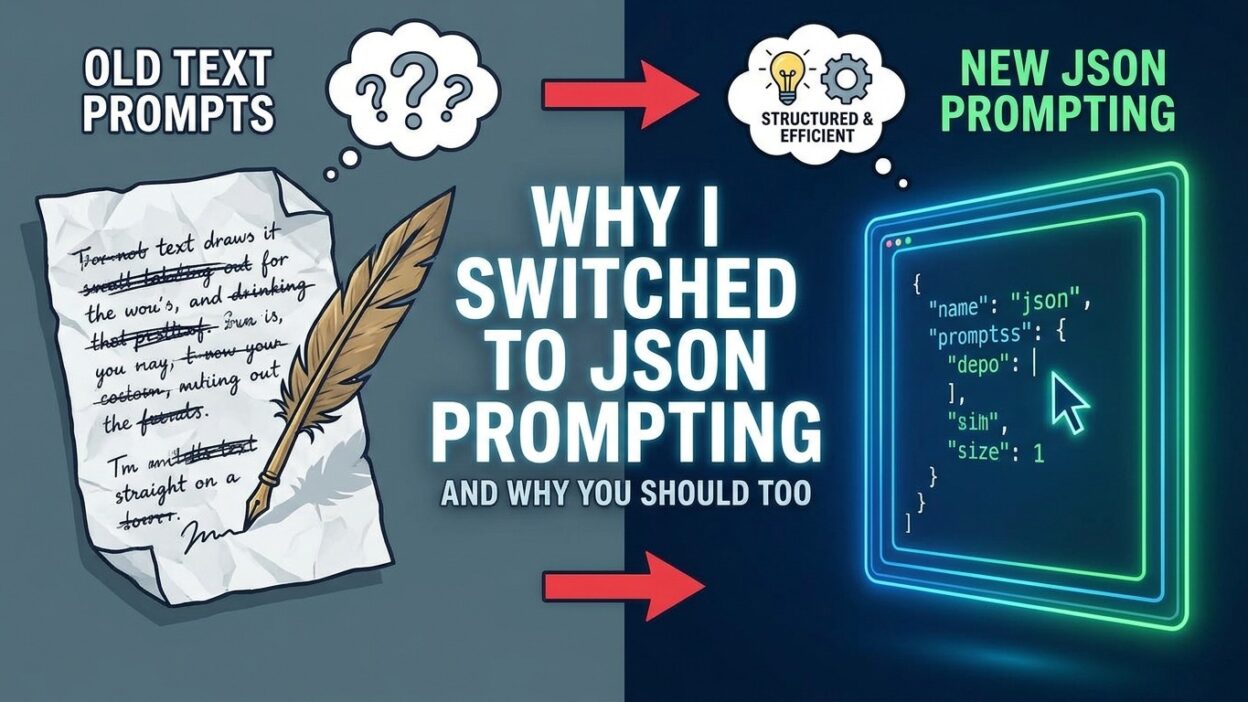
TL;DR I used to write prompts like everyone else. Long paragraphs of instructions. Natural language descriptions mixed with examples. Vague phrases like “please make sure” or “try to include.” The results were inconsistent. The model would sometimes follow the instructions. Other times it would drift, add extra commentary, or miss a key detail entirely.
Then I tried JSON Prompting. Everything changed.
JSON Prompting means structuring your prompt input as a JSON object instead of plain prose. It gives the model a clean, unambiguous specification to work from. Outputs become predictable. Errors become rare. Downstream processing becomes trivial. This blog explains what JSON Prompting is, why it works, and how to start using it in your own workflows today.
What Is JSON Prompting
The Core Idea Behind JSON Prompting
JSON Prompting is the practice of sending prompts to a large language model in JSON format rather than plain text. Instead of writing a paragraph that describes what you want, you write a structured object with labeled fields. Each field carries a specific piece of information. The model reads the structure and responds accordingly.
Here is a simple example. Compare these two approaches for the same task.
Plain text approach:
You are a helpful assistant. Summarize the following article in three sentences. Keep the tone professional. The article is about quantum computing advances in 2025.
JSON Prompting approach:
{
  "role": "assistant",
  "task": "summarize",
  "constraints": {
    "sentence_count": 3,
    "tone": "professional"
  },
  "content": {
    "topic": "quantum computing advances in 2025"
  }
}
Both prompts contain the same information. The JSON version removes ambiguity. Each field has a clear name and value. The model does not need to parse natural language to understand the structure of the request.
Why Structure Matters in Prompt Design
Language models are pattern-recognition systems. They learn from massive amounts of structured and unstructured text. When you send a well-structured prompt, the model can match it to patterns it has seen before. Structured input triggers structured output.
Plain text prompts force the model to infer structure. It guesses where one instruction ends and another begins. It decides on its own how to weight competing requirements. JSON Prompting removes that guesswork. The structure is explicit. The model reads it exactly as written.
Why I Switched to JSON Prompting
The Breaking Point With Plain Text Prompts
My breaking point came during a product description generation project. I had 200 product entries. Each product needed a title, a short description, three bullet points, and a call-to-action phrase. I wrote a detailed plain text prompt. The model mostly followed it.
But “mostly” is not good enough at scale. Some outputs included four bullet points. Others wrote the call-to-action as a full sentence instead of a short phrase. A few outputs added an introductory sentence that I never asked for. Every inconsistency meant manual editing. The time savings of AI automation evaporated.
I rewrote the prompt as a JSON specification. The outputs aligned with the spec on the first try and kept aligning across all 200 entries. That project converted me to JSON Prompting permanently.
The Reliability Problem With Prose Instructions
Prose instructions have a fundamental problem. Language is ambiguous. Words carry different meanings in different contexts. A phrase like “keep it brief” means different things to different people. A model reading that phrase makes its own judgment about what “brief” looks like.
JSON Prompting replaces judgment with specification. You set "max_words": 50 and the model knows exactly what brief means. You set "format": "bullet_list" and it does not write a paragraph. You set "include_examples": false and it skips the examples. Every instruction is precise.
The Downstream Processing Problem
Building an AI-powered application requires more than good outputs. Those outputs need to fit into a larger system. They get parsed, stored, displayed, or fed into another process. Plain text outputs break parsing pipelines constantly.
JSON Prompting creates machine-readable outputs by design. The model returns JSON. Your code reads it with a JSON parser. No regex. No string manipulation. No brittle hacks that break when the model adds an extra sentence.
How JSON Prompting Works
Basic JSON Prompt Structure
A JSON prompt has a few core components. The role tells the model what persona or function it takes in this task. The task field names the operation the model should perform. The constraints section sets hard requirements the output must meet. The content section holds the actual data or instructions the model should work with.
Here is a more complete example for a blog outline generator:
{
  "role": "content_strategist",
  "task": "generate_blog_outline",
  "constraints": {
    "heading_levels": ["H2", "H3"],
    "total_sections": 6,
    "tone": "conversational",
    "target_audience": "software developers",
    "include_faqs": true,
    "faq_count": 5
  },
  "content": {
    "topic": "switching to JSON Prompting",
    "primary_keyword": "JSON Prompting",
    "secondary_keywords": [
      "structured prompts",
      "LLM output formatting",
      "prompt engineering"
    ]
  },
  "output_format": {
    "type": "json",
    "schema": {
      "outline": "array of section objects",
      "each_section": {
        "heading": "string",
        "level": "H2 or H3",
        "subtopics": "array of strings"
      }
    }
  }
}
This prompt leaves nothing to interpretation. The model has a complete specification. Outputs match the specification consistently.
Using JSON for System Prompts
System prompts in the OpenAI API or Anthropic API are instructions that set the context for the entire conversation. JSON Prompting applies here too. Instead of writing a paragraph-long system prompt, write a JSON object that defines the assistant’s behavior.
{
  "assistant_config": {
    "name": "DataBot",
    "domain": "financial analysis",
    "response_style": "concise",
    "avoid": ["speculation", "unsupported claims", "first-person opinion"],
    "always_include": ["source_confidence_level", "date_range_referenced"],
    "output_format": "json"
  }
}
Every conversation with this system prompt follows the same rules. The assistant does not drift into speculation. It always includes the required metadata fields. Consistency across sessions becomes a feature you can rely on.
Combining JSON Prompting With Natural Language
JSON Prompting does not mean eliminating all natural language. Long-form content generation, creative writing, and nuanced reasoning tasks still benefit from natural language instructions. The technique shines brightest on structured tasks.
A hybrid approach works well. Use JSON for the structure, metadata, and constraints. Use a natural language field for the actual content instruction when the task requires prose thinking.
{
  "task": "write_product_description",
  "product": {
    "name": "AeroFlow Standing Desk",
    "category": "office furniture",
    "price_usd": 799
  },
  "constraints": {
    "word_count": 120,
    "tone": "professional and approachable",
    "format": "paragraph"
  },
  "instruction": "Write a product description that emphasizes the health benefits of standing while working, and mention the easy height adjustment system. Avoid superlatives."
}
The structure handles the metadata and constraints. The natural language instruction handles the nuanced writing directive. Both work together.
JSON Prompting for Structured Output
Requesting JSON Outputs From AI Models
JSON Prompting works in two directions. You send a JSON-formatted prompt. You request a JSON-formatted response. This two-way structure creates a clean input-output contract between your application and the model.
Most major AI providers now support JSON output modes. OpenAI has a response_format parameter that forces the model to respond in valid JSON. Anthropic’s Claude models respond reliably to well-specified JSON output instructions. Google’s Gemini models support structured output schemas.
Here is how to request a structured JSON output from a model:
{
  "task": "extract_entities",
  "text": "Apple reported $119 billion in revenue for Q1 2025, led by iPhone sales in Asia.",
  "output_schema": {
    "companies": "array of company name strings",
    "financial_figures": [
      {
        "amount": "number",
        "currency": "string",
        "period": "string",
        "metric": "string"
      }
    ],
    "regions": "array of region name strings"
  }
}
The model returns:
{
  "companies": ["Apple"],
  "financial_figures": [
    {
      "amount": 119000000000,
      "currency": "USD",
      "period": "Q1 2025",
      "metric": "revenue"
    }
  ],
  "regions": ["Asia"]
}
Your downstream code reads this directly. No parsing guesswork.
Using JSON Schema for Output Validation
Advanced JSON Prompting includes schema validation. You define a JSON Schema object alongside your prompt. The model generates output that conforms to the schema. Your application validates the output against the schema before using it.
{
  "task": "classify_support_ticket",
  "ticket_text": "My order hasn't arrived after 14 days.",
  "output_schema": {
    "$schema": "http://json-schema.org/draft-07/schema#",
    "type": "object",
    "required": ["category", "priority", "sentiment"],
    "properties": {
      "category": {
        "type": "string",
        "enum": ["shipping", "billing", "product", "account", "other"]
      },
      "priority": {
        "type": "string",
        "enum": ["low", "medium", "high", "critical"]
      },
      "sentiment": {
        "type": "string",
        "enum": ["positive", "neutral", "negative"]
      },
      "suggested_response_template": {
        "type": "string"
      }
    }
  }
}
This approach makes output validation programmatic. If the model returns a priority value outside the enum, the validator catches it immediately. Your system never processes bad data silently.
Real-World Use Cases for JSON Prompting
Content Generation at Scale
Content teams generating hundreds of articles, product descriptions, or social posts need consistency above all else. JSON Prompting delivers exactly that. Each prompt defines the exact structure of the output. Every generated piece follows the same template. Editors review content instead of reformatting it.
A content management system can pass a JSON prompt to an AI model for each content piece. The model returns a structured JSON object with the title, body, meta description, and tags already in separate fields. The CMS reads those fields directly and populates the database. No manual copy-paste. No formatting correction.
Customer Support Automation
Support ticket routing requires accurate classification. A model reading a plain text ticket and classifying it in plain text creates downstream parsing complexity. JSON Prompting makes this workflow clean.
The system sends the ticket text as a field in a JSON prompt. The prompt specifies the exact classification categories and their valid values. The model returns a JSON object with the classification, priority, and suggested action. The support platform reads those fields directly and routes the ticket.
Data Extraction and Entity Recognition
Extracting structured data from unstructured text is one of the strongest use cases for JSON Prompting. Legal documents, financial reports, medical records, and customer emails all contain valuable data. That data needs to be extracted and stored in a database.
A JSON prompt specifies the exact fields to extract and their data types. The model reads the source document and returns a JSON object with only the requested fields. The extraction pipeline reads the JSON and writes it to the database. The process handles hundreds of documents consistently.
API Response Generation
Teams building APIs that use LLMs as a backend need predictable response formats. A consumer of the API expects a specific JSON structure on every call. Plain text LLM outputs cannot fulfill this contract reliably.
JSON Prompting solves this at the model level. The system prompt defines the response schema. Every request includes the schema as a constraint. The model returns valid JSON on every call. The API layer passes it directly to the consumer.
Evaluation and Testing Pipelines
Testing LLM outputs at scale requires structure. How do you compare two model outputs programmatically if they are both plain text? You parse them manually or write fragile regular expressions. JSON Prompting creates outputs that evaluation code can read directly.
An evaluation pipeline sends the same JSON prompt to multiple models or model versions. Each output is a JSON object. The pipeline compares field values across outputs. It scores accuracy, completeness, and adherence to constraints automatically. Results feed into dashboards without manual intervention.
JSON Prompting Best Practices
Keep Field Names Clear and Descriptive
Field names in a JSON prompt should describe their content without ambiguity. Avoid abbreviations and generic names. Use "target_audience" instead of "ta". Use "maximum_word_count" instead of "max". Clear names reduce the chance of misinterpretation.
Use Enums for Constrained Values
When a field should only accept a specific set of values, list those values explicitly. Do not write “choose an appropriate tone.” Write "tone": {"enum": ["formal", "casual", "technical"]}. The model reads the constraint and stays within the allowed values.
Version Your JSON Prompt Templates
Treat JSON prompts like code. Store them in version control. Tag each version. When you update a prompt template, you know exactly what changed and when. If output quality drops after an update, you can roll back to the previous version.
Test Prompts Against Edge Cases
A JSON prompt that works well on typical inputs may fail on edge cases. Test with unusual inputs, empty fields, and boundary values. Check that the model handles missing optional fields gracefully. Build edge case tests into your development workflow.
Log Prompt-Output Pairs in Production
Production AI systems should log every prompt-output pair. JSON Prompting makes logging trivial. Both the prompt and the output are already structured. Store them directly in a database. Query them later to analyze patterns, diagnose failures, and improve prompt templates.
Common Mistakes With JSON Prompting
Over-Engineering the Structure
Some teams add too many nested levels, too many optional fields, and too many constraints. A JSON prompt with 15 fields and 4 levels of nesting becomes hard to maintain. Start with the minimum necessary structure. Add complexity only when the simpler version proves insufficient.
Ignoring Output Validation
Requesting JSON output does not guarantee valid JSON. Models occasionally produce malformed outputs, especially on long or complex prompts. Always validate model output before parsing it. Use a try-catch block around JSON parsing. Handle failures gracefully rather than crashing the pipeline.
Mixing Prompt Styles Mid-Workflow
Some teams start with JSON Prompting for some steps and plain text for others within the same workflow. This creates inconsistency. The downstream code must handle two different output formats. Commit to JSON Prompting across the full workflow for the cleanest results.
Not Specifying the Output Format Explicitly
A JSON prompt does not automatically produce JSON output. You must explicitly instruct the model to respond in JSON format. Include an "output_format": "json" field and, where possible, include the expected schema. Do not assume the model will infer the output format from the input format alone.
Tools and Libraries That Support JSON Prompting
OpenAI API JSON Mode
OpenAI’s API supports a response_format parameter set to { "type": "json_object" }. This parameter forces the model to return valid JSON. It works with GPT-4o and GPT-4 Turbo models. Enable it alongside a JSON prompt for the most reliable results.
Anthropic Claude Tool Use
Anthropic’s Claude models support tool use, which is one of the most powerful implementations of JSON Prompting. You define a tool with a JSON Schema. Claude calls that tool with arguments that match the schema. The result is always a structured JSON object. This is ideal for data extraction and classification tasks.
LangChain Structured Output Parsers
LangChain provides output parsers that work alongside JSON Prompting. The StructuredOutputParser accepts a schema definition and returns a parsed Python dictionary. Teams using LangChain can combine it with JSON Prompting templates for a clean end-to-end pipeline.
Instructor Library for Python
The Instructor library wraps the OpenAI and Anthropic APIs with Pydantic model support. You define a Pydantic class that describes your expected output. The library handles the JSON Schema generation and output validation automatically. It makes JSON Prompting even more developer-friendly for Python teams.
Guidance Library from Microsoft
Microsoft’s Guidance library gives developers fine-grained control over LLM outputs. It supports constrained generation, where the model can only output tokens that conform to a grammar or schema. JSON Prompting with Guidance produces structurally valid JSON without post-processing validation.
JSON Prompting vs. Other Prompt Engineering Techniques
JSON Prompting vs. Chain-of-Thought Prompting
Chain-of-thought prompting asks the model to show its reasoning step by step before giving a final answer. JSON Prompting focuses on output structure rather than reasoning process. The two techniques complement each other. Use a "reasoning_steps" field in your JSON prompt to get chain-of-thought reasoning in a structured format.
JSON Prompting vs. Few-Shot Prompting
Few-shot prompting provides examples of good outputs to guide the model. JSON Prompting and few-shot prompting work well together. Include example JSON objects in your prompt under an "examples" field. The model sees the expected structure demonstrated before generating its own output.
JSON Prompting vs. Plain Markdown Prompting
Markdown prompting uses headers, bold text, and lists to organize instructions. It works better than plain prose but is still ambiguous compared to JSON. Markdown cannot enforce value types, enum constraints, or nested schemas. JSON Prompting is strictly more structured than Markdown prompting for tasks requiring machine-readable outputs.
JSON Prompting vs. XML Prompting
XML is another structured format used in some prompt engineering workflows. JSON and XML are both valid choices. JSON has practical advantages for most development contexts. JSON is natively supported by JavaScript, Python, and most modern programming languages. JSON parsers are more widely available. JSON syntax is less verbose. For most teams, JSON Prompting is the more practical choice.
Frequently Asked Questions About JSON Prompting
What is JSON Prompting?
JSON Prompting is the practice of writing prompts for large language models in JSON format rather than plain prose. It uses labeled fields to specify roles, tasks, constraints, and content. Outputs become predictable and machine-readable.
Does JSON Prompting work with all AI models?
JSON Prompting works with any model that accepts text input, because JSON is text. It works best with models trained on large amounts of structured data. OpenAI GPT-4, Anthropic Claude, and Google Gemini all respond well to JSON prompts. Results improve further when combined with JSON mode or tool use features.
Is JSON Prompting better than plain text prompting?
For structured tasks, data extraction, classification, and automation workflows, yes. JSON Prompting produces more consistent, machine-readable outputs. For creative writing and open-ended generation, plain text or hybrid approaches may work better.
How do I get an AI model to return valid JSON?
Set the output format explicitly in your prompt. Use "output_format": "json" as a field. Include an output schema when possible. If the API supports a JSON mode parameter, enable it. Always validate the output with a JSON parser before using it in production.
Can I use JSON Prompting for conversational AI?
Yes. System prompts in conversational AI can use JSON format to define the assistant’s behavior, response constraints, and output format. Each user message can also use JSON Prompting when the application requires structured interaction.
Does JSON Prompting increase token usage?
JSON syntax adds some overhead compared to plain prose. The curly braces, quotation marks, and key names add tokens. This overhead is typically small relative to the content. The consistency gains usually justify the modest cost increase.
What is the best way to learn JSON Prompting?
Start with a simple structured task you already handle with plain text prompts. Rewrite the prompt in JSON format. Compare the outputs. Iterate on the schema. Practice with the Instructor library or LangChain’s structured output parsers for additional guardrails. Most developers see immediate improvements on their first structured use case.
Is JSON Prompting the same as prompt templates?
They overlap but are not identical. Prompt templates are reusable prompt structures with variable placeholders. JSON Prompting is a formatting approach for how those prompts are written. A JSON prompt template combines both ideas, giving you a structured, reusable prompt with variable fields.
Read More:-GPT-5.4-Cyber: Why OpenAI is Keeping its Most Powerful Model Under Lock and Key
Conclusion

JSON Prompting changed the way I work with AI models. Plain text prompts were fine for casual experimentation. They were not fine for production systems where consistency, reliability, and machine-readability matter.
The switch to JSON Prompting solved three real problems at once. Outputs became consistent. Downstream parsing became trivial. Debugging became straightforward because every failure was visible in the structured data. I stopped spending time fixing model drift and started shipping faster.
If you are building any AI-powered application beyond simple chat, JSON Prompting belongs in your workflow. Start with one structured task. Write the prompt as a JSON object. Request JSON output. Validate it with a schema. See the difference yourself.
The investment is minimal. The returns compound over every workflow you apply it to. JSON Prompting is not a niche technique for advanced engineers. It is a practical, accessible improvement that any developer or content team can adopt today. The only question worth asking is why you have not switched yet.