Introduction
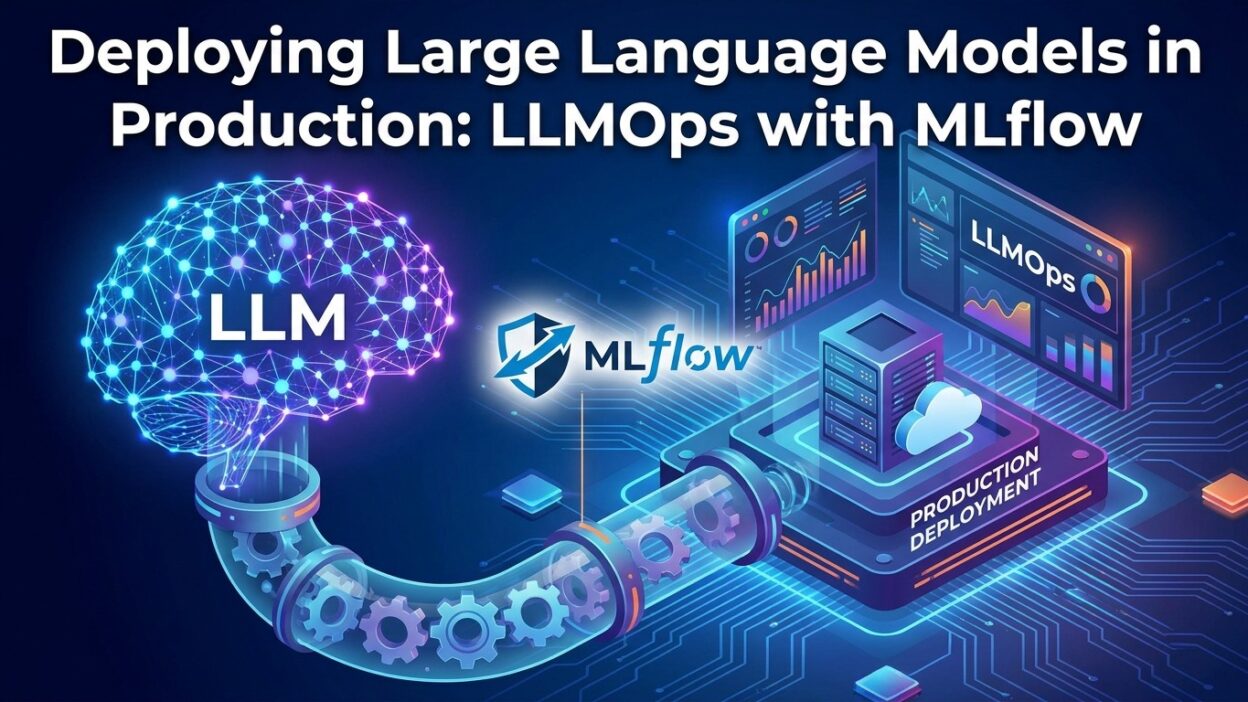
TL;DR Machine learning has matured fast. Teams no longer ask if they should use large language models. They ask how to run them reliably at scale. Deploying Large Language Models in Production is where most teams hit their first wall. The model works great in a notebook. Everything breaks in a live system.
This is where LLMOps steps in. LLMOps is the practice of managing LLMs throughout their full lifecycle. It covers tracking, versioning, evaluating, serving, and monitoring. MLflow has grown into one of the strongest open-source platforms for doing this. It gives engineers a structured way to handle the messy realities of production AI.
This blog walks through how to use MLflow for Deploying Large Language Models in Production. You will learn the core concepts, the key MLflow features, and the practical steps to get a working LLMOps setup.
Table of Contents
What Is LLMOps and Why Does It Matter
The Gap Between Experimentation and Production
Every data science team knows this feeling. A model performs well in tests. Then it reaches production and starts failing in ways nobody expected. Responses drift. Latency spikes. Costs explode. Users complain.
LLMs make this problem worse. They are non-deterministic. Outputs change based on subtle shifts in the prompt. They consume significant compute. They require careful cost management. They need human feedback loops to stay aligned with user needs.
LLMOps addresses all of this. It creates structure around the chaos of Deploying Large Language Models in Production. Teams track what changed, when it changed, and why. They catch regressions before users do. They iterate with confidence.
Why MLflow Fits This Problem
MLflow started as an experiment tracking tool for traditional ML. Over time, it expanded. Today, it has native support for LLMs through several dedicated features. The MLflow AI Gateway, prompt versioning, LLM evaluation modules, and model registry all work together. They create a unified workflow for managing LLMs from development to production.
MLflow integrates with OpenAI, Anthropic, Hugging Face, Cohere, and many others. This makes it provider-agnostic. Teams can switch underlying models without rewriting their entire workflow.
Core MLflow Features for LLMOps
Experiment Tracking for LLM Workflows
Experiment tracking is the foundation of MLflow. For LLMs, it works a bit differently than for classical ML. You are not tuning hyperparameters in the traditional sense. You are tuning prompts, model versions, temperature settings, and chain configurations.
MLflow lets you log all of this. Each run captures the prompt template used, the model name and version, the temperature and max token settings, and the output generated. You can compare runs side by side. This makes it easy to see which prompt version produced better results.
Here is a simple Python example of logging an LLM run:
import mlflow
import openai

mlflow.set_experiment("llm-production-experiment")

with mlflow.start_run():
    prompt = "Summarize the following article in three sentences: {article}"
    model = "gpt-4"
    temperature = 0.3

    response = openai.ChatCompletion.create(
        model=model,
        messages=[{"role": "user", "content": prompt.format(article="...")}],
        temperature=temperature,
    )

    output = response.choices[0].message.content

    mlflow.log_param("model", model)
    mlflow.log_param("temperature", temperature)
    mlflow.log_text(prompt, "prompt_template.txt")
    mlflow.log_text(output, "output.txt")
    mlflow.log_metric("output_length", len(output.split()))
This pattern scales well. Every iteration of your LLM application gets tracked. Nothing gets lost.
Prompt Engineering and Versioning with MLflow
Prompt engineering is one of the most critical skills in Deploying Large Language Models in Production. A small change in wording can drastically change output quality. Without versioning, this process becomes unmaintainable.
MLflow provides prompt versioning through its model logging features. You can save prompt templates as artifacts alongside your model runs. Teams can tag each prompt version, add metadata, and retrieve specific versions on demand.
A more structured approach uses MLflow’s log_dict to store prompt configurations:
prompt_config = {
    "system": "You are a helpful assistant specializing in customer support.",
    "user_template": "Customer query: {query}\nRespond concisely.",
    "version": "v1.3",
    "author": "ml-team",
    "notes": "Improved conciseness. Removed filler phrases."
}

with mlflow.start_run(run_name="prompt-v1.3"):
    mlflow.log_dict(prompt_config, "prompt_config.json")
    mlflow.set_tag("prompt_version", "v1.3")
    mlflow.set_tag("status", "candidate")
This gives every prompt a traceable history. Teams can roll back if a new version hurts performance.
The MLflow Model Registry for LLMs
The MLflow Model Registry is central to Deploying Large Language Models in Production. It stores model versions with lifecycle stages. A model moves through stages like Staging, Production, and Archived.
For LLMs, the registry holds the full package. This includes the model configuration, the prompt templates, any fine-tuning artifacts, and the serving configuration. Teams can promote a model version to production with a single command. Stakeholders can audit the history of every change.
from mlflow.tracking import MlflowClient

client = MlflowClient()

# Register the model
model_uri = "runs:/<run_id>/model"
mv = mlflow.register_model(model_uri, "CustomerSupportLLM")

# Transition to production
client.transition_model_version_stage(
    name="CustomerSupportLLM",
    version=mv.version,
    stage="Production",
    archive_existing_versions=True
)
This workflow creates a clear audit trail. Anyone on the team can see what version is live and when it was promoted.
MLflow AI Gateway
The MLflow AI Gateway is one of the most powerful features for Deploying Large Language Models in Production. It acts as a proxy layer between your application and multiple LLM providers. Instead of calling OpenAI or Anthropic directly, your application calls the gateway.
This has several advantages. Rate limiting happens at the gateway level. You can switch providers without changing application code. Costs become easier to track. Security improves because API keys are stored centrally.
Setting up the gateway is straightforward:
# config.yaml
routes:
  - name: customer-support-chat
    route_type: llm/v1/chat
    model:
      provider: openai
      name: gpt-4
      config:
        openai_api_key: $OPENAI_API_KEY

  - name: document-summarizer
    route_type: llm/v1/completions
    model:
      provider: anthropic
      name: claude-3-opus-20240229
      config:
        anthropic_api_key: $ANTHROPIC_API_KEY
Start the gateway with:
mlflow gateway start --config-path config.yaml --port 5000
Your application now calls the gateway at http://localhost:5000. The underlying provider becomes an implementation detail.
Evaluating LLMs with MLflow
Why LLM Evaluation Is Different
Evaluating LLMs is fundamentally different from evaluating traditional models. There is no single ground truth label for most tasks. A good summary can take many forms. A helpful customer support response can vary widely.
MLflow’s mlflow.evaluate() function handles this. It supports both reference-based and reference-free evaluation. You can use built-in metrics like toxicity, perplexity, and faithfulness. You can also define custom metrics using Python functions.
Using MLflow Evaluate
import mlflow
import pandas as pd
from mlflow.metrics.genai import answer_relevance, faithfulness

# Prepare evaluation dataset
eval_data = pd.DataFrame({
    "inputs": [
        "What is the return policy?",
        "How do I reset my password?",
        "When will my order arrive?"
    ],
    "ground_truth": [
        "Returns are accepted within 30 days.",
        "Click Forgot Password on the login page.",
        "Orders typically arrive in 5-7 business days."
    ]
})

with mlflow.start_run():
    results = mlflow.evaluate(
        model="runs:/<run_id>/model",
        data=eval_data,
        targets="ground_truth",
        model_type="question-answering",
        extra_metrics=[answer_relevance(), faithfulness()]
    )

    print(results.metrics)
This creates a structured evaluation report. The report lives in the MLflow UI. Teams can compare evaluation results across model versions.
Custom Evaluation Metrics
Sometimes built-in metrics are not enough. You might want to check if responses follow a specific format or stay within a character limit. MLflow makes this easy:
from mlflow.metrics import make_metric

def response_brevity(predictions, targets, metrics):
    scores = []
    for pred in predictions:
        word_count = len(pred.split())
        score = 1.0 if word_count <= 50 else max(0.0, 1.0 - (word_count - 50) / 100)
        scores.append(score)
    return scores

brevity_metric = make_metric(
    eval_fn=response_brevity,
    greater_is_better=True,
    name="response_brevity"
)
Custom metrics plug directly into the extra_metrics list. They appear in the same evaluation report alongside built-in metrics.
Serving LLMs in Production with MLflow
MLflow Model Serving
MLflow provides a built-in serving layer. It wraps logged models in a REST API. This is useful for internal tools and low-to-medium traffic applications.
mlflow models serve -m "models:/CustomerSupportLLM/Production" -p 8080
This command starts a REST server on port 8080. Your application sends POST requests to get predictions.
import requests
import json

payload = {
    "inputs": {"query": "What is your refund policy?"}
}

response = requests.post(
    "http://localhost:8080/invocations",
    headers={"Content-Type": "application/json"},
    data=json.dumps(payload)
)

print(response.json())
For high-traffic production workloads, teams use Kubernetes or cloud platforms. MLflow integrates with AWS SageMaker, Azure ML, and Databricks for scalable deployment.
Deploying to Cloud Platforms
Deploying Large Language Models in Production at scale requires cloud infrastructure. MLflow makes this more manageable. The same model registered in the MLflow registry can deploy to multiple targets.
For AWS SageMaker:
import mlflow.sagemaker as mfs

mfs.deploy(
    app_name="customer-support-llm",
    model_uri="models:/CustomerSupportLLM/Production",
    region_name="us-east-1",
    instance_type="ml.g4dn.xlarge",
    mode=mfs.REPLACE_ENDPOINTS
)
The model deploys with the same configuration logged during development. This creates consistency between what was tested and what runs in production.
Monitoring LLMs in Production
The Importance of LLM Monitoring
Deploying Large Language Models in Production is not a one-time task. Models drift. User behavior changes. The real world surprises even the best engineers. Monitoring keeps your LLM healthy over time.
MLflow provides hooks for logging production metrics. Teams log response times, token counts, cost per call, user ratings, and custom quality scores. These metrics feed back into the experiment tracking system. Engineers can spot trends before they become incidents.
Logging Production Metrics
import mlflow
import time

def call_llm_with_tracking(prompt: str, run_id: str):
    client = mlflow.tracking.MlflowClient()

    start_time = time.time()

    response = call_your_llm(prompt)

    latency = time.time() - start_time
    token_count = count_tokens(response)
    cost = estimate_cost(token_count)

    client.log_metric(run_id, "latency_seconds", latency)
    client.log_metric(run_id, "token_count", token_count)
    client.log_metric(run_id, "estimated_cost_usd", cost)

    return response
Over time, these metrics reveal patterns. If latency spikes on Tuesday afternoons, your team investigates before users notice. If costs double after a prompt update, you catch it fast.
Human Feedback Integration
The best LLM monitoring includes human feedback. Users rate responses. Support agents flag bad outputs. Quality reviewers score random samples.
MLflow can store this feedback alongside model runs. This creates a feedback loop. Teams use real-world quality signals to guide the next iteration of Deploying Large Language Models in Production.
Building a Complete LLMOps Pipeline
End-to-End Workflow
A production-grade LLMOps pipeline with MLflow looks like this:
Develop — Engineers experiment with prompts and model configurations. Every run logs to MLflow. Teams compare results in the MLflow UI.
Evaluate — The best candidate runs go through automated evaluation with mlflow.evaluate(). Custom metrics check domain-specific quality. Results are stored and versioned.
Register — Passing models move to the MLflow Model Registry. They enter the Staging stage. Automated tests run against them.
Deploy — After passing tests, models promote to Production. The MLflow AI Gateway routes traffic to the new version. The old version archives automatically.
Monitor — Production metrics log back to MLflow. Dashboards track latency, cost, and quality. Alerts fire when metrics cross thresholds.
Iterate — Monitoring insights feed back into the development phase. The cycle repeats.
CI/CD for LLMs
Deploying Large Language Models in Production works best with CI/CD pipelines. GitHub Actions or GitLab CI can trigger MLflow evaluation jobs automatically. A pull request with a new prompt version triggers a full evaluation run. The PR cannot merge unless quality metrics pass.
# .github/workflows/llm-eval.yml
name: LLM Evaluation

on:
  pull_request:
    paths:
      - 'prompts/**'
      - 'models/**'

jobs:
  evaluate:
    runs-on: ubuntu-latest
    steps:
      - uses: actions/checkout@v3

      - name: Set up Python
        uses: actions/setup-python@v4
        with:
          python-version: '3.10'

      - name: Install dependencies
        run: pip install mlflow openai pandas

      - name: Run evaluation
        env:
          OPENAI_API_KEY: ${{ secrets.OPENAI_API_KEY }}
          MLFLOW_TRACKING_URI: ${{ secrets.MLFLOW_TRACKING_URI }}
        run: python scripts/evaluate_llm.py

      - name: Check quality gate
        run: python scripts/check_quality_gate.py
This pipeline makes Deploying Large Language Models in Production repeatable. Every change goes through the same quality gates. Nothing reaches users without passing evaluation.
Common Pitfalls in LLM Production Deployments
Ignoring Cost Management
LLMs are expensive. A poorly optimized application can spend thousands of dollars a month on unnecessary tokens. Teams should log token usage in every production call. MLflow makes this easy. Set cost budgets per model version. Alert when spending trends upward.
Skipping Prompt Version Control
Prompts are code. They deserve the same discipline as source code. Many teams treat prompts as informal text files. This leads to confusion about which version is in production. MLflow’s artifact logging solves this. Every prompt gets a version number and a traceable history.
Neglecting Latency Monitoring
Users tolerate slow responses for about two seconds. After that, satisfaction drops sharply. Deploying Large Language Models in Production requires latency budgets. Log p50, p95, and p99 latency for every production call. MLflow stores these metrics. Dashboards show trends over time.
Using a Single Evaluation Metric
No single metric captures LLM quality. Teams that optimize for one number often sacrifice others. Use a metric suite. MLflow’s evaluation framework supports multiple metrics in one call. Faithfulness, relevance, toxicity, and custom metrics can all run together.
Frequently Asked Questions
What is LLMOps?
LLMOps stands for Large Language Model Operations. It covers the practices, tools, and workflows for managing LLMs in production. This includes experiment tracking, prompt versioning, model evaluation, deployment, and monitoring. Deploying Large Language Models in Production is the core challenge LLMOps solves.
How does MLflow support LLMs?
MLflow supports LLMs through experiment tracking, the model registry, the AI Gateway, and the mlflow.evaluate() function. Teams use these features together to build a complete LLMOps workflow. MLflow integrates with all major LLM providers.
Is MLflow free to use?
MLflow is fully open-source and free to use. Databricks offers a managed version with additional features and enterprise support. The open-source version works well for most teams Deploying Large Language Models in Production.
How do you version prompts with MLflow?
Teams log prompt templates as artifacts in MLflow runs. Each run gets a tag with the prompt version number. The MLflow UI shows the full history of prompt versions. Teams retrieve specific versions programmatically using the MLflow client.
Can MLflow handle high-traffic LLM deployments?
MLflow’s built-in serving works for low-to-medium traffic. For high-traffic production workloads, teams deploy to cloud platforms like AWS SageMaker, Azure ML, or Databricks. MLflow integrates with all of these. The MLflow AI Gateway adds rate limiting and provider abstraction at scale.
What metrics should I track for LLM production monitoring?
Track latency, token count, cost per call, error rate, and quality scores. For quality, use MLflow’s built-in metrics like faithfulness and relevance. Add custom metrics for domain-specific quality requirements. Human feedback ratings are also valuable.
How is LLMOps different from MLOps?
Traditional MLOps focuses on training, versioning, and serving predictive models. LLMOps adds prompt engineering, LLM-specific evaluation, cost management, and feedback loops unique to generative AI. The tools overlap significantly. MLflow serves both workflows well.
Read More:-Karpathy’s Autoresearch: AI That Improves Its Own Training
Conclusion

Deploying Large Language Models in Production is one of the most demanding challenges in modern software engineering. The gap between a working prototype and a reliable production system is large. Most teams underestimate it.
MLflow closes much of that gap. It gives engineers structured tools for tracking experiments, versioning prompts, evaluating quality, managing deployment, and monitoring production behavior. The AI Gateway adds a critical abstraction layer over LLM providers. The model registry creates accountability around every version that reaches users.
LLMOps is not optional for serious AI applications. It is the discipline that separates teams that ship reliable AI products from teams that are always putting out fires. Start with experiment tracking. Add prompt versioning early. Build evaluation pipelines before you need them. Monitor from day one.
Deploying Large Language Models in Production gets easier with the right foundation. MLflow provides that foundation. Build on it deliberately, and your production LLM applications will be far more reliable, maintainable, and cost-effective over time.