Introduction
TL;DR Developers want smarter apps. Users want accurate answers. That gap is where RAG comes in.
RAG stands for Retrieval-Augmented Generation. It lets an AI model pull from your documents before answering. The result? Answers grounded in real data, not just model memory.
Building RAG used to take weeks of engineering work. You had to set up vector databases. You had to manage embeddings. You had to handle chunking logic. It was painful.
Gemini API File Search changes all of that. It gives developers a clean, fast path to document-grounded AI. No complex infrastructure. No heavy setup. Just results.
This blog breaks down exactly how Gemini API File Search works. You will learn what it is, why it matters, and how to use it in your own projects.
What Is Gemini API File Search?
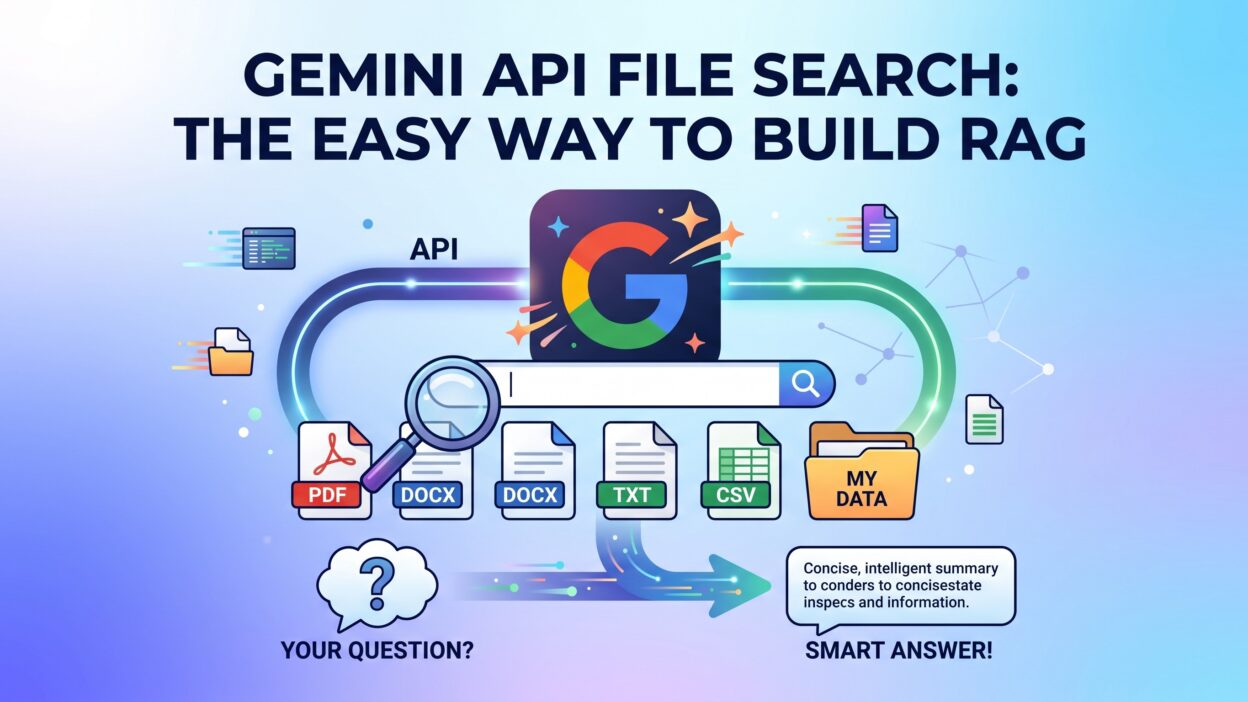
Gemini API File Search is a feature inside Google’s Gemini API. It lets you upload files and search across them using natural language.
You upload a document. The API processes it. Your app can now query that document in real time.
This is not just basic keyword matching. Gemini API File Search uses semantic understanding. It finds meaning, not just words. A user asking “what are the payment terms?” will get the right answer even if the document says “invoice due in 30 days.”
The feature supports multiple file types. PDFs, text files, and other common formats work out of the box. You do not need separate parsers or preprocessing scripts.
Google designed Gemini API File Search specifically for RAG use cases. That focus makes it far simpler than stitching together separate tools. Embedding models, vector stores, and retrieval pipelines all collapse into one API call.
Developers building customer support bots love this. Legal teams use it for contract search. Research teams use it for knowledge base querying. The use cases are wide and the setup is fast.
Why Developers Choose Gemini API File Search Over DIY RAG
Building RAG from scratch sounds appealing. Then reality hits.
You need an embedding model. You need a vector database like Pinecone or Weaviate. You need chunking logic. You need a retrieval layer. You need to stitch it all together. Each piece adds cost, complexity, and maintenance burden.
Gemini API File Search removes that entire stack. The API handles the hard parts internally. You get retrieval without managing infrastructure.
Speed is another major win. A traditional RAG pipeline takes days or weeks to build correctly. With Gemini API File Search, a working prototype takes hours. Sometimes less.
Cost matters too. Running your own embedding models and vector databases adds up. Gemini API File Search fits inside a single API billing model. Your costs stay predictable.
Accuracy is not sacrificed. Gemini’s models are powerful. The retrieval quality competes well with custom-built pipelines. For most use cases, it is good enough to ship.
Teams with small engineering resources benefit the most. A solo developer can build a document-aware chatbot in an afternoon. That was simply not possible two years ago.
How Gemini API File Search Works Under the Hood
Understanding the internals helps you use the feature well.
File Upload and Storage
You start by uploading files through the Gemini Files API. Each file gets a unique URI. That URI is what you reference in future queries.
Google stores the file temporarily. Files remain available for 48 hours by default. For longer retention, you manage uploads in your application logic.
The upload step is straightforward. A simple POST request sends the file. The API returns a file object with a name and URI. Keep that URI. You need it later.
Semantic Indexing
After upload, Gemini processes the file. It breaks content into chunks. It creates internal representations of those chunks.
You do not control chunking parameters directly. The API handles it automatically. For most documents, this works well. Very large or highly structured documents may need some experimentation.
Query Processing
When a user sends a query, Gemini API File Search retrieves the relevant chunks. It then passes those chunks as context to the language model. The model generates a response grounded in that content.
This retrieval step is what makes it RAG. The model does not rely on its training data alone. It uses your document content to answer accurately.
Response Generation
The final response comes back as text. You can format it however your app needs. JSON, plain text, or structured output all work depending on your prompt design.
Setting Up Gemini API File Search: Step-by-Step
This section walks through a real implementation.
Get Your API Key
Go to Google AI Studio. Create a new project. Generate an API key. Store it securely. Never hardcode it in your source files. Use environment variables.
Install the SDK
Google provides official SDKs for Python and JavaScript. Python is the most common choice for RAG projects.
Install the library with pip:
pip install google-generativeai
Import it in your script:
import google.generativeai as genai
Configure your key:
genai.configure(api_key="YOUR_API_KEY")
Upload Your File
Use the Files API to upload your document.
sample_file = genai.upload_file(
    path="your_document.pdf",
    display_name="My Document"
)
print(f"Uploaded file: {sample_file.uri}")
The API returns a file object. Save the URI for the next step.
Query Using the File
Now pass the file URI in your prompt. The model will use the document as context.
model = genai.GenerativeModel("gemini-1.5-flash")

response = model.generate_content([
    sample_file,
    "What are the main points in this document?"
])

print(response.text)
That is the core of Gemini API File Search. Upload, reference, query. Three steps.
Handle the Response
Parse the response text. Display it in your UI. Add error handling for empty responses or API errors. Build retry logic for production stability.
Best Practices for Using Gemini API File Search
Good implementation makes the difference between a demo and a real product.
Write Clear System Prompts
Tell the model what role it plays. A customer support bot needs different instructions than a legal research tool. Be specific. Vague prompts give vague answers.
A good system prompt sounds like this: “You are a document assistant. Answer questions using only the content in the provided files. If the answer is not in the documents, say so clearly.”
Manage File Lifecycles
Files expire after 48 hours. Build a file registry in your app. Track which files are active. Re-upload expired files automatically. Users should never see errors caused by expired file URIs.
Chunk Large Workflows
Gemini API File Search handles individual files well. For multi-document queries, upload all files first. Pass all URIs in a single request. The model considers all of them together.
Test with Real User Queries
Your documents are only as useful as your retrieval. Test with actual questions your users will ask. Find gaps. Improve your documents or prompts based on what you learn.
Monitor Token Usage
Large documents consume more tokens. Track usage per query. Set alerts if costs spike unexpectedly. Optimize prompts to stay within reasonable token limits.
Real-World Use Cases for Gemini API File Search
The best way to understand a tool is through concrete examples.
Customer Support Automation
Upload your product manuals, FAQs, and return policies. Build a chatbot that answers customer questions instantly. The bot pulls from real documents. Answers stay accurate and up to date.
When policies change, update the files. The bot adapts immediately. No retraining needed. No vector database updates needed.
Legal Document Review
Law firms deal with thousands of pages of contracts. Gemini API File Search lets paralegals query those documents in plain English. “What are the termination clauses?” gets a precise answer in seconds.
This does not replace lawyers. It speeds up research dramatically. Time saved on research means more time for strategy.
Internal Knowledge Bases
Companies store knowledge in wikis, PDFs, and old Word documents. Most employees cannot find what they need. A search tool built on Gemini API File Search changes that.
Upload internal documents. Let employees ask questions in plain language. The right answer surfaces every time.
Academic Research Assistance
Students and researchers upload papers, textbooks, and reports. They ask specific questions. Gemini API File Search returns answers with context from the actual text.
This helps with literature reviews, note-taking, and understanding complex papers faster.
Financial Report Analysis
Investors and analysts upload earnings reports. They query specific metrics, risk factors, or management statements. Gemini API File Search delivers targeted insights without reading every page.
Gemini API File Search vs. Other RAG Solutions
Developers often compare options before committing.
Gemini API File Search vs. LangChain + Pinecone
LangChain with Pinecone is powerful. It gives you full control over chunking, embedding models, and retrieval strategy. The trade-off is complexity. Setup takes days. Ongoing maintenance is significant.
Gemini API File Search wins on simplicity and speed. For most production use cases, the automatic handling is sufficient. Choose LangChain when you need granular control or scale to millions of documents.
Gemini API File Search vs. OpenAI Assistants API
OpenAI’s Assistants API also offers file search. The approach is similar. Both abstract away vector storage. Gemini’s advantage is tighter integration with Google’s ecosystem and competitive model quality.
If you already use Google Cloud, Gemini API File Search fits naturally. If you are on Azure or AWS, OpenAI may integrate more smoothly.
Gemini API File Search vs. Custom RAG Pipelines
Custom pipelines give maximum flexibility. They also require the most engineering. Gemini API File Search is the right starting point for almost every project. Migrate to a custom pipeline only when you hit real limitations.
Common Mistakes When Using Gemini API File Search
Avoid these pitfalls to save yourself debugging time.
Ignoring File Expiry
Developers often forget that files expire after 48 hours. Apps break when file URIs stop working. Build expiry tracking from day one. Set up automated re-uploads before files expire.
Sending Poor-Quality Documents
Scanned PDFs with bad OCR quality return poor results. The model cannot retrieve what it cannot read. Use clean, text-based PDFs whenever possible. Run OCR preprocessing on scanned documents before uploading.
Relying on the Model for Facts It Cannot Have
Gemini API File Search retrieves from your files. It does not search the internet. Do not expect it to know current events or data outside your uploads. Keep your documents updated.
Overloading a Single Request
Sending too many large files in one request can hit context limits. Test with realistic document sets. Break large workloads into multiple queries if needed.
Skipping Error Handling
API calls fail sometimes. Networks are unreliable. Build robust error handling. Log failures. Alert on repeated errors. Production apps need resilience.
Advanced Techniques for Gemini API File Search
Once the basics work, these techniques take your app further.
Multi-Turn Conversations with File Context
Gemini supports multi-turn chat. You can maintain conversation history while keeping file context active. Users can ask follow-up questions. The model remembers earlier answers.
chat = model.start_chat()
response = chat.send_message([sample_file, "Summarize this document."])
followup = chat.send_message("What risks does it mention?")
Each message builds on the last. The file remains in context throughout the conversation.
Combining Multiple Files
Query across several documents at once. Upload all files. Pass all URIs in a single content list. The model synthesizes information across all of them.
This is powerful for comparative analysis. “How do these two contracts differ on payment terms?” works across two uploaded contract files.
Structured Output Extraction
Ask the model to return JSON. Parse that JSON in your app. This turns Gemini API File Search into a data extraction pipeline.
response = model.generate_content([
    sample_file,
    "Extract all dates mentioned. Return a JSON array."
])
Clean, structured extraction from unstructured documents becomes straightforward.
Caching for Repeated Queries
If users frequently query the same document, consider caching responses. Not every query needs a fresh API call. A simple cache layer reduces latency and cost.
Frequently Asked Questions About Gemini API File Search
What file types does Gemini API File Search support?
Gemini API File Search supports PDFs, plain text files, HTML, and several other formats. Google regularly expands supported types. Check the official documentation for the current list.
How long are uploaded files stored?
Files are stored for 48 hours by default. After that, they expire automatically. Build your app to handle re-uploads gracefully.
Is Gemini API File Search suitable for production apps?
Yes. Many production apps use Gemini API File Search today. Handle file expiry, add error handling, and monitor usage. Those basics make it production-ready.
How does Gemini API File Search handle very large documents?
The API processes large documents by breaking them into chunks internally. Very large files may hit size limits. Check current size limits in the official documentation. For extremely large document sets, consider splitting files before upload.
Does Gemini API File Search support languages other than English?
Gemini’s models support multiple languages. File search works across languages the model understands. Results quality varies by language. Test with your target language before shipping.
Is there a cost to using Gemini API File Search?
Gemini API File Search is part of the standard Gemini API pricing. File uploads themselves are free. You pay for tokens used in queries. Check Google’s pricing page for current rates.
Can I use Gemini API File Search with Google Cloud?
Yes. Gemini API integrates with Google Cloud’s Vertex AI platform. This gives enterprise teams additional controls, compliance features, and scalability options.
How accurate is the retrieval?
Accuracy is high for well-formatted documents. Poor OCR quality or highly technical jargon can reduce accuracy. Test your specific documents before going live.
Read More:-Top 28 Claude Shortcuts That Will 10X Your Speed
Conclusion

RAG is no longer a research concept. It is a production tool.
Gemini API File Search makes it accessible to any developer. You do not need a team of ML engineers. You do not need complex infrastructure. You need an API key, a file, and a few lines of code.
The applications are real. Customer support, legal research, internal knowledge bases, financial analysis — all of these become smarter with document-grounded AI.
Start small. Upload one document. Ask one question. See the result. From there, expand your app with more files, multi-turn conversations, and structured output extraction.
Gemini API File Search gives developers a competitive edge. Faster prototyping, lower costs, and reliable retrieval combine into a compelling package. The time to start building is now.
Every great AI-powered app starts with a first API call. Make yours today.