Introduction
TL;DR Technology stacks age faster than most leaders expect. A tool that solved your problem two years ago now creates friction at every turn. Pricing climbs. Features stagnate. Workarounds multiply. Your team stitches together a dozen SaaS subscriptions to accomplish what one intelligent system could handle automatically.
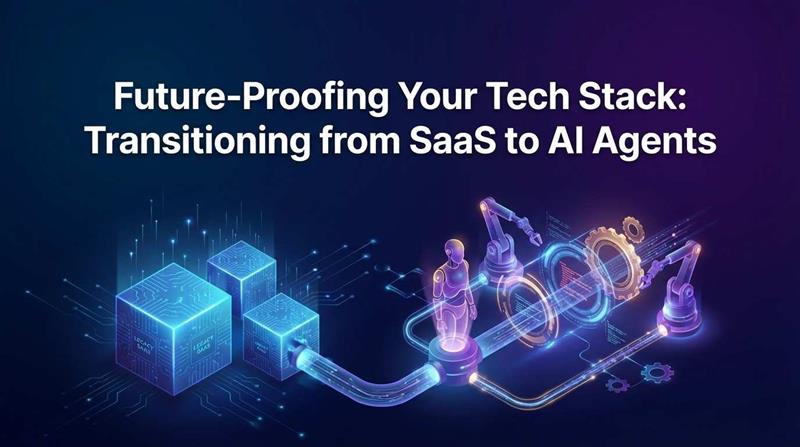
The shift is already underway. Forward-thinking companies are transitioning from SaaS to AI agents and reclaiming enormous amounts of time, budget, and operational energy. AI agents do not just automate tasks. They reason, adapt, and execute multi-step workflows that SaaS tools require human hands to complete.
This is not hype. It is a structural change in how software delivers value. SaaS gave you the tool. AI agents give you the outcome.
This guide is for technology leaders, founders, and operations professionals who want a clear picture of what this transition involves. You will learn why SaaS stacks hit their ceiling, what AI agents actually replace, how to plan the migration, and what risks to manage along the way.
Table of Contents
The SaaS Ceiling: Why Your Current Stack Is Struggling
SaaS transformed software delivery in the 2010s. No servers to manage. No expensive licenses. Pay monthly, cancel anytime. Teams adopted tools rapidly. CRMs, project managers, analytics platforms, communication tools, HR systems, and financial dashboards all arrived on monthly subscription plans.
The problem surfaced quietly at first. Teams added one tool, then another. Integrations required third-party connectors. Data fragmented across platforms. Employees learned six different interfaces to complete one workflow. IT teams spent more time managing subscriptions than solving strategic problems.
The cost picture grew worse. A mid-sized company now spends $1,000 to $3,000 per employee per year on SaaS subscriptions. Many of those tools overlap in functionality. Shadow IT runs rampant as individual teams purchase tools the central IT team does not even know exist.
SaaS tools also share a fundamental design constraint. They are built for human operators. Every meaningful action requires a person to log in, review data, make a decision, and click something. Automation add-ons help but only within each tool’s own ecosystem.
Transitioning from SaaS to AI agents addresses this constraint at the root level. AI agents operate without human intervention on every step. They read data, reason about it, decide what to do, take action, and report back. The human stays in the loop for decisions that genuinely require judgment. Everything else runs automatically.
The SaaS ceiling is real. You feel it every time a workflow requires five manual steps across three tools. AI agents remove that ceiling entirely. They do not automate the workflow inside the tool. They replace the need for the tool in the first place.
What AI Agents Actually Are — And Are Not
The term AI agent generates confusion. Marketing teams attach it to products that are simply chatbots with a fancy name. Understanding what a real AI agent does matters enormously before you commit to transitioning from SaaS to AI agents.
What a Real AI Agent Does
A real AI agent perceives an environment, reasons about a goal, selects actions from available tools, executes those actions, and observes results to inform the next decision. This is a continuous loop, not a one-shot response.
An AI agent for customer support does not just generate a reply. It reads the customer’s message, checks order history in your database, reviews the return policy in your knowledge base, determines if the return qualifies, drafts a personalized response, updates the ticket status, and triggers the return shipping label — all without human input on each step.
The agent uses tools the same way a human employee uses software. The tools include API calls, database queries, web searches, file manipulation, calendar access, email sending, and any other capability you give it. The agent’s intelligence determines which tools to use and in what order.
What an AI Agent Is Not
An AI agent is not a chatbot that answers questions from a fixed script. It is not a robotic process automation bot that follows rigid if-then rules. It is not a recommendation engine that suggests actions for humans to take.
AI agents fail when people treat them as magic. They need clearly defined goals, reliable tool integrations, and appropriate guardrails. They perform best on tasks with clear success criteria and available data. Poorly designed agents make mistakes. Well-designed agents run reliably for months without supervision.
Mapping Your SaaS Stack to AI Agent Replacements
Not every SaaS tool deserves replacement. Some tools solve well-defined problems where AI adds little value. Others cover workflows where AI agents deliver transformational improvements. Mapping your stack accurately is the most important strategic step in transitioning from SaaS to AI agents.
High-Value Replacement Candidates
Customer support software is the most obvious starting point. Platforms like Zendesk or Freshdesk handle ticket routing, response templates, and escalation workflows. AI agents replace most of this workflow automatically. They read tickets, classify intent, retrieve knowledge base answers, draft personalized responses, and escalate genuinely complex cases to human agents. Support teams typically reduce ticket volume handled by humans by 60 to 80 percent after deploying a well-trained agent.
Lead qualification and CRM enrichment tools represent another high-value category. Sales teams pay for data enrichment services, lead scoring platforms, and CRM automation tools separately. An AI agent unifies all of this. It researches new leads using web tools, scores them against your ideal customer profile, enriches CRM records with verified data, drafts personalized outreach emails, and schedules follow-up reminders — end to end.
Market research and competitive intelligence platforms charge thousands monthly for data that an AI agent retrieves and synthesizes on demand. The agent searches company websites, news sources, financial filings, and job boards. It compiles findings into structured reports and delivers them to relevant team members automatically on a schedule.
Content operations workflows frequently involve three to five SaaS tools. A brief gets written in Notion. Research happens in a separate tool. Drafts move to Google Docs. Publishing happens through a CMS. An AI agent handles research, drafting, editing feedback, SEO checking, and publishing through API integrations with far less human coordination.
Tools Worth Keeping
Infrastructure-level SaaS tools rarely warrant AI replacement. Cloud infrastructure platforms, version control systems, security monitoring tools, and financial accounting software provide foundational capabilities that AI agents consume rather than replace. Keep the tools your AI agents will use as their instrument set. Replace the tools that exist primarily to coordinate human effort.
Building Your Migration Strategy for Transitioning from SaaS to AI Agents
A successful migration from SaaS to AI agents follows a deliberate sequence. Companies that rush the transition face integration failures, team resistance, and budget overruns. A phased approach reduces risk and builds internal confidence with each completed stage.
Phase 1 — Audit and Prioritize
List every SaaS tool your company pays for. Beside each tool, document the primary workflow it supports, the number of employees who use it, the monthly cost, and your current level of satisfaction with it. This audit often reveals surprising redundancy. Most mid-sized companies discover three to five tool pairs that overlap heavily.
Score each tool against two criteria: how much human coordination the workflow requires and how much that workflow depends on pattern recognition, data retrieval, and structured communication. High scores on both criteria mark strong AI agent replacement candidates. Low scores indicate tools worth keeping.
Phase 2 — Start With a Contained Use Case
Resist the temptation to replace multiple SaaS tools simultaneously. Choose one workflow that scores high on your priority matrix and deploy a purpose-built AI agent for that workflow only. Measure the agent’s performance against clear metrics — response time, accuracy rate, task completion rate, and cost per action.
The first deployment teaches your team how to work with agents. It surfaces integration challenges, data quality issues, and edge cases that a theoretical plan never predicts. Teams that run a successful first deployment build the internal credibility needed to expand the program.
Phase 3 — Expand and Connect
After validating the first agent, expand to two or three additional workflows. Build agents that can communicate with each other through shared memory or message queues. A lead qualification agent passes qualified leads to an outreach agent. A support agent escalates complex cases to a specialized research agent. Multi-agent systems handle complex workflows that single agents cannot manage alone.
This stage of transitioning from SaaS to AI agents requires attention to orchestration. Choose a framework — LangGraph, CrewAI, AutoGen, or n8n — that matches your team’s technical capabilities. Orchestration determines how agents divide tasks, share context, and handle failures.
Phase 4 — Decommission and Reallocate
Once an AI agent handles a workflow reliably, formally retire the SaaS tools it replaced. Cancel subscriptions. Archive data according to your retention policy. Reallocate the freed budget to agent infrastructure, LLM API costs, and development capacity for the next migration phase.
Track cumulative savings explicitly. The budget reallocated from SaaS subscriptions to AI infrastructure often creates a positive ROI within the first two migration phases. Make this ROI visible to leadership to sustain organizational commitment to the full transition.
Technology Stack for Running AI Agents at Scale
Transitioning from SaaS to AI agents requires choosing the right infrastructure. The agent stack has four layers. Each layer needs a deliberate technology choice.
The Reasoning Layer — LLM Selection
The language model at the core of each agent determines its reasoning quality. GPT-4o from OpenAI handles complex multi-step reasoning reliably and integrates with a massive ecosystem of tools. Claude 3.5 Sonnet from Anthropic produces consistent, well-structured outputs and follows complex instructions with high fidelity. Gemini 1.5 Pro from Google offers a large context window suitable for agents processing lengthy documents.
Choose your LLM based on the specific demands of each agent’s workflow. Customer-facing agents prioritize output quality and tone. Data processing agents prioritize structured output reliability and speed. Internal research agents prioritize context window size and reasoning depth. You do not need to standardize on one model across all agents.
The Orchestration Layer — Agent Frameworks
LangGraph provides stateful multi-agent orchestration with fine-grained control over agent behavior. It suits teams building complex, production-grade agent systems. CrewAI simplifies multi-agent coordination with a role-based model that mirrors team structures. AutoGen from Microsoft supports conversational multi-agent patterns. n8n and Make.com serve teams that prefer visual workflow design over code.
Match the framework to your team’s engineering capabilities. A strong Python team benefits from LangGraph’s power and flexibility. A team with mixed technical backgrounds gets further faster with n8n’s visual approach.
The Memory and Knowledge Layer
Agents need persistent memory to function effectively across multi-step workflows. Vector databases like Pinecone, Qdrant, and Weaviate store semantic memories and knowledge base embeddings. PostgreSQL with pgvector handles this for teams already running Postgres infrastructure. Redis supports short-term working memory for agents handling rapid back-and-forth workflows.
The Tool Integration Layer
Every SaaS tool your agent interacts with needs a reliable API integration. Build wrapper functions around each API that handle authentication, rate limiting, error handling, and response parsing. Standardize these wrappers so agents call tools through a consistent interface. Consistent tool interfaces reduce debugging time and make agents easier to extend.
Managing the Human Side of the Transition
The technical challenges of transitioning from SaaS to AI agents are solvable. The organizational challenges require equal attention. Teams that struggle most with this transition make the mistake of treating it as purely a technology project.
Addressing Team Concerns Honestly
Employees worry about job displacement when AI agents arrive. Address this directly and honestly rather than with corporate platitudes. Identify the specific tasks each agent will automate. Identify the higher-value work those employees can take on with their recovered time.
Support agents who spent 40 hours a week responding to tickets now have time for proactive customer success work. Sales development reps whose prospecting workload moves to an AI agent focus on relationship-building and complex deal management. The role does not disappear. It evolves toward work that genuinely requires human intelligence.
Training for Agent Oversight
Every employee who works alongside an AI agent needs training in agent oversight. They learn to review agent outputs, flag errors, provide corrective feedback, and escalate edge cases. This oversight role requires domain knowledge and good judgment — skills your experienced team members already have.
Build feedback mechanisms into every agent deployment. Employees submit corrections through a simple interface. Those corrections feed into a weekly review process that improves the agent’s performance and the underlying documentation it relies on.
Change Management Rhythm
Run a transparent communication cadence throughout the migration. Monthly updates on which workflows migrated, what was saved, and what employees gained keep the narrative positive and factual. Teams that understand the why behind transitioning from SaaS to AI agents participate more constructively than teams handed a change without context.
Risks to Manage During Your AI Agent Migration
Every major technology transition carries risks. Transitioning from SaaS to AI agents introduces specific failure modes that careful planning prevents.
Agent Hallucination and Output Quality
AI agents can produce confident but incorrect outputs. This risk scales with the complexity of the task and the quality of available context. Mitigate this by grounding every agent in verified knowledge sources, implementing output validation rules for critical workflows, and requiring human review for decisions above a defined risk threshold.
Test every agent on a diverse sample of real-world inputs before production deployment. Include edge cases, adversarial inputs, and low-data scenarios in your test suite. Agents that perform well only on ideal inputs create failures in production.
Vendor Lock-In at the LLM Layer
Choosing a single LLM provider for all agents creates concentration risk. If pricing changes, service reliability drops, or a better model becomes available, migration becomes costly. Abstract your LLM calls behind a provider-agnostic interface from day one. LiteLLM provides a unified API layer that routes calls to any model provider without changing agent code.
Data Privacy and Compliance
Agents process sensitive business data. Customer information, financial records, employee data, and proprietary strategies all flow through agent workflows. Establish clear data classification policies before building agents. Send only the minimum necessary data to LLM APIs. For highly sensitive categories, use self-hosted models that keep data entirely within your infrastructure.
Measuring ROI on Your AI Agent Investment
CFOs and board members want numbers. Transitioning from SaaS to AI agents requires a clear ROI framework to justify investment and track performance over time.
Direct Cost Savings
Measure SaaS subscription costs eliminated after each agent deployment. Track LLM API costs for the agent that replaced them. The difference between eliminated SaaS spend and new infrastructure cost is your direct savings. Most teams achieve a 40 to 70 percent reduction in per-workflow software costs within the first year.
Labor Efficiency Gains
Measure hours recovered per week per employee whose workflow an agent now covers. Assign a monetary value based on loaded salary cost. A team of 10 support agents each recovering 15 hours per week at a $25 blended hourly rate generates $195,000 in annual recovered labor value. Not all of this converts to headcount reduction — much of it converts to higher-value work output.
Speed and Quality Metrics
Track operational metrics that SaaS tools never moved. Average time to first response in customer support. Average lead qualification time in sales. Time from content brief to first draft in marketing. Agents move these numbers dramatically. Faster outcomes often unlock revenue gains that far exceed the cost savings calculation.
Build a live ROI dashboard that aggregates these metrics. Update it monthly. Share it with leadership alongside the transition roadmap. Visible, growing ROI from transitioning from SaaS to AI agents maintains executive support for the full migration program. Teams that measure consistently report that transitioning from SaaS to AI agents delivers full cost recovery within 6 to 9 months for most workflow categories.
Frequently Asked Questions
Q1. What does transitioning from SaaS to AI agents actually mean for a business?
Transitioning from SaaS to AI agents means replacing software tools that require human operation with AI systems that operate autonomously toward defined goals. Instead of a human logging into a CRM to qualify leads, an AI agent reads new leads, researches companies, scores them against your criteria, and updates your CRM automatically. The business outcome is the same. The human effort required drops by 80 to 90 percent.
Q2. Which SaaS categories are most likely to be replaced by AI agents?
Customer support platforms, lead generation and enrichment tools, content creation workflows, market research services, data entry and CRM management tools, scheduling assistants, and basic HR automation tools all face significant displacement from AI agents. These categories share a common characteristic — they exist primarily to coordinate human effort on tasks with clear, pattern-based logic. AI agents excel precisely at these tasks.
Q3. How long does a SaaS to AI agent migration take?
A single contained workflow migration typically takes four to eight weeks. The first deployment takes longest due to infrastructure setup, integration building, and team learning. Subsequent agent deployments run faster as your team accumulates reusable components. A full tech stack transformation covering five to ten major workflow categories typically takes 12 to 24 months depending on organizational complexity and available engineering resources.
Q4. Is this transition suitable for small businesses or only enterprises?
Transitioning from SaaS to AI agents suits businesses of all sizes. Small businesses often benefit most per dollar invested. A 15-person startup replacing its customer support, lead qualification, and content workflows with AI agents can eliminate $5,000 to $10,000 per month in SaaS subscriptions while improving output quality. No-code agent platforms like n8n, Make.com, and Zapier AI make this accessible without a dedicated engineering team.
Q5. What are the biggest mistakes companies make during this transition?
The most common mistake is moving too fast and too broadly. Companies that try to replace their entire tech stack in one quarter create operational chaos. Start with one contained workflow. Validate thoroughly. Then expand. The second common mistake is neglecting data quality. Agents that access poorly organized, outdated, or fragmented data produce unreliable outputs. Fix your data foundations before deploying agents on top of them.
Q6. How do AI agents handle tasks that require human judgment?
Well-designed agents escalate tasks that exceed their confidence threshold to human reviewers. You define confidence boundaries during agent setup. Low-risk, pattern-based tasks run automatically. Medium-risk tasks post a summary and a recommended action for human approval. High-risk tasks route directly to a human with full context. This escalation design ensures agents handle the high volume routine work while humans retain control over decisions that genuinely require judgment.
Q7. What happens to employees whose roles change during this transition?
Employee roles evolve rather than disappear in well-managed transitions. Employees previously doing high-volume routine tasks move toward oversight, quality assurance, exception handling, and strategic work. A customer support agent who spent 80 percent of their time answering repetitive tickets now focuses on complex escalations, customer success programs, and product feedback collection. The skill set required evolves. Investment in training and role redefinition determines whether this evolution succeeds.
Read More:-Top 10 AI Automation Use Cases for FinTech Companies in 2025
Conclusion
The SaaS model gave businesses access to powerful software without the burden of building it. That was its era-defining value. That era is ending for a large category of business workflows.
AI agents represent the next phase. They do not just give you tools. They execute outcomes. The difference between a tool and an agent is the difference between a hammer and a skilled carpenter. One requires a human to operate it. The other figures out what to build and builds it.
Transitioning from SaaS to AI agents is not a switch you flip overnight. It is a phased migration that requires honest assessment of your current stack, deliberate selection of high-impact starting points, careful agent design, and disciplined change management.
Companies that start this migration now build compounding advantages. Each agent deployed frees budget for the next one. Each workflow automated frees team capacity for higher-value work. Each piece of internal data indexed makes future agents smarter.
The competitive gap between companies that complete transitioning from SaaS to AI agents and those that do not will grow rapidly over the next three years. The technology is ready. The frameworks are mature. The business case is clear.
Begin with your highest-friction workflow. Deploy a single focused agent. Measure the results. Use those results to fund and justify the next deployment. The future of your tech stack gets built one successful agent at a time.