Introduction
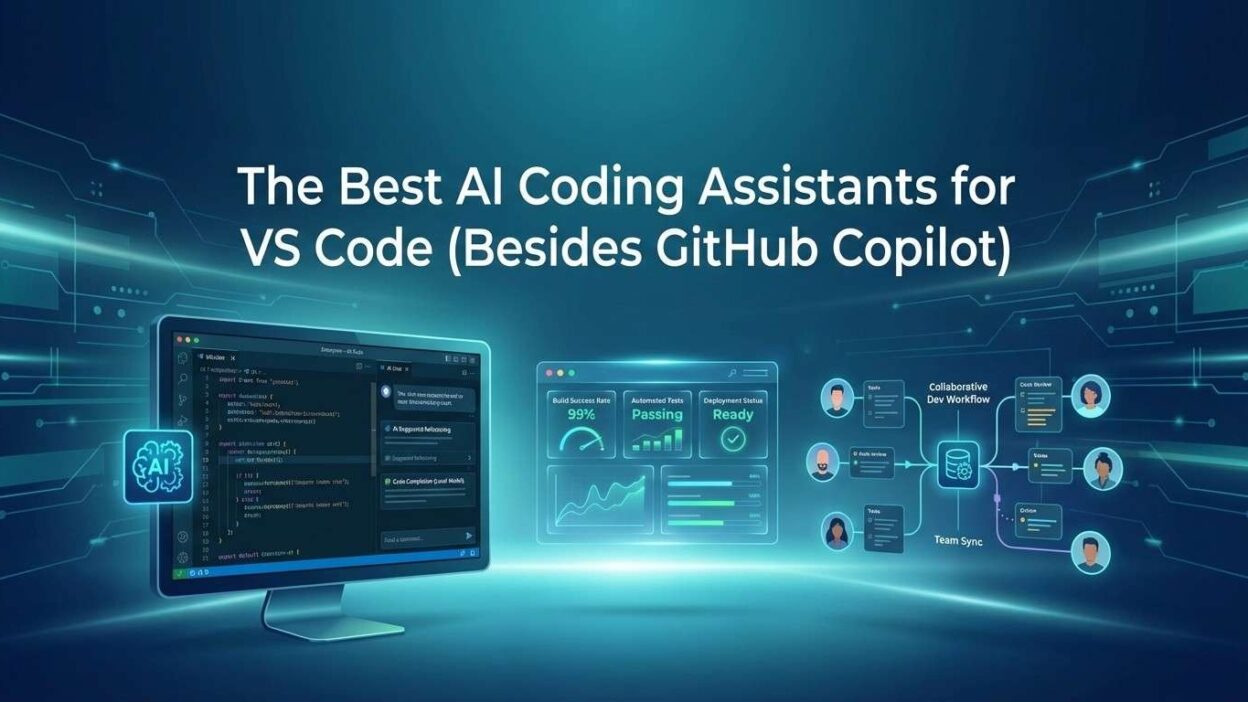
TL;DR GitHub Copilot gets all the attention. But it is far from the only option. The ecosystem of AI coding assistants for VS Code has exploded in the past two years. Developers now have more powerful, more affordable, and sometimes more capable choices sitting right inside their editor. This guide covers every major alternative worth your time.
73%Developers use VS Code as primary editor
10+Serious Copilot alternatives available today
55%Faster code completion with AI assistance
Free Tier available on most major tools
Why Developers Look Beyond GitHub Copilot
GitHub Copilot redefined what developers expect from their editors. It proved that AI belongs inside the coding workflow. But the tool carries a monthly subscription cost. It locks users into a Microsoft and OpenAI ecosystem. Some developers find its suggestions miss the mark on specific languages or niche frameworks.
Many developers feel frustrated by Copilot’s limited chat capabilities in its base tier. Others want deeper codebase awareness. Some simply want a free option that still delivers real value. That demand created a thriving market for AI coding assistants for VS Code that challenge Copilot directly.
The alternatives today are not just cheaper versions of the same thing. They each bring a distinct approach. Some focus on privacy. Some excel at chat-based reasoning. Others specialize in full codebase context. Knowing the differences helps every developer pick the right tool.
The Rise of Competitive AI Developer Tools
The AI coding tools market grew dramatically after large language models became publicly accessible. Independent teams and well-funded startups all targeted VS Code. The marketplace now holds tools built on GPT-4, Claude, Gemini, and open-source models. Every developer has a genuinely different set of priorities. The variety of AI coding assistants for VS Code now reflects that diversity well.
Tool Reviews
Tabnine — The Privacy-First AI Coding Assistant
🛡️
Tabnine
Freemium
Tabnine is one of the oldest AI coding assistants for VS Code on the market. It predates Copilot and has spent years refining its approach. The core strength is privacy. Tabnine offers a fully air-gapped, on-premise deployment option. No code ever leaves your server. Enterprises with strict compliance requirements love this model.
The free tier provides whole-line completions. The Pro tier unlocks full-function suggestions and team-learning capabilities. Tabnine learns from your team’s codebase over time. It adapts to your internal coding patterns and library conventions. This personalization makes it increasingly accurate the longer a team uses it.
Tabnine supports over 80 programming languages. Its VS Code extension integrates smoothly without configuration overhead. Developers who work in regulated industries like finance, healthcare, or government find Tabnine’s privacy model uniquely valuable among AI coding assistants for VS Code.
Tabnine’s Local Model Option
Tabnine offers a small local model that runs entirely on the developer’s machine. This model works without an internet connection. The suggestions are less sophisticated than the cloud model. But for developers in restricted network environments, this option is a genuine lifesaver. No other mainstream competitor matches this specific capability today.
Next Tool
Codeium — The Powerful Free Alternative
Codeium
Free
Codeium offers unlimited AI code completions completely free for individual developers. This pricing model alone makes it one of the most discussed AI coding assistants for VS Code in developer communities. The completions are fast. The context awareness is impressive for a free product. Many developers report suggestion quality that rivals Copilot in everyday use.
Codeium supports over 70 languages and integrates with VS Code through a clean, minimal extension. It offers an AI chat panel directly inside the editor. The chat can explain code, suggest refactors, write tests, and generate documentation. All of this ships in the free tier without usage caps.
The enterprise tier adds self-hosting options and admin controls for teams. Codeium raised significant venture funding and continues improving its model rapidly. Developers who want Copilot-level capability without the subscription cost consistently point to Codeium as the top free pick among AI coding assistants for VS Code.
Why Codeium Wins on Value
Most free AI coding tools impose strict daily or monthly usage limits. Codeium does not. Individual developers get full access to completions and chat without any paywall. This makes it the default recommendation for students, freelancers, and developers in early-stage startups watching their tool spending carefully.
Next Tool
Continue — The Open-Source AI Coding Powerhouse
Continue
Open Source
Continue is a fully open-source VS Code extension that connects to any AI model you choose. This flexibility makes it unlike any other entry in the AI coding assistants for VS Code category. You can point it at OpenAI, Anthropic Claude, Google Gemini, Ollama local models, or any OpenAI-compatible API endpoint. You own the setup completely.
Continue’s chat interface is deeply integrated with the VS Code editor. Developers highlight code and ask questions directly. They add entire files or folders to the chat context. Continue supports slash commands for common tasks like /edit, /explain, /test, and /share. The workflow feels native and fast.
The project is actively developed and has a large community of contributors. Teams that want full control over their AI model selection and data flow find Continue uniquely appealing. It charges nothing for the extension itself. You pay only for whatever API you choose to connect.
Using Continue with Local Models via Ollama
Many developers pair Continue with Ollama to run models like Code Llama or DeepSeek Coder locally. This setup requires a capable GPU but delivers a fully private, offline AI coding workflow. No subscription. No API costs. No data leaving the machine. For developers who prioritize control above everything else, this combination is among the most powerful setups available in the AI coding assistants for VS Code space.
Next Tool
Amazon CodeWhisperer — The AWS-Native Option
☁️
Amazon CodeWhisperer
Free Individual Tier
Amazon CodeWhisperer is Amazon’s entry into the AI coding assistant market. Its free individual tier is generous. Developers get unlimited code suggestions with no monthly cap. The tool integrates directly with VS Code through an AWS Toolkit extension. It supports a wide range of popular languages including Python, Java, JavaScript, TypeScript, C#, and Go.
Where CodeWhisperer stands apart is its deep alignment with AWS services. Developers building on Lambda, S3, DynamoDB, or any other AWS product receive contextually relevant suggestions. The tool knows AWS SDK patterns well. It writes idiomatic AWS code faster than generic models that lack that domain knowledge.
CodeWhisperer also includes a security scanning feature. It scans your code for common vulnerabilities based on established security standards. This built-in security layer adds value that many other AI coding assistants for VS Code simply do not offer at any price point.
Security Scanning as a Differentiator
Security scanning inside a code completion tool is a rare feature. CodeWhisperer checks for vulnerabilities like SQL injection, cross-site scripting, and insecure cryptography as you write. Developers catch problems before committing code rather than after a security audit. This saves hours in the review cycle and reduces production risk significantly.
Next Tool
Cursor — A Full AI-Native Fork of VS Code
🖱️
Cursor
Freemium
Cursor is not a VS Code extension. It is a complete editor built on VS Code’s open-source foundation. It imports your existing VS Code extensions, themes, and settings in one click. From a user perspective, it feels identical to VS Code with an exceptionally deep AI layer built into the core. Many developers now use Cursor as their primary editor.
Cursor’s killer feature is Composer. Composer allows multi-file editing with a single AI instruction. You describe a change. Cursor plans the edits across multiple files and executes them simultaneously. No other standard VS Code extension matches this capability. The whole-codebase context awareness sets Cursor apart from traditional AI coding assistants for VS Code.
The free tier includes limited monthly AI uses. The Pro tier offers unlimited usage with access to GPT-4 and Claude models. Teams report significant productivity gains when using Cursor for complex feature development that spans multiple interconnected files.
Cursor’s Composer and Multi-File Editing
Composer changed how developers think about AI-assisted coding. Traditional assistants suggest code in a single file at a time. Composer understands the entire project structure. It modifies a React component, updates its test file, adjusts an API route, and edits a TypeScript type definition — all from one prompt. This capability makes Cursor feel like a different class of product entirely.
Next Tool
Supermaven — Ultra-Fast Code Completions
🚀
Supermaven
Freemium
Supermaven was built by the creator of Tabnine with a single obsessive goal — speed. Most AI completion tools have a small but noticeable lag. Supermaven eliminates that lag. Its suggestions appear almost instantly as you type. This responsiveness changes how it feels to use AI assistance. The interruption to flow disappears entirely.
Supermaven uses a large context window of 300,000 tokens. This means it can read almost your entire codebase simultaneously. Suggestions reflect your actual project context rather than generic patterns. For developers working in large monorepos or tightly interconnected codebases, this context window is genuinely useful.
The free tier is fully functional for individual developers. The Pro tier adds more powerful models. Supermaven is one of the newer entrants among AI coding assistants for VS Code but has already built a loyal following among developers who prioritize raw completion speed above all else.
Comparison
Side-by-Side Comparison of Top Alternatives
Choosing among AI coding assistants for VS Code requires a clear view of what each tool actually offers. This table lays out the key differentiators at a glance.
Use Cases
Choosing the Right AI Coding Assistant for Your Workflow
Every developer has different needs. The best AI coding assistants for VS Code for a solo indie developer differs from what a 200-person engineering team requires. Matching the tool to the workflow avoids buyer’s regret and wasted configuration time.
Solo Developers and Freelancers
Solo developers want capability without subscription costs. Codeium delivers full AI assistance for free with no usage limits. Continue paired with a free API tier from Anthropic or Google is another cost-effective setup. Supermaven’s free tier works well for developers who write fast and need completions that keep pace. Any of these choices deliver serious daily value without spending a dollar.
Startup Engineering Teams
Startup teams need strong completions, some collaboration features, and reasonable pricing. Codeium’s team tier adds admin controls and usage analytics at a low per-seat cost. Cursor Pro makes sense for teams doing rapid feature development across complex codebases. Both options give startups access to top-tier AI coding assistants for VS Code without enterprise pricing.
Enterprise and Regulated Industries
Enterprise teams face compliance, security, and IP protection requirements. Tabnine’s self-hosted deployment is the clearest answer. Code stays inside the company’s infrastructure. The AI still delivers strong completions. Amazon CodeWhisperer also suits enterprise AWS shops that want security scanning baked into the workflow. These organizations need AI coding assistants for VS Code that meet legal and contractual requirements first.
Open-Source Contributors and Researchers
Developers working on open-source projects often experiment with cutting-edge models. Continue gives full model flexibility. Switching between Claude 3.5, DeepSeek, and a local Mistral instance takes seconds. This freedom to experiment makes Continue the natural fit for developers who want to test new models as they release.
What’s Next
What to Expect from AI Coding Assistants in 2026 and Beyond
The tools available today are impressive. The tools arriving in the next 12 to 24 months will feel like a different generation entirely. Understanding where the technology heads helps developers invest their learning time wisely.
Whole-Repo Understanding Will Become Standard
Current tools work best with small to medium context windows. Cursor’s Composer is an early indicator of where completions head. Future AI coding assistants for VS Code will hold entire repositories in context simultaneously. Every suggestion will reflect the full architecture of the project rather than just the open file.
Autonomous Agent Capabilities
AI coding tools are evolving from assistants into autonomous agents. The agent reads a ticket, plans implementation, writes code across multiple files, runs tests, fixes failures, and opens a pull request. Cursor already hints at this with its Composer and Agent features. Within two years, agentic workflows will sit inside VS Code extensions as a standard offering.
Deeper Integration with Testing and CI/CD
Future AI coding tools will not stop at the editor. They will connect to CI/CD pipelines, watch test failures, and suggest fixes automatically. When a GitHub Actions run fails, the AI will already have the fix ready before the developer opens the error log. This pipeline awareness will make AI coding assistants for VS Code essential infrastructure rather than optional productivity tools.
Specialized Models for Niche Languages
General-purpose models struggle with niche languages like Rust, Zig, Erlang, or domain-specific languages used in embedded systems. The next generation of tools will offer specialized model fine-tunes for these communities. Developers working in low-level systems programming or scientific computing will finally get AI assistance that truly understands their toolchains.
Frequently Asked Questions
Are there truly free AI coding assistants for VS Code?
Yes. Codeium offers unlimited completions and chat for free with no usage caps. Amazon CodeWhisperer also provides a generous free individual tier. Continue is open source and free to use — you pay only for the model API you connect to it. Multiple strong options exist at zero cost.
Which AI coding assistant for VS Code is best for large codebases?
Cursor stands out for large codebases because of its Composer feature and deep project context awareness. Supermaven’s 300,000-token context window also performs well across large projects. Continue with a high-context model like Claude 3.5 Sonnet is another strong option for teams that want control over their model selection.
Can I use AI coding assistants for VS Code without sending code to external servers?
Yes. Tabnine offers fully on-premise deployment where no code leaves your server. Continue paired with Ollama runs entirely locally on your machine. Tabnine also offers a lightweight local model that works without any internet connection. Both options are production-ready for privacy-sensitive environments.
Is Cursor actually a VS Code extension or a separate editor?
Cursor is a separate editor built on VS Code’s open-source core. It is not an extension. It imports your VS Code settings, themes, and extensions automatically. The experience is nearly identical to VS Code, but the AI features are far deeper because they sit inside the editor itself rather than layered on top as an extension.
How do AI coding assistants for VS Code compare to GitHub Copilot on quality?
Quality depends heavily on the use case. For general completions, Codeium and Supermaven match Copilot closely in everyday tasks. For complex multi-file work, Cursor surpasses Copilot. For privacy and compliance, Tabnine is in a different category. Copilot remains strong but is no longer the clear quality leader across all use cases.
What programming languages do these AI coding assistants support?
All major tools support the most popular languages — Python, JavaScript, TypeScript, Java, C#, Go, Ruby, PHP, and C++. Tabnine supports over 80 languages. Codeium covers more than 70. Continue’s language support depends on the model you connect. Amazon CodeWhisperer focuses on the languages most relevant to AWS development workflows.
Which AI coding assistant for VS Code is best for AWS developers specifically?
Amazon CodeWhisperer is purpose-built for AWS developers. It knows AWS SDK patterns, IAM policies, CloudFormation syntax, and Lambda functions better than any general-purpose model. It also scans code for security vulnerabilities, which is especially relevant for cloud infrastructure code. AWS developers get the most contextually relevant suggestions from CodeWhisperer.
Read More:-Integrating Phidata for Assistant-Based Financial Data Analysis
Conclusion

GitHub Copilot started the AI coding revolution inside VS Code. But it no longer owns the space. The range of AI coding assistants for VS Code available today gives every developer a real choice.
Codeium wins on value — unlimited and free. Tabnine wins on privacy. Continue wins on flexibility. CodeWhisperer wins for AWS teams. Cursor wins for complex multi-file development. Supermaven wins on raw speed. Each tool earns its place at the table.
The right pick depends on your priorities. A student picking up a new language needs something different from a senior engineer maintaining a 500,000-line codebase. Start by identifying your top two requirements — privacy, cost, speed, or context depth. Then match that to the tools in this guide.
The broader point is clear. AI coding assistants for VS Code are now a standard part of professional development. Skipping them entirely means competing at a real disadvantage. Picking the right one means every hour at your keyboard produces more value than it did the year before.
Test two or three options using their free tiers. Pay attention to how natural each tool feels inside your actual workflow. The best tool is the one you forget is there — because it just makes you faster without ever getting in the way. © 2026 Dev Tools Insight · AI Coding Assistants for VS Code · All rights reserved