Introduction
TL;DR The AI landscape changed fast. Businesses stopped waiting for cloud providers to hand them intelligence. They started running models on their own infrastructure instead.
Self-hosting LLMs in 2025 is no longer a niche experiment for researchers. It is a mainstream business strategy. Privacy-conscious companies, cost-aware engineering teams, and latency-sensitive applications are driving massive adoption of locally hosted language models.
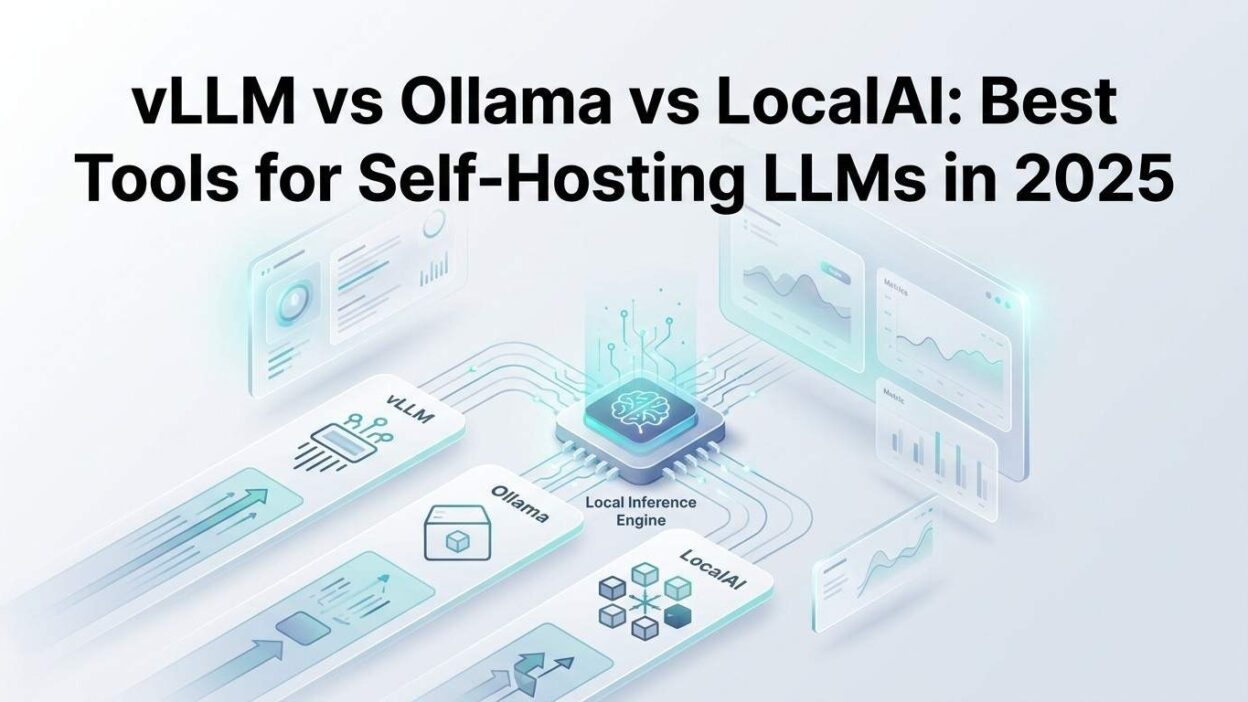
Three tools lead this space right now. vLLM, Ollama, and LocalAI each take a different approach. Each one serves a different audience. Choosing the wrong tool wastes weeks of engineering time.
This blog gives you the full picture. You will understand what each tool does well, where each one falls short, and exactly which one fits your use case. By the end, you will make a confident decision and get your self-hosted model running faster.
Table of Contents
Why Self-Hosting LLMs in 2025 Is a Smart Business Move
Data Privacy Drives the Decision for Many Teams
Cloud LLM APIs send your data to third-party servers. For healthcare, legal, finance, and government sectors, that is unacceptable. Regulations like HIPAA, GDPR, and SOC 2 create hard boundaries around where data can travel.
Self-hosting LLMs in 2025 solves this entirely. Your data never leaves your infrastructure. Prompts, completions, and conversation history stay inside your network. Compliance teams sleep better. Legal teams stop blocking AI adoption.
Cost Savings Compound at Scale
Cloud API pricing adds up fast. A team running millions of tokens per day pays enormous monthly bills. Those costs scale linearly with usage. There is no ceiling break.
When you host your own model, the economics flip. Hardware is a one-time capital expense. Inference costs drop dramatically at scale. Many companies that shift to self-hosting LLMs in 2025 cut their AI infrastructure costs by 60–80% within the first year.
Latency and Control Matter for Production Applications
Cloud APIs introduce network latency. That latency is unpredictable. It creates inconsistent user experiences in real-time applications. Rate limits add another constraint. Your throughput depends on what the vendor allows, not what your hardware can deliver.
Self-hosting removes both constraints. Your model responds as fast as your hardware allows. Your throughput scales with your infrastructure, not a vendor quota. That control is critical for production-grade AI applications.
Understanding the Three Major Tools for Self-Hosting LLMs in 2025
What Is vLLM?
vLLM is a high-performance inference engine built for serving large language models at scale. UC Berkeley researchers developed it initially. The open-source community has since expanded it significantly.
The core innovation inside vLLM is PagedAttention. This memory management technique dramatically improves GPU memory utilization during inference. Standard attention mechanisms waste GPU memory on fixed-size key-value caches. PagedAttention allocates memory dynamically. That makes vLLM exceptionally efficient on high-concurrency workloads.
vLLM supports an OpenAI-compatible API endpoint. Existing applications built on OpenAI’s API can point to a vLLM server with minimal code changes. That compatibility reduces migration friction for teams switching from cloud APIs.
For teams serious about self-hosting LLMs in 2025 at production scale, vLLM is a leading choice. Its throughput benchmarks consistently outperform competing inference engines on multi-user workloads. It handles dozens of simultaneous requests efficiently on a single GPU server.
What Is Ollama?
Ollama takes a completely different philosophy. It prioritizes simplicity and developer experience above raw performance. The goal is to get a model running on a local machine in minutes, not hours.
Ollama wraps model management, runtime configuration, and API serving into a single clean interface. Developers download a model with one command. They run it with another command. No complex configuration files. No CUDA setup headaches. No dependency management nightmares.
The Ollama model library includes hundreds of popular models. Llama 3, Mistral, Gemma, Phi, Qwen, DeepSeek, and many others are available as one-command downloads. Ollama handles quantization automatically. It picks the right model format for your hardware.
Ollama runs on Mac, Windows, and Linux. It uses Apple Silicon’s unified memory architecture exceptionally well. Mac users running M-series chips get impressive inference speeds without any GPU configuration. This cross-platform support makes Ollama the easiest entry point into self-hosting LLMs in 2025 for developers and small teams.
What Is LocalAI?
LocalAI sits in a unique position. It is not a single inference engine. It is a compatibility layer that wraps multiple inference backends behind a unified API.
The project goal is clear: provide a fully OpenAI-compatible REST API that works entirely offline on consumer hardware. LocalAI uses llama.cpp, whisper.cpp, and other backends depending on the model type and task. It supports text generation, image generation, audio transcription, embeddings, and function calling — all from one API surface.
LocalAI handles models that other tools do not. It supports GGUF, GGML, and other quantized formats. It runs on CPUs without any GPU requirement. That makes it uniquely accessible for teams without dedicated GPU hardware.
For businesses exploring self-hosting LLMs in 2025 without specialized hardware, LocalAI removes the GPU barrier entirely. You can run capable models on standard server hardware or even high-end developer workstations.
Deep Dive: vLLM vs Ollama vs LocalAI Feature Comparison
Performance and Throughput
Performance is where the tools diverge most sharply.
vLLM is the clear performance leader. Its PagedAttention implementation delivers the highest tokens-per-second throughput of the three tools under concurrent load. When ten, fifty, or a hundred users hit the server simultaneously, vLLM maintains consistent latency. Other tools degrade more noticeably under that pressure.
Benchmarks show vLLM achieving two to four times higher throughput than naive inference serving on the same hardware. That gap widens further at higher concurrency. For production APIs serving real users, that difference is material.
Ollama delivers solid single-user performance. On an Apple M3 Max, Ollama runs Llama 3 8B at 60–80 tokens per second. That is fast enough for interactive use. Multi-user concurrency is not Ollama’s strength. It excels at developer workstations and small team deployments where simultaneous requests are rare.
LocalAI performance depends heavily on the backend it uses and the hardware available. On CPU-only hardware, throughput is modest. On GPU hardware with the right backend configuration, LocalAI approaches Ollama-level performance. It never matches vLLM’s multi-user throughput.
Hardware Requirements
Hardware requirements differ significantly across the three tools.
vLLM needs NVIDIA GPUs with CUDA support for full functionality. AMD GPU support exists but is less mature. vLLM squeezes maximum performance from high-end server GPUs like the NVIDIA A100, H100, and RTX 4090. It is not designed for consumer CPU-only deployments.
Ollama runs on virtually everything. It works on Mac with Apple Silicon or Intel. It works on Windows with or without a GPU. It runs on Linux with NVIDIA or AMD GPUs. It even runs on CPU-only Linux servers, though at slower speeds. That hardware flexibility is a defining advantage for teams exploring self-hosting LLMs in 2025 without dedicated AI hardware budgets.
LocalAI is the most hardware-flexible of the three. It runs on CPU-only hardware without compromise. It supports ARM processors. It works on edge devices and embedded systems. Teams deploying AI on unusual hardware configurations often find LocalAI is the only tool that works reliably.
Model Support and Compatibility
Model support shapes which tool fits your workflow.
vLLM supports the major transformer architectures: Llama, Mistral, Mixtral, Falcon, GPT-NeoX, Qwen, and many others. Its HuggingFace integration makes loading any compatible model straightforward. Custom model support requires standard HuggingFace format models.
Ollama’s curated model library covers the most popular open-source models. The library grows regularly. Model downloads are managed automatically with version control. Ollama handles model quantization transparently. Users do not need to understand GGUF or GGML formats. The tool handles all of that.
LocalAI offers the widest format support of the three. It handles GGUF, GGML, GPTQ, and other formats depending on the configured backend. This format breadth makes LocalAI useful for running older models, specialized models, or models not yet in other libraries.
API Compatibility and Integration
All three tools offer OpenAI-compatible endpoints. That is a critical feature for teams migrating from cloud APIs.
vLLM’s OpenAI compatibility is deep and well-tested. It supports chat completions, completions, embeddings, and streaming. Production teams at companies migrating from OpenAI to self-hosting LLMs in 2025 find vLLM’s compatibility layer the most reliable for complex production workflows.
Ollama offers OpenAI-compatible endpoints alongside its own native API. The native API is clean and well-documented. Integration libraries for Python, JavaScript, Go, and other languages make it easy to build applications on top of Ollama.
LocalAI’s entire design philosophy centers on OpenAI compatibility. Its API surface mirrors OpenAI’s almost exactly. Teams can drop LocalAI into any application that uses the OpenAI SDK with minimal configuration changes. This API-first compatibility makes LocalAI ideal for organizations standardizing on a single AI API interface.
Setup and Developer Experience
Setup complexity separates the tools sharply.
vLLM setup requires Python, CUDA, and a properly configured GPU environment. The installation process is straightforward for experienced ML engineers. For developers without GPU or Python environment experience, the setup curve is real. vLLM rewards engineering investment with exceptional performance.
Ollama offers the fastest setup of any tool in this comparison. Install Ollama, run one command to pull a model, run another command to start serving. The entire process takes under five minutes on a clean machine. That speed makes Ollama the go-to starting point for developers new to self-hosting LLMs in 2025.
LocalAI setup requires Docker for the recommended installation path. Docker familiarity is assumed. Beyond Docker, LocalAI configuration involves YAML model configuration files. Those files are well-documented but add complexity compared to Ollama. LocalAI rewards teams willing to invest in configuration with its unmatched flexibility.
Use Case Matching: Which Tool Fits Your Situation?
Choose vLLM When You Need Production-Scale API Serving
Your company runs a customer-facing application. Hundreds of users hit your AI API simultaneously. Response latency directly affects user satisfaction. You have NVIDIA GPU servers available.
vLLM is your tool. It handles high-concurrency production traffic better than any alternative for self-hosting LLMs in 2025. Its throughput per GPU-dollar is unmatched. Major tech companies including Mistral AI, Together AI, and Anyscale use vLLM in production. That track record validates the choice.
Configure vLLM behind a load balancer for multi-node deployments. Use its tensor parallelism support to split large models across multiple GPUs. Monitor its metrics endpoint for production observability. The engineering investment pays back quickly at scale.
Choose Ollama When You Want Speed and Simplicity
Your team of engineers wants to experiment with local models fast. You work on Mac laptops or Windows developer machines. You need to prototype AI features without infrastructure overhead. You do not need to serve dozens of simultaneous users.
Ollama is your tool. It gets you from zero to running model in minutes. Its Apple Silicon support delivers genuinely impressive performance on MacBook Pro and Mac Studio hardware. Developers love Ollama because it stays out of the way and just works.
Ollama also works well for small internal tools used by a team of ten or twenty people. Concurrency requirements at that scale are modest. Ollama handles them without issue. Self-hosting LLMs in 2025 for developer productivity and small-team internal tools is Ollama’s sweet spot.
Choose LocalAI When Flexibility Matters More Than Raw Speed
Your infrastructure runs on standard servers without NVIDIA GPUs. You need to serve multiple AI modalities — text, audio, and embeddings — from one API. You have unusual hardware or edge deployment requirements. You need strict OpenAI API compatibility for a mixed AI application.
LocalAI is your tool. Its CPU support removes the GPU requirement. Its multi-modal capability serves text generation, transcription, and embeddings from one service. Its OpenAI API mirror means zero application code changes. Self-hosting LLMs in 2025 on commodity hardware is exactly what LocalAI was built for.
Security and Privacy Considerations for Self-Hosted LLMs
Network Isolation Protects Sensitive Workloads
When you self-host, you control network access completely. Run your model server on an isolated network segment. Block all outbound traffic from the inference server. Use a reverse proxy to control which internal services can reach the model API.
This level of network isolation is impossible with cloud API providers. It is a fundamental security advantage of self-hosting LLMs in 2025 for regulated industries and security-conscious organizations.
Authentication and Access Control Are Your Responsibility
Cloud providers handle authentication for their APIs. When you self-host, you own that responsibility. Add API key authentication in front of your model server. Use your existing identity provider for access control. Log every request for audit purposes.
vLLM, Ollama, and LocalAI all expose unauthenticated endpoints by default. A reverse proxy like Nginx or Caddy adds authentication cleanly in front of any of them. Do not deploy a model server to a network-accessible address without authentication.
Model Weights Security Matters
Model weights are valuable intellectual property. Store them securely. Control which users and services can read model files. Use encrypted storage for model weight files on sensitive deployments.
Verify model weight integrity before deploying. Download models from trusted sources. Check checksums. An attacker who replaces your model weights with a backdoored version gains a dangerous capability against your users.
Performance Optimization Tips for Self-Hosting LLMs in 2025
Quantization Reduces Memory Without Destroying Quality
Full-precision model weights consume enormous GPU memory. A 70-billion-parameter model at full precision needs over 140GB of GPU memory. Most hardware cannot accommodate that.
Quantization reduces model precision from 16-bit or 32-bit floats to 4-bit or 8-bit integers. A 70B model at 4-bit quantization fits in around 35GB of GPU memory. Quality loss on most tasks is minimal. Throughput often improves because smaller tensors move through memory faster.
All three tools support quantized models. Ollama handles quantization automatically. vLLM supports GPTQ and AWQ quantized models. LocalAI supports GGUF quantized models via its llama.cpp backend. Use quantization for every deployment where GPU memory is a constraint.
Batching Requests Improves GPU Utilization
GPUs process batches of work efficiently. A single request uses a fraction of available GPU compute. Batching multiple requests together fills the GPU and improves throughput dramatically.
vLLM handles continuous batching automatically. It is one of the core reasons vLLM outperforms naive inference serving. Ollama and LocalAI have more limited batching capabilities. For high-throughput self-hosting LLMs in 2025 deployments, vLLM’s automatic batching provides a significant throughput advantage.
Model Selection Affects Performance More Than Configuration
Picking the right model size for your task matters enormously. A 7B model handles most conversational tasks well. It runs much faster and uses much less memory than a 70B model. Use the smallest model that meets your quality bar.
Test multiple model sizes on your actual workload before committing to hardware. Many teams over-provision by defaulting to the largest available model. Systematic quality evaluation across model sizes often reveals that smaller, faster models are sufficient.
Common Mistakes When Self-Hosting LLMs in 2025
Skipping Monitoring and Observability
Self-hosted models need monitoring just like any production service. Track request latency, error rates, token throughput, and GPU utilization. Set alerts for degraded performance. Without monitoring, problems go undetected until users complain.
vLLM exposes Prometheus-compatible metrics. Ollama has a basic metrics interface. LocalAI exposes metrics through its API. Connect all three to Grafana for dashboards that give your team clear visibility into model health.
Not Planning for Model Updates
Model weights improve over time. New versions of Llama, Mistral, and other models release regularly. A model you deploy today will be outdated within months. Build a model update workflow from the start.
Test new model versions against your quality benchmarks before deploying to production. Version your model configuration files. Maintain rollback capability. Self-hosting LLMs in 2025 means owning the full model lifecycle, not just the initial deployment.
Ignoring Context Window Management
Long conversations consume large amounts of GPU memory. A model with an 8K context window fills its context cache fast in multi-turn conversations. Without context management, long sessions cause out-of-memory errors or severe performance degradation.
Implement context truncation in your application layer. Summarize old conversation history instead of keeping the full transcript. Manage context windows explicitly. This discipline prevents the most common production issues in self-hosted LLM deployments.
Frequently Asked Questions
What is the easiest way to start self-hosting LLMs in 2025?
Ollama is the easiest entry point. Install it, run one command to download a model, and you have a working local API in minutes. It works on Mac, Windows, and Linux without GPU configuration complexity.
Can I self-host LLMs without a GPU?
Yes. LocalAI runs on CPU-only hardware. Performance is slower than GPU-accelerated serving, but many use cases tolerate that speed. Ollama also runs on CPU-only systems. vLLM requires GPU hardware for its core functionality.
How much does it cost to self-host LLMs in 2025 compared to using the OpenAI API?
Upfront hardware costs are higher. Ongoing costs at scale are lower. A single NVIDIA RTX 4090 costing around $1,600 can serve millions of tokens per day. At OpenAI API pricing, that same volume costs hundreds of dollars per month. Most teams recoup hardware costs within two to six months at moderate usage levels.
Which tool handles the most simultaneous users?
vLLM handles the highest concurrent user loads. Its PagedAttention memory management and continuous batching deliver industry-leading multi-user throughput. For production APIs serving many users simultaneously, vLLM is the clear choice.
Can I use my existing OpenAI SDK code with these tools?
Yes. All three tools expose OpenAI-compatible endpoints. Point your SDK to the local server URL instead of the OpenAI API URL. LocalAI has the most complete OpenAI API surface. vLLM and Ollama cover the most commonly used endpoints.
What models work best for self-hosting LLMs in 2025?
Llama 3.1, Mistral 7B, Phi-3, Gemma 2, and Qwen 2.5 are strong choices across different size ranges. For coding tasks, DeepSeek Coder and Codestral perform well. For reasoning tasks, larger Llama and Qwen models deliver better results. Model quality depends heavily on your specific task domain.
How do I choose between vLLM, Ollama, and LocalAI?
Match the tool to your requirements. Choose vLLM for high-concurrency production serving on NVIDIA GPU hardware. Choose Ollama for fast developer setup on any hardware. Choose LocalAI for CPU-only deployments, multi-modal needs, or maximum OpenAI API compatibility. All three are excellent tools for self-hosting LLMs in 2025 within their intended use cases.
Read More:-Evaluating the Performance of BitNet and 1-bit LLMs for Enterprise
Conclusion

Self-hosting LLMs in 2025 is one of the most impactful technical decisions an AI-forward company can make. The privacy benefits are real. The cost savings are real. The performance control is real.
The three tools in this comparison each deliver genuine value. vLLM wins on raw production throughput. Ollama wins on developer simplicity. LocalAI wins on hardware flexibility and API compatibility breadth.
Your choice comes down to your team’s technical depth, your hardware reality, and your performance requirements. A startup prototyping on MacBook Pros picks Ollama and gets running in a day. An enterprise serving thousands of API calls per hour picks vLLM and builds for scale. A business without GPU budgets picks LocalAI and runs capable models on existing hardware.
None of these choices is permanent. Teams often start with Ollama, graduate to vLLM as scale demands grow, and use LocalAI for edge or CPU-only deployments in parallel. The tools are not mutually exclusive.
Self-hosting LLMs in 2025 gives your business control that no cloud API can match. Start with the tool that fits your current reality. Build toward the infrastructure your ambitions require. The open-source ecosystem backing all three tools is strong, active, and improving fast.
The decision to bring your AI infrastructure in-house is the right one. Pick your tool, run your first model, and discover what real control over AI feels like.