Introduction
TL;DR The world of AI-powered coding assistants has exploded in recent years. Developers now have multiple options to choose from when selecting tools that can streamline their workflow. Two prominent players have emerged in this space: Replit Agent and Anysphere’s Cursor. Both platforms promise to revolutionize how developers write, debug, and deploy code. But which one truly delivers when it comes to deployment capabilities?
This comprehensive guide examines the Replit Agent vs Anysphere (Cursor) debate from every angle. We’ll explore their features, deployment processes, pricing models, and real-world performance. By the end, you’ll know exactly which tool suits your development needs.
Table of Contents
Understanding the Basics: What Are These Tools?
What Is Replit Agent?
Replit Agent represents a significant leap forward in AI-assisted development. The platform operates as an autonomous coding assistant within the Replit ecosystem. It can generate entire applications from simple text prompts. The agent handles everything from initial code generation to environment setup.
Replit has built a reputation as a browser-based IDE over the years. The addition of their Agent feature transforms the platform into something far more powerful. Developers can now describe what they want to build in plain English. The Agent then creates the application, configures the necessary dependencies, and prepares it for deployment.
The tool integrates seamlessly with Replit’s existing infrastructure. This means projects created by the Agent can leverage Replit’s hosting capabilities immediately. No complex configuration steps are required. The entire process happens within a single, unified interface.
What Is Anysphere (Cursor)?
Anysphere created Cursor as a fork of Visual Studio Code. The editor comes packed with advanced AI capabilities that enhance the coding experience. Cursor uses multiple AI models to provide intelligent code suggestions and completions. The tool has gained massive popularity among professional developers.
The platform offers features like multi-line code generation and contextual understanding. Cursor can read your entire codebase to provide relevant suggestions. It understands project structure and coding patterns specific to your work. The AI assistant can even help refactor existing code and fix bugs.
Cursor maintains the familiar VS Code interface that millions of developers already know. This reduces the learning curve significantly. Users can install their favorite extensions and customize the environment to their liking. The AI features layer on top of this familiar foundation.
Deployment Capabilities: A Deep Dive
How Replit Agent Handles Deployment
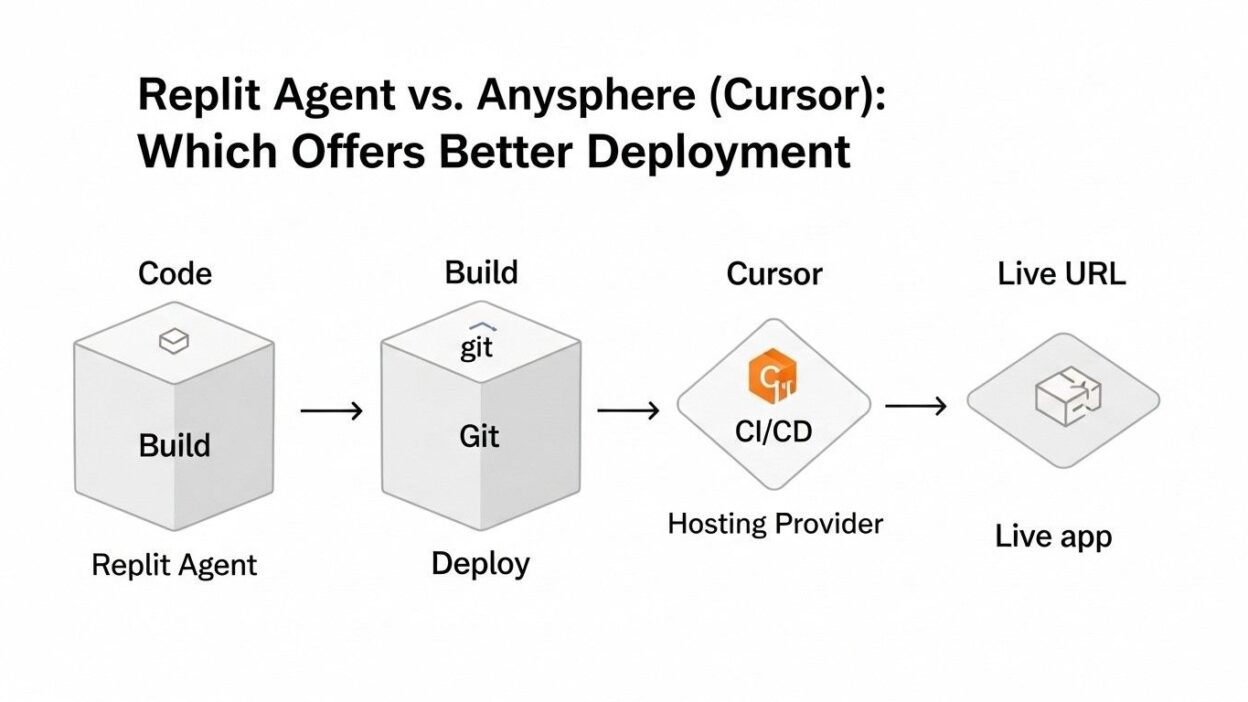
The Replit Agent vs Anysphere (Cursor) comparison becomes particularly interesting when examining deployment workflows. Replit Agent offers an integrated deployment solution that stands out for its simplicity. Once the Agent builds your application, deployment happens with minimal user intervention.
Replit provides automatic hosting for projects created within their platform. The system allocates resources and configures the server environment automatically. Developers don’t need to worry about server management or infrastructure setup. The platform handles SSL certificates, domain configuration, and scaling considerations.
The deployment process typically takes just a few clicks. Replit Agent can even suggest optimizations before deployment. The platform monitors application performance and provides insights about resource usage. This integrated approach eliminates many traditional deployment headaches.
Replit’s infrastructure supports various programming languages and frameworks. The Agent understands which runtime environment your application needs. It configures everything accordingly without requiring manual intervention. Database setup, environment variables, and API configurations all happen automatically.
How Cursor Approaches Deployment
Cursor takes a fundamentally different approach to deployment. The editor focuses primarily on the coding experience rather than hosting. Developers using Cursor must handle deployment through external services and platforms. This offers more flexibility but requires additional setup.
The tool excels at helping developers write deployment configurations. Cursor can generate Docker files, CI/CD pipeline configurations, and deployment scripts. The AI understands best practices for various cloud platforms. It can suggest optimizations for AWS, Google Cloud, Vercel, and other hosting providers.
Cursor’s strength lies in its ability to adapt to existing workflows. Development teams often have established deployment pipelines. The editor integrates seamlessly into these existing processes. It doesn’t force developers to adopt a new deployment methodology.
The platform provides intelligent assistance throughout the deployment preparation process. It can identify potential issues before code reaches production. Cursor helps write tests, configure monitoring, and set up error tracking. However, the actual deployment execution happens outside the editor.
User Experience and Learning Curve
Getting Started with Replit Agent
New users often find Replit Agent remarkably easy to approach. The platform requires no local development environment setup. Everything runs in the browser. This removes common barriers that frustrate beginners. You can start building applications within minutes of creating an account.
The natural language interface makes the tool accessible to non-technical users. You describe what you want to build in plain terms. The Agent translates your requirements into working code. This democratizes software development in ways previously impossible.
However, the Replit Agent vs Anysphere (Cursor) discussion must acknowledge some limitations. The Agent works best for relatively straightforward applications. Complex enterprise systems may require more manual intervention. The autonomous nature can sometimes lead to unexpected implementation choices.
The learning curve remains gentle for most users. Understanding how to communicate effectively with the Agent takes some practice. Developers learn to be specific in their requests without being overly technical. The platform provides helpful examples and templates to guide users.
Adapting to Cursor’s Environment
Cursor assumes users already have coding experience. The tool enhances existing skills rather than replacing them. Developers familiar with VS Code can transition to Cursor almost immediately. The interface remains nearly identical to the popular editor.
Learning to leverage Cursor’s AI capabilities effectively takes time. The system offers multiple ways to interact with the AI assistant. Users can invoke suggestions through keyboard shortcuts, command palette actions, or inline prompts. Mastering these interaction patterns maximizes productivity.
The platform provides extensive documentation and community resources. Developers share tips and tricks for getting the most from the AI features. The learning process feels natural and incremental. You can start with basic autocomplete and gradually explore advanced capabilities.
Cursor rewards developers who invest time in understanding its features. The tool becomes more valuable as you learn its nuances. Power users can accomplish remarkable feats through clever prompting and feature combinations.
Performance and Reliability
Replit Agent’s Track Record
When evaluating the Replit Agent vs Anysphere (Cursor) question, performance metrics matter significantly. Replit Agent generates code quickly and efficiently. The platform’s browser-based nature means no local resource consumption. This makes it accessible even on lower-powered devices.
The quality of generated code varies based on project complexity. Simple applications often emerge nearly production-ready. More complex requirements may produce code that needs refinement. The Agent sometimes makes architectural decisions that experienced developers would approach differently.
Deployment reliability through Replit’s infrastructure proves generally solid. The platform handles moderate traffic loads effectively. Very high-traffic applications may require migration to more robust hosting solutions. The integrated monitoring helps identify performance bottlenecks early.
Replit’s uptime statistics show strong reliability for their hosting services. The platform manages security patches and infrastructure updates automatically. Developers don’t worry about server maintenance tasks. This automation represents both a convenience and a limitation for advanced users.
Cursor’s Performance Characteristics
Cursor operates as a desktop application with remarkable speed. The editor responds quickly to commands and maintains smooth performance. AI suggestions appear with minimal latency in most situations. The system handles large codebases without significant slowdown.
Code quality from Cursor tends to be high when properly prompted. The AI understands context deeply and generates appropriate solutions. Developers maintain full control over implementation decisions. This human-in-the-loop approach prevents the automated mistakes that sometimes plague fully autonomous tools.
Since Cursor doesn’t handle deployment directly, reliability depends on chosen hosting platforms. The editor helps configure robust deployment pipelines. Proper setup leads to reliable production environments. The flexibility allows teams to optimize for their specific reliability requirements.
The tool performs exceptionally well with modern frameworks and languages. Support for cutting-edge technologies appears quickly after their release. The AI models receive regular updates that improve suggestion quality. Performance improvements arrive through frequent software updates.
Cost Considerations
Replit Agent Pricing Structure
The Replit Agent vs Anysphere (Cursor) comparison must include financial considerations. Replit offers a free tier with limited capabilities. This allows users to experiment with the platform before committing financially. The free tier includes basic hosting with resource restrictions.
Paid plans unlock the full potential of Replit Agent. Pricing tiers offer increased computing resources and enhanced features. The cost includes both the development environment and hosting infrastructure. This bundled approach simplifies budgeting but may be expensive for some use cases.
Higher-tier plans provide priority support and advanced collaboration features. Teams benefit from shared workspaces and enhanced deployment options. The pricing scales based on resource consumption and team size. Large projects with significant traffic may incur substantial costs.
Replit charges based on compute time and storage usage. Applications that run constantly consume more resources. The platform provides usage monitoring to help developers optimize costs. Careful resource management keeps expenses under control.
Cursor Pricing Model
Cursor operates on a subscription model separate from hosting costs. The editor offers a free version with limited AI features. This allows developers to evaluate the tool’s core capabilities. The free tier includes basic code completion and suggestions.
Pro subscriptions unlock unlimited AI requests and advanced features. The monthly cost remains quite reasonable compared to productivity gains. Students and open-source developers may qualify for discounted rates. Annual subscriptions offer additional savings.
Since Cursor doesn’t include hosting, deployment costs depend on chosen platforms. Developers pay for cloud resources separately through their preferred providers. This separation allows for cost optimization across different services. Teams can choose budget-friendly hosting without sacrificing editor capabilities.
The total cost of ownership includes both Cursor subscription and hosting expenses. This can be more or less expensive than Replit depending on project requirements. Simple applications might cost less on Replit’s integrated platform. Complex, high-traffic applications often prove cheaper when deployed on optimized infrastructure outside Replit.
Collaboration and Team Features
Team Collaboration in Replit
Replit built collaboration into the platform from the ground up. Multiple developers can work on the same project simultaneously. Real-time editing shows what team members are doing instantly. The experience mirrors collaborative document editing tools.
The Replit Agent vs Anysphere (Cursor) analysis shows different collaboration philosophies. Replit provides built-in communication tools within the development environment. Teams can discuss code changes without switching applications. This integrated approach streamlines workflow for remote teams.
Project sharing happens through simple links. Team members access shared projects through their browsers. No complex Git workflows are required for basic collaboration. This lowers the barrier for less technical team members.
Version control integrates with Git for teams that need it. The platform supports branching and merging workflows. Replit adds a visual interface that makes Git operations more approachable. Advanced users can still access the full power of version control.
Cursor’s Collaborative Approach
Cursor relies on traditional collaboration tools that developers already use. The editor integrates with Git workflows seamlessly. Teams continue using GitHub, GitLab, or other version control platforms. The AI features work within these established processes.
Pair programming with Cursor involves screen sharing or remote desktop tools. The editor itself doesn’t provide real-time collaboration features. This matches how professional development teams typically work. The AI assistant helps individual developers but doesn’t fundamentally change team dynamics.
Code reviews benefit significantly from Cursor’s AI capabilities. The tool can help identify potential issues before review. Developers use it to understand unfamiliar code sections quickly. This accelerates the review process without replacing human judgment.
The platform supports team-wide AI usage through organizational licensing. Teams can manage subscriptions and enforce coding standards. Shared configurations ensure consistent AI behavior across team members. This organizational support proves valuable for larger development groups.
Integration Capabilities
Replit’s Ecosystem Integration
Replit Agent works within a somewhat closed ecosystem. The platform prioritizes integration with its own services and features. This creates a seamless experience but limits flexibility. Developers commit to Replit’s way of doing things.
The platform supports importing projects from GitHub and other sources. External databases can connect through standard connection protocols. API integrations work as expected for most third-party services. The limitations primarily affect deployment and hosting flexibility.
Replit provides built-in database options that integrate effortlessly. The Agent can configure these databases automatically based on project needs. This convenience comes at the cost of vendor lock-in. Migrating data away from Replit requires additional effort.
Third-party authentication services integrate smoothly. OAuth providers like Google and GitHub work without special configuration. The Agent understands how to implement these integrations. Security best practices are generally followed automatically.
Cursor’s Integration Philosophy
The Replit Agent vs Anysphere (Cursor) comparison reveals stark differences in integration approaches. Cursor integrates with virtually any tool developers want to use. The editor works with all major version control systems. Cloud platforms, CI/CD tools, and monitoring services all connect seamlessly.
Extensions from the VS Code marketplace work with Cursor. This provides access to thousands of additional integrations. The AI features complement these extensions effectively. Developers build their ideal development environment.
Testing frameworks, linters, and formatters all integrate naturally. Cursor’s AI can even help configure these tools properly. The platform understands best practices for popular development tools. Setup time decreases significantly with AI assistance.
API development tools like Postman and Insomnia work alongside Cursor. Database management applications connect without issues. The editor doesn’t impose restrictions on developer toolchains. This flexibility proves essential for enterprise development teams.
Security and Compliance
Security in Replit Environment
Security represents a critical concern in the Replit Agent vs Anysphere (Cursor) discussion. Replit handles security at the infrastructure level automatically. The platform manages SSL certificates and HTTPS configuration. Developers benefit from these security measures without manual setup.
Code stored on Replit’s servers follows their security protocols. The platform encrypts data in transit and at rest. Access controls determine who can view and edit projects. Two-factor authentication adds an extra security layer.
However, storing code on third-party servers raises concerns for some organizations. Sensitive intellectual property may require on-premises solutions. Replit’s terms of service govern data handling and ownership. Companies must evaluate whether this meets their compliance requirements.
The Agent-generated code follows security best practices generally. Input validation and sanitization appear in appropriate places. The AI understands common security vulnerabilities and works to avoid them. Manual security audits remain advisable for production applications.
Cursor’s Security Approach
Cursor operates as a local application with different security characteristics. Code remains on developer machines unless explicitly pushed elsewhere. This gives organizations more control over sensitive information. No code passes through Cursor’s servers during normal operation.
The AI features do send code snippets to AI providers for processing. Cursor’s privacy policy explains what data gets transmitted. Users can configure the tool to limit information sharing. Enterprise plans offer additional privacy controls.
Organizations can audit Cursor’s behavior through network monitoring. The application’s requests and data transmission are observable. This transparency helps security teams validate compliance. The tool works behind corporate firewalls and VPNs.
Security scanning tools integrate with Cursor’s workflow. The AI can help implement security recommendations from these tools. Vulnerability detection happens before code reaches production. This proactive approach reduces security incidents.
Real-World Use Cases
When Replit Agent Excels
Replit Agent shines in specific scenarios that align with its strengths. Rapid prototyping benefits enormously from the integrated platform. Entrepreneurs can validate ideas quickly without infrastructure concerns. The barrier to launching a minimum viable product drops dramatically.
Educational environments find tremendous value in Replit’s approach. Students learn to build complete applications without setup complexity. Teachers can focus on concepts rather than configuration. The platform democratizes access to software development education.
Hackathons and coding competitions favor Replit’s quick deployment capabilities. Teams can go from idea to working demo in hours. The integrated environment eliminates time wasted on setup. Judges can access deployed applications immediately.
Side projects and personal experiments work wonderfully on Replit. The low barrier to entry encourages exploration. Developers can test new frameworks without local environment setup. The platform handles the boring parts of deployment automatically.
Where Cursor Dominates
Professional software development teams often prefer Cursor’s flexibility. The tool integrates into existing enterprise workflows seamlessly. Development standards and practices continue unchanged. The AI enhancement accelerates work without disrupting processes.
Large, complex codebases benefit from Cursor’s contextual understanding. The editor can navigate millions of lines of code effectively. Developers get relevant suggestions even in massive projects. This scales better than platforms designed for smaller applications.
Organizations with strict security requirements choose Cursor more frequently. The ability to keep code on-premises proves essential. Complete control over deployment pipeline appeals to compliance teams. Cursor enhances workflow without introducing unwanted dependencies.
Developers working with cutting-edge technologies appreciate Cursor’s flexibility. The platform supports any language or framework. Custom build processes work without restriction. The AI adapts to unusual project structures.
Community and Support
Replit’s Support Ecosystem
The Replit community has grown substantially in recent years. Forums and Discord channels provide peer support. Developers share templates and example projects frequently. The community generally skews younger and more educational.
Official support quality varies based on subscription tier. Free users rely primarily on community resources. Paid plans include priority support with faster response times. The documentation covers most common use cases adequately.
Replit provides extensive tutorials and learning resources. The platform publishes guides for building various application types. Video content helps visual learners understand concepts. The educational focus reflects Replit’s core mission.
Updates and new features arrive regularly. The development team actively engages with user feedback. Feature requests often get implemented quickly. This responsiveness helps the platform evolve with user needs.
Cursor’s Support Structure
The Replit Agent vs Anysphere (Cursor) comparison shows different community dynamics. Cursor’s user base consists primarily of professional developers. Discussions tend toward advanced topics and optimization techniques. The community produces high-quality content and tutorials.
Official support operates through standard channels. Email support handles subscription and technical issues. Response times generally meet expectations for a development tool. The company maintains a public roadmap for transparency.
Documentation focuses on features and capabilities. Examples show how to accomplish specific tasks. The assumption is that users understand software development fundamentals. Advanced users appreciate the respect for their knowledge level.
Community-created content supplements official resources significantly. Developers share configuration tips and workflow optimizations. YouTube tutorials demonstrate advanced techniques. The collective knowledge base continues growing rapidly.
Future Outlook and Development
Replit’s Roadmap
Replit continues investing heavily in AI capabilities. The Agent receives regular updates that expand its abilities. New features target ease of use and accessibility. The platform aims to make software development universal.
Planned improvements focus on handling more complex applications. The Agent will gain better understanding of enterprise requirements. Integration capabilities should expand over time. The hosting infrastructure continues scaling to support growth.
Replit explores new pricing models to accommodate different user types. The goal is sustainable revenue while maintaining accessibility. Features may shift between tiers as the platform matures. User feedback heavily influences development priorities.
The company recognizes deployment as a key differentiator. Continued investment in hosting infrastructure seems likely. Automatic scaling and performance optimization will improve. The integrated experience remains central to Replit’s strategy.
Cursor’s Evolution
Anysphere actively develops Cursor with frequent updates. AI models improve regularly with better training and capabilities. The editor adds features that professional developers request. Performance optimizations arrive consistently.
The company explores deeper integrations with development tools. Better understanding of project contexts will enhance suggestions. Multi-file refactoring capabilities continue improving. The AI becomes more useful for complex tasks.
Cursor’s business model appears sustainable and developer-friendly. Pricing remains competitive while supporting ongoing development. The team seems committed to the developer experience. Trust and reliability define their approach.
Future versions may include collaborative features. Real-time editing could arrive without compromising the core experience. The platform might expand beyond just code editing. However, the focus remains on enhancing individual developer productivity.
Making Your Decision
Choosing Replit Agent
The Replit Agent vs Anysphere (Cursor) decision often comes down to specific needs. Choose Replit if you want an all-in-one solution. The integrated deployment makes it ideal for beginners. You value simplicity over ultimate flexibility.
Projects that need quick deployment benefit from Replit’s approach. The platform handles infrastructure concerns automatically. You can focus on building features rather than managing servers. Time to market decreases significantly.
Educational purposes and learning environments favor Replit strongly. Students appreciate the low barrier to entry. Teachers can focus on concepts without technical distractions. The platform scales from simple exercises to complete applications.
Budget-conscious developers might prefer Replit for small projects. The bundled pricing simplifies cost management. You know exactly what you’ll pay each month. Hidden infrastructure costs don’t appear unexpectedly.
Selecting Cursor
Professional developers often find Cursor more suitable for serious work. The tool integrates into established workflows seamlessly. You maintain complete control over your development process. Flexibility matters more than convenience.
Complex applications requiring custom deployment benefit from Cursor. The platform helps configure sophisticated pipelines. You choose the best hosting solution for each project. No artificial limitations constrain your architecture.
Teams with existing infrastructure should consider Cursor carefully. The editor enhances current processes without replacement. Security requirements often favor this approach. Enterprise compliance becomes easier to manage.
Developers who want cutting-edge AI assistance while maintaining control prefer Cursor. The tool augments your abilities without taking over. You make all final decisions about implementation. The learning curve pays dividends in long-term productivity.
Frequently Asked Questions
Can I use both Replit Agent and Cursor together?
Yes, you can use both tools in your development workflow. Some developers use Replit Agent for rapid prototyping. They then migrate successful projects to more traditional environments. Cursor helps refine and scale these applications. The tools serve different purposes that can complement each other.
Which tool is better for absolute beginners?
Replit Agent proves more beginner-friendly overall. The natural language interface requires no coding knowledge initially. Deployment happens automatically without complex configuration. Cursor assumes basic programming understanding. It enhances existing skills rather than replacing them.
Do I need a powerful computer to use these tools?
Replit Agent runs entirely in the browser. Any device with internet access works fine. Even tablets and Chromebooks can run Replit effectively. Cursor requires a capable computer as a desktop application. Modern laptops handle it easily. Very old hardware might struggle with Cursor.
Which platform offers better value for money?
The answer depends entirely on your use case. Replit includes hosting in subscription pricing. This can be economical for simple applications. Cursor subscriptions cost less but exclude hosting. Complex applications often cost less with Cursor overall. Calculate total costs based on your specific requirements.
Can I deploy applications from Cursor to Replit?
Technically yes, though it’s not a common workflow. You would export code from Cursor and import it to Replit. The Replit Agent wouldn’t have created the project. Manual configuration would be necessary. Most developers choose one primary platform. Mixing platforms creates unnecessary complexity.
Which tool supports more programming languages?
Cursor supports virtually any programming language. The editor inherits VS Code’s extensive language support. Extensions add capabilities for obscure languages. Replit supports many popular languages officially. Less common languages may have limited support. Check Replit’s documentation for your specific language needs.
How do these tools handle sensitive data?
Replit stores code and data on their servers. Review their privacy policy carefully. Enterprise plans offer additional security controls. Cursor keeps code local to your machine. AI features send snippets for processing. Configure privacy settings based on sensitivity requirements. Neither tool should handle highly classified information without proper security review.
Can teams collaborate effectively with these platforms?
Replit provides built-in real-time collaboration features. Multiple developers work simultaneously on shared projects. Cursor relies on traditional Git workflows for collaboration. It integrates with existing team processes. The best choice depends on your team’s current practices.
What happens if I want to migrate away from these platforms?
Replit projects can export to standard formats. Code remains accessible even if you cancel subscriptions. Applications deployed on Replit would need rehosting. Migration requires some effort but remains possible. Cursor creates standard code files locally. Moving to another editor takes minutes. No migration process exists since code never gets locked in.
Which tool receives more frequent updates?
Both platforms update regularly with new features. Cursor ships updates several times monthly. New AI capabilities arrive frequently. Replit updates the Agent and infrastructure continuously. The pace of improvement remains high for both tools. Neither shows signs of stagnation.
Read More:-How to Use AI to Auto-Generate Technical Documentation for Legacy Code
Conclusion

The Replit Agent vs Anysphere (Cursor) debate has no universal winner. Each tool excels in different scenarios and serves different user needs. Replit Agent democratizes software development through simplicity. The integrated deployment removes traditional barriers to building applications. Beginners and rapid prototyping scenarios favor Replit strongly.
Cursor empowers professional developers with AI-enhanced capabilities. The tool integrates into existing workflows without disruption. Complete control over deployment and infrastructure appeals to experienced teams. Complex applications benefit from Cursor’s flexibility and power.
Your specific requirements determine the right choice. Consider your skill level honestly. Think about project complexity and deployment needs. Evaluate whether you prefer integration or flexibility. Budget constraints and team dynamics also influence the decision.
Many developers benefit from understanding both platforms. Each represents a different philosophy about AI-assisted development. Replit pushes toward autonomous agents that handle everything. Cursor enhances human developers without replacing their judgment. The future likely includes both approaches serving different markets.
Start with the tool that matches your current needs. You can always explore the alternative later. Both platforms offer free tiers for evaluation. Hands-on experience reveals which workflow feels more natural. The best tool is the one that makes you more productive and helps you build better applications faster.