Introduction
TL;DR Most LLMs forget everything the moment a conversation ends. They cannot access your company documents, your product database, or any private knowledge. Retrieval-Augmented Generation solves this problem. A RAG pipeline with LlamaIndex and PostgreSQL pgvector lets you connect any LLM to your own data. The model retrieves relevant context before generating an answer. Responses become accurate, grounded, and specific to your domain. This guide walks through building that pipeline from scratch. You will understand every component, every design decision, and every gotcha before writing your first line of production code.
Table of Contents
What Is RAG and Why Does It Matter for Real Applications?
RAG stands for Retrieval-Augmented Generation. The concept is elegant. Before an LLM generates a response, a retrieval system fetches the most relevant documents from a knowledge base. Those documents become part of the prompt. The model answers using real, specific context rather than memorized training data. This approach solves one of the biggest limitations in AI product development. LLMs hallucinate when they lack context. RAG gives them context. Accuracy improves dramatically. Building a RAG pipeline with LlamaIndex and PostgreSQL pgvector brings together the best retrieval framework and the most battle-tested database into one powerful system.
Why RAG Beats Fine-Tuning for Most Use Cases
Fine-tuning teaches a model new behavior during training. RAG gives a model new information at inference time. These are fundamentally different approaches to the same problem. Fine-tuning is expensive, slow, and requires retraining every time your data changes. RAG is cheap, fast, and updates instantly when you add new documents. Your knowledge base changes daily in most business applications. A product catalog updates. A policy document changes. New research papers publish. Fine-tuning cannot keep pace with this velocity. RAG handles it effortlessly. A well-built RAG pipeline with LlamaIndex and PostgreSQL pgvector updates its knowledge the moment you index a new document.
The Four Core Components Every RAG System Needs
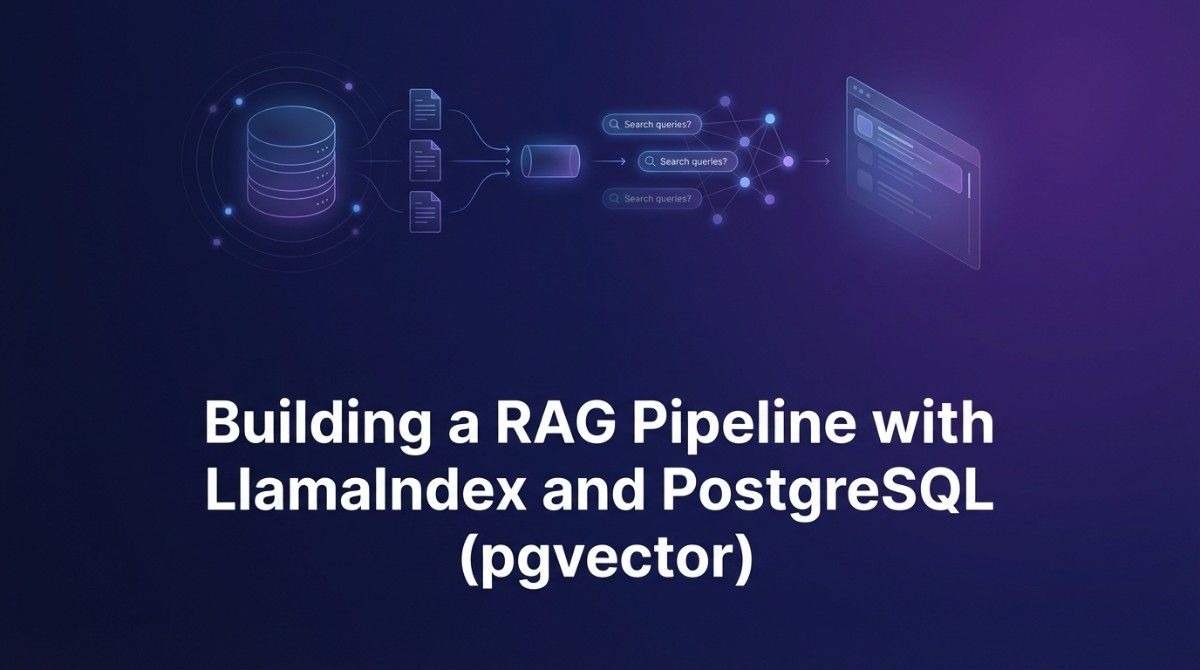
Every RAG system requires four things. First, a document loader that ingests raw content from files, URLs, or databases. Second, a text splitter that breaks documents into manageable chunks. Third, an embedding model that converts text chunks into numerical vectors. Fourth, a vector store that indexes those vectors and retrieves similar ones by query. LlamaIndex handles the first three beautifully. PostgreSQL with the pgvector extension handles the fourth with production-grade reliability. Together they form a complete, scalable RAG pipeline with LlamaIndex and PostgreSQL pgvector that real applications trust.
Why LlamaIndex Is the Right Framework for Your RAG Pipeline
LlamaIndex is a data framework designed specifically for LLM applications. It focuses on connecting LLMs to external data sources. The library handles document ingestion, chunking, embedding, indexing, and querying through clean, consistent abstractions. LangChain is more general-purpose. LlamaIndex is laser-focused on retrieval and indexing workflows. That focus translates to better defaults, richer retrieval options, and more thoughtful data pipeline design. Developers who try both consistently report that LlamaIndex requires less boilerplate for RAG-specific tasks. A RAG pipeline with LlamaIndex and PostgreSQL pgvector takes full advantage of this specialization.
LlamaIndex Features That Make RAG Development Faster
LlamaIndex ships with over 160 data loaders out of the box. PDF, Word, Notion, Confluence, Google Drive, GitHub, Slack, and dozens more all work without custom parsing code. The SimpleDirectoryReader loads an entire folder of mixed file types in one call. Node parsers handle text splitting with semantic awareness. SentenceSplitter respects sentence boundaries so chunks stay coherent. The embedding interface supports OpenAI, Cohere, HuggingFace, and local models through a unified API. The query engine wraps retrieval and synthesis into a single object. You call query() and get a complete answer with source citations. Every piece connects to the next without friction in a well-structured RAG pipeline with LlamaIndex and PostgreSQL pgvector.
LlamaIndex vs LangChain: Which Wins for RAG?
LangChain covers a wider surface area. It handles agents, chains, memory, and tool integrations. LlamaIndex goes deeper on data indexing and retrieval. For pure RAG applications, LlamaIndex wins on developer experience. Its query modes include vector search, keyword search, summary queries, and knowledge graph queries out of the box. LangChain requires more configuration to achieve the same retrieval diversity. LlamaIndex’s retrieval evaluation tools also lead the space. You measure retrieval quality with built-in metrics. These advantages make LlamaIndex the preferred foundation when building a production RAG pipeline with LlamaIndex and PostgreSQL pgvector.
Why PostgreSQL With pgvector Beats Purpose-Built Vector Databases
Purpose-built vector databases like Pinecone, Weaviate, and Qdrant are excellent tools. They optimize entirely for vector search. PostgreSQL with the pgvector extension gives you vector search plus everything PostgreSQL already does. You get ACID transactions, row-level security, complex SQL queries, joins with relational data, and the operational familiarity your team already has. Most engineering teams already run PostgreSQL in production. Adding pgvector requires one command. You do not spin up a new service. You do not manage another deployment. You do not pay for another SaaS product. A RAG pipeline with LlamaIndex and PostgreSQL pgvector consolidates your entire data layer into infrastructure you already trust.
What pgvector Actually Does Under the Hood
pgvector adds a new column type to PostgreSQL called vector. A vector column stores a fixed-dimension floating-point array. Typical embedding models produce 768, 1536, or 3072 dimensions depending on the model. pgvector stores these efficiently. It provides three distance operators for similarity search. The cosine distance operator finds vectors with the smallest angular difference. The L2 distance operator finds vectors closest in Euclidean space. The inner product operator maximizes dot product similarity. pgvector also supports IVFFlat and HNSW indexing. HNSW delivers much better query performance at high recall. Installing pgvector takes less than five minutes on any PostgreSQL 14 or newer instance.
pgvector vs Pinecone: Honest Trade-Off Analysis
Pinecone scales to billions of vectors with zero operational burden. It handles sharding, replication, and indexing automatically. pgvector on a single PostgreSQL instance handles up to tens of millions of vectors comfortably with proper indexing. Beyond that, you need PostgreSQL read replicas or horizontal partitioning. For most business applications, tens of millions of chunks cover enormous amounts of content. Pinecone makes more sense at massive scale or when operational simplicity is the absolute priority. pgvector makes more sense when you want cost control, SQL flexibility, and existing PostgreSQL expertise. The RAG pipeline with LlamaIndex and PostgreSQL pgvector approach fits the vast majority of real-world use cases perfectly.
Setting Up Your Environment Before Writing Any Code
A clean environment prevents dependency hell and debugging nightmares. Take ten minutes to set this up correctly. Every hour you spend here saves five hours later. The setup for a RAG pipeline with LlamaIndex and PostgreSQL pgvector involves three areas. You need the right Python packages. You need a running PostgreSQL instance with pgvector enabled. You need an embedding model endpoint whether local or remote.
Python Package Installation and Configuration
Create a virtual environment first. Use Python 3.10 or newer. Install llama-index as your core package. Install llama-index-vector-stores-postgres for the pgvector integration specifically. Install psycopg2-binary for the PostgreSQL driver. Install llama-index-embeddings-openai if you use OpenAI embeddings or llama-index-embeddings-huggingface for local models. Install sqlalchemy for the database connection layer. Pin your versions in a requirements.txt file immediately. LlamaIndex releases updates frequently. Unpinned versions cause unexpected breakage in production. Set your OPENAI_API_KEY and DATABASE_URL as environment variables. Never hardcode credentials in source files.
PostgreSQL and pgvector Installation Guide
Run PostgreSQL 15 or newer for best pgvector compatibility. Install pgvector using your system package manager or build from source. On Ubuntu, run apt-get install postgresql-15-pgvector. On Mac with Homebrew, run brew install pgvector. Connect to your database and run CREATE EXTENSION vector to activate it. Verify installation with SELECT * FROM pg_extension WHERE extname = ‘vector’. The extension installs in seconds. Cloud PostgreSQL providers like AWS RDS, Supabase, Neon, and Railway all support pgvector natively. Enable it through their dashboard or SQL console. Cloud providers make pgvector setup even faster for teams building a RAG pipeline with LlamaIndex and PostgreSQL pgvector without managing their own servers.
Building the RAG Pipeline Step by Step
Now the real work begins. This section builds a complete, working RAG pipeline with LlamaIndex and PostgreSQL pgvector from document ingestion to query response. Follow each step carefully. Understand what each component does and why it exists. That understanding lets you customize confidently when your specific use case demands it.
Load and Prepare Your Documents
LlamaIndex’s SimpleDirectoryReader accepts a folder path and loads every supported file inside it. Point it at a directory containing your PDFs, text files, or markdown documents. It returns a list of Document objects. Each Document object holds the raw text content and metadata like filename and creation date. For web content, use the BeautifulSoupWebReader or the TrafilaturaWebReader. For PDFs with complex layouts, the LlamaParse service handles tables and multi-column formats accurately. Metadata matters more than most developers realize. It enables filtered retrieval later. Always attach source, date, category, or any other attribute that your queries might filter on. This metadata management is a critical design decision in any RAG pipeline with LlamaIndex and PostgreSQL pgvector.
Choose Your Chunking Strategy Wisely
Chunking is the most underrated decision in RAG system design. Chunk size determines retrieval quality more than almost any other parameter. Chunks that are too small lose surrounding context. The retrieved chunk does not contain enough information to answer the question. Chunks that are too large dilute relevance. The embedding represents too many topics at once. A good starting point is 512 tokens with a 50-token overlap. The overlap preserves context across chunk boundaries. LlamaIndex’s SentenceSplitter respects sentence boundaries within this token budget. The SemanticSplitterNodeParser goes further. It uses embedding similarity to split at meaningful topic transitions. For technical documentation, legal contracts, or research papers, semantic chunking improves retrieval precision significantly. Test multiple chunk sizes on your actual documents before committing to one configuration in your production RAG pipeline with LlamaIndex and PostgreSQL pgvector.
Generate Embeddings for Every Chunk
Embeddings convert text into dense numerical vectors that capture semantic meaning. Words and sentences with similar meanings end up close together in this high-dimensional space. OpenAI’s text-embedding-3-small model produces 1536-dimensional vectors and costs $0.02 per million tokens. It is fast and excellent for English content. OpenAI’s text-embedding-3-large produces 3072 dimensions and delivers better accuracy for complex technical content. For local inference without API costs, the BAAI/bge-base-en-v1.5 model from HuggingFace produces 768-dimensional vectors with strong benchmark performance. Configure your embedding model in LlamaIndex’s Settings object once. Every indexing and query operation uses it automatically. Consistency between indexing and query embeddings is mandatory. Mixing embedding models between indexing and querying breaks retrieval completely in your RAG pipeline with LlamaIndex and PostgreSQL pgvector.
Index Your Vectors Into PostgreSQL With pgvector
LlamaIndex’s PGVectorStore class manages the entire PostgreSQL connection and table creation. Pass your database connection string to the PGVectorStore constructor. Specify the embedding dimension to match your embedding model. LlamaIndex creates a table called data_llamaindex by default with columns for node ID, embedding, text, and metadata stored as JSONB. Construct a StorageContext using the PGVectorStore instance. Build a VectorStoreIndex from your processed nodes using that StorageContext. LlamaIndex calls your embedding model for each chunk and inserts the vectors into PostgreSQL automatically. The first indexing run populates the database. Subsequent runs can add new documents incrementally without re-indexing everything. Create an HNSW index on the embedding column after initial load for fast query performance. This indexing step finalizes your RAG pipeline with LlamaIndex and PostgreSQL pgvector.
Build the Query Engine and Retrieve Answers
The query engine ties retrieval and generation together. Call as_query_engine() on your VectorStoreIndex to create it. Configure the similarity_top_k parameter to control how many chunks the retriever fetches. Three to five chunks work well for most use cases. Fetching more chunks improves recall but increases context window usage and cost. The query engine embeds your user’s question using the same embedding model. It finds the k most similar chunks in pgvector using cosine similarity. It passes those chunks plus the original question to your LLM. The LLM synthesizes a final answer grounded in the retrieved context. Call query_engine.query(‘your question here’) to get a Response object containing the answer text and source node references. The full loop runs in under two seconds for typical configurations in a RAG pipeline with LlamaIndex and PostgreSQL pgvector.
Advanced Retrieval Techniques That Improve Answer Quality
Basic vector search works well. Advanced retrieval techniques push accuracy significantly further. Production applications need more than nearest-neighbor lookup. These techniques close the gap between a working prototype and a system users actually trust. Every serious RAG pipeline with LlamaIndex and PostgreSQL pgvector implementation uses at least two of these approaches.
Hybrid Search: Combining Vector and Keyword Retrieval
Pure vector search struggles with exact keyword matches. A user searching for a specific product model number or a legal clause gets poor results from semantic search alone. Hybrid search combines vector similarity with keyword-based BM25 or full-text search. PostgreSQL supports full-text search natively through tsvector columns. You query both systems and merge results using Reciprocal Rank Fusion. RRF combines rankings from multiple retrieval methods without requiring score normalization. LlamaIndex’s QueryFusionRetriever orchestrates this process cleanly. Hybrid search improves retrieval recall by 15 to 25 percent on mixed query types in most evaluations. Add it to your production system early. Retrofitting it later requires more work than building it in from the start.
Metadata Filtering for Precise, Scoped Retrieval
Metadata filtering narrows the search space before vector similarity runs. A user asking about Q3 2024 financial results should only retrieve chunks from Q3 2024 documents. Without filtering, the retriever might return older or irrelevant quarterly reports. LlamaIndex’s MetadataFilters class accepts field-value pairs that translate to SQL WHERE clauses against the JSONB metadata column in pgvector. Attach rich metadata during document loading: document date, category, department, language, author, and document type. Filters combine with AND or OR logic. The right metadata schema is a product decision as much as a technical one. Design it based on how your users actually phrase queries. Good metadata design makes your RAG pipeline with LlamaIndex and PostgreSQL pgvector feel genuinely intelligent rather than merely functional.
Re-ranking Retrieved Chunks Before Generation
Vector search retrieves the top-k most similar chunks by embedding distance. Embedding similarity is a proxy for relevance. It is a good proxy but not a perfect one. Re-ranking uses a cross-encoder model to score each retrieved chunk against the query more accurately. Cross-encoders see both the query and the chunk simultaneously. They produce much better relevance scores than embedding similarity alone. Retrieve 20 chunks with vector search. Re-rank them with a cross-encoder. Pass only the top 5 to the LLM. Answer quality improves substantially. Cohere Rerank, BGE Reranker, and Jina Reranker are all popular choices that integrate with LlamaIndex. Re-ranking adds 100 to 300 milliseconds of latency but the quality improvement justifies it completely.
Evaluating Your RAG Pipeline Quality Like a Professional
Building a RAG pipeline with LlamaIndex and PostgreSQL pgvector is only half the job. Measuring its quality is the other half. Teams that skip evaluation discover problems through user complaints rather than metrics dashboards. Build evaluation in from day one. It shapes every subsequent design decision.
Key Metrics Every RAG System Must Track
Faithfulness measures whether the generated answer stays within the retrieved context. An unfaithful answer introduces information not present in the retrieved chunks. This is a hallucination. Answer relevancy measures whether the answer addresses the actual question. A faithful but off-topic answer serves no one. Context recall measures whether the retrieved chunks contain the information needed to answer the question correctly. Context precision measures whether retrieved chunks are all actually relevant or whether irrelevant chunks dilute the context. LlamaIndex provides built-in evaluators for all four metrics using an LLM-as-judge approach. RAGAS is a complementary library with additional evaluation frameworks. Build an evaluation dataset from 50 to 100 real user questions with known correct answers. Run this suite every time you change your RAG pipeline with LlamaIndex and PostgreSQL pgvector configuration.
How to Debug and Fix Poor Retrieval Results
Poor answers almost always trace back to poor retrieval. The LLM is usually not the problem. Check which chunks your retriever actually returns for failing queries. Use LlamaIndex’s query engine with verbose=True to see retrieved nodes. If the right information exists in your documents but does not appear in retrieved chunks, your chunking strategy probably buries it. Increase chunk size or add more overlap. If the retriever returns chunks from wrong documents entirely, improve your metadata filtering. If retrieval looks correct but answers are still wrong, the LLM synthesis step needs better instructions. Isolate each component before changing multiple things simultaneously. Systematic debugging saves enormous time in production RAG systems.
Taking Your RAG Pipeline to Production Safely
A prototype that works on your laptop is not a production system. Production systems handle concurrent users, large document volumes, and unexpected inputs reliably. Several engineering considerations transform a working RAG pipeline with LlamaIndex and PostgreSQL pgvector prototype into a system you trust at scale.
Database Connection Pooling and Query Performance
PostgreSQL handles concurrent connections well but not infinitely. Each connection consumes server memory. Use PgBouncer or SQLAlchemy’s connection pool to manage connections efficiently. Set pool_size to 10 for small deployments and 50 for high-traffic applications. Create the HNSW index on your embedding column with appropriate ef_construction and m parameters. Higher ef_construction improves index quality. Higher m improves query recall at the cost of more memory. Run ANALYZE on your table after bulk inserts to update query planner statistics. Monitor query execution time with EXPLAIN ANALYZE on your similarity search queries. Target sub-100-millisecond retrieval for responsive user experiences. Well-tuned PostgreSQL handles thousands of vector searches per second on modern hardware.
Incremental Indexing for Growing Knowledge Bases
Your document collection grows over time. Re-indexing everything on every update is slow and expensive. LlamaIndex provides an IngestionPipeline with a document store that tracks which documents already have embeddings. Pass new documents through the pipeline. It only embeds and indexes genuinely new or changed content. Use a SHA-256 hash of each document’s content as a deduplication key. Store hashes in a separate PostgreSQL table alongside your document metadata. Check this table before sending documents to the embedding model. Incremental indexing keeps your knowledge base current without wasting API tokens on unchanged content. This efficiency matters enormously as your RAG pipeline with LlamaIndex and PostgreSQL pgvector grows to thousands of documents.
Frequently Asked Questions
What is the best chunk size for a RAG pipeline?
Start with 512 tokens and 50-token overlap. This works well for most document types. Technical documentation benefits from smaller chunks around 256 tokens because information density is higher. Long-form narrative content works better with 1024-token chunks. Always test multiple sizes on your specific documents using retrieval metrics rather than guessing. Chunk size is the single highest-impact tunable parameter in any RAG system.
How many vectors can pgvector handle efficiently?
pgvector handles tens of millions of vectors efficiently with proper HNSW indexing on modern hardware. A table with 10 million 1536-dimensional vectors requires roughly 60 GB of storage. Query performance stays under 50 milliseconds with the right index configuration. Beyond 50 million vectors, consider read replicas or partitioning. Most business RAG applications never reach this scale. A corpus of 100,000 documents with average chunks of 100 per document produces 10 million vectors total.
Can I use local embedding models instead of OpenAI?
Yes. LlamaIndex supports HuggingFace embedding models through the llama-index-embeddings-huggingface package. BAAI/bge-large-en-v1.5 and sentence-transformers/all-mpnet-base-v2 are both strong performers. Local models eliminate embedding API costs entirely. They require GPU compute for fast inference at scale. A single A10G GPU handles millions of embedding requests per hour. Local embeddings also keep sensitive data off third-party servers. Build a RAG pipeline with LlamaIndex and PostgreSQL pgvector using local embeddings when privacy or cost is a priority.
How do I handle multi-language documents in RAG?
Use a multilingual embedding model. multilingual-e5-large from Microsoft supports 100 languages and produces high-quality embeddings for cross-lingual retrieval. Store the document language as metadata and filter by language when your application serves monolingual users. For cross-lingual retrieval where a Spanish query should find English documents, multilingual models handle this naturally. Test retrieval quality separately for each language in your corpus. Some languages underperform others depending on the embedding model’s training data distribution.
What LLM works best with LlamaIndex and pgvector?
LlamaIndex works with any LLM through its LLM abstraction layer. GPT-4o delivers the best answer synthesis quality for complex questions. GPT-4o Mini balances quality and cost for high-volume applications. Claude 3.5 Sonnet excels at long-context synthesis when your retrieved chunks are lengthy. For self-hosted deployment, Llama 3 70B produces excellent results at zero API cost. The LLM choice affects synthesis quality but not retrieval quality. Optimize retrieval first. Then optimize the LLM for your quality and cost requirements.
How do I keep pgvector embeddings fresh when documents update?
Track document versions using content hashes. When a document changes, its hash changes. Delete the old chunks for that document from pgvector using the document ID stored in metadata. Re-embed and re-insert the updated document’s chunks. LlamaIndex’s IngestionPipeline with a docstore handles this workflow automatically. Set up a document change watcher using filesystem events or a database trigger if documents live in another system. Stale embeddings cause outdated answers, so keeping your index fresh is essential for a reliable RAG pipeline with LlamaIndex and PostgreSQL pgvector.
Read More:-5 AI Automation Trends That Will Dominate the 2026 Market
Conclusion

RAG transforms LLMs from generic text generators into domain-specific knowledge systems. Building a RAG pipeline with LlamaIndex and PostgreSQL pgvector gives you a production-ready foundation that most teams never outgrow. LlamaIndex handles the data engineering complexity. pgvector handles storage and retrieval on infrastructure you already understand. The combination is powerful, practical, and cost-efficient.
The path forward is clear. Set up your environment today. Load your first set of documents. Run your first query. Measure the retrieval quality honestly. Iterate on chunk size, embedding model, and retrieval strategy until your metrics reach acceptable levels. Each improvement compounds. A 10% gain in retrieval recall plus a 10% gain from re-ranking produces answers that feel dramatically better to real users.
The engineers who master RAG architecture now build products their competitors cannot replicate quickly. Your private knowledge base is a moat. A well-built RAG pipeline with LlamaIndex and PostgreSQL pgvector turns that knowledge into a competitive advantage that grows more powerful with every document you add. Start building. The infrastructure exists. The frameworks are mature. The only missing piece is your domain knowledge, and only you have that.