Introduction
TL;DR AI agent development moved fast in 2024. New frameworks launched every month. Developers had too many choices and too little clarity. Two frameworks rose above the noise and earned serious attention from the Python community.
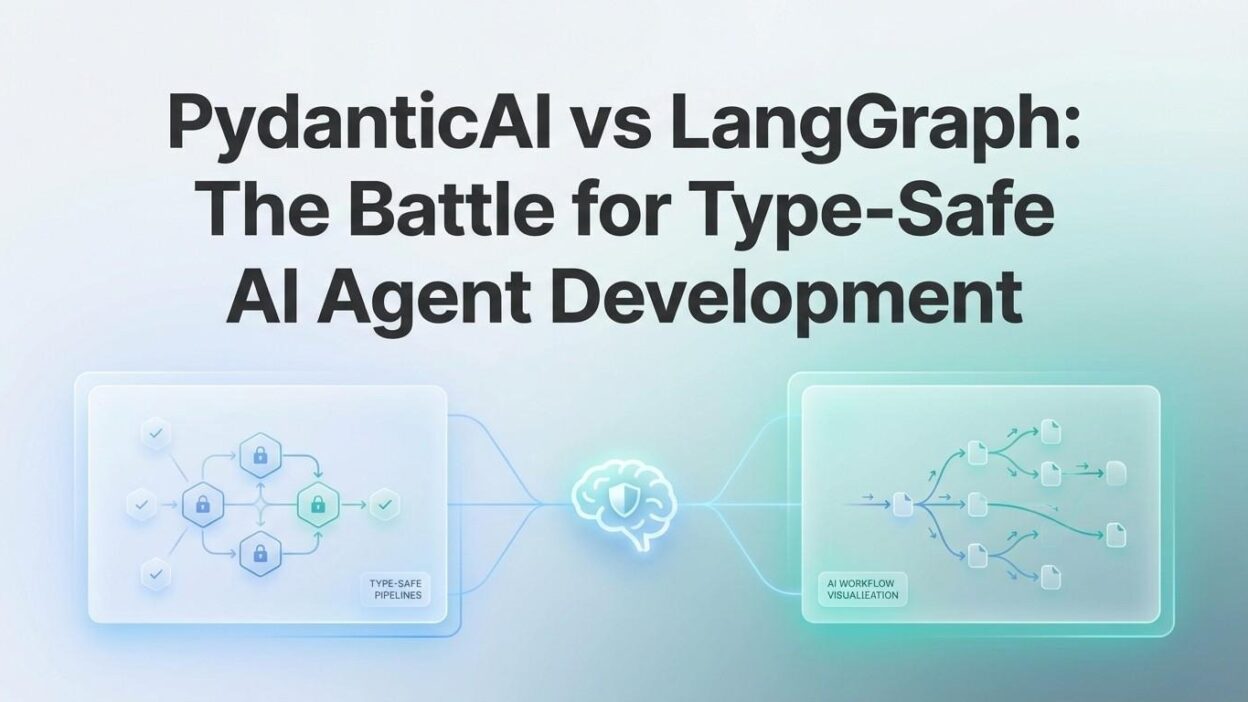
PydanticAI vs LangGraph type-safe AI agent development became one of the most debated topics in AI engineering circles. Both frameworks tackle the same core problem: building reliable, structured AI agents in Python. But they solve that problem in fundamentally different ways.
PydanticAI comes from the team behind Pydantic — the most downloaded Python library for data validation. It brings strict type safety, clean syntax, and a developer experience that feels native to modern Python. LangGraph comes from the LangChain ecosystem. It focuses on stateful, graph-based agent workflows where nodes and edges define how agents reason and act.
Choosing between them shapes your entire development experience. It affects how you structure your code, how you debug agent behavior, and how well your system scales. This blog breaks down every meaningful difference between the two frameworks.
You will learn what each framework does well, where each one struggles, and which one fits your specific use case. PydanticAI vs LangGraph type-safe AI agent development is a real technical choice with real consequences. This guide gives you the information to make it confidently.
Table of Contents
What Is PydanticAI?
PydanticAI is an agent framework built by the Pydantic team and released in late 2024. It uses Python’s type annotation system as the foundation for building AI agents. Every input, output, and tool interaction carries strict type definitions. The framework validates data at runtime just like Pydantic does in web frameworks like FastAPI.
The design philosophy is simple. AI agents should behave like well-typed Python functions. You define what goes in, what comes out, and what tools the agent can use — all with full type safety. The framework handles the LLM calls, tool execution, and response validation automatically.
PydanticAI supports multiple LLM providers out of the box. OpenAI, Anthropic, Google Gemini, Groq, and Mistral all work with the same unified interface. You switch providers by changing one line. Your agent logic stays the same.
The framework uses a dependency injection system for passing context to agents. This makes testing clean and straightforward. You inject mock dependencies during tests and real ones in production. No monkey patching. No complex mocking setups.
In the PydanticAI vs LangGraph type-safe AI agent development comparison, PydanticAI represents a code-first, type-driven approach. It feels like writing a FastAPI endpoint. If you enjoy that development style, PydanticAI will feel immediately familiar.
The framework also includes built-in support for structured outputs. The LLM must return data that matches your defined Pydantic model. If it does not, the framework retries automatically. This alone eliminates an entire category of runtime errors common in loosely typed agent frameworks.
What Is LangGraph?
LangGraph is a framework for building stateful, multi-step AI agent workflows. It extends the LangChain ecosystem and models agent behavior as a directed graph. Each node in the graph represents a step — an LLM call, a tool execution, or a decision. Edges define how the agent moves between steps.
The graph structure makes complex agent behaviors explicit. You see the entire workflow visually. Conditional branching, parallel execution, and human-in-the-loop checkpoints all map naturally to graph concepts. For agents that need to maintain state across many steps, LangGraph provides a structured, reliable solution.
LangGraph introduced a persistent state layer. The state object travels through every node in the graph. Each node reads the state, modifies it, and passes it to the next node. This architecture handles long-running workflows elegantly. An agent can pause, wait for human input, resume, and continue without losing context.
The framework includes built-in support for streaming. Token-by-token streaming, node-level event streaming, and full graph execution streaming all work out of the box. For applications where users need to see progress in real time, this capability matters.
In PydanticAI vs LangGraph type-safe AI agent development discussions, LangGraph represents a workflow-first, graph-driven approach. The developer thinks in terms of states, transitions, and execution flows rather than typed function signatures.
LangGraph also integrates deeply with LangSmith, the LangChain observability platform. Tracing, debugging, and monitoring agent behavior across complex multi-step workflows becomes significantly easier with that integration in place.
Type Safety — The Core Philosophical Difference
Type safety sits at the heart of PydanticAI vs LangGraph type-safe AI agent development. Both frameworks claim to support typed development. The depth and consistency of that support differs significantly.
How PydanticAI Handles Type Safety
PydanticAI makes type safety non-negotiable. Every agent definition uses Python type annotations. The framework validates inputs before sending them to the LLM. It validates outputs after receiving the response. Validation failures trigger automatic retries with error context passed back to the model.
This means your agent’s behavior is predictable. You know exactly what data types enter each function. You know exactly what data types come out. Your IDE’s type checker catches errors before runtime. Mypy and Pyright work with PydanticAI agents the same way they work with any typed Python code.
The output validation deserves special attention. You define a Pydantic model for the expected output. The LLM receives that schema as part of its instructions. PydanticAI validates the actual response against the schema. A malformed or incomplete response triggers a retry — not a runtime crash. This behavior alone justifies its position in PydanticAI vs LangGraph type-safe AI agent development comparisons.
How LangGraph Handles Type Safety
LangGraph uses TypedDict for state definitions. You define a TypedDict class that describes the structure of the agent’s state. Each node receives and returns this typed state object. Python’s type system can check these definitions statically with the right tools.
The type safety is real but more loosely enforced than PydanticAI’s approach. LangGraph does not validate state data at runtime by default. Your node functions receive the state object. If the data inside does not match your TypedDict definition, you may not discover the error until the agent produces incorrect output or throws an exception mid-workflow.
You can add Pydantic validation inside individual LangGraph nodes manually. But the framework does not enforce this. Type safety in LangGraph requires developer discipline. Type safety in PydanticAI requires nothing extra — the framework enforces it automatically.
Developer Experience Compared
Developer experience determines which framework a team adopts and sticks with. Speed of iteration, debugging clarity, and code readability all matter in a production environment.
Writing Agents in PydanticAI
PydanticAI agent code reads like standard Python. You create an agent, define its system prompt, register tools as decorated functions, and call the agent with an input. The code fits in a single file for most use cases. New team members read the code and understand the agent’s behavior without studying framework documentation first.
This pattern looks like every other typed Python code a developer writes daily. The learning curve is shallow for anyone with FastAPI or Pydantic experience.
Writing Agents in LangGraph
LangGraph requires more upfront architecture thinking. You define a state class, create node functions, build a StateGraph object, add nodes and edges, and compile the graph. For simple agents, this feels like overhead. For complex multi-step workflows, this structure pays back in clarity and control.
The graph definition separates concerns clearly. Each node handles one responsibility. The flow of execution is explicit. For teams building workflows with conditional branching and human checkpoints, this explicitness is a genuine advantage.
In the PydanticAI vs LangGraph type-safe AI agent development comparison, PydanticAI wins on simplicity for straightforward agents. LangGraph wins on structure for complex multi-step workflows.
State Management Capabilities
State management defines how much an agent remembers and how it uses that memory across interactions.
PydanticAI’s Approach to State
PydanticAI handles state through its dependency injection system. You pass a context object to the agent at runtime. The agent accesses this context inside tool functions. For conversational agents, you pass the message history explicitly with each call.
This approach is clean for stateless or short-session agents. The developer controls state explicitly. Nothing happens implicitly. For most API-driven AI applications — chatbots, classification agents, data extraction tools — this model works without friction.
Long-running stateful workflows require more manual management with PydanticAI. You build the state management layer yourself. The framework does not provide built-in persistence, checkpointing, or workflow resumption. For simple agents, this is fine. For complex multi-step processes, it becomes a gap.
LangGraph’s Approach to State
State management is LangGraph’s standout feature. The persistent state layer handles everything automatically. The state object carries all relevant data from node to node. The framework stores state at each checkpoint. You can pause execution, modify state externally, and resume the workflow exactly where it stopped.
This capability makes LangGraph ideal for workflows that involve human review steps. An agent processes data, pauses, waits for a human to approve or correct, then continues. The state persists across that pause automatically. No custom database logic. No manual checkpoint code.
LangGraph also supports multiple state schemas for subgraphs. Complex agents with parallel branches each maintain their own state. Parent graphs aggregate results from child subgraphs. This hierarchical state management handles enterprise-level complexity without becoming unmaintainable.
For PydanticAI vs LangGraph type-safe AI agent development teams building long-running agents, LangGraph’s state management is a decisive advantage. For teams building request-response agents with short lifecycles, PydanticAI’s simpler model is more appropriate.
Tool Use and Function Calling
Both frameworks support tool use — the ability for an AI agent to call external functions, APIs, or services as part of its reasoning process.
Tool Registration in PydanticAI
PydanticAI uses Python decorators for tool registration. You decorate a function with @agent.tool and it becomes available to the agent. The function’s type annotations define the tool’s input schema automatically. The framework generates the JSON schema the LLM needs to call the tool correctly.
Tool results feed back into the agent’s context automatically. The agent sees the result, reasons about it, and decides whether to call another tool or return a final answer. Error handling inside tools produces structured error messages that the agent can reason about and recover from.
This pattern is intuitive for Python developers. Tools feel like regular functions. Type safety extends into tool definitions without any extra configuration.
Tool Integration in LangGraph
LangGraph integrates tools as nodes in the graph. A ToolNode handles tool execution automatically when the agent requests a tool call. The framework routes tool calls to the correct node and returns results to the agent node.
LangGraph supports LangChain tools directly, giving access to a large library of pre-built integrations. Web search, database queries, code execution, and hundreds of other capabilities exist as ready-to-use tools. This ecosystem advantage matters for teams that need many integrations quickly.
The PydanticAI vs LangGraph type-safe AI agent development choice for tool-heavy agents depends on ecosystem needs. PydanticAI gives you cleaner custom tool development. LangGraph gives you a larger library of pre-built tools through the LangChain ecosystem.
Testing and Debugging Your AI Agents
Reliable agents require rigorous testing. Framework support for testability determines how fast teams can iterate and catch regressions.
Testing in PydanticAI
PydanticAI was built with testing in mind. The dependency injection system exists partly to make testing clean. You inject a test model — a fake LLM that returns controlled responses — into your agent during tests. Your agent runs through the same logic path it would with a real LLM. You verify behavior without making API calls.
This testing approach is fast, free, and deterministic. You do not pay for API calls during unit tests. You do not wait for LLM responses. Tests run in milliseconds. This capability puts PydanticAI ahead in PydanticAI vs LangGraph type-safe AI agent development for teams that prioritize test coverage.
Debugging in LangGraph
LangGraph integrates with LangSmith for observability. Every node execution, every state transition, and every LLM call appears in the LangSmith trace. You see exactly what happened at each step of a failed workflow. For complex multi-step agents, this visibility is extremely valuable.
LangGraph also supports step-by-step execution during development. You run the graph one step at a time, inspect the state after each node, and identify exactly where behavior deviates from expectations. This is invaluable for debugging complex conditional workflows that behave unexpectedly.
Performance and Scalability
Performance matters at production scale. Both frameworks run on Python but handle concurrency and throughput differently.
PydanticAI Performance
PydanticAI supports both synchronous and asynchronous execution natively. The async interface uses Python’s asyncio event loop. You run thousands of concurrent agent calls without spawning thousands of threads. For high-throughput API applications, this matters significantly.
The framework’s overhead is minimal. PydanticAI adds validation logic on top of direct LLM API calls. That validation overhead is measurable in microseconds — negligible compared to LLM latency. The framework does not add meaningful latency to your agent calls.
LangGraph Performance
LangGraph also supports async execution. Complex workflows with parallel branches can execute multiple nodes concurrently. This parallel execution capability speeds up multi-step agents that perform independent operations simultaneously.
For PydanticAI vs LangGraph type-safe AI agent development teams running at scale, both frameworks handle production workloads competently. LangGraph’s parallel node execution gives it an edge for workflows with independent parallel steps. PydanticAI’s lighter runtime overhead gives it a slight edge for high-volume, single-agent request-response workloads.
When to Choose PydanticAI
PydanticAI vs LangGraph type-safe AI agent development is not always a difficult choice. Certain project characteristics point clearly toward PydanticAI.
Best Use Cases for PydanticAI
Choose PydanticAI when your team values strict, enforced type safety above everything else. If you already use FastAPI and Pydantic heavily, PydanticAI slots into your codebase without friction. The mental models are identical. Your team is productive immediately.
Choose PydanticAI for data extraction agents. Pulling structured data from unstructured text is a common AI use case. PydanticAI’s output validation guarantees that extracted data matches your schema. Retries on invalid output happen automatically. This reliability is difficult to replicate in other frameworks.
Choose PydanticAI for API-driven applications where agents handle individual requests with short lifecycles. Customer support classification, content moderation, document analysis, and lead qualification all fit this profile. The request comes in, the agent processes it, a typed result goes back. Simple, reliable, and fast.
Choose PydanticAI when your team wants clean unit tests with deterministic behavior. The TestModel injection makes test-driven development practical for AI agent code — something most frameworks make unnecessarily difficult.
When to Choose LangGraph
Some project requirements make LangGraph the obvious choice in the PydanticAI vs LangGraph type-safe AI agent development comparison.
Best Use Cases for LangGraph
Choose LangGraph for complex multi-step workflows where execution flow branches based on intermediate results. Research agents, autonomous coding assistants, and multi-stage data processing pipelines all benefit from the explicit graph structure. You see the entire workflow at a glance. Debugging a misbehaving node is straightforward.
Choose LangGraph when your workflow requires human-in-the-loop steps. The persistent state and checkpoint system handles this natively. The agent pauses, humans review and respond, the agent resumes. Building this manually in another framework requires significant custom engineering.
Choose LangGraph when you need the LangChain tool ecosystem. Hundreds of pre-built integrations are available immediately. Teams moving fast to MVP with many integration requirements save significant time by leaning on this ecosystem.
Choose LangGraph for enterprise applications with complex approval workflows, audit requirements, and compliance needs. The built-in state persistence, LangSmith observability, and step-level tracing give compliance teams the visibility they need. This is a genuine differentiator for regulated industries.
Frequently Asked Questions
What is the main difference between PydanticAI and LangGraph?
PydanticAI focuses on strict type safety and clean, code-first agent development using Python type annotations. LangGraph focuses on stateful, graph-based workflow orchestration for complex multi-step agents. PydanticAI enforces types automatically at runtime. LangGraph provides explicit workflow visualization and robust state persistence. The PydanticAI vs LangGraph type-safe AI agent development choice depends on whether you prioritize type enforcement or workflow complexity.
Is PydanticAI better than LangGraph for production use?
Both frameworks handle production workloads. PydanticAI is better for high-volume, request-response agents with strict output requirements. LangGraph is better for long-running, stateful workflows that involve multiple steps, human review, or complex branching logic. “Better” depends entirely on what your production system needs to do.
Can I use PydanticAI and LangGraph together?
Yes. Some teams use PydanticAI agents as individual nodes inside a LangGraph workflow. PydanticAI handles the type-safe LLM interaction at each node. LangGraph handles the workflow orchestration and state management across nodes. This combination captures the strengths of both frameworks in one architecture.
Does LangGraph support type safety?
LangGraph supports TypedDict for state definitions. Static type checkers like Mypy can validate these definitions. But LangGraph does not enforce types at runtime the way PydanticAI does. Developers must add manual validation inside nodes for runtime type checking. PydanticAI’s automatic validation is more thorough by default.
Which framework has a faster learning curve?
PydanticAI has a faster learning curve for developers familiar with Pydantic and FastAPI. The syntax and patterns are nearly identical. LangGraph requires learning graph concepts — nodes, edges, state schemas, conditional routing — before you write productive code. For teams without LangChain background, PydanticAI gets teams productive faster.
Which framework is better for multi-agent systems?
LangGraph handles multi-agent architectures more naturally. Its subgraph support, parallel node execution, and state management make orchestrating multiple specialized agents straightforward. PydanticAI supports multi-agent patterns but requires more custom orchestration code to manage inter-agent communication and shared state.
Read More:-How to Use Small Language Models (SLMs) for Edge Computing
Conclusion
PydanticAI vs LangGraph type-safe AI agent development is a comparison between two excellent frameworks with different design philosophies. Neither framework wins universally. Both win decisively in the right context.
PydanticAI sets the standard for type-safe AI agent development. It enforces types at every boundary, makes testing practical, and gives Python developers a familiar, productive experience. It is the right choice for request-response agents, data extraction tools, and teams that want strict guarantees about agent output.
LangGraph sets the standard for complex stateful workflow orchestration. Its graph model makes multi-step agent behavior explicit and debuggable. Its persistent state layer handles long-running workflows that other frameworks struggle with. It is the right choice for research agents, enterprise workflows, and systems that require human-in-the-loop checkpoints.
Many production systems benefit from using both. PydanticAI handles individual agent interactions with full type safety. LangGraph orchestrates those agents across complex workflows with full state persistence. The combination is powerful.
Start with your use case. Map it against the strengths covered in this guide. If your agent processes individual requests and returns structured data, PydanticAI is your tool. If your agent executes long, branching workflows with persistent state, LangGraph is your tool.
PydanticAI vs LangGraph type-safe AI agent development does not need to be a permanent commitment either. Prototype with the simpler option. Scale with the one that handles your complexity. The Python AI ecosystem is mature enough today to support both paths confidently.