Introduction
TL;DR Customer support teams face mounting pressure to deliver instant responses. Your customers expect answers at 3 AM. They want solutions in seconds, not hours. Traditional support models can’t keep up with these demands. This creates a significant problem for businesses of all sizes.
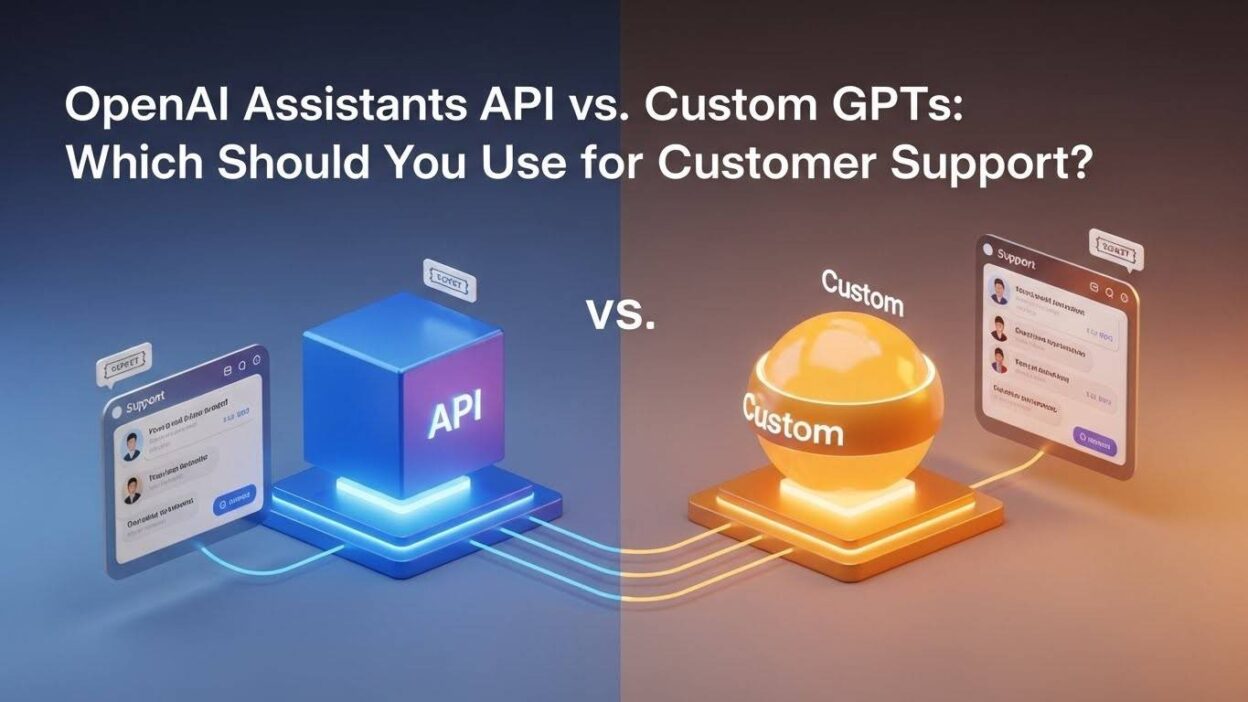
OpenAI offers two powerful solutions: the OpenAI Assistants API for customer support and Custom GPTs. Both promise to transform how you handle customer inquiries. Each option brings unique capabilities to your support infrastructure. But choosing the wrong tool can waste resources and frustrate your team.
The OpenAI Assistants API for customer support provides deep integration capabilities. Custom GPTs offer simplicity and quick deployment. Understanding which tool fits your needs requires examining their core differences. This guide breaks down everything you need to make an informed decision.
Table of Contents
Understanding the OpenAI Assistants API for Customer Support
The OpenAI Assistants API for customer support represents a sophisticated development framework. It gives developers full control over AI behavior and integration. You can build custom workflows that match your exact business requirements.
What Makes the Assistants API Different
The Assistants API functions as a programmable interface. Your development team can create stateful conversations that remember context. The system maintains conversation threads across multiple customer interactions. This means customers don’t repeat themselves when they return.
The OpenAI Assistants API for customer support supports function calling. Your AI agent can trigger actions in external systems. It retrieves data from your CRM, updates ticket status, or processes refunds. These capabilities transform basic chatbots into functional support agents.
Persistent threads distinguish this platform from simpler solutions. Each customer conversation maintains its history and context. The AI references previous messages to provide coherent responses. Your support quality improves dramatically with this memory capability.
Technical Capabilities That Matter
The OpenAI Assistants API for customer support includes several advanced features. Code Interpreter allows the AI to analyze data and generate insights. Retrieval capabilities let the system search through your knowledge base. File handling means customers can upload screenshots or documents.
Function calling enables real-world actions. Your AI can check order status, schedule appointments, or update account information. It connects to any API endpoint you specify. The system executes these functions based on conversation context.
Built-in knowledge retrieval searches through uploaded documentation. You provide product manuals, FAQs, or policy documents. The AI finds relevant information automatically. Customers receive accurate answers grounded in your actual resources.
Integration and Customization Options
Developers access the OpenAI Assistants API for customer support through REST endpoints. You build custom interfaces that match your brand. The API integrates with existing support platforms like Zendesk or Salesforce. Your workflow remains unified across all channels.
Custom instructions shape how the AI communicates. You define tone, personality, and response style. The system follows your escalation protocols. It knows when to transfer complex issues to human agents.
Multi-language support reaches global customers. The OpenAI Assistants API for customer support handles conversations in dozens of languages. Translation happens automatically. Your support team doesn’t need multilingual staff to serve international markets.
Exploring Custom GPTs for Customer Support
Custom GPTs provide a no-code approach to AI implementation. OpenAI designed them for quick deployment without technical expertise. Anyone can create a Custom GPT through a simple configuration interface.
How Custom GPTs Work
You build Custom GPTs using natural language instructions. No programming knowledge is required. The configuration process takes minutes instead of weeks. You describe what your AI should do in plain English.
The system uses your instructions to shape responses. You upload files containing support information. The Custom GPT references these documents when answering questions. Your knowledge base becomes instantly searchable for customers.
Custom GPTs live within the ChatGPT interface. Users access them through shared links. The setup requires minimal technical infrastructure. You don’t manage servers or handle API authentication.
Limitations to Consider
Custom GPTs lack advanced integration capabilities. They can’t directly connect to your CRM or ticketing system. Function calling isn’t available in the same way. The OpenAI Assistants API for customer support offers much deeper system integration.
Conversation management is more limited. Custom GPTs don’t maintain sophisticated thread structures. Each chat session operates independently. Context from previous conversations doesn’t persist automatically.
Customization options are constrained by the interface. You can’t build completely branded experiences. The ChatGPT environment remains visible. Companies wanting full control over user experience face limitations.
Best Use Cases for Custom GPTs
Custom GPTs excel at straightforward support scenarios. Small businesses benefit from the quick setup. Startups can launch AI support without hiring developers. The tool works well for FAQ-style interactions.
Internal support teams find Custom GPTs valuable. HR departments answer employee questions about benefits. IT teams provide basic troubleshooting guidance. The barrier to entry is incredibly low.
Proof-of-concept projects suit Custom GPTs perfectly. You can test AI support before investing in full development. The approach validates whether AI improves your support metrics. Later, you might migrate to the OpenAI Assistants API for customer support for more power.
Key Differences Between Assistants API and Custom GPTs
Understanding core differences helps you choose wisely. Each platform serves different organizational needs. Your decision should align with your technical capabilities and support requirements.
Development Complexity and Resources
The OpenAI Assistants API for customer support requires programming expertise. You need developers who understand API integration. The initial setup takes more time and resources. Budget for ongoing development and maintenance.
Custom GPTs eliminate technical barriers. Marketing teams can create functional support bots. The learning curve is minimal. Most users start generating value within hours.
Long-term maintenance differs significantly. API implementations need updates when your systems change. Custom GPTs require simpler content refreshes. Consider your team’s technical capacity realistically.
Integration and Functionality Depth
The OpenAI Assistants API for customer support connects to unlimited external systems. Your AI performs actions across your entire tech stack. It creates tickets, updates databases, and triggers workflows. This integration depth enables sophisticated automation.
Custom GPTs offer limited external connectivity. They primarily retrieve information rather than execute actions. The functionality suits informational queries better than transactional support. Complex workflows require the API approach.
Data synchronization matters for accurate support. The OpenAI Assistants API for customer support pulls real-time information. Custom GPTs rely on manually uploaded files. This difference impacts answer accuracy for dynamic information.
Scalability and Performance
The OpenAI Assistants API for customer support scales to enterprise requirements. You control infrastructure and performance optimization. The system handles thousands of concurrent conversations. Load balancing and caching improve response times.
Custom GPTs operate within OpenAI’s infrastructure. You don’t manage scaling directly. Performance depends on ChatGPT’s availability. High-volume enterprises might face limitations.
Cost structures differ substantially. API usage incurs per-token charges. Custom GPTs work with ChatGPT Plus subscriptions. Calculate your expected volume to compare expenses accurately.
Security and Compliance Considerations
The OpenAI Assistants API for customer support allows greater security control. You implement your own authentication mechanisms. Data handling follows your security protocols. This matters for regulated industries.
Custom GPTs operate within OpenAI’s security framework. You have less control over data flow. Sensitive customer information requires careful consideration. Compliance teams should review the architecture thoroughly.
Data retention policies vary between platforms. The OpenAI Assistants API for customer support gives you more control. You determine how long conversation data persists. Custom GPTs follow OpenAI’s standard retention practices.
Choosing the Right Solution for Your Business
Your decision should reflect your specific circumstances. Consider your technical resources, budget constraints, and support complexity. Neither option is universally superior.
When to Choose the Assistants API
Large enterprises benefit from the OpenAI Assistants API for customer support. Companies with development teams should choose this path. The investment pays off through deep customization.
Complex support workflows demand the API approach. If customers need account updates or transaction processing, you need function calling. The OpenAI Assistants API for customer support handles multi-step processes elegantly.
Regulated industries require granular security control. Healthcare, finance, and legal services need custom data handling. The API provides the necessary compliance capabilities.
When Custom GPTs Make Sense
Startups and small businesses often prefer Custom GPTs. The quick setup provides immediate value. You can launch AI support without significant investment.
Simple FAQ-based support suits Custom GPTs perfectly. If customers ask repetitive questions about policies or products, this approach works. The tool delivers answers from your documentation efficiently.
Testing AI support before full commitment makes sense. Custom GPTs let you experiment cheaply. You validate the concept before committing to OpenAI Assistants API for customer support development.
Hybrid Approaches Worth Considering
Some organizations use both solutions strategically. Custom GPTs handle tier-one questions internally. The OpenAI Assistants API for customer support powers customer-facing systems. This division optimizes resources.
Migration paths exist between platforms. Start with Custom GPTs to prove value. Later, transition to the API as needs grow. Your learnings inform the more complex implementation.
Specialized teams might use different tools. Marketing uses Custom GPTs for content support. Engineering implements the OpenAI Assistants API for customer support for technical queries. Each team gets appropriate tools.
Implementation Best Practices
Success requires more than choosing the right platform. Implementation quality determines actual results. Follow proven practices to maximize your investment.
Building Your Knowledge Base
Comprehensive documentation fuels AI accuracy. The OpenAI Assistants API for customer support performs better with complete information. Audit your existing support content thoroughly.
Structure information for AI consumption. Clear headings and logical organization help. Remove contradictory or outdated materials. The AI only knows what you provide.
Update knowledge bases regularly. Customer support evolves with products and policies. Stale information damages customer trust. Schedule regular content reviews.
Training and Fine-Tuning
The OpenAI Assistants API for customer support improves through testing. Run conversations simulating real customer scenarios. Identify gaps in knowledge or incorrect responses.
Refine your instructions iteratively. Monitor how the AI interprets edge cases. Adjust prompts to handle unusual situations better. This refinement process never truly ends.
Collect feedback from support agents. They identify where AI responses miss the mark. Their expertise improves your implementation. Include them in the optimization process.
Monitoring and Optimization
Track key metrics religiously. Measure resolution rates, customer satisfaction, and escalation frequency. The OpenAI Assistants API for customer support should improve these numbers.
Analyze conversations to find patterns. Which questions stump the AI? Where do customers express frustration? These insights guide improvements.
A/B testing reveals what works. Try different instruction sets or knowledge organization. Compare results objectively. Data-driven decisions beat assumptions.
Human Agent Collaboration
AI should augment human agents, not replace them. The OpenAI Assistants API for customer support handles routine questions. Complex issues still need human expertise.
Design clear escalation paths. Define when AI transfers to humans. Customers shouldn’t feel trapped with an unhelpful bot. Smooth handoffs maintain satisfaction.
Provide agents with conversation history. They should see what the AI already discussed. This context prevents customers from repeating themselves. The experience feels seamless.
Real-World Performance Metrics
Understanding realistic outcomes helps set expectations. Both the OpenAI Assistants API for customer support and Custom GPTs deliver measurable improvements.
Response Time Improvements
AI responds instantly to customer inquiries. Traditional support involves wait times. The OpenAI Assistants API for customer support eliminates this delay for routine questions.
Companies report 90% faster initial response times. Customers receive acknowledgment immediately. Even if escalation occurs later, the instant engagement improves perception.
After-hours support becomes possible. The AI handles inquiries when human agents are offline. Customers in different time zones get help. Your support availability increases dramatically.
Cost Reduction Statistics
Automating routine inquiries reduces staffing needs. The OpenAI Assistants API for customer support handles high-volume, low-complexity questions. Human agents focus on complex issues.
Organizations typically reduce support costs by 30-40%. The exact savings depend on inquiry volume and complexity. Calculate your specific situation carefully.
Training costs decrease as well. New AI capabilities roll out through updates. Human training programs cost more and take longer. The OpenAI Assistants API for customer support learns new products quickly.
Customer Satisfaction Impact
Satisfaction improves when customers get quick answers. The OpenAI Assistants API for customer support solves simple problems instantly. Customers appreciate the efficiency.
Survey scores typically increase 15-25%. Customers value 24/7 availability. They enjoy not waiting in queues. The experience feels modern and responsive.
Some customers prefer AI for privacy. They feel more comfortable asking “dumb questions” to a bot. The OpenAI Assistants API for customer support provides judgment-free assistance.
Common Implementation Challenges
Every deployment faces obstacles. Anticipating problems helps you prepare solutions. Both platforms present unique challenges.
Technical Integration Hurdles
The OpenAI Assistants API for customer support requires careful system integration. Authentication can be complex. Connecting to legacy systems presents difficulties.
API rate limits might affect performance. You need strategies to handle throttling. Caching and request management become important. These technical details require expertise.
Testing thoroughly before launch prevents problems. Create comprehensive test scenarios. Include edge cases and failure modes. The OpenAI Assistants API for customer support should degrade gracefully.
Content Quality Issues
Poor knowledge base content produces poor AI responses. Garbage in, garbage out applies fully. The OpenAI Assistants API for customer support amplifies content problems.
Inconsistent documentation confuses the AI. It might provide contradictory answers. Audit content for conflicts and outdated information. Standardize terminology across documents.
Overly technical language reduces AI effectiveness. The system works best with clear, simple explanations. Rewrite jargon-heavy content for better results.
Managing Customer Expectations
Customers sometimes expect too much from AI. They become frustrated when limitations appear. Set realistic expectations upfront. The OpenAI Assistants API for customer support can’t solve everything.
Make AI identity clear. Customers should know they’re talking to a bot. Transparency builds trust. Hidden AI feels deceptive when discovered.
Provide easy escalation options. Customers need clear paths to human help. The OpenAI Assistants API for customer support should never feel like a barrier.
Future Trends in AI Customer Support
The technology evolves rapidly. Understanding trends helps you plan strategically. Both platforms will continue improving.
Emerging Capabilities
Voice integration is expanding. The OpenAI Assistants API for customer support will handle phone calls naturally. Customers can speak their questions instead of typing.
Emotional intelligence is improving. AI detects frustration and adjusts tone. The OpenAI Assistants API for customer support will provide more empathetic responses.
Proactive support will become common. AI anticipates customer needs before questions arise. The system might offer help based on behavior patterns.
Industry-Specific Solutions
Healthcare applications of the OpenAI Assistants API for customer support are growing. Medical practices handle appointment scheduling and basic triage. Privacy regulations require careful implementation.
Financial services deploy AI for account inquiries. The OpenAI Assistants API for customer support verifies transactions and explains statements. Security remains paramount.
Retail implementations handle order tracking and returns. The AI processes straightforward requests automatically. Complex situations still need human judgment.
Frequently Asked Questions
Can the OpenAI Assistants API for customer support handle multiple languages?
Yes, the platform supports numerous languages natively. The AI detects customer language automatically. It responds in the same language without configuration. This capability serves global customers effectively.
How much does implementing the OpenAI Assistants API for customer support cost?
Pricing depends on token usage. You pay for input and output tokens separately. Typical implementations cost $200-$2000 monthly. Volume determines your specific expenses.
Do I need developers to use Custom GPTs?
No, Custom GPTs require no coding skills. You configure them through a simple interface. Anyone can create functional support bots. Technical knowledge helps but isn’t necessary.
Can these tools integrate with my existing helpdesk software?
The OpenAI Assistants API for customer support integrates with most platforms. Zendesk, Freshdesk, and ServiceNow work well. Custom GPTs have limited integration capabilities.
How long does implementation typically take?
Custom GPTs launch in hours or days. The OpenAI Assistants API for customer support takes weeks to months. Complexity determines exact timelines. Plan accordingly for your situation.
Will AI replace my human support team?
No, AI augments rather than replaces humans. The OpenAI Assistants API for customer support handles routine questions. Complex issues still need human expertise. Think of AI as a force multiplier.
How do I measure ROI from AI support tools?
Track resolution rates, response times, and customer satisfaction. Compare support costs before and after implementation. The OpenAI Assistants API for customer support should show clear improvements. Document baseline metrics before starting.
What happens if the AI gives wrong information?
Implement review processes and human oversight. The OpenAI Assistants API for customer support isn’t perfect. Monitor conversations regularly. Update knowledge bases when errors occur. Clear escalation prevents major issues.
Read More:-The Security Risks of Using Public AI Tools
Conclusion

Choosing between the OpenAI Assistants API for customer support and Custom GPTs depends on your specific needs. Large organizations with technical resources benefit from the API’s power. Small businesses and startups often succeed with Custom GPTs’ simplicity.
The OpenAI Assistants API for customer support delivers unmatched integration and customization. You build sophisticated support experiences tailored to your business. The investment requires development expertise and ongoing maintenance. Complex workflows and enterprise requirements justify this commitment.
Custom GPTs provide accessible AI support for everyone. You launch functional bots without coding knowledge. The approach suits straightforward FAQ scenarios perfectly. Testing AI support before deeper investment makes strategic sense.
Neither option is inherently better. Your technical capabilities, budget, and support complexity guide the decision. Many organizations start with Custom GPTs and migrate to the OpenAI Assistants API for customer support later. This progression manages risk while building expertise.
The future of customer support includes AI regardless of platform choice. Customers expect instant, accurate answers around the clock. Traditional support models can’t meet these demands economically. AI tools like the OpenAI Assistants API for customer support make excellent service scalable.
Start by assessing your current support challenges honestly. Define success metrics clearly. Choose the platform that matches your situation today. You can always evolve your approach as needs change. The important step is beginning your AI support journey now.