Introduction
TL;DR Paper documents and manual data entry drain resources from mid-size businesses daily. Employees spend hours typing information from invoices, contracts, and forms. Mistakes creep into financial records and customer databases constantly. These errors cost companies thousands in corrections and lost opportunities.
Intelligent document processing automation eliminates this productivity drain completely. Advanced technology reads documents like humans do but with perfect accuracy. The systems extract data from any document format automatically. Processing times drop from hours to seconds per document.
Mid-size companies face unique challenges that larger enterprises don’t experience. They lack the massive IT departments of Fortune 500 corporations. Small business solutions don’t scale to their document volumes. Traditional data entry costs become unsustainable as companies grow. The right automation technology levels the playing field dramatically.
Manual document handling creates bottlenecks across every department. Accounting teams wait days for invoice approvals. HR departments drown in employment applications and onboarding paperwork. Customer service struggles with contract retrieval and verification. Your business operates slower than necessary because of document friction.
Mid-size business automation delivers enterprise capabilities at appropriate price points. Modern platforms require minimal IT resources for implementation. Cloud-based solutions eliminate expensive infrastructure investments. Your company accesses Fortune 500 technology without Fortune 500 budgets.
Accuracy improvements protect profit margins and customer relationships. A single transposed digit in an invoice creates payment delays. Incorrect customer data damages marketing campaign effectiveness. Document processing errors compound into major business problems. Automated systems achieve 99%+ accuracy rates consistently.
Table of Contents
Understanding Intelligent Document Processing Automation
Traditional optical character recognition technology reads printed text from scanned documents. Basic OCR converts images into searchable text reasonably well. It struggles with poor quality scans, handwriting, and complex layouts. Human review remains necessary to catch frequent errors.
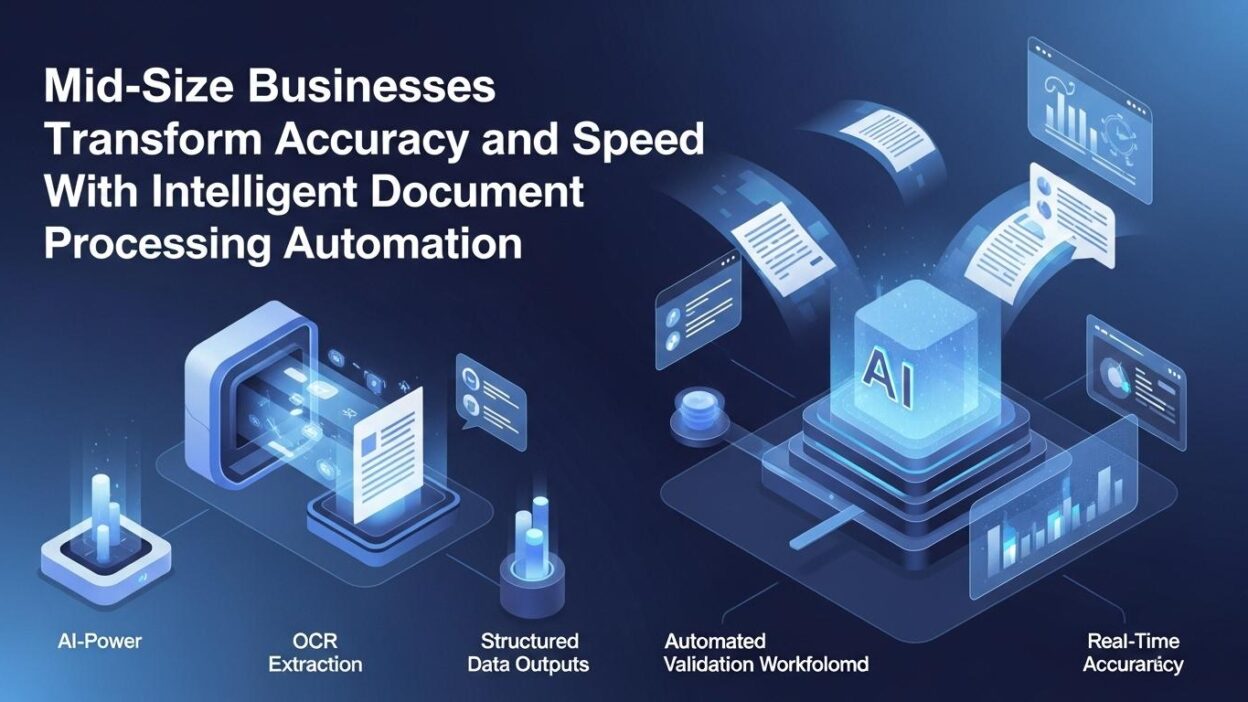
Intelligent document processing automation combines multiple AI technologies for superior results. Machine learning algorithms understand document context and structure. Natural language processing interprets meaning beyond simple character recognition. Computer vision identifies tables, checkboxes, and signatures automatically.
The technology learns from corrections and improves over time continuously. Initial accuracy rates of 85-90% climb to 95-99% within months. The systems recognize patterns in your specific document types. Industry-specific vocabularies and formats get mastered through exposure.
Document classification happens automatically before data extraction begins. The AI identifies whether each document is an invoice, contract, or form. It routes different document types to appropriate processing workflows. Manual sorting becomes completely unnecessary.
Data validation occurs in real-time during the extraction process. The system checks that extracted information makes logical sense. It verifies that dates are valid, numbers are reasonable, and required fields are present. Quality control happens automatically rather than through manual review.
Integration capabilities connect document processing to your existing systems. Extracted data flows directly into accounting, CRM, and ERP platforms. Intelligent document processing automation eliminates the rekeying that creates errors. Information enters your systems once and propagates everywhere automatically.
Unstructured document handling separates intelligent systems from basic OCR. Emails, contracts, and reports don’t follow standardized layouts. The AI understands content regardless of format variations. Your business processes any document that arrives without manual intervention.
How Mid-Size Businesses Benefit From Automation
Labor cost reduction represents the most immediate and visible benefit. Data entry clerks cost $30,000-$40,000 annually including benefits. A single employee processes perhaps 50-100 documents daily. Mid-size business automation handles thousands of documents for a fraction of that cost.
Processing speed increases by 10-50x compared to manual methods. Invoices that took 15 minutes to process complete in seconds. Contract reviews that consumed hours finish in minutes. Your business operates at digital speed rather than human speed.
Error rates plummet from 2-5% with manual entry to under 0.5% with automation. Fewer errors mean less rework and correction time. Customer satisfaction improves when orders and billing are accurate. Financial records remain clean for audit and analysis purposes.
Scalability becomes possible without proportional cost increases. Your document volume might double during growth periods. Manual processing would require hiring additional staff. Automated systems handle increased volume without additional investment.
Employee satisfaction improves when tedious work disappears. Nobody enjoys typing data from documents for eight hours daily. Your team shifts to analytical and customer-facing work. Job satisfaction increases along with employee retention rates.
Compliance and audit readiness improve through systematic documentation. Intelligent document processing automation maintains complete records of all documents. It tracks who accessed what information and when. Audit trails satisfy regulatory requirements automatically.
Competitive advantages emerge from faster operations and better service. Your business responds to customer inquiries immediately with accurate information. Quotes and proposals generate faster than competitors manage. Speed and accuracy differentiate you in crowded markets.
Invoice Processing and Accounts Payable Automation
Invoice processing consumes enormous resources in mid-size businesses. Companies receive hundreds or thousands of invoices monthly. Manual review, data entry, and approval routing take days per invoice. Intelligent document processing automation transforms this expensive workflow completely.
Document capture happens automatically from email, portals, and scanners. Invoices arrive in various formats from different vendors. The system recognizes invoices regardless of layout or format. Every invoice enters your processing pipeline without manual intervention.
Data extraction pulls all relevant information from each invoice automatically. Vendor names, invoice numbers, amounts, and line items are captured perfectly. Tax calculations and payment terms get extracted accurately. The information flows directly into your accounting system.
Three-way matching verifies invoices against purchase orders and receipts automatically. The system compares quantities, prices, and terms across documents. Discrepancies trigger alerts for human review. Valid invoices proceed to payment without delays.
Approval routing happens based on predefined rules and hierarchies. Invoices route to appropriate managers based on amount and department. Approvers receive notifications and review invoices digitally. Mid-size business automation eliminates paper routing and lost documents.
Payment scheduling optimizes cash flow and captures early payment discounts. The system knows payment terms and due dates for every invoice. It schedules payments to maximize discounts while managing cash. Your company never misses discount opportunities or incurs late fees.
Exception handling flags unusual invoices for human attention. Duplicate invoices, pricing discrepancies, and missing purchase orders get caught. Your team reviews only items requiring judgment. Routine invoices process completely automatically.
Contract Management and Analysis
Contracts contain critical information scattered across lengthy documents. Payment terms, renewal dates, and obligations hide in dense legal language. Manual contract review requires reading every page carefully. Important deadlines and clauses get overlooked in complex agreements.
Intelligent document processing automation extracts key provisions from contracts automatically. The AI identifies parties, effective dates, and termination clauses. It flags unusual terms and non-standard language. Critical information becomes instantly accessible without reading entire contracts.
Obligation tracking ensures your company meets all contractual requirements. The system identifies deliverables, milestones, and performance metrics. It creates automatic reminders before deadlines approach. Contractual obligations never get missed due to oversight.
Renewal date management prevents unfavorable automatic extensions. Many contracts renew automatically unless canceled by specific dates. The system tracks these dates and alerts stakeholders early. Your company makes proactive decisions about continuing or renegotiating agreements.
Risk identification highlights problematic contract provisions automatically. Unlimited liability clauses and onerous indemnification terms get flagged. Intelligent document processing automation helps legal teams focus on high-risk areas. Contract negotiations improve with comprehensive risk visibility.
Contract comparison shows differences between versions and templates. The technology identifies deviations from standard terms quickly. Legal teams review only the variations rather than entire documents. Contract review time decreases by 60-80% typically.
Repository creation organizes contracts for easy search and retrieval. All agreements become searchable by any term or provision. Your team finds relevant contracts in seconds instead of hours. Institutional knowledge becomes accessible rather than locked in filing cabinets.
Customer Onboarding and KYC Compliance
New customer onboarding involves extensive documentation and verification. Banks, insurance companies, and financial services need identity verification. Know Your Customer regulations require documentation of customer information. Manual processing delays account opening and frustrates customers.
Mid-size business automation accelerates onboarding while ensuring compliance. Identity documents upload through mobile apps or web portals. The system extracts information from licenses, passports, and utility bills. Data flows directly into customer records without typing.
Document verification happens automatically through multiple checks. The AI detects altered or fraudulent documents through image analysis. It cross-references information across multiple identity documents. Suspicious applications trigger manual review by compliance teams.
Watchlist screening compares customer information against sanction lists. The system checks government databases and regulatory watchlists continuously. High-risk matches halt onboarding for investigation. Compliant customers proceed without unnecessary delays.
Risk scoring assigns categories based on customer profiles and behaviors. The technology analyzes dozens of factors indicating potential risk. High-risk customers receive enhanced due diligence automatically. Intelligent document processing automation standardizes risk assessment across all applications.
Onboarding time drops from days or weeks to hours. Customers complete applications from their smartphones. Approvals happen automatically for straightforward applications. Your business acquires customers faster than competitors using manual processes.
Audit trails document every step of the onboarding process. The system records which documents were reviewed and verified. Compliance officers access complete histories for any customer instantly. Regulatory examinations become simple with comprehensive documentation.
HR Document Processing and Employee Management
Human resources departments handle enormous document volumes. Job applications, resumes, and interview notes accumulate rapidly. Employee files contain contracts, performance reviews, and benefit elections. Manual filing and retrieval consume significant HR staff time.
Resume screening automation identifies qualified candidates from large applicant pools. Intelligent document processing automation extracts education, experience, and skills from resumes. The system ranks candidates based on job requirements. HR teams interview the best prospects without reviewing hundreds of resumes.
Employment verification checks happen automatically during hiring. The technology verifies education credentials and employment history. Background check results integrate seamlessly into hiring workflows. New hire processing accelerates significantly.
Onboarding document collection happens digitally rather than through paperwork. New employees upload required documents through secure portals. The system verifies completeness and extracts necessary information. HR staff focus on welcoming employees rather than chasing paperwork.
Benefits administration simplifies when forms process automatically. Employees select coverage options through digital interfaces. Enrollment information flows to insurance carriers without manual data entry. Mid-size business automation eliminates the benefits enrollment headache.
Performance review documentation maintains organized employee records. Review forms and development plans store in searchable systems. HR teams access complete employee histories instantly. Performance management becomes data-driven rather than memory-based.
Compliance tracking ensures proper documentation for all employees. I-9 forms, tax withholding, and acknowledgment forms get monitored. The system alerts HR before compliance deadlines approach. Audit readiness improves dramatically with systematic record-keeping.
Healthcare and Insurance Claims Processing
Healthcare providers and insurance companies process millions of claims annually. Each claim requires verification of coverage, coding, and payment calculations. Manual claims processing takes days and contains frequent errors. Patient satisfaction suffers from slow reimbursements and billing problems.
Claims intake automation captures information from various submission channels. Claims arrive via mail, fax, email, and electronic portals. Intelligent document processing automation reads all formats and extracts data uniformly. Every claim enters your system regardless of submission method.
Medical coding verification ensures accurate procedure and diagnosis codes. The AI checks that codes match documented treatments and conditions. It flags potential upcoding or downcoding issues. Claims accuracy improves while reducing audit risk.
Coverage verification happens automatically against policy databases. The system confirms patient eligibility and benefit levels. It identifies deductibles, copays, and coverage limitations. Claims process correctly the first time without rework.
Payment calculation considers all policy provisions and adjustments. The technology applies deductibles, coinsurance, and maximum benefits automatically. Complex coordination of benefits resolves without manual intervention. Payment accuracy improves significantly.
Fraud detection algorithms identify suspicious claim patterns. Intelligent document processing automation spots duplicate submissions and unusual billing. High-risk claims route to investigators automatically. Fraud losses decrease while legitimate claims process faster.
Patient communication improves with faster claims resolution. Explanation of benefits statements generate automatically. Patients receive updates throughout the claims process. Satisfaction increases when reimbursements arrive promptly.
Supply Chain and Logistics Documentation
Supply chain operations generate mountains of documentation. Purchase orders, bills of lading, and customs forms flow constantly. Shipping documents arrive in various languages and formats. Manual processing creates delays that ripple through supply chains.
Purchase order processing extracts details and creates system records automatically. Vendor quotes convert to purchase orders without retyping. Mid-size business automation ensures order accuracy from the start. Procurement cycles accelerate significantly.
Receiving documentation verifies shipments against purchase orders automatically. Packing slips and delivery receipts upload through mobile devices. The system compares received quantities to ordered amounts instantly. Discrepancies trigger immediate investigation.
Bill of lading processing tracks shipments through transportation networks. The technology extracts tracking numbers, carriers, and delivery dates. It monitors shipment status and alerts stakeholders about delays. Supply chain visibility improves dramatically.
Customs documentation for international shipments processes automatically. Commercial invoices and packing lists provide required information. The system generates customs declarations in appropriate formats. Intelligent document processing automation simplifies international trade.
Proof of delivery captures and archives delivery confirmations. Signed delivery receipts scan through mobile apps. The documentation links to corresponding orders automatically. Disputes resolve quickly with proper delivery records.
Vendor compliance monitoring ensures suppliers meet documentation requirements. The system flags missing or incorrect documents before shipments. Supplier performance metrics improve with better documentation. Your supply chain operates more reliably.
Implementation Strategy for Mid-Size Businesses
Process assessment identifies high-impact automation opportunities. Document the types and volumes of documents you handle. Calculate current processing costs including labor and error correction. Prioritize processes delivering the fastest returns on automation investment.
Pilot projects prove value before company-wide rollout. Select one department or document type for initial implementation. Measure results carefully against baseline metrics. Success in pilot projects builds organizational support for expansion.
Vendor selection considers capabilities, pricing, and support quality. Evaluate multiple platforms with your actual documents. Verify integration capabilities with existing systems. Intelligent document processing automation vendors vary significantly in specialization and features.
Data preparation improves initial accuracy rates. Gather sample documents representing your variety and quality. Clean and organize historical data for system training. Better input data produces better automation results faster.
Change management addresses employee concerns about automation. Communicate how technology enhances rather than replaces jobs. Train staff thoroughly on new systems and processes. Employee buy-in determines implementation success ultimately.
Phased deployment reduces disruption and enables learning. Start with high-confidence use cases. Expand gradually as accuracy and confidence improve. Mid-size business automation should enhance operations, not disrupt them.
Performance monitoring tracks improvements against defined metrics. Measure processing time, accuracy rates, and cost per document. Celebrate wins and address problems quickly. Continuous improvement drives increasing value over time.
Security and Compliance Considerations
Document security protects sensitive business and customer information. Intelligent document processing automation platforms include enterprise-grade security. Encryption safeguards data during transmission and storage. Your sensitive documents remain secure throughout processing.
Access controls limit who views different document types. Employees see only documents relevant to their roles. Audit logs track every document access and modification. Unauthorized viewing becomes immediately visible.
Compliance automation ensures processes meet regulatory requirements. The system enforces required document retention periods. It applies data privacy rules like GDPR and CCPA automatically. Compliance becomes systematic rather than manual.
Data residency controls keep information in required geographic locations. Some regulations mandate data storage in specific countries. Cloud platforms offer regional data centers for compliance. Your business meets data sovereignty requirements easily.
Redaction capabilities remove sensitive information automatically. Social security numbers, account numbers, and personal data get masked. Documents become shareable without exposing protected information. Mid-size business automation includes privacy protection by design.
Disaster recovery and business continuity plans protect operations. Cloud platforms include automatic backups and redundancy. Your document processing continues even during local disruptions. Business resilience improves significantly.
Vendor security certifications validate platform trustworthiness. Look for SOC 2, ISO 27001, and HIPAA compliance certifications. Reputable vendors undergo regular third-party security audits. Your data entrusts to proven secure platforms.
Cost Analysis and Return on Investment
Software licensing represents the primary expense. Cloud platforms charge $500-$5,000 monthly typically. Pricing depends on document volume and feature requirements. Most mid-size businesses spend $1,000-$2,500 monthly.
Implementation services accelerate deployment and best practice adoption. Consultants charge $150-$250 hourly for configuration and training. Total implementation costs range from $10,000 to $50,000 typically. This investment prevents costly mistakes and delays.
Labor savings generate the largest financial returns. Eliminating one full-time data entry position saves $35,000-$45,000 annually. Intelligent document processing automation often replaces multiple FTEs. Payback periods typically run 6-12 months.
Error reduction delivers substantial but often hidden savings. Correction costs, payment delays, and customer dissatisfaction all decrease. Calculate your current error rates and associated costs. Quality improvements often justify automation alone.
Processing speed improvements enable business growth. Your team handles more transactions without proportional headcount increases. Revenue scales faster than costs with automated processes. Profit margins expand as operations become more efficient.
Infrastructure costs remain minimal with cloud solutions. You avoid server purchases and data center expenses. IT support requirements stay manageable. Mid-size business automation delivers enterprise capabilities without enterprise infrastructure costs.
Competitive advantages from speed and accuracy generate strategic value. Faster quotes win more business in competitive markets. Accurate billing and delivery improve customer retention. Market share gains multiply financial returns significantly.
Integration With Existing Business Systems
ERP integration synchronizes document data with enterprise resource planning systems. Invoices flow into accounts payable automatically. Purchase orders and receipts update inventory systems. Intelligent document processing automation becomes part of your ERP ecosystem seamlessly.
CRM connectivity enriches customer records with document information. Contracts, correspondence, and transactions attach to customer profiles. Sales teams access complete customer histories instantly. Better information enables better customer service.
Accounting system integration eliminates double data entry completely. Financial documents update general ledgers automatically. Bank statements reconcile with system records. Month-end closing accelerates with automated data flows.
Document management system connections organize processed documents. Extracted data and original images store together. Search functionality finds documents by any field or keyword. Your organization becomes paperless systematically.
Workflow automation tools orchestrate multi-step processes. Documents trigger approval chains and notifications automatically. Business processes flow without manual handoffs. Mid-size business automation extends beyond individual documents to complete workflows.
API connectivity enables custom integrations with specialized systems. Modern platforms offer robust APIs for development teams. Your business connects document processing to any system. Unique requirements don’t prevent effective automation.
Real-time data synchronization keeps all systems current. Changes propagate instantly across connected platforms. Your teams see accurate information regardless of which system they use. Data consistency improves dramatically.
Measuring Success and Continuous Improvement
Baseline metrics establish starting points for improvement measurement. Document current processing times, error rates, and costs per document. Survey employee satisfaction with manual processes. You need clear before metrics to demonstrate after improvements.
Processing time reduction typically shows 80-95% improvement. Documents that took 10 minutes process in 30-60 seconds. Track average processing time by document type. Intelligent document processing automation delivers immediate speed benefits.
Accuracy improvements climb from 95% to 99%+ typically. Measure error rates in extracted data compared to source documents. Track how accuracy improves as systems learn. Quality gains appear quickly and continue improving.
Cost per document decreases dramatically with automation. Calculate total costs including labor, corrections, and overhead. Divide by document volume for per-unit costs. Compare automated costs to manual baseline figures.
Employee satisfaction surveys reveal work quality improvements. Team members appreciate escaping tedious manual work. They focus on interesting challenges requiring human judgment. Mid-size business automation improves jobs, not just processes.
Customer satisfaction metrics reflect better service from automation. Faster response times and accurate information improve experiences. Track Net Promoter Scores and customer complaints. External validation confirms internal improvements.
ROI calculation combines all benefits against total costs. Include hard savings from reduced labor and errors. Estimate soft benefits from speed and customer satisfaction. Most implementations show 200-400% ROI within two years.
Common Challenges and Solutions
Document quality variations affect extraction accuracy initially. Faded faxes, skewed scans, and poor photocopies challenge systems. Image preprocessing improves difficult documents automatically. Quality improves as scanning practices standardize.
Format variations require system training and adaptation. Vendors use different invoice layouts and terminology. Intelligent document processing automation learns your specific document types over time. Initial accuracy improves to near-perfect levels with exposure.
Integration complexity can delay implementation timelines. Legacy systems may lack modern APIs for connection. Middleware platforms bridge old and new technologies. Patient problem-solving overcomes technical obstacles.
Change resistance from employees accustomed to manual processes. People fear job loss or inability to learn new tools. Clear communication about role evolution builds support. Training and early wins convert skeptics to advocates.
Data privacy concerns arise with cloud-based processing. Sensitive documents leaving your infrastructure worries security teams. Encryption, access controls, and compliance certifications address concerns. Proper vendor selection ensures data protection.
Vendor selection confusion stems from crowded marketplace. Dozens of platforms claim similar capabilities. Focus on vendors with experience in your industry. Mid-size business automation requires vendors understanding your specific needs.
Unrealistic expectations about automation capabilities lead to disappointment. No system achieves 100% accuracy on all documents immediately. Set realistic goals and celebrate progressive improvements. Success comes from persistence and optimization.
Future Trends and Emerging Capabilities
Generative AI will enhance document creation and summarization. Systems will draft contracts and reports from simple instructions. Intelligent document processing automation will expand from reading to writing documents. Content creation becomes partially automated.
Blockchain integration will verify document authenticity cryptographically. Tampered documents will be detectable instantly. Trust in digital documents will increase significantly. Paper documents will become truly obsolete.
Edge processing will enable document handling without cloud connectivity. AI models will run on local devices for immediate processing. Internet outages won’t halt operations. Privacy improves when documents never leave premises.
Multimodal AI will process documents alongside audio and video. Meeting recordings will generate written summaries automatically. Video content will become as searchable as text. Information extraction expands beyond written documents.
Autonomous processing will require zero human intervention for routine documents. Systems will make decisions within defined parameters independently. Exception handling will improve through better AI judgment. Mid-size business automation will require minimal oversight.
Predictive analytics will forecast business trends from document data. Invoice patterns will predict cash flow weeks in advance. Contract data will reveal customer retention risks early. Documents will provide strategic intelligence beyond operational data.
Frequently Asked Questions
What is intelligent document processing automation?
Intelligent document processing automation uses AI to read and extract information from documents. The technology combines OCR, machine learning, and natural language processing. It understands document context and structure like humans do. Processing happens automatically with minimal human intervention.
How accurate is automated document processing?
Modern systems achieve 95-99% accuracy on most document types. Accuracy improves continuously as systems learn from corrections. Clear, standard documents process with near-perfect accuracy. Handwritten and poor-quality documents show lower but still impressive accuracy.
What types of documents can automation handle?
Virtually any business document processes automatically. Invoices, contracts, forms, and receipts work well. Emails, reports, and unstructured documents process effectively. Intelligent document processing automation handles both structured and unstructured formats.
How long does implementation take?
Basic implementations complete in 4-8 weeks typically. Complex integrations require 8-16 weeks. Initial value appears within days of launch. Full optimization happens over 3-6 months of operation and learning.
Do we need IT expertise to use these systems?
Most modern platforms require minimal technical skills. Business users configure workflows through visual interfaces. IT assistance helps with system integrations. Mid-size business automation platforms prioritize ease of use.
What happens to employees doing manual data entry?
Employees typically transition to higher-value work. They handle exceptions and complex cases requiring judgment. Many companies reassign staff to customer-facing roles. Job elimination through attrition happens more often than layoffs.
How much does document processing automation cost?
Monthly costs range from $500 to $5,000 for mid-size businesses. Pricing depends on document volume and features. Implementation services add $10,000-$50,000 typically. ROI usually appears within 6-12 months of deployment.
Read More:-Why Your Competitors Are Scaling Faster
Conclusion

Manual document processing drains resources from mid-size businesses constantly. Employees waste hours typing information that technology can extract instantly. Errors from manual entry create expensive problems throughout organizations. Your company operates slower and less accurately than necessary.
Intelligent document processing automation transforms these outdated workflows completely. Advanced AI reads documents with human-like comprehension. Data extraction happens in seconds with 99%+ accuracy. Your business processes thousands of documents daily without growing staff proportionally.
Mid-size companies gain enterprise capabilities without enterprise costs. Cloud platforms deliver sophisticated technology at affordable prices. Implementation happens quickly without massive IT projects. Your organization competes effectively against larger rivals.
Labor cost savings justify automation investment within months. Eliminating manual data entry frees employees for strategic work. Processing speed increases by 10-50x over manual methods. Your operations accelerate dramatically.
Accuracy improvements protect profit margins and customer relationships. Billing errors, payment delays, and compliance problems decrease significantly. Financial records stay clean for analysis and auditing. Mid-size business automation improves quality across all operations.
Scalability becomes possible without proportional cost increases. Document volumes double without requiring proportional staff additions. Your business grows efficiently as automation handles increased workload. Growth doesn’t create operational chaos anymore.
Employee satisfaction improves when tedious work disappears. Nobody enjoys typing data for eight hours daily. Your team focuses on interesting problems requiring human intelligence. Retention improves along with productivity.
Competitive advantages emerge from operational excellence. Your business responds faster with more accurate information. Quotes, orders, and service happen at speeds competitors can’t match. Intelligent document processing automation differentiates you in crowded markets.
Implementation requires planning but delivers rapid results. Start with high-volume document types showing clear ROI. Expand systematically as confidence and capabilities grow. Success builds momentum for organization-wide transformation.
Security and compliance improve with systematic automation. Document handling follows consistent processes meeting regulatory requirements. Audit trails provide complete visibility into operations. Risk decreases while efficiency increases.
The technology continues advancing rapidly. Tomorrow’s capabilities exceed today’s impressive results. Early adopters build expertise competitors lack. Your investment compounds over time with continuous improvements.
Calculate your current document processing costs honestly. Include labor, errors, delays, and customer dissatisfaction. Compare these expenses to automation platform costs. The business case becomes compelling immediately.
Choose vendors with proven experience in your industry. Evaluate platforms using your actual documents during trials. Prioritize integration with your existing systems. Mid-size business automation requires the right technology partner.
Begin your automation journey today rather than delaying. Every month of delay means continued waste and inefficiency. Quick pilot projects demonstrate value within weeks. Organizational transformation starts with a single automated process.
Your competitors are already exploring these technologies. Market leaders invest in automation aggressively. Companies clinging to manual processes fall further behind. Technology adoption separates thriving businesses from struggling ones.
Intelligent document processing automation represents the future of business operations. Mid-size companies embracing this technology thrive in competitive markets. Those maintaining manual processes struggle with rising costs and errors. Your choice determines your competitive position for years ahead.
Take action now to transform your document processing. Request platform demonstrations and calculate potential ROI. Start a pilot project proving value quickly. Scale successful automation across your entire organization systematically. Your business deserves the speed and accuracy modern technology delivers effortlessly.