Introduction
TL;DR Most AI tools send your data to someone else’s server. Your documents, queries, and business context all travel across the internet. For developers and teams working with sensitive information, that is a real problem.
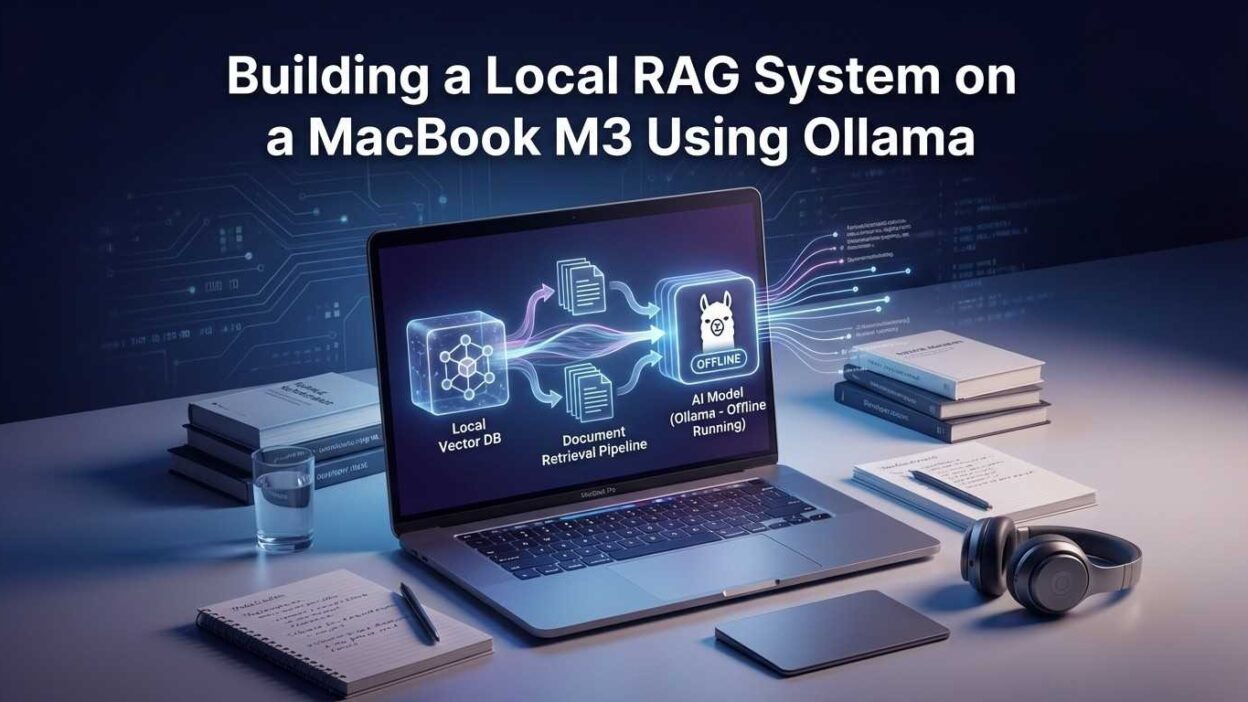
There is a better way. Building a local RAG system on MacBook M3 using Ollama keeps everything on your machine. Your documents stay private. Your queries stay private. The AI model runs locally. No cloud costs. No latency from remote API calls. No data exposure.
The MacBook M3 chip makes this possible in a way earlier hardware could not. The unified memory architecture gives language models access to fast, high-bandwidth memory without discrete GPU limitations. A MacBook M3 Pro or Max runs seven-billion and thirteen-billion parameter models smoothly enough for real production workflows.
This guide walks you through every step. You will understand what RAG is and why it matters. You will install and configure Ollama. You will build a working document ingestion pipeline. You will create a query interface that actually retrieves relevant context and generates accurate answers.
No cloud account needed. No API key required. No per-token billing. Everything runs on the Mac sitting on your desk right now.
0ms Network latency — everything runs locally
$0 API costs per query after initial setup
100% Data privacy — nothing leaves your machine
Table of Contents
What Is RAG and Why Build It Locally?
RAG stands for Retrieval-Augmented Generation. It is an architecture that combines a language model with a document retrieval system. The model does not rely only on its training data. It retrieves relevant passages from your own documents first. Then it generates a response grounded in that retrieved context.
This solves a fundamental limitation of base language models. A model trained in 2024 knows nothing about your internal product documentation, your company’s proprietary research, or the PDF you downloaded last week. RAG gives the model access to your specific knowledge.
Why Local Matters More Than You Think
Cloud-based RAG systems work well for general use. The moment you feed them internal documents, the privacy calculation changes completely. Legal documents, source code, customer data, financial records — none of these should travel through a third-party API without explicit, well-considered authorization.
A local RAG system on MacBook M3 using Ollama eliminates this concern entirely. The embedding model runs locally. The language model runs locally. The vector database runs locally. Your documents never leave your machine at any stage of the pipeline.
The M3 Advantage
Apple’s M3 chip architecture uses unified memory shared between CPU and GPU. This design means language models access memory at GPU-level bandwidth without a separate VRAM pool. A MacBook M3 Max with 48GB of unified memory runs models that would require a high-end discrete GPU on other hardware.
Ollama specifically optimizes for Apple Silicon through Metal GPU acceleration. Model inference on M3 chips runs dramatically faster than CPU-only inference on comparable x86 hardware. The combination of Ollama and M3 silicon makes local AI genuinely practical for the first time on laptop hardware.
🔒 Privacy is not the only benefit. Local inference removes API rate limits, eliminates per-token costs, and delivers consistent latency regardless of cloud provider load.
Installing and Configuring Ollama on MacBook M3
Ollama is an open-source tool that makes running large language models locally as simple as running a Docker container. It handles model downloads, GPU acceleration, and a REST API out of the box. Installation on macOS takes under five minutes.
Installation Steps
Visit ollama.com and download the macOS installer. The installer places Ollama in your Applications folder and configures a background service that starts automatically. Alternatively, install via Homebrew with brew install ollama. Homebrew installation integrates better with development workflows and makes version management straightforward.
After installation, verify the service is running. Open Terminal and run ollama --version. You should see the current version number. Run ollama serve if the background service did not start automatically. Ollama exposes a REST API at localhost:11434 by default.
Choosing Your Model
Model selection balances capability against memory requirements. For a local RAG system on MacBook M3 using Ollama, three models cover most use cases well.
Llama 3.1 8B is the best starting point for most developers. It runs comfortably on 16GB unified memory and delivers strong reasoning and instruction-following quality. Pull it with ollama pull llama3.1:8b.
Mistral 7B offers excellent performance on structured tasks and document Q&A. It runs similarly to Llama 3.1 8B on M3 hardware. Pull it with ollama pull mistral:7b.
Llama 3.1 70B suits MacBook M3 Max or Ultra configurations with 48GB or more of unified memory. Quality improves significantly at this scale. Pull it with ollama pull llama3.1:70b.
Testing Your Installation
Run a quick test before building the full pipeline. Execute ollama run llama3.1:8b "Explain what RAG means in AI" in Terminal. The model should respond in five to ten seconds on M3 hardware. Response quality confirms your installation works correctly before you invest time in the full system.
⚡ M3 Pro handles 7B models at 40–60 tokens per second. M3 Max reaches 80–100 tokens per second on the same models. Both are fast enough for interactive use.
Setting Up the Python Environment
The RAG pipeline uses Python to coordinate document processing, embedding generation, vector storage, and query handling. Setting up a clean Python environment before writing any pipeline code avoids dependency conflicts and makes the project reproducible.
Creating the Project Environment
Create a new directory for your RAG project. Inside it, create a virtual environment with python3 -m venv .venv. Activate it with source .venv/bin/activate. All dependencies install into this isolated environment without affecting your system Python installation.
Install the core dependencies. Your pipeline needs LangChain for the RAG orchestration layer, ChromaDB for local vector storage, and the Ollama Python client for model communication.
Why These Libraries?
LangChain provides the document loaders, text splitters, and retrieval chain abstractions that connect all pipeline components. ChromaDB is a lightweight vector database that runs entirely in-process — no separate database server required. PyPDF handles PDF document loading. Sentence-transformers provides the embedding model that converts text into searchable vectors.
Building a local RAG system on MacBook M3 using Ollama with these libraries requires no external services at all. Every component runs on your machine. The only outbound network calls happen during initial package installation and model downloads.
Project Structure
Organize your project clearly from the start. Create a documents/ folder for source files. Create a chroma_db/ folder for the vector store. Create ingest.py for the document processing script and query.py for the query interface. This separation makes the system easy to extend and debug.
Building the Document Ingestion Pipeline
The ingestion pipeline reads your documents, splits them into chunks, converts chunks into embeddings, and stores everything in the vector database. This pipeline runs once per document. The vector store persists on disk for all future queries.
Loading and Splitting Documents
LangChain’s document loaders handle multiple file types. PDFs load with PyPDFLoader. Plain text files load with TextLoader. Word documents load with UnstructuredWordDocumentLoader. Point each loader at a file path and call .load() to get a list of Document objects with content and metadata.
After loading, split documents into chunks. The RecursiveCharacterTextSplitter is the best general-purpose choice. Set chunk size to around 800 characters and chunk overlap to around 100 characters. The overlap ensures that context spanning chunk boundaries does not get lost during retrieval.
Generating Embeddings Locally
Embeddings convert text chunks into numerical vectors that represent semantic meaning. Chunks with similar meaning produce similar vectors. This similarity is what makes retrieval work. Use the nomic-embed-text model through Ollama for local embedding generation. Pull it with ollama pull nomic-embed-text.
Alternatively, use sentence-transformers with the all-MiniLM-L6-v2 model. This model runs fully locally through the Python library without requiring an Ollama model pull. Both approaches keep your local RAG system on MacBook M3 using Ollama completely offline after setup.
Storing in ChromaDB
ChromaDB stores your chunks and their embeddings in a persistent local database. Create a client pointing to your chroma_db/ directory. Create a collection with your chosen embedding function. Add your chunks with collection.add(). ChromaDB writes everything to disk immediately.
Run your ingest script against your document folder. A collection of fifty PDF pages processes in under two minutes on M3 hardware. Larger collections scale linearly. The vector store persists between sessions — you only ingest each document once.
📚 Chunk size tuning matters significantly. Small chunks (400 chars) improve precision. Large chunks (1200 chars) improve context richness. Start at 800 and adjust based on your document type.
Building the Query and Retrieval Chain
The query chain ties together retrieval and generation. When a user asks a question, the chain converts the question into an embedding, searches the vector store for similar chunks, and passes those chunks as context to the language model. The model generates an answer grounded in the retrieved content.
Setting Up the Retriever
Convert your ChromaDB vector store into a LangChain retriever with one line. Set k=4 to retrieve the four most relevant chunks per query. Four chunks balance context richness against prompt length. Increase to six or eight for documents where broader context improves answer quality.
Configuring the Ollama LLM
Initialize the Ollama language model through LangChain’s Ollama wrapper. Point it at your chosen model name. Set temperature to 0.1 for factual document Q&A — lower temperature produces more consistent, grounded answers. Increase temperature to 0.7 for creative or conversational applications.
Building the RAG Chain
LangChain’s RetrievalQA chain combines the retriever and the LLM into a complete RAG pipeline. The chain handles context formatting automatically. Pass a question and receive an answer with source document references included.
This is the working core of your local RAG system on MacBook M3 using Ollama. Ask a question. The chain retrieves relevant document chunks. Ollama generates a grounded answer. Everything stays on your machine.
Adding a Custom Prompt Template
The default chain prompt works adequately. A custom prompt template improves answer quality significantly. Instruct the model to answer only from retrieved context. Tell it to say “I don’t have enough information” when retrieved chunks do not contain a relevant answer. This prevents hallucination on topics not covered by your documents.
Performance Tuning for Apple Silicon
The MacBook M3 chip handles local LLM inference better than any previous Mac hardware. Specific configuration choices extract maximum performance from the unified memory architecture and Metal GPU acceleration.
Memory Configuration
Ollama allocates GPU layers automatically on Apple Silicon. The model loads into unified memory and runs on the Neural Engine and GPU cores simultaneously. You can control layer allocation with the OLLAMA_NUM_GPU environment variable if defaults perform suboptimally. In most cases, Ollama’s automatic detection works correctly on M3 hardware.
For MacBook M3 base models with 16GB unified memory, stick to 7B and 8B parameter models. Reserve 4GB for the operating system and other applications. The remaining 12GB comfortably holds an 8B model with room for the vector store and embedding operations.
Concurrency and Context Window
The context window size directly affects memory consumption and inference speed. A 4096-token context window uses significantly less memory than an 8192-token window. For document Q&A, 4096 tokens typically provides enough space for four retrieved chunks plus the question and answer. Set context size with num_ctx=4096 in your Ollama model configuration.
Reduce the number of retrieved chunks if response latency is too high. Moving from k=6 to k=3 cuts context length roughly in half and speeds inference proportionally. The accuracy impact is small when your vector store contains well-structured, relevant documents.
These optimizations make a local RAG system on MacBook M3 using Ollama fast enough for interactive use. Most queries return answers in three to eight seconds on M3 Pro hardware — comparable to a slow cloud API response, without any of the privacy trade-offs.
Adding a Web Interface with Streamlit
A command-line query script works for development and testing. A web interface makes the system accessible to non-technical team members and more pleasant to use for extended sessions. Streamlit adds a clean chat interface in under fifty lines of Python.
Installing Streamlit
Install Streamlit in your virtual environment with pip install streamlit. No additional configuration is needed. Streamlit runs a local web server and opens the interface in your default browser automatically when you launch it.
Building the Chat Interface
Create a app.py file. Initialize your vector store, retriever, and Ollama chain at the top of the file. Use Streamlit’s session state to maintain chat history across interactions. Render user messages and AI responses in a scrollable chat format using st.chat_message() components.
Add a source documents expander below each AI response. Show the chunk text and source file name for every retrieved document. This transparency lets users verify where answers come from and build appropriate trust in the system’s outputs.
Launch the interface with streamlit run app.py. The browser opens automatically at localhost:8501. Your local RAG system on MacBook M3 using Ollama now has a polished chat interface that non-developers can use comfortably.
🖥️ Streamlit’s hot-reload feature rebuilds the interface instantly when you save changes. Iterating on UI improvements and prompt templates takes seconds during development.
Use Cases Best Suited for Local RAG
A local RAG system on MacBook M3 using Ollama suits specific use cases better than cloud-based alternatives. Understanding these use cases helps you deploy the right architecture for each project.
Legal and Compliance Document Review
Law firms, compliance teams, and in-house legal departments work with confidential documents every day. Contract review, policy interpretation, and regulatory analysis all benefit from RAG-powered search. Local deployment means client documents never leave the firm’s hardware. The attorney-client privilege concern disappears completely.
Internal Knowledge Base Q&A
Engineering teams maintain large internal wikis, architecture documents, and runbook libraries. Developers spend hours searching for the right document. A local RAG system turns natural language questions into precise document retrievals. “How do we handle database failover?” returns the exact runbook section in seconds.
Personal Research Assistant
Researchers and writers accumulate large PDF libraries. Academic papers, technical reports, and reference documents become searchable through natural language queries. A local RAG system reads across fifty papers simultaneously and synthesizes answers that would take hours of manual reading to produce.
Ideal Local RAG Use Cases
Legal documents, medical records, proprietary code, financial reports, internal wikis, personal research libraries.
Better Suited to Cloud RAG
Public knowledge bases, customer-facing chatbots requiring high availability, multi-user systems needing centralized management.
Frequently Asked Questions
What hardware do I need to run a local RAG system on MacBook M3 using Ollama?
A MacBook M3 with 16GB of unified memory runs 7B and 8B models comfortably for most RAG applications. M3 Pro and M3 Max models with 18GB to 128GB of unified memory handle larger models and faster inference. The local RAG system on MacBook M3 using Ollama runs on base M3 configurations — 16GB is the practical minimum for a smooth experience with 8B models.
How does Ollama use the M3 GPU for inference?
Ollama uses Apple’s Metal framework to run model computations on the M3 GPU cores. Metal acceleration routes matrix operations — the most computationally intensive part of transformer inference — to GPU hardware automatically. You do not configure Metal manually. Ollama detects Apple Silicon at startup and enables Metal acceleration by default on all M-series Macs.
Which embedding model works best for local RAG on MacBook M3?
The nomic-embed-text model available through Ollama delivers the best balance of quality and speed on M3 hardware. It generates high-quality embeddings for English-language documents quickly. For multilingual document collections, mxbai-embed-large performs better. Both run entirely locally through Ollama without any cloud API calls.
Can I use this system offline completely?
Yes. After the initial setup — installing Ollama, pulling models, and installing Python packages — the system runs entirely offline. No query ever leaves your machine. No document content travels to an external service. The local RAG system on MacBook M3 using Ollama is fully air-gap capable once all models are downloaded.
How many documents can ChromaDB handle locally?
ChromaDB handles millions of document chunks without performance degradation in read operations. Practical limits on a MacBook M3 depend on available disk space rather than ChromaDB’s capabilities. A library of one thousand PDF pages generates roughly 50,000 chunks at 800-character chunk size. This collection fits in well under 500MB on disk and queries in milliseconds.
What is the difference between RAG and fine-tuning for custom knowledge?
Fine-tuning bakes knowledge into model weights through additional training. RAG retrieves knowledge from external documents at query time. RAG is far more practical for most use cases. You can update your document library without retraining. You can trace which source document generated each answer. Fine-tuning suits style and behavior customization. RAG suits factual knowledge customization.
How do I add new documents without rebuilding the entire vector store?
ChromaDB supports incremental addition. Load and chunk the new document. Generate embeddings for the new chunks. Call vectorstore.add_documents(new_chunks) on your existing ChromaDB collection. The new document is immediately searchable without touching existing embeddings. Incremental ingestion makes maintaining a growing document library straightforward.
Is Llama 3.1 or Mistral better for document Q&A in a local RAG system?
Both perform well in document Q&A tasks. Llama 3.1 8B delivers slightly better instruction-following and structured output. Mistral 7B is slightly faster on equivalent hardware. For a local RAG system on MacBook M3 using Ollama focused on precise factual retrieval, Llama 3.1 8B is the safer default choice. Test both on a sample of your actual documents and queries before committing.
Troubleshooting Common Issues
Every local setup encounters friction points. These are the most common issues developers hit when building a local RAG system on MacBook M3 using Ollama for the first time.
Slow Inference Speed
Slow inference usually means the model is running on CPU rather than GPU. Confirm Metal acceleration is active by checking the Ollama logs in Terminal. If GPU usage shows zero, reinstall Ollama and ensure macOS is updated to a version that supports the Metal framework version Ollama requires. Restart the Ollama service after any reinstallation.
Low Answer Quality
Poor answers usually stem from one of three causes. Chunk size is too small — relevant context splits across multiple chunks and retrieval misses the full picture. The retrieval count k is too low — increase it to retrieve more candidate chunks. The prompt template does not instruct the model firmly enough to stay grounded in retrieved context — revise the system prompt to explicitly prohibit answers outside the provided documents.
ChromaDB Persistence Issues
If your vector store does not persist between sessions, confirm that the persist_directory path exists and your script has write permissions for that directory. Explicitly call vectorstore.persist() after ingestion if you use an older ChromaDB version that requires manual persistence calls. Current ChromaDB versions persist automatically on write operations.
Read More:-Automating Complex Excel Workflows Using
Conclusion

Privacy, cost, and control — these are the three reasons developers choose local AI infrastructure over cloud APIs. A local RAG system on MacBook M3 using Ollama delivers all three without meaningful compromise on capability.
The MacBook M3 chip made this possible. Unified memory architecture gives language models the bandwidth they need to run fast enough for real work. Ollama made it accessible. Installation takes minutes. Model management needs no cloud account, no API key, and no billing dashboard.
The pipeline you build with this guide handles real production workloads. ChromaDB scales to millions of document chunks. LangChain’s retrieval chains handle complex multi-hop queries. The Streamlit interface serves non-technical team members without IT involvement.
Start with a small document collection. Ingest ten to twenty PDFs relevant to your domain. Query them through the chain. Evaluate answer quality against your expectations. Adjust chunk size and retrieval count. Refine your prompt template. Ship the Streamlit interface to your team.
Every hour you spend optimizing your local RAG system on MacBook M3 using Ollama builds infrastructure that compounds. New documents join the knowledge base in seconds. New team members get instant access to institutional knowledge. Questions that took hours of document searching now answer in seconds.
Your data stays on your machine. Your costs stay at zero. Your productivity starts climbing from day one. The best time to build this system is right now.