Introduction
TL;DR Modern business moves faster than ever before. Leaders face mounting pressure to do more with limited resources. Manual processes consume time that should go toward strategic initiatives.
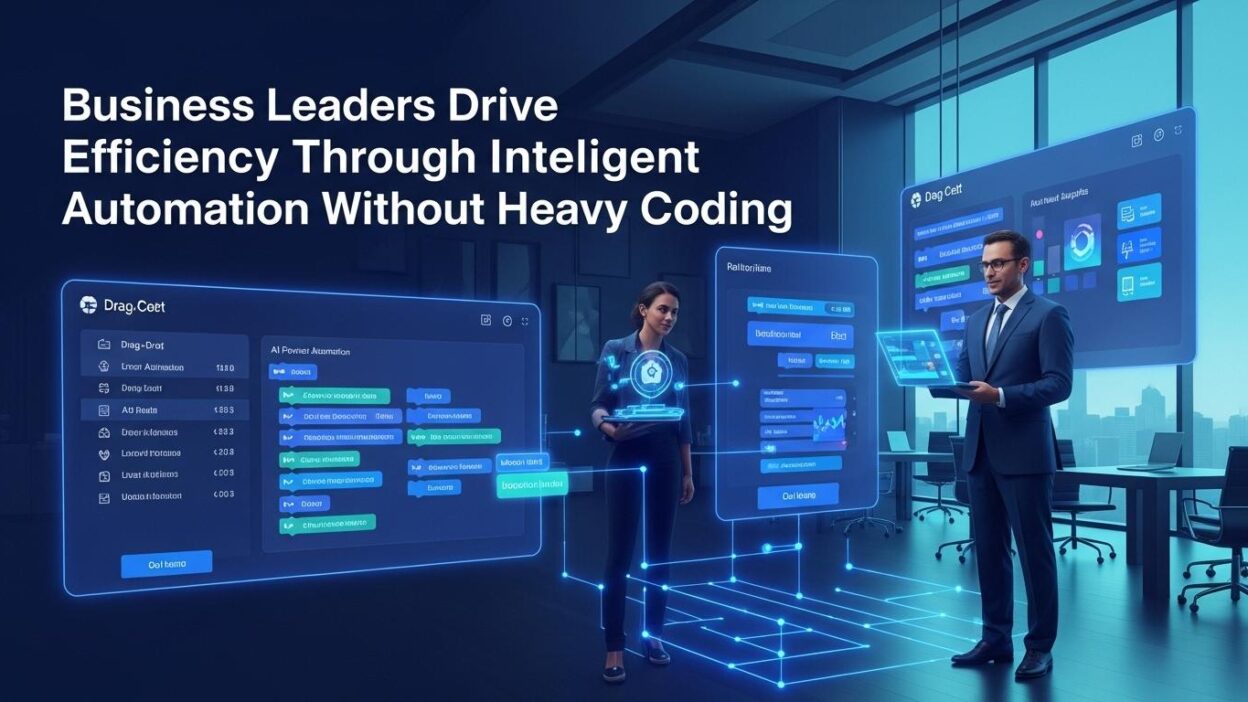
Intelligent automation without coding changes the game completely. Business professionals build powerful workflows without programming knowledge. Your team automates repetitive tasks through visual interfaces and simple configurations.
The traditional approach required IT departments for every automation request. Developers spent weeks coding solutions for simple workflow problems. Backlog queues stretched into months while productivity suffered.
Smart leaders now take control of their operational efficiency directly. They implement automation on their own timelines. Technical barriers that once blocked progress have disappeared entirely.
Efficiency through business automation delivers measurable results quickly. Costs decrease while output increases across departments. Your organization gains competitive advantages through operational excellence.
Table of Contents
The Evolution of Business Automation
Automation has existed in business for decades. Early implementations required mainframe computers and specialized expertise. Only large corporations could afford the technology and talent.
Desktop computing brought basic automation to more businesses. Macros in spreadsheets automated simple calculations. Email rules filtered messages automatically into folders.
These tools helped somewhat but remained limited in scope. Complex workflows still demanded custom programming. Integration between different systems proved nearly impossible.
Cloud computing and visual development platforms changed everything. Modern tools democratize automation capabilities. Business users create sophisticated workflows without writing code.
From Manual to Digital Workflows
Traditional business processes relied heavily on paper and manual handoffs. Employees filled forms physically and routed them through internal mail. Approvals took days or weeks depending on manager availability.
Digital documents replaced paper gradually over past decades. Email attachments became the standard for information sharing. Storage moved from filing cabinets to network drives.
These changes improved speed somewhat but didn’t eliminate manual work. Humans still performed every step of most processes. Copy-paste between systems consumed countless hours weekly.
Intelligent automation without coding connects systems that previously operated in isolation. Data flows automatically between applications. Human intervention happens only when decisions require judgment.
Why Coding Created Barriers
Programming languages require months or years to learn properly. Syntax errors break entire programs without obvious explanations. Debugging consumes as much time as initial development often.
IT departments became bottlenecks as automation demand exceeded capacity. Business needs evolved faster than development cycles could accommodate. Frustration grew on both sides of every automation request.
Maintenance of custom code created ongoing technical debt. Developers who wrote original code moved to other roles. Understanding legacy code proved difficult for new team members.
Security vulnerabilities in custom code posed significant risks. Code reviews and testing added necessary but time-consuming steps. Compliance requirements increased complexity further.
The Rise of No-Code and Low-Code Platforms
Visual development tools emerged to address these challenges. Drag-and-drop interfaces replaced text-based coding. Business logic expressed through flowcharts became the new standard.
Pre-built connectors eliminated integration complexity. Your team connects Salesforce to QuickBooks in minutes. Data synchronization happens automatically without custom API programming.
Template libraries provide starting points for common workflows. Approval processes, data collection, and notifications come pre-configured. Customization happens through simple modifications rather than building from scratch.
Rapid deployment became possible for the first time. Ideas move from concept to production in days instead of quarters. Iteration happens quickly based on user feedback.
Core Benefits of Intelligent Automation
Strategic automation delivers advantages across multiple dimensions. Your organization becomes more competitive through operational improvements. These benefits compound over time as automation matures.
Dramatic Time Savings
Employees spend significant portions of their days on repetitive tasks. Data entry alone consumes hours that could go toward strategic work. Manual processes repeat daily without adding unique value.
Efficiency through business automation eliminates these time drains systematically. Invoice processing happens in seconds instead of hours. Report generation runs automatically overnight.
Your team redirects saved time toward revenue-generating activities. Customer relationships receive more attention. Innovation projects get the focus they deserve.
Meeting productivity improves when automated systems handle routine information gathering. Participants arrive prepared with relevant data. Discussions focus on decisions rather than status updates.
Administrative overhead decreases across all departments. Expense reports process automatically. Purchase requisitions flow through approval chains without manual routing.
Cost Reduction at Scale
Labor represents the largest expense for most service businesses. Automation allows existing teams to handle increased workload. Hiring needs decrease relative to business growth.
Error correction costs decline dramatically with automation. Machines don’t make typos or transpose numbers accidentally. Data accuracy improves across all automated processes.
Software subscription costs often exceed custom development expenses now. Intelligent automation without coding platforms offer affordable pricing. Small businesses access enterprise-level capabilities.
Operational efficiency improvements flow directly to profit margins. Your business accomplishes more with existing resources. Competitive pricing becomes possible while maintaining healthy margins.
Overtime expenses decrease when automation handles peak loads. Your team maintains regular working hours. Work-life balance improves without sacrificing business results.
Improved Accuracy and Compliance
Human error remains inevitable in manual processes. Fatigue and distraction cause mistakes regardless of training. Quality suffers when people perform boring repetitive work.
Automated workflows execute identically every time. Rules enforcement happens systematically without exceptions. Compliance violations decrease dramatically.
Audit trails document every action automatically. Regulatory requirements get satisfied without manual record-keeping. Your organization demonstrates compliance easily during reviews.
Data validation happens at point of entry. Incorrect information gets caught immediately rather than downstream. Correction costs decrease through early detection.
Version control maintains historical records of all changes. Your team tracks modifications and understands decision history. Knowledge preservation happens automatically.
Enhanced Employee Satisfaction
Nobody enjoys tedious data entry or manual copying between systems. These tasks drain energy and reduce job satisfaction. Talented people leave when work lacks intellectual engagement.
Efficiency through business automation eliminates the worst aspects of many jobs. Employees focus on interesting challenges requiring human creativity. Morale improves across automated departments.
Professional development accelerates when people work on complex problems. Skills advance faster through challenging assignments. Career growth becomes more attractive within your organization.
Work flexibility increases when automation handles time-sensitive tasks. Employees take vacation without worrying about coverage. Your team maintains better work-life boundaries.
Recognition becomes easier when automation handles routine work. Outstanding performance stands out more clearly. Achievement feels more meaningful when contributions matter strategically.
Scalability Without Complexity
Growing businesses hit operational ceilings regularly. Existing processes break under increased volume. Hiring and training can’t keep pace with expansion.
Automated workflows scale effortlessly to handle higher transaction volumes. Your systems process 10,000 orders as easily as 100. Infrastructure capacity becomes the only constraint.
New market expansion happens faster with proven automated processes. Geographic growth doesn’t require rebuilding operations in each location. Best practices replicate automatically.
Product line additions leverage existing automation infrastructure. New offerings integrate into established workflows quickly. Launch timelines compress significantly.
Acquisition integration accelerates through automation standardization. Acquired companies adopt your efficient processes rapidly. Synergy realization happens faster than traditional timelines.
Key Areas for Intelligent Automation
Strategic automation priorities vary by industry and company. Common patterns emerge across successful implementations. These areas typically deliver the highest returns on automation investment.
Financial Operations and Accounting
Invoice processing consumes significant time in accounts payable departments. Manual data entry from paper invoices creates bottlenecks. Approval routing adds days to payment cycles.
Intelligent automation without coding extracts invoice data automatically. OCR technology reads documents regardless of format. Key fields populate your accounting system instantly.
Purchase order matching happens automatically during invoice processing. Three-way matching verifies invoice against PO and receipt. Discrepancies flag for human review only when needed.
Expense report submission and approval flow through automated workflows. Receipt images attach directly to expense items. Reimbursement processing accelerates from weeks to days.
Financial close processes speed up through automation of recurring journal entries. Month-end reporting happens faster with automated data consolidation. Your finance team focuses on analysis rather than data gathering.
Bank reconciliation runs automatically daily instead of monthly. Discrepancies surface immediately for investigation. Cash management improves through real-time visibility.
Sales and Marketing Processes
Lead capture from multiple sources flows into unified CRM automatically. Web forms, trade shows, and purchased lists integrate seamlessly. No leads slip through cracks between systems.
Lead scoring and qualification happen based on behavioral and demographic data. Sales receives only leads meeting minimum criteria. Time efficiency improves through better lead quality.
Follow-up sequences trigger automatically based on prospect actions. Email campaigns adapt to individual engagement patterns. Conversion rates improve through timely relevant outreach.
Proposal generation pulls customer data and pricing automatically. Documents assemble from templates with appropriate customization. Sales cycles shorten through faster response times.
Contract routing for signatures happens electronically without printing. E-signature platforms integrate directly with CRM systems. Deal closure accelerates significantly.
Sales forecasting aggregates pipeline data automatically. Reports update in real-time as deals progress. Accuracy improves through systematic data collection.
Human Resources and Onboarding
Job posting distribution reaches multiple platforms from single submission. Your HR team manages all listings through one interface. Candidate sourcing becomes more efficient.
Application screening filters candidates based on predefined criteria. Resume parsing extracts relevant qualifications automatically. Recruiters focus attention on qualified applicants only.
Interview scheduling coordinates availability across multiple participants. Calendar invitations send automatically to all parties. Coordination time drops from hours to minutes.
Offer letter generation pulls compensation data from approved structures. Documents route through approval chains electronically. Time-to-offer decreases dramatically.
New hire onboarding checklists execute automatically upon acceptance. Equipment requests, system access, and training enrollment happen systematically. New employees reach productivity faster through consistent onboarding.
Benefits enrollment guides employees through selection processes. Eligibility rules apply automatically based on employment terms. Administrative burden decreases significantly.
Customer Service and Support
Ticket routing assigns inquiries to appropriate team members automatically. Skills-based routing ensures the right expertise handles each issue. Resolution times improve through intelligent assignment.
Knowledge base article suggestions surface based on ticket content. Agents access relevant documentation instantly. First-contact resolution rates increase measurably.
Escalation triggers activate when tickets remain unresolved too long. Management receives alerts about SLA violations. Customer satisfaction improves through attentive service.
Customer satisfaction surveys send automatically after ticket closure. Response data flows into analytics dashboards. Service quality metrics track continuously.
Warranty claim processing validates coverage and approvals automatically. Claims route through appropriate channels based on value and type. Processing time drops significantly.
Supply Chain and Operations
Purchase requisitions flow through approval chains based on amount and category. Budget checking happens automatically before approval. Procurement cycle times decrease substantially.
Vendor management tracks performance metrics automatically. Delivery times, quality scores, and pricing trends surface in dashboards. Strategic decisions benefit from comprehensive data.
Inventory reordering triggers when stock levels hit predetermined points. Seasonal adjustments happen automatically based on historical patterns. Stockouts decrease while carrying costs optimize.
Shipment tracking updates customers automatically at each status change. Delivery exceptions trigger proactive communication. Customer experience improves through transparency.
Quality control data collection happens at each production stage. Statistical process control identifies trends automatically. Defect rates decrease through early intervention.
Implementing Automation Successfully
Strategic planning ensures automation delivers expected benefits. Random implementation often disappoints. Methodical approaches maximize return on technology investment.
Identify High-Impact Opportunities
Process mapping reveals where teams spend the most time. Document current workflows in detail across departments. Time tracking quantifies effort spent on each activity.
Pain point interviews with staff uncover frustration sources. Employees know which processes cause the most problems. Their insights guide automation prioritization.
Error-prone processes deserve early automation attention. Mistakes create rework that multiplies original effort. Accuracy improvements deliver immediate value.
High-volume repetitive tasks show clear ROI potential. Daily activities that require identical steps are perfect candidates. Efficiency through business automation shines in these scenarios.
Customer-facing processes impact satisfaction directly. Improvements here strengthen competitive positioning. External benefits justify investment more easily.
Select Appropriate Tools
Major platforms offer intelligent automation without coding capabilities. Zapier excels at connecting cloud applications simply. Make provides more sophisticated workflow logic.
Microsoft Power Automate integrates deeply with Office 365 environments. Organizations already using Microsoft products benefit from native integration. Licensing often includes automation capabilities.
Airtable combines database functionality with automation features. Teams organize data while building workflows simultaneously. The combined approach suits project-based work well.
Industry-specific platforms provide pre-built workflows for common scenarios. Healthcare, legal, and financial services have specialized options. Domain knowledge embedded in these tools accelerates implementation.
Vendor evaluation should include hands-on testing with real workflows. Proof-of-concept projects reveal practical limitations. Make decisions based on actual usage rather than sales demonstrations.
Design Workflows Thoughtfully
Current state documentation establishes baseline for improvement. Map existing processes with all steps and handoffs. Understanding current reality prevents recreating inefficiencies.
Future state design removes unnecessary steps before automation. Streamline workflows first then automate optimized processes. Technology should improve efficiency rather than codify waste.
Exception handling requires explicit definition during design. Edge cases need clear resolution paths. Robust workflows account for variations in input and conditions.
User experience considerations ensure adoption success. Complicated interfaces discourage usage regardless of underlying power. Simplicity drives consistent utilization.
Testing validates workflow behavior under various scenarios. Use realistic data that represents actual business conditions. Comprehensive testing prevents embarrassing production failures.
Train Teams Effectively
Role-based training focuses on relevant functionality for each user group. Executives need different knowledge than daily operators. Targeted training improves retention and relevance.
Hands-on practice builds confidence more than passive lectures. Sandbox environments allow experimentation without risk. Learning happens through doing rather than watching.
Documentation provides ongoing reference after initial training. Video tutorials and written guides serve different learning preferences. Multiple format availability increases accessibility.
Super users within each department provide peer support. Colleagues often explain concepts more effectively than external trainers. Distributed expertise strengthens organizational capability.
Ongoing education addresses new features and capabilities. Technology platforms evolve constantly with new functionality. Continuous learning maintains competitive advantage.
Monitor and Optimize Continuously
Performance metrics track automation effectiveness objectively. Time savings, error rates, and cost reductions all deserve measurement. Data demonstrates value and guides improvements.
User feedback reveals practical issues that metrics might miss. Regular check-ins with teams using automation surface enhancement opportunities. Iterative improvement happens through listening.
Workflow analytics identify bottlenecks and inefficiencies. Execution logs show where processes slow or fail. Optimization targets emerge from usage data.
Regular audits ensure workflows still match current business needs. Processes evolve but automation sometimes lags behind. Periodic review keeps systems aligned with reality.
Advanced Automation Strategies
Basic implementations prove value and build organizational capability. Sophisticated approaches multiply benefits over time. Mature automation practices separate industry leaders from followers.
Intelligent Document Processing
Paper documents still arrive despite digital transformation efforts. Invoices, contracts, and forms come via mail and email attachments. Manual data entry remains necessary without intelligent processing.
OCR technology extracts text from scanned documents accurately. Machine learning classifies document types automatically. Your system routes each document to appropriate workflows.
Key data field extraction happens through trained AI models. Invoice numbers, dates, and amounts populate systems directly. Human verification occurs only for low-confidence extractions.
Multi-language document support expands automation to international operations. Your system handles documents in any language equally well. Geographic expansion proceeds without language barriers.
Predictive Analytics Integration
Historical data patterns predict future business needs. Demand forecasting optimizes inventory and staffing levels. Efficiency through business automation includes anticipating requirements.
Anomaly detection flags unusual patterns requiring attention. Fraud indicators surface automatically for investigation. Proactive intervention prevents problems from escalating.
Customer churn prediction identifies at-risk accounts early. Retention workflows activate before customers decide to leave. Revenue preservation improves through predictive insights.
Equipment failure prediction enables preventive maintenance. Downtime decreases through strategic intervention timing. Operational reliability improves measurably.
Cross-Functional Workflow Integration
Departmental silos limit automation potential significantly. Maximum efficiency requires connecting processes across functions. End-to-end workflows span traditional organizational boundaries.
Order-to-cash processes touch sales, fulfillment, and accounting. Intelligent automation without coding connects these steps seamlessly. Cash conversion accelerates through integrated workflows.
Hire-to-retire HR processes span recruiting through offboarding. Consistent employee experiences result from unified workflows. Administrative efficiency improves dramatically.
Procure-to-pay workflows integrate requisitioning, purchasing, and payment. Supplier relationships benefit from streamlined processes. Working capital management optimizes through faster cycles.
API Ecosystems and Custom Integrations
Pre-built connectors handle most common integration needs. Occasionally your business requires connections to proprietary systems. API integration capabilities extend automation possibilities.
RESTful API calls happen directly from automation platforms. Your team configures endpoints and authentication without coding. Technical barriers remain minimal for standard integrations.
Webhooks enable real-time event notifications between systems. Immediate workflow triggering happens when external events occur. Responsiveness improves through event-driven architecture.
Custom connector development serves unique integration requirements. Technical partners can build reusable components your team deploys. One-time development enables ongoing business user empowerment.
Measuring Automation Success
Quantifying results justifies investment and guides future priorities. Specific metrics demonstrate value to stakeholders. Data-driven automation strategies outperform intuition-based approaches.
Time and Productivity Metrics
Hours saved per week shows direct efficiency gains. Multiply by number of employees affected for total impact. Annual time savings often reach thousands of hours.
Tasks completed per employee measures throughput improvements. Automation typically increases this metric by 30-50%. Capacity expansion happens without headcount increases.
Process cycle time tracks duration from initiation to completion. Reductions of 50-80% occur commonly with automation. Speed advantages strengthen competitive positioning.
Financial Impact Calculations
Labor cost avoidance results from doing more with existing staff. Calculate fully loaded hourly rates for accurate savings. Most organizations see six-figure annual savings.
Error correction cost reduction multiplies initial efficiency gains. Mistakes often cost 5-10 times original task expense. Quality improvements deliver substantial financial benefits.
Revenue per employee improves as automation increases output. This metric demonstrates overall business efficiency clearly. Investor presentations benefit from strong performance here.
Quality and Accuracy Improvements
Error rates decrease dramatically with automated processes. Target reductions of 80-95% compared to manual execution. Quality improvements enhance customer satisfaction directly.
Rework percentages drop when automation eliminates mistakes. Time spent correcting errors becomes available for new work. Productivity gains compound through improved accuracy.
Compliance violation frequency decreases through systematic enforcement. Regulatory risk reduces measurably. Audit findings show fewer issues over time.
Strategic Business Outcomes
Customer satisfaction scores often improve following automation. Faster service and fewer errors drive positive experiences. NPS increases validate automation effectiveness.
Employee retention improves when tedious work disappears. Exit interview data reveals impact on job satisfaction. Recruitment costs decrease through better retention.
Market responsiveness increases through operational agility. New product launches happen faster with established automation. Competitive advantages emerge from organizational capability.
Overcoming Common Implementation Challenges
Predictable obstacles emerge during automation initiatives. Awareness enables proactive mitigation strategies. Success requires addressing technical and human factors equally.
Resistance to Change
Employees fear automation threatens their job security. Communication about automation’s true purpose becomes critical. Frame technology as enhancement rather than replacement.
Involvement in automation design increases acceptance. People support changes they help create. Collaborative approaches build enthusiasm rather than resistance.
Early wins demonstrate value convincingly. Quick successes convert skeptics into advocates. Momentum builds through visible improvements.
Integration Complexity
Legacy systems sometimes lack modern integration capabilities. Creative workarounds may be necessary temporarily. Migration planning addresses technical debt systematically.
Data formatting inconsistencies cause integration headaches. Transformation logic cleanses data during automated transfers. Quality improves through systematic standardization.
Authentication and security requirements add complexity. IT partnership ensures compliance with organizational policies. Collaboration between business and technology teams proves essential.
Scope Creep and Over-Automation
Enthusiasm leads teams to automate everything simultaneously. Focus dilutes across too many initiatives. Strategic prioritization maintains momentum through concentrated effort.
Some processes genuinely benefit from human touch. Automation works poorly for activities requiring empathy or creativity. Thoughtful analysis distinguishes appropriate automation targets.
Maintaining Automated Systems
Business processes evolve but automation sometimes remains static. Regular reviews ensure workflows stay current. Maintenance schedules prevent gradual performance degradation.
Personnel changes affect automation knowledge within organizations. Documentation proves critical for continuity. Institutional memory persists through systematic record-keeping.
Read More:-Real Estate Lead Generation: From Manual to Automated in 30 Days
Conclusion

Intelligent automation without coding transforms how businesses operate fundamentally. Leaders gain control over operational efficiency directly. Technical barriers that once required IT departments have vanished.
Your organization becomes more competitive through systematic automation. Costs decrease while output and quality increase simultaneously. These improvements compound over time as automation matures.
Traditional approaches that relied on custom development couldn’t keep pace with business needs. Months-long backlogs frustrated everyone involved. Modern platforms deliver results in days instead.
Efficiency through business automation touches every department and function. Finance processes close faster with fewer errors. Sales teams spend more time with customers and less on administrative tasks.
Employee satisfaction improves when tedious work disappears from daily routines. Your team focuses energy on interesting challenges requiring human judgment. Retention strengthens through better work experiences.
The technology has matured beyond early experimental stages. Proven platforms deliver reliable results across industries. Risk profiles have decreased while potential benefits increased.
Your competitors are implementing these capabilities right now. Delaying adoption allows them to gain operational advantages. Market leadership flows to organizations that execute efficiently.
Starting remains the hardest step for most leaders. Analysis paralysis prevents progress more than technical limitations. Choose one painful process and automate it this week.
Success with initial automation builds organizational capability and confidence. Skills develop through hands-on experience with real workflows. Complexity tolerance increases as teams master basic implementations.
ROI materializes quickly with well-chosen automation projects. Most initiatives pay for themselves within months. Long-term benefits accumulate as automation scales across operations.
The future belongs to organizations that combine human creativity with intelligent automation. Leaders who master this balance will dominate their markets. That competitive advantage starts with your first automated workflow.
Your business deserves operational excellence. Your team deserves better tools and working conditions. Intelligent automation without coding delivers both outcomes simultaneously.
The platforms exist today to transform your operations completely. Implementation knowledge has become widely available through early adopters. Only your decision to begin remains.
Efficiency through business automation positions your organization for sustainable growth. Technology amplifies human capability rather than replacing it. Your potential multiplies through strategic automation investment.
Start today. Automate one process. Measure results. Build momentum. Win your market.