Introduction
TL;DR Your SaaS product has served customers reliably for years. The codebase works well and generates steady revenue. Customers appreciate the stability and features you’ve built. Yet competitors now tout AI capabilities that make your product seem outdated.
The pressure to add AI features feels overwhelming. Complete rewrites could take months and risk breaking existing functionality. Your development team already has a full roadmap. Budget constraints make massive overhauls unrealistic. The good news is you don’t need to rebuild everything from scratch.
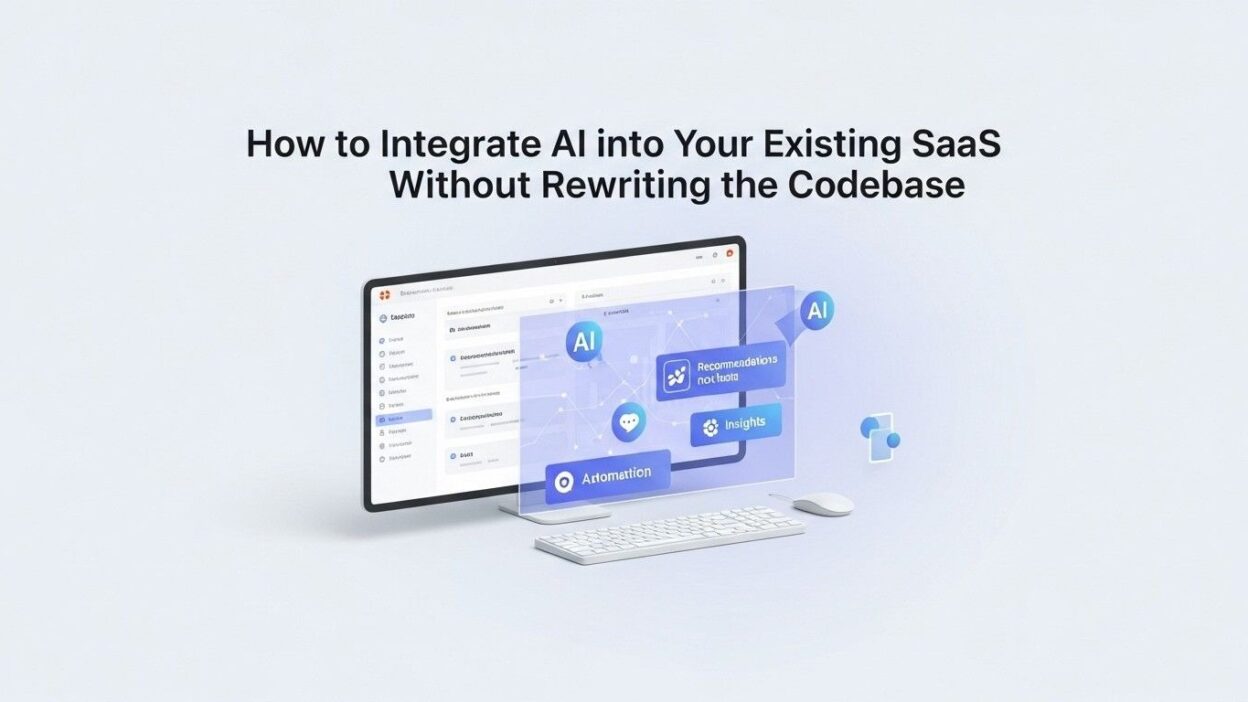
Learning how to Integrate AI into Existing SaaS saves time and reduces risk dramatically. Strategic additions can transform your product without touching core functionality. This comprehensive guide shows exactly how to add powerful AI capabilities while preserving your reliable codebase. Your customers will get cutting-edge features without the instability of complete rewrites.
Table of Contents
Understanding Your Current Architecture
Mapping Your Existing System Components
Start by documenting your current architecture thoroughly. Identify all major system components and their relationships. Database structures, API endpoints, and frontend frameworks all matter. Create visual diagrams showing data flows through your application.
User-facing features represent the most obvious integration points. Login systems, dashboards, data entry forms, and reporting tools all exist currently. Each feature could potentially benefit from AI enhancement. Prioritize customer-facing improvements over internal optimizations initially.
Backend services handle business logic and data processing. Authentication services, payment processors, and notification systems run behind the scenes. These systems rarely need AI capabilities directly. Focus your efforts on components that touch user experiences.
Data storage patterns reveal AI integration opportunities. Your database contains valuable historical information. Customer behavior, transaction patterns, and usage metrics all provide AI training material. Understanding where this data lives guides integration planning.
Identifying AI Integration Opportunities
Customer support represents a high-value AI integration target. Ticket classification, automated responses, and sentiment analysis improve support efficiency. These features rarely require deep system changes. API-based AI services handle the heavy lifting externally.
Search functionality improves dramatically with AI enhancement. Semantic search understands user intent beyond keyword matching. Natural language queries make finding information easier. Your existing search infrastructure can call AI services through simple API additions.
Content generation opportunities exist throughout most SaaS products. Email templates, report summaries, and product descriptions all benefit from AI. Integrate AI into Existing SaaS by adding generation features alongside manual creation. Users choose between writing content themselves or using AI assistance.
Predictive features create substantial customer value. Forecasting, anomaly detection, and trend analysis all leverage AI capabilities. Your historical data trains models that predict future patterns. These insights differentiate your product from competitors lacking AI.
Assessing Technical Readiness
API capabilities determine integration complexity significantly. Modern SaaS platforms expose APIs for external service connections. Well-designed APIs make AI integration straightforward. Legacy systems without APIs require additional architectural work.
Authentication systems must support service-to-service communication. AI providers need secure ways to access your data. OAuth, API keys, and JWT tokens all work for this purpose. Verify your authentication supports these patterns before proceeding.
Data accessibility affects how easily you Integrate AI into Existing SaaS. AI services need access to relevant information for processing. Locked-away data in proprietary formats creates obstacles. Cloud-based databases generally simplify AI integration compared to on-premises systems.
Infrastructure scalability ensures AI features perform well. AI processing can consume significant computational resources. Your hosting environment must handle additional load gracefully. Cloud platforms like AWS, Azure, and GCP scale automatically.
Choosing the Right AI Integration Approach
API-First AI Services
Third-party AI APIs offer the fastest path to AI capabilities. OpenAI, Google Cloud AI, and AWS AI services provide ready-made functionality. You send data through API calls and receive AI-processed results. No machine learning expertise is required on your team.
These services handle model training, scaling, and maintenance. Your team focuses purely on integration and user experience. Updates and improvements happen automatically on the provider’s side. This approach minimizes your technical burden dramatically.
Cost structures for API services vary by provider and usage. Most charge per API call or per processing unit. Predictable costs emerge after monitoring initial usage patterns. Budget for experimentation during the integration phase.
Vendor lock-in represents a consideration with API approaches. Switching providers later requires changing integration code. Your ability to Integrate AI into Existing SaaS quickly comes with this tradeoff. Most companies find the speed advantage worth the dependency.
Embedded AI Models
Lightweight AI models can run directly within your infrastructure. TensorFlow Lite and ONNX Runtime enable local model execution. This approach eliminates external API dependencies and associated costs. Privacy-sensitive applications benefit from keeping data internal.
Model management becomes your responsibility with embedded approaches. You must handle updates, monitoring, and performance optimization. DevOps complexity increases compared to API-based solutions. Small teams often struggle with these operational demands.
Response latency decreases when models run locally. Network calls to external APIs introduce delays. Real-time applications requiring instant responses favor embedded models. The performance benefit comes with increased infrastructure costs.
Custom model training requires significant ML expertise. Your team needs data scientists to build and tune models. This investment only makes sense for large-scale applications. Most SaaS companies choose API services instead.
Hybrid Integration Strategies
Combining API services with embedded models offers flexibility. Use external APIs for complex tasks requiring massive models. Run simple models locally for latency-sensitive features. This balanced approach optimizes cost and performance simultaneously.
Start with API services for initial AI features. Prove customer value before investing in custom models. Migrate specific features to embedded models as usage scales. This phased strategy minimizes risk while controlling costs.
Different features can use different AI providers. Natural language processing might use OpenAI. Image recognition could leverage Google Vision. Matching providers to specific capabilities optimizes results. Your ability to Integrate AI into Existing SaaS improves with specialized services.
Implementing AI Features Without Code Rewrites
Adding AI Through Microservices
Microservices architecture enables AI additions without touching core code. Create new services dedicated to AI processing. Your existing application calls these services through standard APIs. The separation preserves your stable codebase completely.
Each microservice handles one AI capability. A sentiment analysis service processes customer feedback. A content generation service creates marketing copy. This modular approach simplifies development and testing.
Language independence allows optimal technology choices per service. Your main application might use PHP or Ruby. AI microservices can use Python for better ML library access. Each component uses the best-suited technology stack.
Deployment independence means AI features can update separately. Roll out improvements without redeploying your entire application. This reduces deployment risk and accelerates feature delivery. Your customers get AI enhancements more frequently.
Leveraging API Gateways
API gateways route requests between your application and AI services. Kong, AWS API Gateway, and Apigee all work well. The gateway handles authentication, rate limiting, and request transformation. Your core application code stays clean and simple.
Request transformation converts your application’s data format to what AI services expect. The gateway handles JSON restructuring automatically. Your backend developers don’t need to learn each AI provider’s requirements. This abstraction simplifies integration code significantly.
Response caching improves performance for repeated queries. Identical AI requests return cached results instantly. This reduces API costs and improves user experience. The gateway manages caching without application code changes.
Switching AI providers happens at the gateway level. Your application code remains unchanged when migrating providers. The gateway configuration updates to point at new endpoints. This flexibility protects your ability to Integrate AI into Existing SaaS sustainably.
Frontend-First Integration
JavaScript libraries enable AI features directly in user browsers. TensorFlow.js runs machine learning models in the frontend. This approach requires zero backend changes. Your existing server code continues unchanged.
Client-side AI processing keeps sensitive data on user devices. Privacy regulations favor this architecture for personal information. The data never leaves the user’s computer during AI processing. Compliance becomes simpler with this approach.
Bandwidth considerations limit frontend AI complexity. Large models take too long to download. Simple classification and generation tasks work well. Complex analysis should happen server-side or through APIs.
Progressive enhancement ensures graceful degradation. Users with older browsers get your existing features. Modern browsers enable AI enhancements automatically. Your application remains accessible while offering cutting-edge capabilities.
Ensuring Data Privacy and Security
Protecting Customer Data During AI Processing
Data encryption must occur during transmission to AI services. HTTPS provides transport layer security automatically. Verify that your chosen AI providers support encrypted connections. Never send sensitive data over unencrypted channels.
Data minimization reduces privacy risks significantly. Send only the specific information needed for AI processing. Remove personally identifiable information when possible. Anonymization protects customer privacy while enabling AI features.
Your contracts with AI providers must address data handling. Understand how providers store and use your data. Some services train their models on customer data. Others offer enterprise agreements preventing this practice. Choose providers whose policies align with your privacy standards.
Regulatory compliance affects how you Integrate AI into Existing SaaS. GDPR, CCPA, and HIPAA all impose specific requirements. Healthcare and financial applications face particularly strict rules. Consult legal counsel before implementing AI features.
Implementing Access Controls
Role-based access determines who can use AI features. Not all users should access every AI capability. Administrators might get content generation while regular users only get search. Your existing permission system extends to AI features naturally.
API authentication prevents unauthorized access to AI services. Each request includes credentials proving legitimacy. Rotate API keys regularly to maintain security. Monitor for unusual access patterns indicating compromised credentials.
Audit logging tracks all AI feature usage. Record who accessed which AI capabilities when. This creates accountability and helps detect abuse. Logs support compliance requirements and security investigations.
Rate limiting prevents both abuse and runaway costs. Limit how many AI requests users can make hourly. This protects against malicious users and bugs causing excessive API calls. Your infrastructure and budget stay under control.
Managing AI Vendor Relationships
Service level agreements define expected AI service performance. Understand uptime guarantees and response time commitments. Know what compensation you receive for service failures. These contractual protections maintain your application reliability.
Fallback strategies handle AI service outages gracefully. Your application must function when AI providers experience problems. Degrade to non-AI features rather than failing completely. Users appreciate applications that work even with reduced capabilities.
Multi-vendor strategies reduce dependence on single providers. Use different AI services for different features. Outages impact only specific capabilities rather than all AI features. This redundancy improves overall reliability when you Integrate AI into Existing SaaS.
Managing Costs and Performance
Optimizing API Usage Costs
Caching frequent queries reduces redundant AI processing. Store results for common questions or searches. Return cached answers instead of calling AI services repeatedly. This cuts costs dramatically for applications with repetitive usage patterns.
Batch processing consolidates multiple requests efficiently. Some AI providers offer bulk discounts. Collect requests over short periods then process together. This works well for non-time-sensitive features like overnight report generation.
Request filtering prevents unnecessary AI calls. Validate and clean user input before sending to AI services. Reject obviously malformed requests client-side. This saves money and improves response times.
Usage monitoring tracks spending across AI providers. Set budget alerts to catch unexpected cost spikes. Analyze which features consume most resources. Data-driven decisions optimize your AI spending.
Improving Response Times
Asynchronous processing prevents UI blocking during AI operations. Submit requests and continue other operations. Notify users when AI processing completes. This maintains responsive interfaces despite potentially slow AI calls.
Regional deployment reduces network latency significantly. Choose AI service regions close to your users. Asian customers get faster responses from Asia-Pacific AI endpoints. Geographic optimization improves user experience globally.
Request prioritization ensures important operations complete quickly. User-initiated actions get higher priority than background tasks. Real-time features jump ahead of batch processing jobs. Your most critical workflows remain fast.
Result streaming shows partial AI outputs immediately. Display content as AI generates it rather than waiting for completion. Users see progress and can interrupt if needed. This perceived performance improvement enhances satisfaction when you Integrate AI into Existing SaaS.
Scaling AI Features
Load testing validates performance under expected usage. Simulate hundreds or thousands of concurrent AI requests. Identify bottlenecks before launching features to customers. Proactive testing prevents embarrassing production failures.
Auto-scaling infrastructure handles variable demand automatically. Cloud services increase resources during high usage periods. Costs decrease during quiet times. This elasticity matches infrastructure spending to actual needs.
Database optimization supports AI feature data requirements. Proper indexing accelerates queries for AI processing. Denormalization might improve read performance for AI features. Your database architecture evolves to support new usage patterns.
Training Your Team and Users
Developer Education Programs
Your engineering team needs AI integration training. Workshops covering API integration patterns accelerate development. Hands-on tutorials with actual AI services build practical skills. Investment in education pays dividends in faster, better implementations.
Documentation standards ensure knowledge sharing across teams. Detailed integration guides help current and future developers. Code examples illustrate best practices clearly. Your ability to Integrate AI into Existing SaaS improves with institutional knowledge.
Experimentation time allows developers to explore AI capabilities. Dedicate hours specifically for trying new AI services. Innovation emerges from hands-on exploration. Protected time prevents experimentation from feeling like procrastination.
Code review processes catch AI integration mistakes early. Experienced developers review security, privacy, and cost implications. Multiple perspectives improve implementation quality. Your team learns from each other’s experiences.
User Onboarding for AI Features
Feature announcements introduce new AI capabilities effectively. Email campaigns, in-app notifications, and blog posts all work. Explain what the AI does and how it helps users. Clear communication drives adoption of new features.
Tutorial videos demonstrate AI features visually. Short clips showing actual usage teach better than text. Record real workflows incorporating AI assistance. Users learn by watching rather than reading documentation.
Progressive disclosure prevents overwhelming users. Introduce AI features gradually rather than all at once. Start with simple capabilities then reveal advanced options. This staged approach improves long-term adoption rates.
Feedback mechanisms let users report AI problems. Simple thumbs up/down ratings identify poorly performing features. Detailed feedback forms capture specific improvement suggestions. User input guides your ongoing AI enhancement efforts.
Creating AI Usage Guidelines
Best practices documentation helps users leverage AI effectively. Explain what each AI feature does well and where it struggles. Provide prompt engineering tips for generative features. Educated users get better results from AI capabilities.
Ethical guidelines address appropriate AI usage. Prohibit using AI for harmful purposes. Clarify that AI outputs require human review. Your terms of service extend to cover AI features specifically.
Example use cases inspire creative AI applications. Show how customers successfully use AI features. Industry-specific scenarios make capabilities concrete. Other users replicate successful patterns when you Integrate AI into Existing SaaS thoughtfully.
Measuring AI Integration Success
Defining Key Performance Indicators
Adoption metrics show how many users engage with AI features. Track percentage of users who try each AI capability. Monitor frequency of AI feature usage over time. Low adoption signals need for better communication or features.
User satisfaction scores reveal whether AI adds value. Survey users about their AI feature experiences. Net Promoter Score changes indicate overall impact. Qualitative feedback explains what works and what doesn’t.
Business impact metrics connect AI to company objectives. Revenue per user might increase with AI features. Support ticket volume could decrease with AI assistance. Tie AI investments directly to business outcomes.
Technical performance indicators ensure AI features work well. Response time, error rates, and availability all matter. Users abandon features that perform poorly. Your monitoring catches problems before significant user impact.
A/B Testing AI Features
Controlled experiments validate AI feature value objectively. Show AI capabilities to half your users randomly. Compare their behavior and outcomes to the control group. Statistical analysis proves whether AI truly helps.
Gradual rollouts reduce risk when launching AI features. Start with five percent of users initially. Expand to larger percentages as confidence grows. Problems impact fewer customers when detected early.
Feature flags enable instant AI feature control. Toggle capabilities on or off without deploying code. Kill switches protect against unexpected AI misbehavior. Your operational flexibility increases dramatically with flags.
Iterating Based on Data
Analytics reveal how users actually employ AI features. Usage patterns often surprise product teams. Users might leverage capabilities in unexpected ways. Observation beats assumption for understanding needs.
User feedback guides AI feature improvements. Request specific enhancement suggestions from active users. Beta programs engage enthusiastic customers in development. Co-creation with users produces better outcomes when you Integrate AI into Existing SaaS.
Competitive analysis tracks AI capabilities in your market. Monitor what competitors build and how customers react. Identify differentiation opportunities and table stakes features. Stay aware of AI advancement across your industry.
Frequently Asked Questions
How long does AI integration typically take?
Simple API integrations complete in days or weeks. A chatbot using OpenAI API might launch within two weeks. Complex features requiring custom models take months. Your timeline depends on chosen approach and scope. Most SaaS companies see initial AI features within one to three months. Phased rollouts extend capabilities over longer periods.
Do we need data scientists on our team?
API-based approaches require no data science expertise. Your developers handle integration while AI providers manage models. Custom model development does require data scientists. Most companies successfully Integrate AI into Existing SaaS with existing engineering talent. Consultants can assist for specialized needs without permanent hires.
What if AI services shut down or change pricing?
Vendor risk management strategies protect your business. Abstract AI calls through your own API layer. Switching providers requires updating only that abstraction layer. Maintain fallback options for critical AI features. Your application continues functioning even if AI providers disappoint.
How much will AI integration cost?
Initial integration costs include development time and API credits. Budget several thousand dollars for simple features. Complex implementations reach tens of thousands. Ongoing costs come from API usage fees. Monitor spending carefully during first months. Optimization reduces costs after understanding usage patterns when you Integrate AI into Existing SaaS.
Can AI features work offline?
Cloud-based AI APIs require internet connectivity. Embedded models can function offline after initial download. Your architecture choice determines offline capabilities. Consider user environment when designing AI features. Mobile applications particularly benefit from offline AI.
How do we handle AI errors and hallucinations?
Human review prevents AI mistakes from reaching customers. Flag AI-generated content clearly to users. Provide editing capabilities for AI outputs. Your application remains responsible for final results. Combine AI efficiency with human oversight for accuracy.
Will AI integration slow down our application?
Asynchronous processing prevents UI blocking. Your application remains responsive during AI operations. Caching eliminates redundant AI calls. Proper architecture maintains speed while adding capabilities. Users experience faster workflows through AI assistance overall.
What about regulatory compliance?
Compliance requirements vary by industry and geography. Healthcare faces HIPAA regulations. Financial services follow different rules. Research applicable regulations early in planning. Choose AI providers offering compliant solutions. Your legal team should review integration plans when you Integrate AI into Existing SaaS.
How do we train AI on our specific data?
Fine-tuning services allow model customization. Upload your data to AI providers supporting this feature. Your model learns domain-specific knowledge. Custom models serve specialized use cases better. Balance customization benefits against additional complexity and cost.
Can we integrate multiple AI providers?
Multiple providers enable choosing best solutions per feature. Use OpenAI for text generation and Google for image analysis. Your abstraction layer handles provider differences. Avoid coupling your application tightly to any single vendor. Flexibility improves when you Integrate AI into Existing SaaS strategically.
Read More:-Building a Custom GPT for Your Brand Voice: A Step-by-Step Guide
Conclusion

Adding AI capabilities to your existing SaaS doesn’t require massive rewrites. Strategic integration approaches preserve your stable codebase while delivering powerful new features. API-based services provide the fastest path to AI capabilities. Microservices architecture separates AI features from core functionality cleanly.
Your customers will appreciate enhanced capabilities without suffering through instability. Support tickets get resolved faster with AI assistance. Search functionality becomes more intuitive through semantic understanding. Content generation accelerates marketing and communication workflows.
The ability to Integrate AI into Existing SaaS determines competitive positioning. Companies adding AI capabilities attract new customers and retain existing ones. Those ignoring AI risk seeming outdated and losing market share. The time to enhance your product with AI is now.
Start small with high-value features that require minimal integration work. Chatbots and sentiment analysis often deliver quick wins. Prove value to stakeholders before expanding AI initiatives. Early successes build momentum for larger AI investments.
Choose AI providers carefully based on your specific needs. Evaluate cost structures, reliability, and feature sets thoroughly. Test multiple services during the evaluation phase. The right provider partnership accelerates your AI journey significantly.
Security and privacy must guide every integration decision. Protect customer data throughout AI processing. Comply with applicable regulations in your industry. Responsible AI implementation builds customer trust and avoids legal problems.
Measure everything to understand AI feature impact. Track adoption rates, user satisfaction, and business metrics. Data-driven decisions optimize your AI investment. Continuous improvement keeps features relevant and valuable.
Your team will grow through AI integration experience. Developers learn new integration patterns and technologies. Product managers understand AI capabilities and limitations. The organizational knowledge gained compounds over future projects.
The future of SaaS includes AI capabilities as standard features. Early adopters gain competitive advantages and learning curves. Your decision to Integrate AI into Existing SaaS positions your company for long-term success. Begin your AI journey today with confidence that you can enhance your product without risky rewrites.
Competition will force AI adoption eventually. Choosing to integrate proactively puts you ahead of reactive competitors. Your enhanced product will attract customers seeking modern, efficient solutions. The investment in AI integration pays dividends for years through improved customer satisfaction and retention.