Introduction
TL;DR Building a large language model application in your development environment feels exciting. You watch your chatbot respond intelligently or your text summarizer work flawlessly. Everything runs smoothly on your laptop. Then reality hits. How do you get this working prototype into the hands of actual users?
The journey to deploy LLM application to production involves more than clicking a button. You need infrastructure, monitoring, security, and optimization. Many developers underestimate the complexity of this transition. Your prototype might handle ten requests perfectly. Production systems need to handle thousands while maintaining speed and reliability.
This guide walks you through every step of deploying your first LLM application. We cover infrastructure choices, optimization techniques, security considerations, and monitoring strategies. By the end, you’ll have a clear roadmap from local development to production deployment.
Understanding LLM Application Architecture
Large language models require different architectural approaches than traditional web applications. The computational demands alone change how you think about infrastructure. A single LLM inference can consume gigabytes of memory and significant processing power. Your architecture needs to account for these resource requirements from the start.
Most LLM applications follow a three-tier structure. The frontend handles user interactions and displays results. The backend manages business logic, authentication, and request routing. The model layer performs actual LLM inference. Separating these concerns allows independent scaling and optimization of each component.
Model hosting represents your biggest architectural decision. Self-hosting gives you complete control but requires managing infrastructure and model files. API-based solutions like OpenAI or Anthropic simplify deployment but create ongoing costs and external dependencies. Hybrid approaches combine self-hosted models for some tasks with APIs for others.
Caching strategies dramatically improve LLM application performance. Storing responses to common queries reduces redundant processing. Your caching layer sits between the backend and model layer. It intercepts requests and returns cached results when possible. This simple addition can cut your inference costs by 40% or more.
Queue systems handle traffic spikes and prevent system overload. User requests enter a queue rather than hitting your model directly. Workers process requests from the queue at a sustainable rate. This architecture prevents crashes during high-traffic periods. Users see slightly delayed responses instead of error messages.
Table of Contents
Preparing Your Prototype for Production
Your development prototype likely cuts corners that won’t work in production. Hard-coded values, minimal error handling, and absent logging all need addressing. The preparation phase transforms your proof-of-concept into production-ready code.
Error handling becomes critical when real users interact with your application. Network failures, model timeouts, and invalid inputs all occur regularly in production. Your code needs graceful degradation for every failure mode. Users should see helpful error messages instead of cryptic stack traces.
Environment variables replace hard-coded configuration values. API keys, model endpoints, and feature flags all move to environment-specific configuration. This separation allows different settings for development, staging, and production environments. You never accidentally use production credentials in development.
Input validation protects your application from malicious or malformed requests. Every user input requires validation before reaching your LLM. Character limits, format checks, and content filtering all happen at this stage. Proper validation prevents both security issues and wasted model inference on garbage inputs.
Logging infrastructure gives you visibility into application behavior. Every request, error, and performance metric gets logged for later analysis. Structured logging with consistent formats makes searching and analyzing logs easier. You’ll rely heavily on these logs when debugging production issues.
Rate limiting prevents abuse and controls costs. Individual users get limits on requests per minute or hour. This protection stops bad actors from draining your resources. It also prevents accidental infinite loops from overwhelming your system.
Choosing Your Deployment Infrastructure
Infrastructure choices fundamentally impact cost, performance, and maintenance burden. The right choice depends on your scale, budget, and technical capabilities. No universal best option exists for every LLM application.
Cloud providers like AWS, Google Cloud, and Azure offer managed services specifically for ML workloads. These platforms provide GPU instances, auto-scaling, and integrated monitoring. The managed nature reduces operational complexity. You pay premium prices for this convenience.
Serverless architectures work well for sporadic LLM workloads. Services like AWS Lambda or Google Cloud Functions scale automatically based on demand. You pay only for actual compute time. The cold start latency can be problematic for latency-sensitive applications. Keeping functions warm requires strategic implementation.
Kubernetes provides container orchestration at any scale. You define desired state, and Kubernetes maintains it automatically. This approach works across cloud providers and on-premises infrastructure. The learning curve is steep. Small teams often struggle with Kubernetes complexity.
Dedicated GPU servers offer maximum performance for self-hosted models. Services like RunPod, Lambda Labs, or Vast.ai provide affordable GPU access. You get bare metal performance without managing physical hardware. Configuration and maintenance fall on your team.
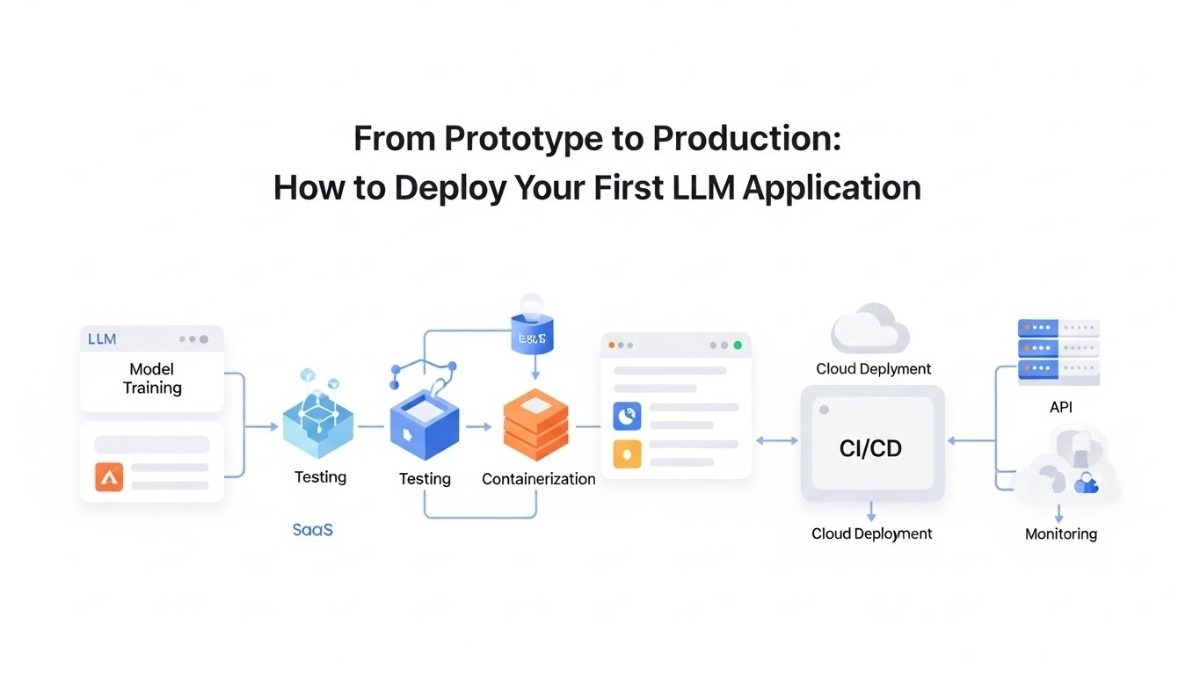
Container platforms like Docker simplify deployment across environments. Your application and dependencies package together in a container image. The same image runs identically in development, staging, and production. Container registries store and version your images centrally.
Edge deployment brings models closer to users geographically. Content delivery networks can serve model inference from locations worldwide. This approach minimizes latency for global applications. The complexity and cost increase significantly compared to centralized deployment.
Model Optimization for Production
Raw LLM models are too large and slow for most production scenarios. Optimization techniques reduce size and increase speed without sacrificing much accuracy. The effort you invest here directly impacts user experience and operating costs.
Quantization reduces the precision of model weights. Converting 32-bit floating point numbers to 8-bit integers shrinks model size dramatically. Memory usage drops by 75% with minimal accuracy loss. Inference speed often improves because smaller data moves through the system faster.
Model distillation creates smaller models that mimic larger ones. You train a compact student model to replicate a large teacher model’s outputs. The student model runs much faster while maintaining most capabilities. This technique requires significant ML expertise and computational resources.
Pruning removes unnecessary connections in neural networks. Analysis identifies which weights contribute least to model performance. Removing these weights creates a sparser, faster model. Aggressive pruning can reduce model size by 50% with careful tuning.
Caching embeddings accelerates semantic search and retrieval applications. Text embeddings get computed once and stored for reuse. Subsequent queries against the same documents skip re-embedding. This optimization particularly benefits RAG applications with stable knowledge bases.
Prompt optimization reduces token consumption without losing functionality. Shorter prompts cost less and process faster. Careful prompt engineering maintains output quality while minimizing input length. Testing different prompt formulations reveals opportunities for efficiency gains.
Batch processing groups multiple requests for simultaneous inference. Processing ten requests together uses less total compute than processing them individually. The batching strategy balances throughput against per-request latency. Users tolerate slightly longer waits if overall system capacity increases.
Setting Up Your Production Environment
Production environments require careful configuration to ensure reliability and security. The setup process involves multiple interconnected systems working harmoniously. Skipping steps here creates problems that surface at the worst possible times.
Load balancers distribute incoming requests across multiple application instances. No single server becomes a bottleneck or single point of failure. The load balancer monitors server health and routes traffic only to healthy instances. This redundancy keeps your application available during instance failures.
Database configuration affects both performance and data integrity. Connection pooling prevents exhausting database connections under load. Proper indexing accelerates query performance. Regular backups protect against data loss. Read replicas offload query traffic from the primary database.
CDN integration serves static assets globally with low latency. Images, CSS, JavaScript, and other static files load from edge locations near users. This offloading reduces load on your application servers. CDN caching dramatically improves frontend performance.
SSL certificates encrypt traffic between users and your application. Certificate management tools automate renewal and deployment. Modern security requires HTTPS everywhere. Certificate authorities like Let’s Encrypt provide free certificates with automated renewal.
Secrets management keeps sensitive values secure. Dedicated services like AWS Secrets Manager or HashiCorp Vault store API keys, database passwords, and other credentials. Your application retrieves secrets at runtime rather than storing them in code or configuration files.
Health check endpoints allow monitoring systems to verify application status. A simple endpoint returns success when the application functions correctly. Load balancers and orchestration systems use health checks to route traffic appropriately. Comprehensive health checks test database connectivity, model availability, and other critical dependencies.
Implementing Monitoring and Observability
You cannot improve what you cannot measure. Monitoring transforms your production system from a black box into an observable, understandable entity. When problems occur, comprehensive monitoring helps you diagnose and resolve them quickly.
Application performance monitoring tracks response times, error rates, and throughput. Tools like DataDog, New Relic, or Prometheus collect and visualize these metrics. You set up dashboards showing key performance indicators at a glance. Alerting rules notify you when metrics exceed acceptable thresholds.
Model-specific metrics provide insights into LLM performance. Token consumption per request affects costs directly. Inference latency impacts user experience. Prompt and completion lengths reveal usage patterns. These metrics guide optimization efforts and capacity planning.
Error tracking systems capture and aggregate application errors. Services like Sentry or Rollbar collect stack traces, user context, and reproduction information. Similar errors group together for efficient triage. You see which errors affect the most users and prioritize fixes accordingly.
Log aggregation centralizes logs from all application instances. Tools like ELK Stack, Splunk, or CloudWatch Logs make searching across distributed systems possible. Structured logs with consistent formatting enable sophisticated queries. You can trace individual requests across multiple services.
User analytics reveal how people actually use your application. Which features get used most? Where do users encounter friction? What queries take longest to process? These insights drive product decisions and optimization priorities.
Cost monitoring prevents budget surprises. Cloud bills can escalate quickly with LLM applications. Detailed cost tracking attributes expenses to specific features or users. You identify expensive operations and optimize accordingly. Setting spending alerts prevents runaway costs.
Synthetic monitoring proactively tests application availability. Automated scripts simulate user interactions at regular intervals. Failures trigger alerts before real users encounter problems. This monitoring catches issues that might not show up in standard metrics.
Security Considerations for LLM Applications
LLM applications face unique security challenges beyond typical web application concerns. The model itself becomes an attack surface. User prompts can attempt to manipulate model behavior. Output can accidentally leak sensitive information. Comprehensive security requires addressing these LLM-specific risks.
Prompt injection attacks attempt to override application instructions with malicious user input. Attackers craft inputs that make the model ignore your system prompts. Defense requires careful prompt design and input filtering. Separating user input from system instructions helps prevent these attacks.
Content filtering prevents inappropriate or harmful outputs from reaching users. Pre-built filters catch common problematic content types. Custom filters address domain-specific concerns. The filtering happens after model generation but before displaying results to users.
PII detection scans both inputs and outputs for personal information. The detection system identifies names, addresses, phone numbers, and other sensitive data. You log, redact, or reject requests containing PII depending on your security requirements. This protection prevents accidental data leaks.
API authentication ensures only authorized applications access your LLM service. API keys, OAuth tokens, or other authentication mechanisms verify requester identity. Rate limiting ties to authenticated identities to prevent abuse. Rotating credentials regularly limits damage from compromised keys.
Model access controls restrict who can use which models or features. Different user tiers might access different model capabilities. Internal tools might use more powerful models than public-facing features. Access control prevents unauthorized usage of expensive or sensitive model capabilities.
Audit logging records all model interactions for security analysis. Who made what request? What input did they provide? What output did the model generate? These logs support security investigations and compliance requirements. Retention policies balance storage costs against audit needs.
Data encryption protects information at rest and in transit. Database encryption prevents data theft from storage. TLS encryption secures network communication. Encryption keys require secure management separate from the encrypted data itself.
Deployment Strategies and CI/CD
Modern deployment practices minimize risk and enable rapid iteration. The goal is deploying updates frequently with confidence. Automation reduces human error and makes deployment a routine, boring process.
Continuous integration automatically builds and tests code changes. Every commit triggers automated tests verifying functionality. The CI pipeline catches bugs before they reach production. Build artifacts get versioned and stored for deployment.
Staging environments mirror production configuration and data volume. New versions deploy to staging first for final validation. Smoke tests verify basic functionality in the staging environment. This final check catches environment-specific issues before production deployment.
Blue-green deployment maintains two identical production environments. One environment serves live traffic while the other sits idle. New versions deploy to the idle environment. After validation, traffic switches to the new version instantly. The old version remains available for quick rollback if needed.
Canary deployments gradually roll out changes to a subset of users. The new version serves 5% of traffic initially. Monitoring confirms everything works correctly before expanding the rollout. Problems affect only a small user percentage. This approach balances risk with rapid iteration.
Feature flags decouple deployment from release. New features deploy to production but remain disabled. You enable features for specific users or gradually roll them out. Flags allow testing in production without affecting all users. Kill switches quickly disable problematic features without redeployment.
Rollback procedures provide safety nets for failed deployments. Automated rollback triggers when key metrics degrade after deployment. Manual rollback procedures should be documented and regularly tested. The ability to quickly revert bad changes gives teams confidence to deploy frequently.
Database migrations require special handling to prevent downtime. Forward-compatible migrations allow old and new code to coexist. The migration deploys before the application code update. Backward migrations handle rollback scenarios. Testing migrations against production-sized datasets prevents surprise issues.
Scaling Your LLM Application
Initial deployment handles modest traffic successfully. Growth requires scaling strategies that maintain performance as usage increases. To deploy LLM application to production successfully means planning for scale from the start.
Horizontal scaling adds more application instances to handle increased load. Load balancers distribute requests across the growing instance pool. This scaling approach works well for stateless application layers. Each instance handles requests independently.
Vertical scaling increases resources available to existing instances. Larger machines with more memory and CPU power process requests faster. This approach hits limits quickly with LLM workloads. Model memory requirements often exceed what single machines can provide.
Auto-scaling automatically adjusts capacity based on demand. Metrics like CPU usage or request queue length trigger scaling events. The system adds instances during traffic spikes and removes them during quiet periods. This elasticity optimizes costs while maintaining performance.
Model replication creates multiple inference servers handling the model layer. The backend load balancer distributes inference requests across replicas. Each replica runs independently with its own model copy. This replication provides redundancy and increased throughput.
Asynchronous processing separates request receipt from completion. Users submit requests and receive a job ID immediately. The application processes the request in the background. Users poll for results or receive webhook notifications when complete. This pattern works well for long-running LLM tasks.
Connection pooling reuses expensive resources efficiently. Database connections, HTTP clients, and other reusable resources get pooled. Requests borrow from the pool rather than creating new connections. This reuse reduces overhead and improves performance under load.
Geographic distribution places application instances in multiple regions. Users connect to the nearest instance for minimal latency. This distribution also provides disaster recovery capabilities. Regional failures don’t take down the entire application.
Cost Optimization Strategies
LLM applications can become expensive quickly without careful cost management. Every inference consumes resources and generates costs. Strategic optimization reduces expenses without sacrificing user experience.
Model selection dramatically impacts costs. Smaller models process requests faster and cheaper than large models. Use the smallest model that achieves acceptable quality for each task. Reserve expensive frontier models for tasks truly requiring their capabilities.
Aggressive caching eliminates redundant model calls. Common queries return cached results instantly at near-zero cost. Semantic caching matches similar but not identical queries. The cache hit rate directly correlates with cost savings.
Request batching amortizes model loading costs across multiple inferences. Collecting several requests before processing reduces per-request overhead. The delay introduced by batching must balance against user experience requirements.
Prompt compression removes unnecessary tokens from prompts. Verbose system instructions can be condensed. Repeated context appears once rather than in every request. Shorter prompts reduce tokens processed and costs incurred.
Reserved capacity provides significant discounts for predictable workloads. Cloud providers offer reserved instances at 30-70% discounts. Committing to baseline capacity makes sense for steady traffic. Pay-as-you-go pricing covers traffic spikes above the reserved baseline.
Spot instances use spare cloud capacity at steep discounts. These instances can be reclaimed with short notice. Fault-tolerant workloads like batch processing work well on spot instances. The savings reach 70-90% compared to on-demand pricing.
Usage analytics identify expensive users or operations. Some queries consistently cost more due to length or complexity. You can optimize these expensive patterns or adjust pricing to reflect costs. Analytics prevent a small percentage of requests from dominating expenses.
Testing in Production
Despite extensive pre-production testing, real-world conditions differ from test environments. Production testing validates behavior under actual usage patterns. The key is testing safely without impacting user experience.
Shadow mode runs new model versions alongside production versions. Real requests go to both systems. Users see only production results. You compare outputs to validate the new version’s behavior. This comparison reveals differences before fully switching over.
A/B testing measures the impact of changes on user behavior. Different user groups experience different model versions or features. Metrics compare conversion rates, satisfaction scores, and other key indicators. Data-driven decisions replace gut feelings about what works better.
Chaos engineering intentionally introduces failures to test resilience. You simulate server crashes, network issues, and resource exhaustion. The application should handle these scenarios gracefully. This testing builds confidence in fault tolerance.
Load testing validates performance under stress. Simulated traffic ramps up gradually to find breaking points. You identify bottlenecks before real users encounter them. Load tests run regularly as the application evolves.
Regression testing confirms existing functionality remains intact after changes. Automated test suites run against production environments. Tests cover critical user journeys and edge cases. Continuous regression testing catches unintended consequences of updates.
User feedback mechanisms capture real-world issues that testing misses. Easy reporting tools let users flag problems directly. Feedback gets routed to appropriate teams for investigation. This direct line to users surfaces issues that metrics might not reveal.
Common Pitfalls and How to Avoid Them
Many teams make similar mistakes when they first deploy LLM application to production. Learning from others’ experiences helps you avoid these common problems.
Underestimating costs leads to budget overruns. LLM inference costs money with every request. Traffic spikes can generate massive unexpected bills. Implement cost monitoring, budgets, and alerts from day one. Conservative initial estimates prevent unpleasant surprises.
Ignoring latency optimization creates poor user experiences. Slow responses frustrate users regardless of output quality. Optimize aggressively for response time. Cache aggressively, use smaller models where possible, and implement timeouts.
Insufficient error handling causes cryptic failures. Network issues, model errors, and edge cases all happen regularly. Every external call needs try-catch blocks. Users deserve helpful error messages explaining what went wrong.
Skipping security reviews exposes vulnerabilities. Prompt injection, PII leaks, and access control issues plague LLM applications. Security reviews should happen before production deployment. Regular security audits catch issues as the application evolves.
Neglecting monitoring creates blind spots. You cannot fix problems you cannot see. Comprehensive monitoring and alerting are non-negotiable. Invest time setting up proper observability before launch.
Over-engineering premature optimization wastes time. Build for current needs, not hypothetical future scale. Start simple and add complexity only when necessary. Premature optimization is the root of much wasted effort.
Poor documentation slows team velocity. Deployment procedures, architecture decisions, and troubleshooting guides need documentation. Future team members will thank you. Future you will thank present you for writing things down.
Maintaining and Improving Production Systems
Deployment marks the beginning, not the end, of your production journey. Ongoing maintenance and improvement keep your application running smoothly and evolving with user needs.
Regular dependency updates patch security vulnerabilities and add features. Outdated libraries become security risks over time. Automated tools flag when updates are available. Test updates thoroughly before deploying to production.
Performance profiling identifies optimization opportunities. Regular profiling sessions reveal where your application spends time and resources. Profile in production under realistic load. Development environment performance rarely matches production reality.
Model retraining or updates improve quality over time. User feedback highlights model weaknesses. New model versions from providers offer better performance. A/B testing validates that updates actually improve metrics before full rollout.
Capacity planning prevents resource exhaustion as usage grows. Monitor trends in key metrics. Predict when current capacity will be insufficient. Plan scaling ahead of need rather than reacting to outages.
Incident retrospectives turn problems into learning opportunities. Every production incident deserves analysis. What happened? Why did it happen? How can we prevent recurrence? Blameless retrospectives focus on system improvements.
Technical debt accumulation slows future development. Quick fixes and shortcuts made under pressure create future problems. Dedicate time to addressing technical debt regularly. The investment pays dividends in future velocity.
User experience monitoring reveals friction points. Watch session recordings, read support tickets, and analyze user behavior. Small improvements to common workflows compound into significant experience gains.
Frequently Asked Questions
How much does it cost to deploy an LLM application to production?
Production costs vary dramatically based on your choices and scale. Self-hosting open-source models costs $100 to $1,000 monthly for infrastructure. API-based solutions charge per token processed. Expect $0.001 to $0.10 per request depending on model size. A small application with 10,000 daily requests might cost $100 to $500 monthly. Popular applications handling millions of requests can cost $10,000 to $100,000 monthly or more.
Can I deploy LLM applications without GPU servers?
CPU inference works for some scenarios but runs much slower than GPU inference. Smaller models like distilled versions can run on CPUs acceptably. You sacrifice throughput and latency compared to GPU deployment. API-based solutions eliminate infrastructure concerns entirely. For serious production workloads, GPU access is nearly essential for acceptable performance.
What’s the minimum infrastructure needed to deploy LLM application to production?
Minimum viable infrastructure includes application hosting, load balancing, monitoring, and SSL certificates. A single cloud server running your containerized application can work for initial launches. You need log aggregation and basic alerts. Total costs start around $50 monthly for tiny applications. Plan to scale up quickly as usage grows.
How do I handle API rate limits from LLM providers?
Implement request queuing to smooth out traffic bursts. Monitor your API usage against provider limits. Cache responses aggressively to reduce API calls. Consider multiple API keys to increase effective rate limits. For high-volume applications, self-hosting eliminates rate limit concerns entirely.
Should I self-host models or use APIs?
APIs provide faster initial deployment with zero infrastructure management. Self-hosting offers better control, potentially lower costs at scale, and no rate limits. Start with APIs to validate your application. Transition to self-hosting only when API costs become prohibitive or latency requirements demand it.
How long does it take to deploy an LLM application to production?
A basic deployment can happen in days if you use managed services and APIs. Comprehensive production-ready deployment with proper monitoring, security, and optimization typically requires two to four weeks. Complex applications with custom models and infrastructure need months. Your specific timeline depends on team experience and application complexity.
What security measures are essential for LLM applications?
Input validation, output filtering, authentication, rate limiting, and audit logging are non-negotiable. Implement prompt injection defenses from day one. Scan for PII in inputs and outputs. Use HTTPS everywhere. Regular security audits catch issues before attackers do.
How do I monitor LLM-specific metrics effectively?
Track token consumption, inference latency, error rates, and cache hit rates at minimum. Monitor model-specific errors like context length violations. Set up alerts for unusual patterns. Tools like LangSmith or custom dashboards visualize LLM metrics. The goal is understanding model performance and costs clearly.
What’s the best way to handle LLM application updates?
Blue-green deployment or canary releases minimize risk when deploying updates. Always test thoroughly in staging first. Monitor key metrics closely after deployment. Keep rollback procedures tested and ready. Feature flags allow enabling changes gradually even after deployment completes.
Read More:-5 Industries Being Revolutionized by AI Automation Right Now
Conclusion

The path to deploy LLM application to production demands careful planning and execution. Your working prototype represents just the first step in a longer journey. Production deployment requires addressing infrastructure, optimization, security, monitoring, and scaling concerns simultaneously.
Success comes from treating deployment as an iterative process rather than a one-time event. Start with minimal viable infrastructure. Deploy early and gather real-world feedback. Iterate based on actual usage patterns rather than assumptions. This pragmatic approach gets you to production faster while maintaining quality.
Infrastructure choices shape your application’s cost structure and operational complexity. API-based solutions simplify initial deployment at the cost of ongoing expenses and less control. Self-hosting provides maximum flexibility but requires managing infrastructure complexity. Most applications start with APIs and transition to hybrid approaches as they mature.
Optimization work directly impacts both user experience and operating costs. Model quantization, caching, and prompt engineering reduce costs substantially without sacrificing quality. The effort invested in optimization compounds over time as your application scales.
Security cannot be an afterthought in LLM applications. Prompt injection, PII leaks, and model abuse all threaten production systems. Implementing security measures from the start prevents expensive problems later. Regular security reviews keep your application protected as threats evolve.
Monitoring and observability transform production systems from black boxes into understandable, improvable applications. Comprehensive metrics reveal optimization opportunities and catch problems early. The investment in monitoring pays dividends every day your application runs.
Your first production deployment will be imperfect. Every team makes mistakes and learns from them. The key is learning quickly, iterating based on data, and continuously improving. Production is where real learning happens.
Cost management requires constant attention in LLM applications. Inference costs scale directly with usage. Without careful monitoring and optimization, successful applications become victims of their own popularity. Build cost awareness into your deployment process from day one.
The technical challenges of deploying LLM applications pale compared to the business value they create. AI-powered applications transform user experiences and create new possibilities. The effort required to deploy LLM application to production successfully enables delivering that value to real users.
Start small, deploy carefully, monitor extensively, and iterate constantly. This approach builds production-ready LLM applications that scale successfully. Your first deployment teaches lessons that inform every future project. The experience you gain deploying your first LLM application proves invaluable for your entire career.
Take the leap from prototype to production. Your application deserves to reach real users. The world needs what you’ve built. Deploy it confidently using the strategies outlined in this guide. Production awaits, and you’re ready to deploy LLM application to production successfully.