Introduction
TL;DR Human resources departments face overwhelming workloads in modern organizations. Recruiters spend countless hours reviewing resumes manually. The onboarding process consumes weeks of administrative effort. These traditional approaches can’t scale with growing hiring demands.
Automation transforms HR operations from bottleneck to competitive advantage. Artificial intelligence handles repetitive tasks with speed and consistency. Your HR team focuses on strategic initiatives rather than paperwork. The technology revolution has arrived in human resources management.
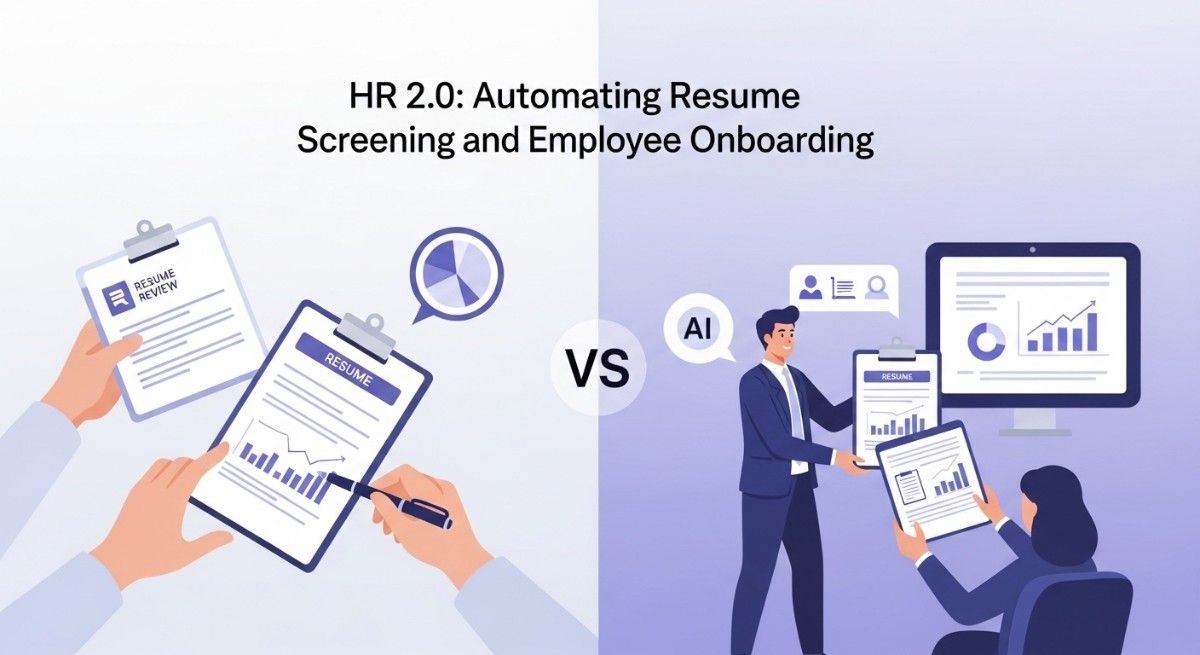
Automating resume screening represents the most immediate opportunity for efficiency gains. Software evaluates hundreds of applications in minutes. Qualified candidates rise to the top automatically. Your recruiters spend time interviewing rather than sorting through paperwork.
This comprehensive guide explores how to implement HR automation successfully. You’ll discover proven strategies for resume screening and onboarding automation. The insights help you modernize your human resources function completely.
Table of Contents
The Current State of HR Operations
Traditional HR processes weren’t designed for today’s hiring volumes. Companies receive hundreds of applications for single positions. Manual review becomes physically impossible at scale.
Recruiters spend 23 hours on average screening resumes for one hire. This time investment delays filling critical positions. Business operations suffer when roles remain vacant for months.
Human bias affects hiring decisions unconsciously. Resume reviewers favor candidates from certain schools or backgrounds. Qualified applicants get overlooked based on irrelevant factors.
Administrative work dominates HR schedules currently. Paperwork, data entry, and document management consume 40% of HR time. Strategic workforce planning gets neglected completely.
Employee onboarding lacks consistency across organizations. New hires receive different information depending on who handles their orientation. This inconsistency creates confusion and slows productivity.
The talent market has become increasingly competitive. Top candidates receive multiple offers simultaneously. Slow hiring processes cause you to lose excellent people to faster competitors.
Technology adoption in HR lags behind other business functions. Finance and marketing embraced automation years ago. Human resources departments are finally catching up now.
Understanding Resume Screening Automation
Automating resume screening uses artificial intelligence to evaluate job applications. Software analyzes resumes against position requirements automatically. The system ranks candidates based on qualification match.
Natural language processing extracts information from resumes. Skills, experience, education, and achievements all get identified. The technology understands context beyond simple keyword matching.
Machine learning improves screening accuracy over time. The system learns from recruiter decisions and feedback. Pattern recognition identifies characteristics of successful hires.
Applicant tracking systems form the foundation of screening automation. These platforms manage the entire recruitment workflow digitally. Resume screening integrates seamlessly with other hiring stages.
Scoring algorithms evaluate each candidate objectively. Predetermined criteria weight different qualifications appropriately. Bias gets eliminated through consistent evaluation standards.
The technology handles high application volumes effortlessly. Hundreds of resumes get processed in minutes rather than days. Your team reviews only the most qualified candidates.
Integration with job boards streamlines application collection. Resumes flow directly from posting sites into screening systems. Manual data entry disappears from the recruitment process.
Benefits of Automating Resume Screening
Time savings represent the most obvious advantage. Recruiters reclaim dozens of hours per position. This capacity allows handling more requisitions simultaneously.
Hiring speed accelerates dramatically with automation. Qualified candidates get identified within hours of application. Interview scheduling happens the same day or week.
Quality of hire improves through objective evaluation. Candidates get assessed against actual job requirements. Gut feelings and unconscious bias don’t influence initial screening.
Cost per hire decreases significantly. Fewer hours spent on screening means lower recruitment costs. Faster time-to-fill reduces productivity losses from vacancies.
Candidate experience improves with faster response times. Applicants receive acknowledgment and updates promptly. Professional communication maintains your employer brand reputation.
Compliance documentation happens automatically. The system tracks every step of the screening process. Equal opportunity requirements get met consistently.
Data insights reveal recruitment bottlenecks and patterns. Analytics show which sources deliver quality candidates. Recruitment strategy improves through evidence-based decisions.
Recruiter satisfaction increases when tedious work disappears. HR professionals focus on relationship-building and assessment. Job satisfaction improves across recruitment teams.
Key Features of Resume Screening Software
Intelligent parsing extracts data from any resume format. PDFs, Word documents, and text files all get processed. Information populates database fields automatically.
Skill matching identifies technical and soft skill alignment. The system recognizes synonyms and related competencies. Candidates with transferable skills don’t get overlooked.
Experience evaluation considers job titles, responsibilities, and tenure. Industry relevance and career progression both factor into scoring. Context matters more than simple years of experience.
Education verification checks degrees and certifications. The software identifies relevant academic backgrounds. Continuing education and professional development get recognized.
Keyword optimization goes beyond simple term matching. Semantic understanding captures meaning and context. Related concepts count even without exact phrase matches.
Customizable screening criteria adapt to different positions. Each role has unique requirements and priorities. The system applies appropriate evaluation standards per job.
Knockout questions eliminate clearly unqualified candidates. Required certifications or eligibility requirements get checked first. This filtering reduces the candidate pool efficiently.
Diversity features promote inclusive hiring practices. The software can anonymize resumes during initial screening. Protected characteristics don’t influence qualification assessments.
Implementing Automated Resume Screening
Successful implementation requires careful planning and execution. Technology alone doesn’t guarantee better hiring outcomes. Process design determines automation success.
Defining Your Screening Criteria
Start by documenting must-have qualifications for each role. Distinguish between required and preferred attributes clearly. These criteria guide automation configuration.
Collaborate with hiring managers on job requirements. Their input ensures screening aligns with actual needs. Technical accuracy matters more than generic descriptions.
Identify deal-breaker requirements that eliminate candidates immediately. Licensing requirements, citizenship status, or travel availability often qualify. Knockout criteria should be genuinely non-negotiable.
Weight different qualifications based on importance. Technical skills might matter more than years of experience. Education level could be less critical than proven results.
Consider creating multiple screening templates for common roles. Sales positions share similar requirements across departments. Template reuse saves configuration time.
Selecting the Right Software
Evaluate platforms based on your specific needs. Company size, hiring volume, and budget all influence selection. Feature lists matter less than practical functionality.
Request demonstrations using your actual job descriptions. Generic demos don’t reveal real-world performance. Test the system with representative resumes.
Check integration capabilities with existing systems. Your HRIS, email, and calendar should connect seamlessly. Data silos reduce automation benefits significantly.
Review user feedback from similar organizations. Implementation challenges and support quality matter tremendously. Technical capabilities mean nothing without usable interfaces.
Assess vendor stability and product roadmap. HR technology evolves rapidly. You need a partner committed to ongoing innovation.
Consider scalability as your organization grows. Starting small makes sense but plan for expansion. Migration costs and disruption should factor into decisions.
Training Your HR Team
Educate recruiters on how automation enhances their work. Address concerns about job security directly. Emphasize higher-value activities that become possible.
Provide hands-on training with the new system. Classroom instruction alone doesn’t build competence. Practice with real scenarios accelerates proficiency.
Establish clear workflows for automation-assisted screening. Define when human review happens and what it evaluates. Ambiguity creates inconsistent practices.
Create documentation for common tasks and troubleshooting. Written references support independent problem-solving. Video tutorials accommodate different learning preferences.
Designate power users who can assist colleagues. Peer support resolves issues faster than vendor tickets. Internal expertise builds organizational capability.
Gather feedback during the learning period. User experience insights guide process refinements. Continuous improvement happens through open communication.
Best Practices for Resume Screening Automation
Automating resume screening works best when following proven principles. These practices maximize benefits while avoiding common pitfalls.
Maintaining Human Oversight
Technology should augment human judgment, not replace it. Automation handles volume and initial filtering. Recruiters make final candidate selections.
Review automation recommendations regularly. Check whether top-ranked candidates truly fit requirements. System performance improves through feedback loops.
Conduct bias audits on screening outcomes. Analyze whether certain groups get systematically excluded. Adjust criteria if unintended discrimination occurs.
Override automation when context demands it. Career changers and non-traditional backgrounds need human evaluation. Rigid automation misses diamonds in the rough.
Continuous Optimization
Monitor key metrics like time-to-fill and quality of hire. Data reveals whether automation delivers expected benefits. Performance tracking guides refinement efforts.
Adjust screening criteria based on hiring outcomes. If top scorers underperform after hiring, criteria need revision. Success patterns should inform future screening.
Stay current with evolving job requirements. Technology skills and certifications change rapidly. Outdated criteria produce poor candidate matches.
Solicit feedback from hiring managers and candidates. Their experiences reveal process strengths and weaknesses. Multiple perspectives create comprehensive insights.
Balancing Speed and Quality
Faster screening shouldn’t sacrifice hiring quality. Quick elimination of poor fits makes sense. Rushing through qualified candidates causes mistakes.
Build buffer time for thorough candidate evaluation. Automation creates capacity for deeper assessment. Use saved time for better interviewing and reference checking.
Resist pressure to constantly accelerate timelines. Some positions require deliberate evaluation. Quality hires justify reasonable process duration.
Automating Employee Onboarding
Onboarding automation begins where hiring ends. New employees need consistent, efficient orientation experiences. Technology transforms this critical transition period.
Traditional onboarding involves mountains of paperwork. Tax forms, benefit elections, and policy acknowledgments all require completion. Manual processing delays productivity and frustrates new hires.
Digital onboarding platforms streamline the entire process. Electronic forms replace paper documents. Information flows automatically to appropriate systems.
Preboarding starts before the first day of work. New hires complete administrative tasks remotely. Day one focuses on culture and relationships rather than paperwork.
Task automation ensures nothing gets forgotten. Checklists trigger at appropriate times automatically. Managers receive reminders about their onboarding responsibilities.
Personalized onboarding adapts to role and location. Remote employees receive different processes than office workers. Customization improves relevance and engagement.
Integration with other systems eliminates duplicate data entry. Information entered once populates all necessary databases. Errors from manual transcription disappear.
Analytics reveal onboarding effectiveness and bottlenecks. Time to productivity metrics guide process improvements. Employee satisfaction data shows experience quality.
Essential Onboarding Automation Components
Comprehensive onboarding automation covers multiple functional areas. Each component serves specific purposes in the employee journey.
Digital Document Management
Electronic signature capabilities enable remote form completion. Legally binding signatures happen from any device. Physical presence becomes unnecessary for documentation.
Tax form automation populates known information automatically. Employees verify rather than entering everything manually. Accuracy improves while time investment decreases.
Benefit enrollment integrates with carrier systems. Selections flow directly to insurance providers. Coverage starts promptly without manual processing.
Policy acknowledgment tracking ensures compliance requirements get met. Employees confirm reading important documents. The system maintains audit trails automatically.
Equipment and Access Provisioning
IT equipment requests trigger automatically upon hire. Laptops, phones, and accessories get ordered without manual intervention. New employees receive tools on day one.
Software access gets configured based on role requirements. Email accounts, applications, and systems all activate appropriately. Permissions align with position needs.
Badge and building access provisions happen systematically. Security systems receive new employee data automatically. Physical access works from the first day.
Workspace preparation occurs through automated task assignment. Facilities teams receive requests for desk setup. Equipment installation completes before arrival.
Training and Development
Learning management system enrollment happens automatically. Required courses get assigned based on role and compliance needs. Training schedules adapt to individual start dates.
Video content delivery personalizes the orientation experience. New hires learn about company culture and values. On-demand viewing accommodates different schedules.
Progress tracking ensures completion of mandatory training. Managers receive alerts about overdue assignments. Compliance requirements get met consistently.
Knowledge checks assess comprehension of important information. Brief quizzes confirm understanding of policies and procedures. Gaps get addressed through additional training.
Communication and Engagement
Welcome email sequences introduce company culture and colleagues. Automated messages arrive at strategic intervals. Information delivery paces appropriately for absorption.
Manager notifications prompt important conversations and check-ins. Reminders ensure onboarding responsibilities don’t get overlooked. Accountability improves through systematic tracking.
Team introductions happen through automated coordination. Calendar invites schedule meetings with key colleagues. Relationship building starts systematically.
Feedback collection gathers new hire perspectives. Surveys at 30, 60, and 90 days reveal experience quality. Insights drive continuous onboarding improvements.
Measuring Onboarding Automation Success
Quantifying onboarding effectiveness justifies automation investments. Specific metrics reveal process performance and improvement opportunities.
Time to productivity tracks how quickly new hires contribute. Automated onboarding should accelerate capability development. Compare pre and post-automation timelines.
First-year retention rates indicate onboarding quality. Poor experiences drive early turnover. Strong onboarding correlates with long-term retention.
New hire satisfaction scores reflect experience quality. Survey responses reveal what works and needs improvement. High scores validate automation effectiveness.
Administrative time savings demonstrate efficiency gains. HR teams should spend fewer hours on paperwork. Reclaimed capacity enables strategic initiatives.
Compliance completion rates ensure legal requirements get met. All necessary forms should reach 100% completion. Tracking reveals process gaps needing attention.
Manager satisfaction measures onboarding support quality. Hiring managers should feel prepared to welcome new employees. Their feedback guides system enhancements.
Overcoming Implementation Challenges
Automation projects face predictable obstacles. Anticipating these challenges enables proactive mitigation strategies.
Technical Integration Difficulties
Legacy systems may lack modern integration capabilities. API limitations create data synchronization challenges. Workarounds like batch uploads can bridge gaps.
Data standardization across platforms requires careful mapping. Field names and formats often differ between systems. Clear data dictionaries prevent integration failures.
Vendor coordination demands project management discipline. Multiple systems mean multiple vendors to orchestrate. Communication and timeline management become critical.
Change Management Resistance
Employees fear technology will eliminate their jobs. Address these concerns with transparent communication. Explain how automation changes rather than eliminates roles.
Comfort with existing processes creates implementation resistance. People prefer familiar methods even when inefficient. Highlight specific pain points that automation solves.
Training gaps undermine adoption and success. Insufficient education leaves users frustrated and unproductive. Invest adequately in comprehensive training programs.
Cost and Budget Constraints
Software licensing and implementation costs require justification. Build detailed ROI projections based on realistic assumptions. Include both hard savings and productivity gains.
Ongoing maintenance and subscription fees need budgeting. Factor total cost of ownership over multiple years. Unexpected expenses derail projects when unplanned.
Resource allocation competes with other priorities. HR projects may receive lower priority than revenue-generating initiatives. Build compelling business cases that demonstrate strategic value.
Privacy and Compliance Considerations
Automated hiring and onboarding must respect legal requirements. Numerous regulations govern employee data collection and usage.
Data Protection Requirements
GDPR compliance affects international hiring activities. Candidate consent and data retention rules apply strictly. Systems must support European privacy requirements.
State privacy laws vary across the United States. California, Virginia, and other states have specific regulations. Multi-state employers need comprehensive compliance strategies.
Candidate data retention policies prevent legal exposure. Resumes shouldn’t remain in systems indefinitely. Automated deletion after specified periods reduces risk.
Access controls limit who sees sensitive information. Role-based permissions protect candidate and employee privacy. Audit trails track data access for accountability.
Equal Employment Opportunity Compliance
Adverse impact analysis identifies unintended discrimination. Screening criteria shouldn’t disproportionately exclude protected groups. Regular testing ensures fairness in automation.
Documentation requirements demand careful record-keeping. Applicant flow data and hiring decisions need preservation. Automated systems should facilitate rather than hinder compliance.
Reasonable accommodation processes require human involvement. Automated systems must allow for disability-related adjustments. Rigid automation can create legal liability.
Future Trends in HR Automation
Technology capabilities continue advancing rapidly. Several trends will shape HR automation’s next phase.
Artificial intelligence will predict candidate success more accurately. Machine learning models will identify subtle success patterns. Predictive hiring improves quality while reducing time.
Video interviewing automation analyzes verbal and nonverbal communication. Facial expressions, word choice, and tone all provide signals. Technology augments human assessment of soft skills.
Chatbots will handle increasingly complex candidate interactions. Natural language processing enables conversational interfaces. Candidates get immediate answers to routine questions.
Virtual reality onboarding creates immersive experiences. New hires explore offices and meet colleagues virtually. Remote employees feel connected despite physical distance.
Continuous learning platforms replace one-time onboarding. Personalized development paths extend throughout employment. Automation curates relevant content based on role and interests.
Frequently Asked Questions
Does automating resume screening eliminate human recruiters?
Automation augments rather than replaces recruiters. Technology handles volume and initial filtering. Humans make final hiring decisions and build candidate relationships.
How accurate is automated resume screening?
Modern systems achieve 85-95% accuracy with proper configuration. Performance depends on criteria quality and ongoing optimization. Human oversight catches errors and edge cases.
What happens to candidates rejected by automation?
Rejected candidates receive notification with general feedback. Some systems allow appeals or reconsideration requests. Transparency maintains employer brand reputation.
Can small companies benefit from screening automation?
Even small hiring volumes benefit from automation. Time savings and quality improvements scale to any size. Affordable options exist for companies of all sizes.
How long does implementation take?
Basic implementations complete in 4-8 weeks. Complex integrations with multiple systems take 3-6 months. Scope and customization determine timeline.
Does automation increase discrimination in hiring?
Properly configured systems reduce bias significantly. Objective criteria replace subjective judgments. Regular audits ensure fairness and compliance.
What skills do HR teams need for automation?
Basic technical literacy and analytical thinking help. Prompt configuration and data interpretation become important. Vendors provide training for platform-specific skills.
How much does HR automation cost?
Solutions range from $5,000 to $100,000 annually. Company size, feature requirements, and vendor determine pricing. ROI typically justifies investment within one year.
Building Your Automation Strategy
Successful HR automation requires strategic planning. Random tool adoption produces disappointing results.
Start with pain point identification. Where does your HR team struggle most? Focus initial automation on high-impact areas.
Set clear objectives and success metrics. Vague goals prevent progress assessment. Specific targets guide implementation decisions.
Secure executive sponsorship early. Leadership support ensures adequate resources and attention. Change initiatives need visible executive commitment.
Plan for iterative implementation rather than big bang launches. Start small, learn quickly, and expand gradually. Early wins build momentum and confidence.
Document current processes thoroughly before automation. Understanding existing workflows reveals improvement opportunities. Baseline metrics enable future comparison.
Read More:-How to Build a Custom AI Customer Support Agent Using Your Own Docs
Conclusion

Automating resume screening transforms recruitment from bottleneck to competitive advantage. Technology evaluates hundreds of applications in minutes. Your recruiters focus on interviewing and relationship-building instead of paperwork.
The benefits extend well beyond time savings. Hiring quality improves through objective evaluation criteria. Unconscious bias decreases when automation applies consistent standards.
Onboarding automation ensures new employees start productively. Administrative tasks complete before day one. Training and integration happen systematically rather than haphazardly.
Implementation requires careful planning and change management. Technology alone doesn’t guarantee success. Process design and user adoption determine outcomes.
Start with clear objectives and realistic expectations. Identify specific pain points that automation will address. Measure results rigorously to guide continuous improvement.
Choose technology partners who understand HR challenges deeply. Vendor support quality matters as much as product features. Long-term relationships enable sustained success.
Invest adequately in training and change management. Technology capabilities mean nothing without user competence. Support your team through the transition period.
Monitor compliance and fairness continuously. Automation must support rather than undermine equal opportunity. Regular audits protect your organization from legal risks.
The future of HR belongs to organizations embracing intelligent automation. Automating resume screening and onboarding represents just the beginning. Additional opportunities await in performance management, employee development, and workforce planning. Begin your HR automation journey today to build competitive advantages that compound over time.