Introduction
TL;DR Every engineering team knows the pain. Code ships fast. Documentation does not keep up.
A developer merges a pull request on Monday. The API endpoint changes by Tuesday. The documentation still shows the old behavior by Friday. Users hit errors. Support tickets pile up. Engineers waste hours explaining what the docs should already say.
This is one of the most expensive silent problems in software development. Outdated documentation erodes user trust. It slows onboarding. It frustrates experienced developers who rely on accurate references.
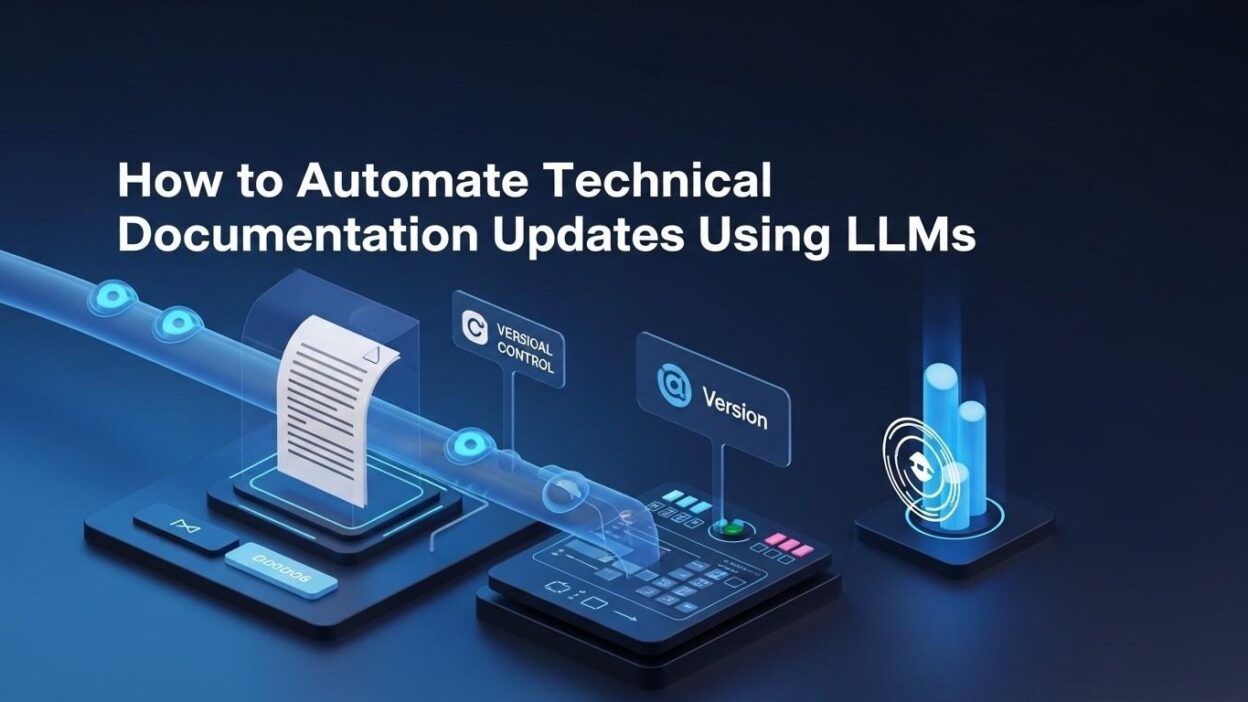
The good news is that modern AI has finally made it practical to automate technical documentation using LLMs. Large language models understand code. They understand context. They can read a diff, understand what changed, and rewrite the relevant documentation section in seconds.
This blog walks through the full picture. You will learn what LLM-powered documentation automation looks like in practice. You will see which tools matter. You will understand the architecture behind a working pipeline. You will also get answers to the questions every team asks before adopting this approach.
Table of Contents
Why Traditional Documentation Maintenance Fails
Most documentation systems rely on humans to notice when something changes. That system breaks down at scale.
Engineers focus on shipping features. Writing docs feels like a secondary task. It gets pushed to the end of the sprint. Then it gets pushed to the next sprint. Eventually it never happens at all.
Even when teams do write documentation, keeping it accurate is a separate challenge. A codebase evolves every day. Functions get renamed. Parameters change. Entire modules get deprecated. The documentation rarely reflects these changes in real time.
The Cost of Stale Documentation
Stale documentation is not just inconvenient. It carries real business costs. Developer onboarding slows significantly when docs contradict the actual code behavior. New engineers waste hours debugging problems that good documentation would solve instantly.
Customer-facing API documentation that shows outdated examples creates support burdens. Users try the examples. The examples fail. They open tickets. Support teams spend time explaining changes that the documentation should cover.
Internal tools suffer too. Teams maintain internal wikis and runbooks. Those documents age out fast. New team members make mistakes because they followed outdated procedures.
Why Manual Updates Do Not Scale
Some teams assign documentation owners. That helps temporarily. But ownership dilutes when teams grow. A documentation owner who manages twelve services cannot keep up with daily code changes across all of them.
Some teams enforce documentation requirements in their PR process. Developers must update docs before merging. This creates friction. Engineers write minimal updates just to satisfy the checklist. The quality is poor. The accuracy is inconsistent.
The core problem is structural. Human attention is limited. Code velocity is high. The gap between the two grows over time. No manual process solves this at scale. That is why teams are choosing to automate technical documentation using LLMs as a systemic fix rather than a patch.
What It Means to Automate Technical Documentation Using LLMs
When people say they want to automate technical documentation using LLMs, they mean different things. Some want automatic generation from scratch. Others want automated updates to existing docs. Some want both.
Understanding the scope helps you build the right solution for your team.
Documentation Generation
LLMs can read source code and generate documentation from scratch. You point the model at a Python function. It reads the signature, the logic, and the docstrings. It produces a clean, human-readable explanation of what the function does, what inputs it expects, and what it returns.
This works well for greenfield projects. You write the code. The LLM writes the first draft of the documentation. Your technical writers review and refine it. The workflow is faster than starting from a blank page.
Documentation Update Detection
This is where the real power lives for most teams. You already have documentation. The problem is keeping it current.
An LLM-powered pipeline can monitor your repository. When a pull request merges, the pipeline reads the diff. It identifies which code sections changed. It maps those changes to corresponding documentation sections. It then generates updated documentation that reflects the new code behavior.
This is what it truly means to automate technical documentation using LLMs in a production environment. The system catches changes you would miss. It drafts updates faster than any human could. Your team reviews the output and approves or refines it.
Semantic Documentation Search and Linking
LLMs also power smarter documentation search. Traditional search matches keywords. LLM-powered search understands meaning. A developer searching for how to handle authentication errors gets relevant results even if they use different words than the documentation.
Some advanced pipelines use LLMs to detect documentation gaps. The model reads existing docs and existing code. It identifies areas where code has no corresponding documentation. It flags those gaps for the team to address.
Multi-Format Output
LLMs handle format flexibility well. The same pipeline can generate markdown for GitHub wikis, OpenAPI specifications for REST APIs, docstrings for Python modules, and structured content for tools like Confluence or Notion. One model. Multiple output formats. All driven by the same source code input.
Core Architecture of an LLM Documentation Pipeline
Building a working pipeline requires understanding each component. Here is how a production-ready system fits together.
The Code Watcher
Your pipeline needs a trigger. The most common trigger is a Git event. When a developer merges a pull request, a webhook fires. A CI/CD job starts. The pipeline receives the list of changed files and the diff content.
GitHub Actions, GitLab CI, and Bitbucket Pipelines all support this trigger pattern. The code watcher is the entry point for your automation flow.
The Diff Analyzer
Raw diffs are noisy. The diff analyzer filters the relevant changes. It ignores formatting fixes and whitespace changes. It focuses on functional changes — renamed functions, new parameters, changed return types, new API endpoints, deprecated methods.
This filtering step is critical. Sending irrelevant diffs to the LLM wastes tokens and produces noise. A clean diff input produces better documentation output.
The Context Builder
LLMs perform better with context. The context builder gathers supporting information before calling the model. It pulls the current documentation for the changed module. It retrieves related documentation sections. It includes relevant code comments and existing docstrings.
The richer the context, the more accurate the generated documentation. Teams that skip this step get generic output. Teams that invest in context building get documentation that reads like it was written by someone who deeply understands the codebase.
The LLM Layer
This is the core of any system built to automate technical documentation using LLMs. The LLM receives the cleaned diff and the assembled context. It receives a carefully crafted prompt. The prompt instructs it to update only what changed, preserve the existing writing style, and maintain the documentation structure.
GPT-4, Claude, and Gemini all perform well for documentation tasks. Many teams use Claude for long-context windows. Long context matters when you need to send entire files or large module documentation to the model at once.
Prompt engineering shapes quality dramatically. A well-written prompt produces documentation that needs minimal human editing. A poor prompt produces output that requires heavy revision. Invest time in your prompts. They are the intelligence layer of your pipeline.
The Review Gate
Automation does not mean zero human involvement. A review gate catches errors before they reach users. The pipeline opens a pull request with the proposed documentation changes. A human reviews the diff. They approve, modify, or reject the changes.
Over time, teams build confidence in the output quality. The review step gets faster. Some low-risk documentation updates get auto-approved based on confidence scoring. The human stays in the loop for high-stakes changes.
The Documentation Store
Updated documentation needs a home. Common destinations include GitHub repositories, Confluence spaces, GitBook projects, and custom documentation portals. The pipeline writes to the target store after human approval.
Version control for documentation is important. Your docs should have the same history as your code. Using a Git-based documentation store makes this natural.
Best Tools to Automate Technical Documentation Using LLMs
The right toolset makes or breaks your pipeline. These tools have proven reliable in production documentation workflows.
LLM Providers
OpenAI GPT-4 handles complex code understanding well. It produces clear, structured documentation with minimal hallucination when given sufficient context. Claude by Anthropic excels at long documents and nuanced rewrites. Gemini Pro integrates cleanly with Google Cloud environments. Most teams test multiple models before settling on one for production use.
Orchestration Frameworks
LangChain is the most widely used framework for building LLM pipelines. It handles prompt templating, model calls, output parsing, and chain composition. LlamaIndex excels at document ingestion and retrieval. It works well when your pipeline needs to pull existing documentation as context before generating updates. Haystack is another strong option for teams building search and retrieval-heavy documentation systems.
Vector Databases for Context Retrieval
Your existing documentation becomes a knowledge base. A vector database stores it as embeddings. When the pipeline processes a code change, it retrieves the most relevant existing documentation as context. Pinecone, Weaviate, ChromaDB, and Qdrant all work well here. This retrieval step is what separates a smart pipeline from a dumb one.
Version Control Integration
GitHub Actions and GitLab CI are the most common CI/CD layers for triggering documentation pipelines. Both support webhooks, job scheduling, and pull request automation. Your documentation pipeline lives here as a workflow file. It triggers on merge events. It posts results as pull requests or comments.
Documentation Platforms
Confluence, Notion, GitBook, and Readme.io are popular targets for automated documentation output. Many have APIs that your pipeline can write to directly. For developer-facing API docs, tools like Swagger UI and Redoc work with OpenAPI specs that LLMs can generate or update automatically.
Step-by-Step: Building Your First Automated Documentation Pipeline
You do not need to build a perfect system from day one. Start small. Expand as confidence grows.
Step One: Define Your Scope
Pick one documentation type to automate first. API reference documentation is the best starting point. It is highly structured. Changes are predictable. The LLM output is easy to validate against the code.
Avoid starting with narrative documentation like tutorials or conceptual guides. Those require more style judgment. Start with structured, reference-style content where accuracy is easy to verify.
Step Two: Set Up Your Trigger
Create a GitHub Actions workflow that fires on pull request merges to your main branch. Configure it to run only when files in specific directories change. This prevents unnecessary pipeline runs for UI changes or config updates that do not affect your API.
Step Three: Build the Diff Parser
Write a script that reads the GitHub diff payload. It should extract changed function names, modified parameters, new endpoints, and removed methods. Output this as a structured JSON object. That object becomes your LLM prompt input.
Step Four: Write Your Prompt
Your prompt is the most important part of a pipeline built to automate technical documentation using LLMs. A strong prompt includes the existing documentation section, the structured diff output, instructions on output format, style guidelines from your documentation standards, and a directive to only update what changed.
Test your prompt with ten real examples before deploying. Measure how often the output requires significant human editing. Refine until the edit rate drops below twenty percent.
Step Five: Add the Review PR Step
Configure your pipeline to open a draft pull request with the proposed documentation changes. The PR description should include a summary of what changed in the code and why the documentation update was generated. This context helps reviewers approve faster.
Step Six: Connect to Your Doc Store
Once the PR is approved, merge it to your documentation repository. If you use Confluence or Notion, add a post-merge step that syncs the markdown to the relevant page via their APIs. Your documentation is now live and accurate.
Common Challenges When You Automate Technical Documentation Using LLMs
Every team hits obstacles. Knowing them in advance helps you plan around them.
Hallucination in Complex Code
LLMs sometimes generate documentation that sounds accurate but is not. This happens most often with complex logic, multiple inheritance patterns, or highly abstract code. The fix is better context. Send more surrounding code. Include test files. The model makes fewer errors with richer input.
Style Inconsistency
Different parts of your documentation may have developed different voices over time. The LLM will mimic whatever style it sees in its context. If the context is inconsistent, the output will be too. Solve this by creating a style guide and including key excerpts from it in your prompt.
Token Limits
Large codebases produce large diffs. Large documentation files exceed model context windows. Use chunking strategies to break large inputs into manageable pieces. Process each chunk separately. Reassemble the output. LlamaIndex handles this well with its document chunking utilities.
Reviewer Fatigue
If the pipeline generates too many low-quality updates, reviewers stop engaging carefully. Quality control at the output stage prevents this. Score each generated update against a rubric before opening a PR. Only open PRs for high-confidence outputs. Route low-confidence outputs to a separate review queue for deeper human attention.
Frequently Asked Questions
Q1: Is it safe to automate technical documentation using LLMs for regulated industries?
Yes, with the right safeguards. Regulated industries like healthcare and finance require accurate documentation. An LLM pipeline with a mandatory human review gate is actually safer than relying solely on manual updates. The pipeline catches changes that humans miss. The review gate ensures nothing publishes without approval. Many compliance teams prefer documented, auditable automation over informal manual processes.
Q2: How accurate are LLMs at generating technical documentation?
Accuracy depends heavily on prompt quality and context richness. Teams with well-crafted prompts and strong context pipelines report that seventy to eighty percent of generated documentation requires little or no editing. The remaining twenty to thirty percent needs targeted revision. Over time, prompt refinement pushes accuracy higher. LLMs are not perfect, but they are faster and more consistent than starting from scratch every time.
Q3: Which LLM works best for documentation automation?
There is no universal answer. GPT-4 performs well for structured API docs. Claude handles longer documents and nuanced rewrites effectively. Gemini integrates smoothly with Google Cloud pipelines. The best approach is to run structured tests with your actual documentation and code. Pick the model that produces the best output for your specific content type.
Q4: Can open-source LLMs automate technical documentation using LLMs at acceptable quality?
Yes. Models like Mistral, LLaMA 3, and CodeLlama produce strong documentation for codebases they are fine-tuned on. Open-source models give you data privacy, lower inference costs, and deployment flexibility. Quality is slightly lower than frontier models for complex documentation tasks. For most standard API and module documentation, open-source models are completely adequate.
Q5: How long does it take to set up an automated documentation pipeline?
A basic pipeline takes one to two weeks to build. This includes setting up the trigger, writing the diff parser, crafting initial prompts, and configuring the review PR workflow. A production-ready pipeline with vector-based context retrieval, confidence scoring, and multi-format output takes four to six weeks. Most teams deploy a simple version first and iterate from there.
Q6: Does automating documentation replace technical writers?
No. Technical writers shift from first-draft writing to quality assurance and strategy. They review LLM output. They refine style guidelines. They identify documentation gaps the pipeline misses. They focus on narrative content like tutorials and conceptual guides that LLMs handle less gracefully. Automation handles the repetitive update work. Human writers handle the work that requires judgment, empathy for the reader, and strategic thinking.
Q7: What happens if the LLM generates incorrect documentation?
The review gate catches it before it reaches users. This is why the human review step is non-negotiable in any responsible pipeline. Beyond the review gate, some teams add automated testing for documentation accuracy. They extract code examples from the documentation and run them. If the examples fail, the documentation update gets flagged for manual correction.
Measuring the ROI of LLM Documentation Automation
Every engineering leader wants to know if the investment pays off. The answer is usually yes, but the metrics matter.
Time Saved Per Sprint
Track how many hours engineers spend on documentation tasks per sprint before automation. Measure the same metric after deployment. Most teams report a sixty to eighty percent reduction in documentation time within the first quarter after launch.
Documentation Freshness Score
Define a freshness score as the percentage of documentation sections that accurately reflect the current code. Measure this before and after automation. Teams that automate technical documentation using LLMs typically improve their freshness score from below fifty percent to above ninety percent within two months.
Support Ticket Volume
Outdated documentation drives support tickets. Track tickets categorized as documentation-related. After automation improves documentation accuracy, this number drops. The reduction translates directly into support team cost savings.
Onboarding Speed
Measure how long it takes new developers to make their first meaningful contribution. Better documentation accelerates this timeline. Teams with automated, accurate documentation report faster onboarding and higher new hire satisfaction scores.
Future of AI-Powered Documentation
The tooling is improving fast. The next generation of documentation automation will go far beyond updating text.
Multimodal Documentation
Future pipelines will generate diagrams, sequence charts, and architecture visuals alongside text. LLMs with vision capabilities already read existing diagrams and suggest updates. Within two years, multimodal documentation pipelines will be standard in mature engineering organizations.
Real-Time Documentation Sync
Today’s pipelines trigger on code merge. Tomorrow’s will sync in real time. Documentation will update the moment a developer saves a file in their IDE. The gap between code and docs will shrink to seconds.
Personalized Documentation
LLMs will generate documentation tailored to the reader. A junior developer sees a beginner-friendly explanation. A senior architect sees a concise technical reference. The same codebase produces multiple documentation versions. Each version serves a different audience.
Teams that start today will be years ahead when these capabilities arrive. The teams building the habit to automate technical documentation using LLMs now will have the pipelines, the data, and the institutional knowledge to take full advantage of next-generation tools.
Read More:-How AI “Software Engineers” Are Changing the SDLC Forever
Conclusion
Documentation debt is a choice. Every team that ignores it pays a price in support costs, engineering frustration, and user churn.
The technology to fix this problem exists right now. LLMs understand code at a level that makes meaningful documentation automation possible. The tools are mature. The patterns are proven. The ROI is clear.
To automate technical documentation using LLMs, you do not need a perfect system from day one. You need a starting point. Pick one documentation type. Build a simple trigger and prompt. Open your first automated pull request. Let the team see what the output looks like. Refine from there.
Every sprint you delay is another sprint of documentation debt accumulating. Every code change that ships without a documentation update is another user who will hit a confusing error.
The teams winning on developer experience right now are the ones who treat documentation as a first-class engineering concern. They automate what can be automated. They free their best writers to do creative, strategic work that AI cannot yet replace.
You now have the knowledge to build this. The architecture is clear. The tools are ready. The case for automation is strong.
Start small. Ship fast. Iterate. Your documentation can finally keep up with your code.