Introduction
TL;DR Every business deals with data entry. It eats hours. It frustrates employees. It produces errors that cost money and time to fix.
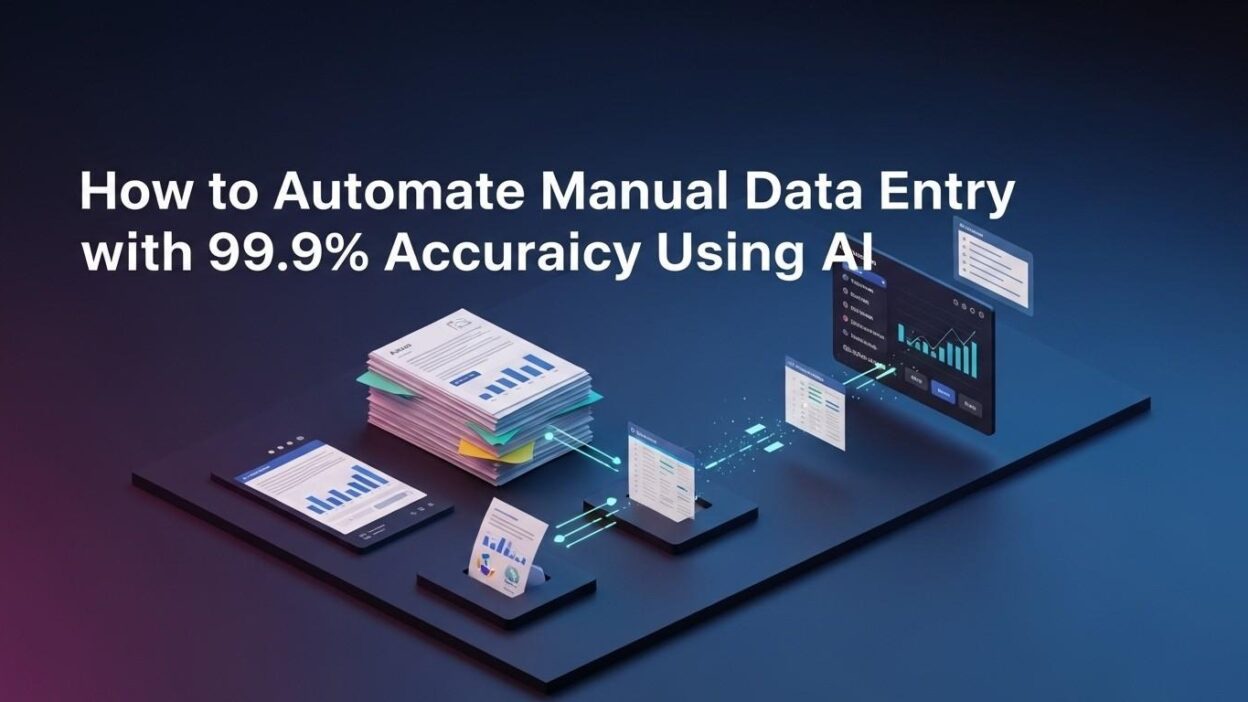
The good news is real. Companies today can automate manual data entry with AI and hit accuracy levels that manual workers simply cannot match. We are talking about 99.9% accuracy. That is not marketing fluff. That is a documented, measurable outcome that thousands of businesses achieve every day.
This blog breaks down everything. You will learn the core technology behind AI data entry, the exact steps to implement it, the tools worth using, the industries winning with it, and the mistakes to avoid. Whether you run a five-person startup or a global enterprise, this guide gives you a clear path forward.
Table of Contents
What Does It Mean to Automate Manual Data Entry with AI?
Manual data entry means a human reads a document, form, invoice, or record and types the information into a system. That process is slow, repetitive, and error-prone. Human error rates in manual data entry range from 1% to 4%. On high volumes, that adds up fast.
To automate manual data entry with AI means replacing or augmenting that human process with intelligent software. The AI reads documents. It extracts data. It validates that data. Then it pushes the clean, accurate information into your target system.
This is not simple copy-paste automation. The AI understands context. It handles messy, unstructured documents. It reads handwriting. It interprets tables, forms, invoices, receipts, and contracts. That intelligence is what pushes accuracy to 99.9%.
The process covers three core capabilities. First, document ingestion — the AI accepts documents in any format. Second, intelligent extraction — the AI identifies and pulls the right data fields. Third, system integration — the AI delivers clean data directly into your CRM, ERP, database, or spreadsheet.
Why Manual Data Entry Is a Serious Business Problem
The True Cost of Manual Data Entry
Manual data entry costs more than most companies realize. The obvious cost is labor. Employees spend hours on tasks that produce zero strategic value. An average data entry worker processes a limited volume of records per hour. Scale that across a team and the cost becomes significant fast.
The hidden cost is errors. A single wrong digit in a customer record can trigger wrong invoices. A misread contract clause can cause compliance failures. A data entry mistake in a medical record can have life-altering consequences. The downstream cost of errors dwarfs the cost of labor.
When you automate manual data entry with AI, both costs drop sharply. Labor shifts from repetitive tasks to higher-value work. Error rates fall from a range of 1%–4% to below 0.1%. The financial case is almost always compelling.
Employee Morale Takes a Hit from Repetitive Work
Repetitive data entry drains employee morale. People hired for analytical or creative roles spend their time typing. That leads to disengagement, burnout, and turnover. High turnover is expensive. Training new data entry staff takes time and money.
AI solves this problem at the root. Employees stop doing the repetitive work. They focus on tasks that use their actual skills. Morale improves. Retention improves. Productivity goes up across the board.
Scaling Without Automation Is Painful
Manual data entry does not scale well. Double the volume, and you need to double the staff. Hiring takes time. Onboarding takes time. Quality suffers during ramp-up. This creates a ceiling on how fast a business can grow.
When you automate manual data entry with AI, scale becomes a non-issue. The system processes ten records or ten million records with the same speed and accuracy. You grow without proportional cost increases. That is a fundamental business advantage.
The Core AI Technologies Behind 99.9% Accuracy
Optical Character Recognition (OCR) Has Evolved
Classic OCR reads printed text from images and PDFs. Modern AI-powered OCR goes far beyond that. It reads handwritten text. It handles poor image quality. It interprets documents in multiple languages. It maintains context across complex layouts.
Legacy OCR struggled with accuracy on real-world documents. Modern AI-OCR from providers like Google Document AI, AWS Textract, and Microsoft Azure Form Recognizer hits accuracy rates above 99% on printed documents and above 95% on handwritten ones.
When you automate manual data entry with AI using modern OCR, you start with a solid accuracy baseline. Validation layers on top of OCR push that number even higher.
Natural Language Processing Understands Document Context
Natural Language Processing (NLP) helps AI understand what a document means, not just what it says. This matters enormously for data extraction.
An invoice might list a “delivery charge” on one line and a “freight fee” on another. Both mean shipping cost. NLP understands that. It maps both to the correct data field. A rules-based system would miss one of them.
NLP also handles variation in document formats. Different vendors use different invoice layouts. NLP extracts the right fields regardless of layout. That flexibility is critical when you automate manual data entry with AI across a diverse document set.
Machine Learning Models Improve With Every Document
Machine learning models learn from data. Every document the AI processes teaches it something. Patterns get reinforced. Edge cases get learned. Accuracy improves over time without manual intervention.
This is one of the biggest advantages of AI over rule-based automation. A traditional rules engine requires manual updates every time a new document format appears. An ML-powered system adapts automatically. It gets better the more you use it.
When you automate manual data entry with AI built on ML, your system becomes more accurate over months and years. The return on investment grows over time, not just at launch.
Intelligent Document Processing Combines All Three
Intelligent Document Processing (IDP) is the umbrella technology that brings OCR, NLP, and ML together. IDP platforms handle the entire data extraction pipeline. They ingest documents, classify them, extract fields, validate the data, and route it to the right destination.
IDP is the most complete way to automate manual data entry with AI. Leading IDP platforms include Hyperscience, ABBYY Vantage, Kofax Intelligent Automation, and UiPath Document Understanding. Each platform has strengths in different industries and document types.
How to Automate Manual Data Entry with AI: A Step-by-Step Implementation Guide
Audit Your Current Data Entry Processes
Start with a clear picture of what you currently do. Identify every process that involves manual data entry. Document the document types, the data fields, the volumes, and the systems involved.
Rank each process by volume, error rate, and business impact. High-volume, high-error-rate processes offer the best ROI from automation. Start there.
This audit also reveals technical requirements. You learn what document formats you work with. You discover what systems need to receive the extracted data. You identify any special handling requirements for sensitive data.
Choose the Right Tool to Automate Manual Data Entry with AI
The market offers many tools. Choosing the wrong one wastes time and money. Match the tool to your specific needs.
For document-heavy workflows like invoice processing or contract review, an IDP platform is the right choice. For web-based data capture, tools like Parseur or Docparser work well. For developers building custom solutions, cloud APIs from Google, AWS, or Azure offer powerful building blocks.
Consider your technical team’s capacity. Some platforms are no-code and easy to configure without developers. Others require engineering resources. Know your constraints before you commit to a tool.
Evaluate tools on five criteria. Accuracy on your specific document types matters most. Integration support for your existing systems is critical. Scalability to handle your peak volumes is non-negotiable. Security and compliance features are essential for regulated industries. Pricing that fits your budget at your expected volume is the final filter.
Prepare and Label Your Training Data
AI models need training data to reach peak accuracy on your specific documents. The more representative your training data, the better the model performs.
Collect a sample set of real documents from your workflows. Aim for at least a few hundred documents per document type. Label them accurately. Mark up every field the model needs to extract. Include edge cases, unusual formats, and low-quality scans.
This step separates average implementations from excellent ones. Companies that invest in quality training data hit 99.9% accuracy. Companies that skip this step get mediocre results and spend months troubleshooting.
When you automate manual data entry with AI properly, data preparation is not optional. It is the foundation that everything else rests on.
Configure Extraction Rules and Validation Logic
Even the best AI model benefits from validation rules. Validation catches errors that slip past the extraction layer. It checks extracted values against expected formats, ranges, and business logic.
A date field should contain a valid date. An invoice total should match the sum of line items. A tax ID should follow the correct format for its country. These checks are simple to configure and powerful in practice.
Build a human-review queue for low-confidence extractions. The AI flags records it is uncertain about. A human reviews only those records. This hybrid approach maintains 99.9% accuracy even on difficult documents while keeping review volume very low.
Integrate with Your Target Systems
The extracted data needs to reach its destination. Map every data field to the correct field in your CRM, ERP, database, or spreadsheet. Test the integration with sample data before going live.
Most IDP platforms offer pre-built connectors for popular systems like Salesforce, SAP, Microsoft Dynamics, and QuickBooks. Custom integrations use APIs. Either way, the integration layer needs thorough testing.
Define what happens when integration fails. Network issues happen. System downtime happens. Your pipeline needs a retry mechanism and an alert system so no records fall through the cracks.
Run a Pilot, Measure Accuracy, Iterate
Do not go live at full scale immediately. Run a pilot with a subset of your real documents. Measure extraction accuracy field by field. Identify where errors occur. Fix extraction rules, retrain the model if needed, and re-measure.
Target 99% accuracy in the pilot before expanding to full scale. Most implementations reach this target within a few weeks of tuning. Document your findings at each iteration. Those records become valuable for future optimization.
When you automate manual data entry with AI at scale, a disciplined pilot process saves enormous headaches. Problems caught in a pilot cost a fraction of problems caught in full production.
Top Tools to Automate Manual Data Entry with AI in 2025
Google Document AI
Google Document AI offers powerful pre-trained models for common document types including invoices, receipts, tax forms, and contracts. It integrates seamlessly with Google Cloud infrastructure. Developers can also train custom models for specialized document types.
Accuracy on standard documents is very high out of the box. The platform is a strong choice for businesses already using Google Cloud. When you automate manual data entry with AI using Document AI, you get enterprise-grade reliability with a relatively simple setup process.
AWS Textract
AWS Textract extracts text, tables, and key-value pairs from documents with high accuracy. It handles structured forms very well. Its integration with the broader AWS ecosystem makes it a natural choice for AWS-heavy organizations.
Textract’s strength is structured document extraction. It reads forms and tables with precision. For businesses processing high volumes of standardized forms, it delivers excellent results at competitive pricing.
Microsoft Azure Form Recognizer
Azure Form Recognizer is Microsoft’s entry into the IDP space. It handles both pre-built models and custom model training. Its tight integration with Microsoft 365 and Power Automate makes it ideal for businesses running on the Microsoft stack.
For companies that want to automate manual data entry with AI inside existing Microsoft workflows, Form Recognizer removes a lot of integration friction. It connects naturally with SharePoint, Teams, and Dynamics 365.
ABBYY Vantage
ABBYY Vantage is a dedicated IDP platform built for enterprise document processing at scale. It supports a wide range of document types and languages. Its skill-based architecture lets teams configure document processing without deep coding knowledge.
ABBYY has decades of experience in document processing. Its accuracy on complex, multi-format document sets is consistently high. For enterprises with serious document volume and diverse document types, ABBYY Vantage is a top-tier choice.
UiPath Document Understanding
UiPath Document Understanding sits inside the UiPath RPA platform. It combines intelligent extraction with robotic process automation. After extracting data, the RPA bot can take action in downstream systems automatically.
This combination is powerful. When you automate manual data entry with AI through UiPath, you get extraction and action in one workflow. The bot extracts invoice data and then enters it into the ERP system without any additional integration work.
Industries Winning with AI Data Entry Automation
Finance and Accounting
Finance teams process enormous volumes of invoices, receipts, bank statements, and expense reports. Manual processing creates bottlenecks and errors. AI automation accelerates month-end close cycles. It improves audit trails. It reduces duplicate payments and missed discounts.
Accounts payable teams that automate manual data entry with AI cut invoice processing time from days to minutes. Accuracy on invoice data extraction regularly exceeds 99%. The ROI in finance is among the fastest of any department.
Healthcare
Healthcare organizations deal with massive volumes of patient records, insurance claims, referral forms, and lab results. Manual data entry in healthcare creates compliance risks and patient safety concerns.
AI-powered data entry automation extracts patient information from intake forms, processes insurance claims automatically, and updates electronic health records without human intervention. Accuracy requirements in healthcare are extreme. Modern AI systems meet those requirements consistently.
Logistics and Supply Chain
Logistics companies process bills of lading, customs forms, delivery receipts, and purchase orders every day. Any delay or error in this data slows shipments and creates costly exceptions.
AI automation reads shipping documents and updates tracking systems in real time. It flags discrepancies between purchase orders and delivery receipts automatically. Companies that automate manual data entry with AI in logistics see faster cycle times and fewer costly exceptions.
Legal
Law firms and legal departments process contracts, court filings, agreements, and discovery documents. Manual review and data entry in legal work is extraordinarily expensive and error-prone.
AI extracts key clauses, dates, parties, and obligations from contracts automatically. It populates matter management systems without manual input. Legal teams that automate manual data entry with AI free senior staff from administrative work and reduce risk from missed obligations.
Retail and E-Commerce
Retailers manage product catalogs, supplier invoices, inventory records, and customer order data. Errors in any of these areas create customer-facing problems.
AI automation keeps product data accurate and up to date. It processes supplier invoices without manual handling. It reconciles inventory counts against purchase orders automatically. Retailers who automate manual data entry with AI run cleaner operations with lower administrative overhead.
Common Mistakes to Avoid When You Automate Manual Data Entry with AI
Skipping the Document Quality Assessment
AI accuracy drops on low-quality inputs. Blurry scans, crumpled documents, and faded ink reduce extraction accuracy. Assess your document quality before committing to an accuracy target. Invest in better scanning equipment if needed. Image pre-processing tools can correct many quality issues automatically.
Underestimating Integration Complexity
The AI extraction is often the easy part. Connecting extracted data to legacy systems is frequently harder than expected. Legacy systems may lack modern APIs. Data field formats may not match. Involve your IT team in the project from day one. Map integration requirements early and build buffer time for integration work.
Ignoring the Change Management Need
Employees whose jobs involve data entry will have concerns about automation. Address those concerns directly. Communicate clearly about how their roles will change. Redirect their energy toward higher-value work. Teams that feel included in the automation journey adapt faster and better.
Setting and Forgetting the System
AI data entry systems need monitoring. Document formats change. New document types appear. Model accuracy can drift over time without maintenance. Build a monitoring dashboard that tracks accuracy metrics daily. Set up alerts for accuracy drops. Schedule quarterly model reviews. When you automate manual data entry with AI well, maintenance is lightweight but never zero.
Measuring Success: Key Metrics to Track
Extraction Accuracy Rate
This is the percentage of data fields extracted correctly without human correction. Target 99%+ as your baseline. Track this metric by document type and by field. Granular accuracy tracking reveals exactly where to focus improvement efforts.
Straight-Through Processing Rate
Straight-through processing (STP) rate measures the percentage of documents the AI processes end-to-end without any human review. A high STP rate means the system is truly automating the work, not just assisting humans. Target 80–90% STP after initial tuning.
Processing Time Per Document
Track how long the system takes to process each document from ingestion to delivery. AI should process documents in seconds, not hours. Compare this to your baseline manual processing time to quantify the speed gain.
Cost Per Document Processed
Calculate the total system cost divided by the number of documents processed. Compare this to the cost per document under manual processing. This metric makes the financial ROI concrete and communicable to business stakeholders.
Frequently Asked Questions
Can AI really achieve 99.9% accuracy on data entry?
Yes. Modern AI systems that combine OCR, NLP, and validation logic consistently achieve 99%+ accuracy on well-defined document types. Accuracy depends heavily on document quality, training data quality, and validation rule design. Implementations that follow best practices regularly reach 99.9%.
How long does it take to implement AI data entry automation?
Simple implementations with pre-built models can go live in two to four weeks. Complex enterprise implementations with custom model training and deep system integrations take three to six months. The pilot phase adds time but significantly improves final accuracy.
Is AI data entry automation suitable for small businesses?
Yes. Many platforms offer affordable pricing tiers suitable for small business volumes. Cloud-based tools like Parseur, Docparser, and AWS Textract have low entry costs. Small businesses that automate manual data entry with AI free up owner and staff time for higher-value activities.
What document types can AI handle?
Modern AI handles invoices, receipts, contracts, purchase orders, bank statements, tax forms, insurance claims, medical records, shipping documents, identity documents, and more. Custom model training extends coverage to any specialized document type a business uses.
How does AI handle handwritten documents?
AI-powered handwriting recognition has improved dramatically. Modern models achieve 90–95% accuracy on clear handwriting. Accuracy drops on poor handwriting or damaged documents. Human review queues catch low-confidence extractions from handwritten sources.
What happens when the AI is not confident about an extraction?
Well-designed systems route low-confidence extractions to a human review queue. A human verifies or corrects those specific fields. The AI learns from corrections over time. This hybrid approach ensures accuracy never falls below acceptable levels even on difficult documents.
How secure is AI data entry automation for sensitive data?
Enterprise AI platforms offer strong security features including encryption at rest and in transit, role-based access control, audit logs, and compliance certifications like SOC 2, HIPAA, and GDPR. Choose a platform with certifications appropriate for your industry. Always review the vendor’s data handling policies before processing sensitive information.
Read More:-Building a Custom AI Patient Portal for Healthcare Automatio
Conclusion

Manual data entry is one of the most solvable problems in modern business. The technology exists. The tools are mature. The ROI is clear and measurable.
When you automate manual data entry with AI, you stop paying for slow, error-prone human processing. You get speed, accuracy, and scale that manual operations cannot deliver. You free your people to do work that actually demands their intelligence.
The 99.9% accuracy target is real. Companies across finance, healthcare, logistics, legal, and retail achieve it every day. The path to get there is structured and well-defined. Audit your processes. Choose the right tool. Invest in training data. Configure strong validation. Integrate cleanly. Pilot carefully. Measure rigorously.
Start with one high-volume, high-error-rate process. Show results. Expand from there. Every step you take to automate manual data entry with AI compounds into real competitive advantage.
The businesses that act now will build operational advantages that are very hard to replicate. The ones that wait will spend years catching up. The decision is straightforward. The tools are ready. The results are proven.