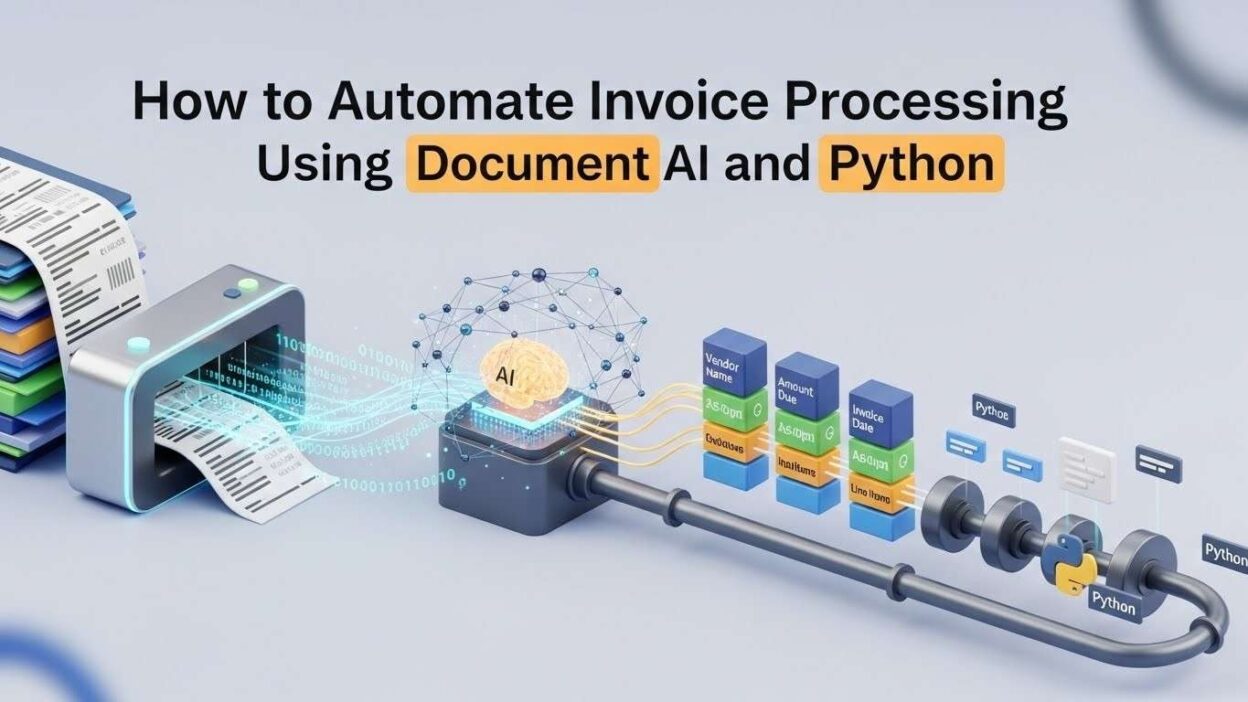
Introduction
TL;DR Manual invoice processing drains time, money, and resources from your business operations. Finance teams spend countless hours extracting data from invoices, entering information into systems, and verifying accuracy. Human error creeps into manual processes regardless of how careful your team members are.
Automate Invoice Processing solutions offer a revolutionary approach to handling financial documents. Modern Document AI technologies combined with Python programming create powerful automation systems. Your business can process hundreds of invoices in minutes instead of days.
This comprehensive guide walks you through building an automated invoice processing system from scratch. You’ll discover practical techniques, code examples, and real-world implementation strategies. The knowledge you gain will transform your accounts payable operations completely.
Table of Contents
Understanding the Invoice Processing Challenge
The Cost of Manual Invoice Handling
Businesses process thousands of invoices annually through manual data entry methods. Each invoice requires someone to open emails, download attachments, and extract relevant information. Your finance team spends approximately 5-10 minutes per invoice on data entry alone.
The average cost per invoice ranges from $15 to $40 for manual processing. Large enterprises handling 10,000 invoices monthly spend up to $400,000 annually on processing costs. Small businesses face similar burden relative to their operational budgets.
Human error rates in manual data entry hover around 1-3% industry-wide. These mistakes lead to payment delays, vendor relationship issues, and accounting discrepancies. Your business reputation suffers when invoices get processed incorrectly or late.
Common Invoice Processing Bottlenecks
Invoice formats vary dramatically across different vendors and industries. Some suppliers send PDFs while others prefer image files or scanned documents. Your team struggles to maintain consistency when dealing with multiple formats.
Approval workflows create additional delays in traditional processing systems. Invoices sit in email inboxes waiting for manager review and authorization. The average invoice approval cycle takes 3-5 business days minimum.
Data validation poses another significant challenge for manual processing operations. Staff members must verify vendor information, check purchase order numbers, and confirm pricing accuracy. This verification process consumes substantial time and mental energy.
What is Document AI and How Does It Work
Core Technologies Behind Document AI
Document AI leverages artificial intelligence to extract, classify, and understand document content. The technology combines optical character recognition, machine learning, and natural language processing. Your system learns to identify patterns and extract relevant information automatically.
Machine learning models train on thousands of invoice examples to recognize data fields. The algorithms identify vendor names, invoice numbers, dates, line items, and total amounts. Your accuracy improves continuously as the system processes more documents.
Cloud-based Document AI services from Google, AWS, and Azure offer pre-trained models. These platforms provide APIs that integrate easily with your existing business applications. You can automate invoice processing without building machine learning models from scratch.
Key Capabilities for Invoice Automation
Document AI excels at extracting structured data from unstructured invoice documents. The technology recognizes text regardless of font styles, sizes, or document quality. Your system handles both digital PDFs and scanned paper invoices equally well.
Classification capabilities sort documents into appropriate categories automatically. Invoices, receipts, purchase orders, and contracts each get routed to proper workflows. Your processing pipeline handles multiple document types without manual intervention.
Validation features compare extracted data against existing records and business rules. The system flags discrepancies, duplicate invoices, and suspicious amounts for human review. Your team focuses attention only on exceptions requiring judgment calls.
Why Python is Perfect for Invoice Automation
Python’s Advantages for Document Processing
Python offers extensive libraries specifically designed for document processing and automation tasks. Libraries like PyPDF2, pdf2image, and Pillow handle various file formats effortlessly. Your development time shrinks dramatically compared to other programming languages.
The Python ecosystem includes powerful tools for API integration and data manipulation. Requests library simplifies API calls to Document AI services. Pandas handles data transformation and export to accounting systems seamlessly.
Python’s readability makes maintaining and updating automation scripts straightforward. New team members understand the code quickly without extensive training. Your organization can adapt the system as business requirements evolve.
Popular Python Libraries for Invoice Processing
The PyPDF2 library extracts text and metadata from PDF invoice files. You can split multi-page invoices, merge documents, and manipulate PDF structure programmatically. This foundation supports more advanced Document AI processing.
OpenCV and Pillow libraries handle image preprocessing for scanned invoices. These tools improve image quality through deskewing, noise reduction, and contrast enhancement. Your OCR accuracy increases significantly with proper image preparation.
Beautiful Soup and lxml parse HTML invoices received through email or downloaded from vendor portals. Regular expressions extract specific data patterns from unstructured text. Your system handles diverse input formats with appropriate parsing strategies.
Setting Up Your Development Environment
Required Software and Tools
Python 3.8 or newer provides the foundation for your invoice automation system. Download the latest stable release from the official Python website. Your installation should include pip for managing additional packages and dependencies.
A code editor like Visual Studio Code or PyCharm enhances development productivity. These tools offer syntax highlighting, debugging capabilities, and integrated terminal access. Your coding experience becomes more efficient with proper IDE configuration.
Git version control tracks changes to your automation scripts over time. GitHub or GitLab repositories enable collaboration and backup of your codebase. Your team can work on different features simultaneously without conflicts.
Installing Essential Python Packages
The Google Cloud Vision API client library enables access to powerful Document AI features. Install the package using pip install google-cloud-vision in your terminal. Your Python scripts can now send invoice images for intelligent processing.
Pandas library installation through pip install pandas provides data manipulation capabilities. This package transforms extracted invoice data into structured formats for database insertion. Your workflow includes easy export to CSV, Excel, or JSON formats.
The requests library handles HTTP API calls to various Document AI services. Install using pip install requests for simplified API interaction. Your code can automate invoice processing by connecting to multiple cloud platforms.
Choosing the Right Document AI Service
Google Cloud Document AI
Google Cloud Document AI offers specialized invoice parsing capabilities through pre-trained models. The Invoice Parser API identifies key fields like vendor details, invoice numbers, and line items. Your implementation requires minimal training data to achieve high accuracy.
The platform provides confidence scores for each extracted field. Low confidence items get flagged automatically for human verification. Your quality control process focuses only on uncertain extractions.
Pricing follows a pay-per-document model starting at $1.50 per 1,000 pages. Volume discounts apply for enterprises processing large invoice quantities monthly. Your costs scale proportionally with actual usage without upfront commitments.
AWS Textract
Amazon Textract extracts text and data from scanned documents including invoices. The service identifies tables, forms, and key-value pairs automatically. Your Python code accesses these capabilities through the boto3 SDK.
Textract’s analyze_expense API specifically targets invoice and receipt processing. The feature extracts vendor names, dates, totals, and itemized charges with high accuracy. Your automation becomes more reliable with purpose-built expense analysis.
AWS charges based on the number of pages processed and analysis type. Standard text extraction costs $1.50 per 1,000 pages while expense analysis runs $50 per 1,000 pages. Your budget planning should account for these service fees.
Azure Form Recognizer
Microsoft Azure Form Recognizer provides pre-built models for invoice processing. The service handles invoices in multiple languages and various layouts. Your global operations benefit from multilingual invoice support.
Custom model training allows tailoring recognition to your specific invoice formats. Upload sample invoices to improve accuracy for recurring vendor templates. Your system learns unique patterns in your business invoices.
Azure pricing includes a free tier with 500 pages monthly. Paid plans start at $1.50 per 1,000 pages for standard invoices. Your small-scale testing costs nothing before committing to production deployment.
Building Your First Invoice Processing Script
Reading and Preparing Invoice Files
Your Python script begins by importing necessary libraries for file handling. The os and glob modules locate invoice files in designated folders. Your automation monitors specific directories for new invoice arrivals.
Image preprocessing improves OCR accuracy for scanned or photographed invoices. Convert images to grayscale, adjust contrast, and remove noise using OpenCV. Your Document AI service receives optimized images for better extraction results.
PDF invoices require conversion to images for some Document AI services. The pdf2image library transforms PDF pages into PIL Image objects. Your pipeline handles both native PDF text and image-based PDF documents.
Calling Document AI APIs
API authentication requires service account credentials or API keys from your chosen provider. Store credentials securely using environment variables or secret management systems. Your application accesses Document AI services with proper authorization.
The requests library posts invoice images to Document AI endpoints. Encode images in base64 format as required by most API specifications. Your HTTP request includes the invoice data and processing parameters.
API responses return JSON structures containing extracted fields and confidence scores. Parse the JSON response to access vendor names, amounts, dates, and line items. Your code transforms this structured data into usable formats for downstream systems.
Extracting Key Invoice Data Fields
Identifying Vendor Information
Vendor name extraction locates the supplier identity at the invoice top. Document AI searches for common patterns and positions where vendor names appear. Your system captures the official business name for accurate record matching.
Vendor address details including street, city, and postal code get extracted separately. These fields support vendor verification and duplicate detection logic. Your database maintains complete vendor contact information automatically.
Tax identification numbers and vendor codes assist in matching invoices to existing records. The extraction algorithm identifies alphanumeric patterns matching tax ID formats. Your validation process confirms vendor legitimacy before processing payments.
Capturing Invoice Numbers and Dates
Invoice number extraction identifies unique transaction identifiers for tracking purposes. Document AI recognizes various numbering formats including pure numeric, alphanumeric, and prefixed sequences. Your system uses invoice numbers for duplicate detection and reference.
Invoice date fields specify when the vendor issued the billing document. Date parsing handles multiple formats like MM/DD/YYYY, DD-MM-YYYY, and ISO 8601. Your automation converts all dates to a standardized format for database storage.
Due date extraction enables automatic payment scheduling based on vendor terms. The system calculates payment deadlines and triggers alerts for approaching due dates. Your cash flow management improves through automated deadline tracking.
Processing Line Items and Amounts
Line item extraction captures individual products or services listed on invoices. Each line includes descriptions, quantities, unit prices, and extended amounts. Your detailed records support expense categorization and budget analysis.
Subtotal, tax, and total amount fields undergo careful extraction and validation. The system performs mathematical verification ensuring line items sum to stated totals. Your data quality improves through automatic calculation checks.
Currency identification handles invoices denominated in different monetary units. Multi-currency support becomes essential for international business operations. Your accounting system receives properly tagged currency information for each invoice.
Implementing Data Validation Rules
Verifying Invoice Authenticity
Duplicate invoice detection compares new submissions against historical processing records. The system checks invoice numbers, vendor names, and amounts for exact matches. Your business avoids paying the same invoice twice accidentally.
Vendor validation confirms that the supplier exists in your approved vendor database. Unknown vendors trigger review workflows requiring procurement team approval. Your payment security increases through systematic vendor verification.
Purchase order matching ensures invoices correspond to authorized procurement activities. The system cross-references PO numbers listed on invoices with your purchasing records. Your three-way matching process catches unauthorized or incorrect invoices.
Applying Business Logic Rules
Amount threshold rules route high-value invoices through enhanced approval workflows. Invoices exceeding $10,000 might require CFO review before payment authorization. Your risk management policies get enforced automatically through rule-based routing.
Budget checking compares invoice amounts against departmental spending allocations. The system flags invoices that would exceed approved budgets. Your financial controls prevent overspending without manual intervention.
Payment term verification ensures vendor invoices comply with negotiated discount windows. Early payment discounts get calculated automatically when applicable. Your working capital optimization improves through strategic discount capture.
Integrating with Accounting Systems
Exporting Data to QuickBooks
QuickBooks API integration pushes validated invoice data directly into your accounting software. The connection creates vendor bills with all extracted line items and details. Your double data entry eliminates completely through direct system integration.
API authentication uses OAuth 2.0 for secure access to QuickBooks online accounts. Your Python script obtains access tokens and refreshes them automatically. The connection remains active without manual reauthorization.
Error handling catches API failures and retries failed transactions appropriately. Detailed logs track which invoices successfully imported and which require attention. Your accounting team receives clear status reports on automation activities.
Connecting to SAP or Oracle
Enterprise resource planning systems require different integration approaches than small business accounting software. REST APIs or SOAP web services facilitate communication with SAP and Oracle. Your enterprise-grade automation handles complex ERP data structures.
Batch processing uploads multiple invoices simultaneously for improved efficiency. The system groups invoices by vendor or department for logical processing units. Your ERP system receives organized data batches at scheduled intervals.
Custom field mapping translates Document AI output into ERP-specific field names. Each accounting system uses different terminology and data structures. Your integration layer handles these transformations transparently.
Handling Exceptions and Edge Cases
Low Confidence Extractions
Confidence score thresholds determine which invoices require human review. Fields scoring below 85% confidence get flagged for manual verification. Your quality assurance process focuses human effort where it matters most.
Review queues present flagged invoices to accounts payable staff through user-friendly interfaces. Side-by-side comparisons show original documents alongside extracted data. Your team quickly validates or corrects uncertain extractions.
Machine learning feedback loops use human corrections to improve future accuracy. The system learns from mistakes and adjusts extraction algorithms accordingly. Your automate invoice processing accuracy improves continuously over time.
Non-Standard Invoice Formats
Template customization handles vendors using unique invoice layouts. Your system can define extraction rules for specific vendor templates. Regular suppliers receive optimized processing through learned patterns.
Fallback mechanisms revert to basic OCR when Document AI fails on unusual formats. The system extracts whatever text it can and requests full manual review. Your processing never completely fails regardless of document complexity.
Manual upload interfaces allow staff to process one-off invoices that automation cannot handle. These exceptions get tracked for potential pattern recognition in future updates. Your system evolves to accommodate new invoice types gradually.
Optimizing Processing Performance
Batch Processing Strategies
Scheduled batch runs process accumulated invoices during off-peak hours. Your system monitors designated email folders or FTP directories for new arrivals. Overnight processing ensures invoices are ready for morning review.
Parallel processing distributes invoice handling across multiple CPU cores or cloud workers. Each invoice gets processed independently for maximum throughput. Your processing speed increases linearly with additional computing resources.
Queue management prioritizes urgent invoices over routine submissions. Express handling rushes critical vendor invoices through the system immediately. Your important suppliers receive faster payment processing automatically.
Caching and Cost Optimization
Invoice deduplication prevents reprocessing the same document multiple times. Hash-based identification recognizes previously processed invoices instantly. Your API costs decrease by avoiding unnecessary Document AI calls.
Result caching stores extraction outputs for potential reuse or analysis. Historical data enables reporting on processing volumes and accuracy trends. Your business intelligence benefits from comprehensive automation metrics.
API call optimization minimizes requests through intelligent preprocessing decisions. Simple, high-quality invoices might bypass expensive AI analysis entirely. Your cost efficiency improves through selective service usage.
Monitoring and Maintaining Your System
Setting Up Logging and Alerts
Comprehensive logging records every step of the invoice processing pipeline. Timestamps, invoice identifiers, and processing results get written to log files. Your debugging efforts resolve issues quickly with detailed audit trails.
Error alerts notify administrators immediately when processing failures occur. Email or Slack notifications ensure problems get addressed promptly. Your system uptime remains high through proactive monitoring.
Success metrics dashboards visualize processing volumes, accuracy rates, and cost savings. Real-time statistics show how many invoices your automation handled today. Your management team sees tangible benefits from the investment.
Regular System Updates
Dependency updates keep your Python packages current with latest security patches. Schedule monthly reviews of package versions and upgrade systematically. Your system security remains strong against emerging vulnerabilities.
Model retraining incorporates new invoice samples for improved accuracy over time. Quarterly training cycles adapt to changing vendor formats and business requirements. Your accuracy maintains high standards despite evolving invoice landscapes.
Feature additions enhance automation capabilities based on user feedback. Your development roadmap prioritizes improvements delivering maximum business value. The system grows more capable through continuous enhancement.
Real-World Implementation Success Stories
Small Business Achievement
A consulting firm processing 500 monthly invoices implemented Document AI automation. The business reduced invoice processing time from 3 days to 4 hours. Staff redirected freed time toward higher-value financial analysis activities.
Accuracy improved from 95% manual entry rate to 98% automated extraction. The reduction in payment errors strengthened vendor relationships significantly. Your similar-sized business can achieve comparable results with proper implementation.
Return on investment appeared within 6 months through labor cost savings. The firm calculated $40,000 annual savings after accounting for automation costs. Your financial justification becomes clear with quantified benefits.
Enterprise Scale Success
A manufacturing company processes 15,000 invoices monthly across multiple divisions. The enterprise deployed cloud-based automation to automate invoice processing comprehensively. Processing costs dropped from $25 per invoice to $3 per invoice.
The automation system handles invoices in 12 languages from international suppliers. Multi-currency support simplified global procurement operations dramatically. Your multinational organization faces similar challenges this technology addresses.
Days payable outstanding decreased by 15% through faster processing cycles. Improved cash flow management yielded substantial working capital benefits. Your treasury operations gain strategic advantages from invoice automation.
Frequently Asked Questions
What accuracy can I expect from automated invoice processing?
Modern Document AI systems achieve 95-99% accuracy on standard invoice formats. Custom training improves accuracy for your specific vendor templates. Human review of low-confidence extractions maintains overall quality above 99%. Your results depend on invoice quality and system configuration.
How much does it cost to automate invoice processing?
Initial development costs range from $5,000 to $50,000 depending on complexity. Cloud service fees typically run $0.50 to $2.00 per invoice processed. Your total cost of ownership remains far below manual processing expenses. Return on investment usually appears within 6-12 months.
Can the system handle handwritten invoices?
Document AI technologies struggle with pure handwritten content currently. Hybrid invoices mixing printed and handwritten elements work better. Your system flags fully handwritten invoices for manual processing. Technology improvements continue advancing handwriting recognition capabilities.
What happens if the AI extracts data incorrectly?
Confidence scoring flags uncertain extractions for human verification automatically. Your staff reviews and corrects flagged items before payment authorization. Corrections feed back into the learning system for future improvement. Multiple validation layers prevent incorrect payments from occurring.
How long does implementation take?
Basic automation systems deploy in 4-8 weeks for straightforward requirements. Enterprise implementations with custom integrations take 3-6 months typically. Your timeline depends on complexity, resources, and existing system landscape. Phased rollouts allow testing before full production deployment.
Does automation work with my existing accounting software?
Most modern accounting platforms offer APIs enabling integration with automation systems. QuickBooks, Xero, SAP, Oracle, and NetSuite all support programmatic data import. Your specific software compatibility should be verified during planning phases. Custom integration development handles unique or legacy systems.
What technical skills do I need to implement this?
Basic Python programming knowledge suffices for simple automation projects. Understanding of APIs and JSON data structures proves helpful. Your team might need Python developers for complex customization. Many no-code platforms now offer invoice automation without programming requirements.
Can I automate invoice processing for multiple companies?
Multi-tenant architectures support processing invoices for numerous legal entities simultaneously. Separate data segregation ensures proper accounting for each business unit. Your enterprise can centralize invoice processing across subsidiaries or divisions. Client-specific rules and integrations customize behavior per entity.
Security and Compliance Considerations
Protecting Sensitive Financial Data
Invoice documents contain confidential business information requiring strong security measures. Encrypt invoice files during transmission and storage using industry-standard protocols. Your data protection satisfies privacy regulations and customer expectations.
Access controls limit invoice viewing to authorized personnel only. Role-based permissions ensure staff see only relevant invoices for their responsibilities. Your audit trail tracks who accessed which invoices and when.
Secure API credential storage prevents unauthorized access to Document AI services. Environment variables or dedicated secret management systems safeguard authentication keys. Your production credentials never appear in source code or version control.
Meeting Regulatory Requirements
Financial record retention policies mandate storing invoices for specific periods. Your automation system maintains complete invoice archives meeting legal requirements. Document retention spans typically range from 3-7 years depending on jurisdiction.
Audit trail requirements demand detailed logging of processing activities. Every extraction, validation, and approval gets recorded with timestamps and user identities. Your compliance team can reconstruct complete invoice processing history.
Data privacy regulations like GDPR require careful handling of personal information. Vendor invoices might contain individual names requiring privacy protection. Your system implements appropriate data handling and retention policies.
Scaling Your Invoice Automation
Expanding to Additional Document Types
Purchase order automation follows similar technical approaches as invoice processing. Your existing infrastructure extends to handle PO documents with minimal modification. Receipt processing and expense report automation represent additional expansion opportunities.
Contract analysis uses Document AI to extract key terms and obligations. Your legal and procurement teams benefit from automated contract review. The fundamental technology serves multiple document processing needs.
Bill of lading and shipping documents automate supply chain operations. Your logistics coordination improves through automated document handling. The same Python skills and tools apply across diverse business documents.
Growing from Pilot to Production
Pilot programs prove automation viability with limited scope and risk. Start with one department or vendor subset to validate the approach. Your initial success builds momentum for broader organizational adoption.
Gradual rollout phases introduce automation to additional invoice sources incrementally. Each phase incorporates lessons learned from previous deployments. Your change management process ensures smooth adoption across the organization.
Full production deployment processes thousands of invoices with minimal manual intervention. Your mature automation system becomes integral to accounts payable operations. Continuous monitoring and improvement maintain high performance standards indefinitely.
Read More:-The Complete Guide to Fine-Tuning Llama 3 for Your Specific Business Niche
Conclusion

The journey to automate invoice processing transforms your accounts payable operations fundamentally. Manual data entry and error-prone workflows become obsolete through intelligent automation. Your business captures immediate benefits in cost savings, accuracy, and processing speed.
Document AI technologies combined with Python programming create powerful and accessible solutions. You don’t need massive budgets or specialized expertise to implement effective automation. Start small with pilot projects and expand as you gain experience and confidence.
The investment in invoice automation delivers returns far exceeding initial costs. Your finance team redirects effort from mundane data entry to strategic financial analysis. Processing costs drop dramatically while accuracy and vendor satisfaction improve significantly.
Implementation challenges exist but proven solutions and best practices guide successful deployments. Choose appropriate Document AI services matching your volume and budget requirements. Your technical decisions should balance functionality, cost, and ease of integration.
Security and compliance considerations demand attention throughout your automation journey. Protect sensitive financial data through encryption, access controls, and audit logging. Your system must satisfy both internal policies and external regulatory requirements.
The future of invoice processing lies in intelligent automation and continuous improvement. Machine learning systems grow more capable as they process additional invoices. Your automation investment appreciates over time through enhanced capabilities and expanded use cases.
Begin your automation journey today by evaluating your current invoice processing workflow. Identify pain points and calculate the costs of manual processing. Your business case for automation becomes clear when you quantify existing inefficiencies.
Test Document AI services with sample invoices from your actual vendors. Evaluate extraction accuracy and identify any challenging formats requiring attention. Your proof of concept demonstrates feasibility before committing to full implementation.
Partner with experienced developers or automation consultants if internal resources are limited. Many firms specialize in accounts payable automation and can accelerate your deployment. Your success probability increases with proper expertise and guidance.
The ability to automate invoice processing represents a competitive advantage in modern business. Organizations processing invoices faster and cheaper can negotiate better vendor terms. Your operational efficiency improvements contribute directly to bottom-line profitability.
Remember that automation serves your team rather than replacing human judgment. Staff focus on exceptions, strategic decisions, and relationship management. Your people remain essential while technology handles repetitive tasks.
Start building your automated invoice processing system today. The technical barriers are lower than ever before. Your business deserves the benefits that modern automation technology delivers.