Introduction
TL;DR Your voice assistant just misunderstood a customer’s urgent request. The caller repeated themselves three times. Frustration mounted with each failed attempt. Your team discovered the issue only after receiving negative reviews.
This scenario happens more often than companies want to admit. Voice AI systems handle thousands of conversations daily. Problems hide in the noise until they become crises. You need visibility into what’s happening right now.
AI voice debugging tools solve this critical challenge. These specialized platforms monitor conversations as they unfold. They catch errors before users hang up in frustration. Smart debugging transforms reactive troubleshooting into proactive quality management.
This guide explores the essential tools and techniques for voice AI monitoring. You’ll discover how to implement real-time debugging that protects your customer experience. Your voice systems can finally deliver the reliability users expect.
Table of Contents
Understanding AI Voice Debugging Tools
Voice AI systems create unique monitoring challenges. Speech recognition layers can fail silently. Natural language understanding misinterprets complex requests. Text-to-speech generation produces awkward phrasing.
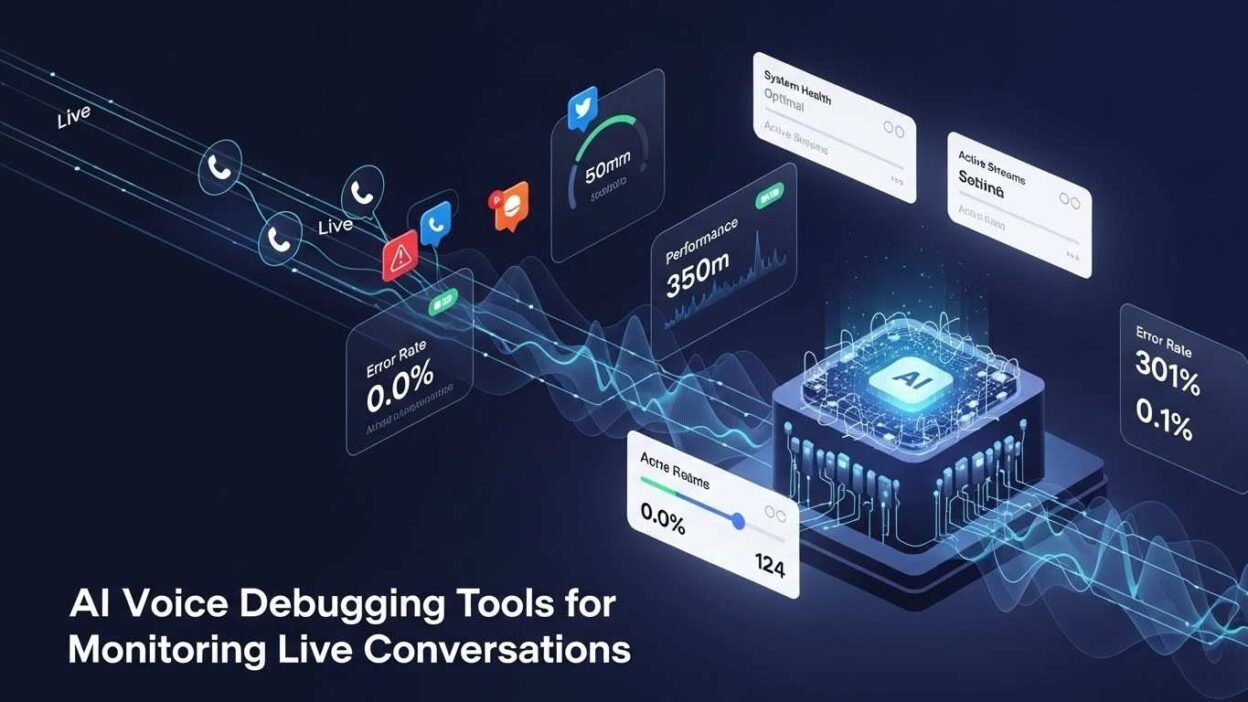
AI voice debugging tools provide specialized capabilities for these audio-first interactions. They transcribe conversations in real-time with precision. Intent classification confidence scores appear instantly. Audio quality metrics flag connection problems immediately.
These tools differ fundamentally from traditional software debugging. You can’t set breakpoints in human speech. Stack traces don’t exist for conversation flows. Reproduction of voice bugs requires exact audio conditions.
Modern debugging platforms capture complete conversation context. They record raw audio alongside processed transcripts. Metadata includes speaker identification and timing information. Integration points track how different AI components interact.
The monitoring scope extends beyond simple error detection. Performance metrics reveal processing latencies that frustrate users. Acoustic analysis identifies background noise interference. Emotion detection flags dissatisfied callers in real-time.
Understanding these capabilities helps you choose the right tools. Your specific use case determines which features matter most. Healthcare voice systems need different monitoring than e-commerce assistants.
The Critical Need for Live Conversation Monitoring
Voice interactions happen at the speed of human speech. Problems must surface just as quickly. Delayed detection means lost customers and damaged reputation.
Customer expectations for voice AI run exceptionally high. People tolerate glitches in text chat more easily. Voice feels more personal and human-like. Failures feel like betrayals of trust rather than technical hiccups.
Financial impact from voice AI problems accumulates rapidly. Call centers handle hundreds of conversations simultaneously. A single bug multiplies across all active sessions. Revenue loss compounds by the minute during outages.
Brand damage spreads through word-of-mouth faster with voice. Users share terrible phone experiences with friends and family. Social media amplifies particularly egregious voice AI failures. Your company’s reputation suffers lasting harm.
Compliance risks intensify in voice interactions. Regulated industries must maintain conversation records. Monitoring ensures you capture everything accurately. Missing data during audits creates serious legal exposure.
Competitive pressure demands voice quality excellence. Users compare your assistant to Alexa and Google Assistant. They expect similar reliability and intelligence. Subpar performance drives customers to competitors immediately.
AI voice debugging tools provide the visibility required for confidence. You know exactly how systems perform under real conditions. Problems get addressed before escalating into crises. Your team operates from data rather than guesswork.
Core Features of Effective Debugging Tools
The best AI voice debugging tools share essential characteristics. These features enable comprehensive monitoring without overwhelming your team.
Real-time transcription accuracy determines everything downstream. Tools must convert speech to text with minimal errors. Speaker diarization separates multiple voices correctly. Punctuation and formatting improve readability significantly.
Intent recognition visibility shows what the system understands. Confidence scores indicate interpretation certainty. Alternative intent hypotheses reveal near-miss scenarios. This transparency helps diagnose misunderstanding patterns.
Audio quality monitoring catches technical issues early. Signal-to-noise ratios quantify background interference. Bandwidth limitations show up in connection metrics. Echo detection identifies problematic audio hardware.
Latency tracking measures response time at each processing stage. Speech recognition delays frustrate users quickly. Natural language processing bottlenecks cause awkward pauses. End-to-end timing reveals the complete user experience.
Context window inspection shows conversation state at any moment. Entity extraction results display what information the system captured. Slot filling status indicates whether the system gathered necessary details. Memory persistence tracking confirms the system remembers previous turns.
Sentiment analysis provides emotional temperature readings. Frustration detection alerts teams to struggling conversations. Satisfaction indicators validate positive experiences. Trend analysis reveals emotional patterns over time.
Error categorization organizes problems systematically. Acoustic failures differ from linguistic misunderstandings. System crashes require different responses than bad training data. Proper categorization accelerates root cause analysis.
Integration capabilities connect debugging to your broader stack. API access enables custom dashboards and alerts. Webhook support triggers automated responses to problems. Export functionality feeds data to analytics platforms.
Real-Time Audio Quality Monitoring
Voice quality determines whether AI can even attempt to help users. Poor audio cripples the smartest algorithms. Monitoring acoustic conditions protects downstream processing.
Signal strength measurements indicate connection stability. Weak signals cause dropouts and missing words. Packet loss manifests as choppy, unintelligible speech. These metrics predict imminent call failures.
Noise floor analysis separates speech from background sounds. High ambient noise masks user speech completely. Traffic, construction, and crowds create challenging conditions. Tools quantify this interference objectively.
Frequency response analysis ensures full spectrum capture. Telephone systems limit bandwidth significantly. Mobile connections vary in quality dynamically. Understanding these constraints informs system tuning.
Echo and reverberation detection identifies acoustic problems. Speakerphone conversations create echo chambers. Large rooms produce confusing reverberations. These conditions degrade speech recognition accuracy dramatically.
Microphone quality assessment reveals hardware limitations. Cheap microphones introduce artifacts and distortion. Damaged equipment produces crackling and buzzing. Identifying bad hardware prevents systematic failures.
Codec compatibility verification ensures proper audio encoding. Mismatched codecs cause garbled audio. Transcoding introduces quality loss. Monitoring confirms all components speak the same audio language.
Adaptive bitrate monitoring tracks dynamic quality adjustments. Network congestion forces quality compromises. Understanding these tradeoffs helps set realistic expectations. You can’t fix interpretation problems caused by terrible audio.
Real-time alerts notify teams when audio quality plummets. Automated responses might suggest users move to quieter locations. Some systems offer callback options during poor connections. Proactive intervention prevents complete conversation failure.
Speech Recognition Performance Tracking
Accurate transcription forms the foundation of voice AI. Recognition errors cascade through every subsequent processing step. Monitoring transcription quality reveals systemic problems.
Word error rate calculation quantifies transcription accuracy. This metric compares system output to ground truth. Lower error rates indicate better recognition performance. Industry benchmarks provide comparison standards.
Character error rate offers finer-grained measurement. This catches partial word recognition issues. Phonetically similar mistakes show up clearly. Understanding these patterns guides training data improvements.
Real-time confidence scoring accompanies each transcribed word. Low confidence flags uncertain recognition. Multiple low-confidence words in sequence suggest serious problems. These signals trigger human review protocols.
Out-of-vocabulary word tracking identifies training gaps. Users employ terms the system never encountered. Proper nouns and technical jargon cause frequent issues. Logging these occurrences prioritizes vocabulary expansion.
Accent and dialect handling varies significantly across users. Recognition accuracy differs by speaker demographics. Geographic origin affects pronunciation patterns. Monitoring these variations ensures equitable performance.
Background speech interference creates challenging scenarios. Multiple speakers confuse simpler systems. Cocktail party effect problems appear in busy environments. Advanced debugging tools isolate these specific failures.
Speed variation tolerance testing reveals system limits. Very fast speech challenges recognition engines. Unnaturally slow speech sounds robotic and strange. Understanding these boundaries informs user guidance.
Correction frequency measurement shows how often users fix mistakes. “No, I said…” indicates recognition failures. Repeated corrections signal persistent problems. This behavior metric complements technical measurements.
Natural Language Understanding Diagnostics
Transcribing words accurately doesn’t guarantee comprehension. The system must understand what users actually mean. NLU diagnostics expose interpretation failures.
Intent classification accuracy determines functional success. Did the system identify the correct user goal? Confusion matrices reveal systematic misclassification patterns. Certain intents get confused predictably with others.
Multi-intent handling capability tests conversational complexity. Users frequently pack multiple requests into single utterances. “Book a flight and rental car” contains two distinct intents. Monitoring shows whether systems handle this gracefully.
Entity extraction precision and recall balance matters. Missing entities create incomplete requests. False positive entities introduce confusion. Both problems derail conversations differently.
Slot filling completeness tracking ensures data collection. Required parameters must get captured somehow. Optional slots enhance experiences but aren’t critical. Monitoring distinguishes between these categories.
Synonym recognition coverage indicates vocabulary robustness. Users say “fix” while systems expect “repair”. Exhaustive synonym support prevents unnecessary failures. Gaps here create frustrating “I don’t understand” responses.
Context dependency resolution shows memory usage. Pronouns require referencing previous conversation turns. “What about the other one?” makes no sense alone. Successful resolution indicates working memory mechanisms.
Ambiguity handling strategies reveal system sophistication. Some questions have multiple valid interpretations. Clarification questions help resolve uncertainty. Forcing a single interpretation often picks wrong.
Domain switching detection identifies topic changes. Users jump between unrelated subjects naturally. Systems must recognize these shifts and adapt. Failed detection causes inappropriate responses.
Conversation Flow and State Monitoring
Voice conversations follow complex paths toward user goals. Monitoring these journeys reveals friction points and dead ends.
Dialogue state tracking shows current conversation position. What information does the system have so far? What still needs collection? Clear state visibility enables troubleshooting.
Turn-taking analysis examines conversation rhythm. Natural dialogue alternates speakers smoothly. Systems that interrupt users create frustration. Awkward pauses feel equally unnatural.
Slot validation logic verification ensures data quality. Phone numbers must match expected formats. Dates need disambiguation between formats. Proper validation prevents downstream processing errors.
Confirmation strategy effectiveness determines user confidence. Systems must verify understanding without annoying users. Excessive confirmation feels robotic and slow. Insufficient confirmation allows errors to propagate.
Error recovery path analysis tracks repair mechanisms. How does the system handle misunderstandings? Can users correct mistakes easily? These paths determine whether conversations survive problems.
Conversation length distribution reveals efficiency. Very short calls might indicate abandonment. Excessively long conversations suggest the system struggles. Optimal length varies by use case.
Escalation trigger monitoring shows bot-to-human handoff patterns. When do systems give up and transfer to agents? Appropriate escalation improves user satisfaction. Premature escalation wastes automation investment.
Completion rate tracking measures goal achievement. Did users accomplish what they set out to do? Incomplete conversations represent failures regardless of technical metrics. This outcome-focused view aligns with business objectives.
Response Generation Quality Assessment
Understanding user intent matters little if responses disappoint. Output quality directly determines user satisfaction and trust.
Prosody analysis evaluates speech naturalness. Rhythm, stress, and intonation convey meaning and emotion. Robotic text-to-speech destroys user engagement. Natural prosody feels conversational and pleasant.
Pronunciation accuracy verification catches synthesis errors. Proper nouns get mangled frequently. Technical terms need special handling. Mispronunciations undermine credibility immediately.
Response timing appropriateness prevents awkward interactions. Instant responses to complex questions seem superficial. Excessive delays make users think the system died. Optimal timing balances thoughtfulness with responsiveness.
Content relevance scoring measures answer quality. Technically correct but contextually wrong responses frustrate users. On-topic content that misses the question fails equally. True relevance requires both accuracy and appropriateness.
Completeness assessment determines whether responses fully address needs. Partial answers force follow-up questions. Users prefer comprehensive responses in single turns. Monitoring helps identify unnecessarily fragmented information.
Tone consistency verification ensures appropriate personality. Formal language in casual contexts feels stiff. Overly casual responses seem unprofessional in serious situations. Matching tone to context builds rapport.
Filler word usage optimization improves naturalness. Strategic “um” and “well” usage sounds human-like. Excessive fillers seem unprofessional and uncertain. Complete absence feels robotic and scripted.
Response variation monitoring prevents repetitive experiences. Systems that repeat identical phrases verbatim seem limited. Natural variation across similar responses improves engagement. This creates illusion of genuine intelligence.
Integration with Analytics Platforms
AI voice debugging tools generate massive amounts of data. Integration with analytics infrastructure unlocks deeper insights.
Data warehouse connectivity enables historical analysis. Trends emerge over weeks and months of conversations. Seasonal patterns affect voice AI performance predictably. Long-term storage facilitates these discoveries.
Business intelligence tool integration puts data in decision-makers’ hands. Executives need high-level performance summaries. Detailed technical metrics matter less than business outcomes. Appropriate visualization makes data actionable.
Machine learning pipeline integration enables advanced analysis. Clustering algorithms group similar conversation failures. Anomaly detection highlights unusual patterns automatically. These techniques scale beyond human review capacity.
Customer data platform synchronization connects conversations to profiles. Previous interaction history informs current debugging. User preferences and history explain behavior patterns. Holistic customer views improve troubleshooting accuracy.
CRM system integration links conversations to business records. Support tickets reference specific conversation IDs. Sales opportunities trace back to initial voice interactions. These connections quantify voice AI business impact.
Alert routing to communication platforms ensures rapid response. Slack notifications reach on-call engineers instantly. PagerDuty escalations handle critical failures appropriately. SMS alerts work when all else fails.
Custom dashboard building creates tailored monitoring views. Different roles need different information presentation. Engineers want technical details. Managers prefer outcome summaries. Flexible visualization accommodates everyone.
API access enables programmatic interaction. Automated systems query debugging data programmatically. Custom scripts perform specialized analysis. This flexibility supports unique organizational needs.
Automated Alert and Escalation Systems
Real-time monitoring means nothing without timely responses. Automated alerts ensure problems get attention immediately.
Threshold-based alerting triggers on specific metric breaches. Completion rates dropping below 80% demand investigation. Intent confidence averaging under 0.6 indicates systematic problems. These simple rules catch obvious issues.
Anomaly detection algorithms identify subtle deviations. Statistical models learn normal behavior patterns. Deviations from expectations trigger alerts even without hard thresholds. This catches novel problems automatically.
Alert prioritization prevents notification fatigue. Critical issues demand immediate attention. Warning-level problems can wait for business hours. Proper severity assignment keeps teams responsive.
Escalation chains ensure nothing gets ignored. Initial alerts notify first responders. Unacknowledged alerts escalate to senior engineers. Critical issues eventually reach executive attention.
Automatic ticket creation documents problems systematically. Each alert spawns a tracking ticket. Investigation notes get recorded centrally. This creates accountability and history.
Alert aggregation prevents overwhelming notification storms. Related problems get grouped intelligently. Teams see forest rather than individual trees. This improves situational awareness significantly.
Scheduled alert summarization provides regular updates. Daily digests show overnight activity. Weekly reports reveal longer-term trends. These rhythms match operational cadences.
Intelligent alert suppression reduces noise during known issues. Maintenance windows shouldn’t trigger cascading alerts. Dependency awareness prevents redundant notifications. Smart suppression keeps alerts meaningful.
Debugging Tools for Specific Industries
Different industries face unique voice AI challenges. Specialized debugging tools address these vertical-specific needs.
Healthcare voice systems require HIPAA-compliant monitoring. Patient information must stay encrypted always. Audit trails document every data access. Compliance features matter as much as technical capability.
Financial services monitoring tracks transaction accuracy obsessively. Money-related mistakes create severe consequences. Extra verification steps prevent costly errors. Fraud detection integrates with conversation monitoring.
Retail and e-commerce debugging focuses on conversion optimization. Which conversation patterns lead to purchases? Where do customers abandon shopping sessions? Revenue-focused metrics guide improvement priorities.
Call center monitoring emphasizes agent assist capabilities. Real-time suggestions help human agents. Quality scoring evaluates both bot and human performance. Efficiency metrics track handle time and resolution rates.
Automotive voice interfaces need safety-focused debugging. Driver distraction measurement becomes critical. Response timing must avoid dangerous delays. Failure modes can’t compromise vehicle operation.
Smart home debugging handles multi-device complexity. Voice commands control various connected devices. Failures might affect lights, locks, or thermostats. Comprehensive logging spans the entire IoT ecosystem.
Education applications require age-appropriate monitoring. Child safety protections must work perfectly. Content filtering prevents inappropriate material. Engagement metrics show whether students actually learn.
Building Custom Debugging Dashboards
Off-the-shelf dashboards rarely match specific organizational needs. Custom views highlight what matters most to your team.
Widget libraries provide building blocks for visualization. Time series graphs show metric trends. Gauge displays indicate current status. Heat maps reveal patterns across dimensions.
Layout flexibility enables logical information organization. Related metrics get grouped visually. Critical information occupies prominent positions. Less important data appears in secondary panels.
Real-time updating keeps information current. Auto-refresh intervals balance freshness with performance. WebSocket connections provide push updates. This eliminates manual page refreshing.
Drill-down capabilities enable detailed investigation. Summary views link to conversation-level details. Individual turns get examined microscopically. This hierarchy supports various analysis depths.
Comparative visualization facilitates troubleshooting. Before-and-after comparisons show deployment impacts. A/B test results display side-by-side. Regional differences appear clearly.
Annotation support adds contextual information. Deployment times get marked on charts. Known incidents receive explanatory notes. This context helps interpret metric movements.
Export functionality enables sharing and reporting. PDF generation creates printable reports. CSV export supports spreadsheet analysis. Screenshot capabilities facilitate communication.
Role-based access control protects sensitive data. Engineers see everything. Managers get filtered views. Executives receive high-level summaries only.
Testing and Quality Assurance Workflows
Proactive testing prevents problems from reaching production. AI voice debugging tools support comprehensive QA processes.
Synthetic conversation generation creates test scenarios. Automated scripts simulate user interactions. Diverse test cases cover edge cases. This scales testing beyond human capacity.
Regression test suites validate existing functionality. Every deployment runs these standard checks. Breaking changes get caught immediately. This safety net enables confident updates.
Load testing reveals performance under stress. Hundreds of simultaneous conversations push limits. Degradation curves show capacity boundaries. This informs infrastructure planning.
Adversarial testing probes system vulnerabilities. Deliberately confusing inputs test robustness. Nonsense speech checks error handling. Malicious attempts expose security gaps.
Acoustic condition simulation tests audio handling. Synthetic noise gets added to test recordings. Various codecs get tested systematically. This validates performance across real-world conditions.
Multi-language validation ensures global readiness. Each supported language needs thorough testing. Cultural appropriateness matters beyond translation accuracy. Regional dialects require separate validation.
Accessibility testing serves users with speech impediments. Systems must accommodate diverse speech patterns. This inclusive approach serves broader audiences. Legal requirements demand this attention.
Continuous integration integration automates testing. Every code commit triggers test suites. Failed tests block problematic changes. This maintains quality gates effectively.
Privacy and Compliance Considerations
Voice recordings contain sensitive personal information. Debugging practices must respect privacy and regulations.
Data minimization principles guide collection decisions. Record only what you actually need. Automatic deletion after retention periods. This reduces exposure and liability.
Encryption protects data at rest and in transit. Strong cryptography prevents unauthorized access. Key management follows security best practices. This satisfies most regulatory requirements.
Access logging creates accountability trails. Who listened to which recordings when? These audit logs prove compliance. They also deter internal misuse.
Anonymization techniques protect user identity. Personal identifiers get stripped systematically. Voice biometrics get removed or obscured. Statistical analysis proceeds without privacy violations.
Consent management tracks permission granularly. Users opt into data collection explicitly. Withdrawal requests get honored immediately. This respects user autonomy completely.
Regional compliance varies significantly globally. GDPR in Europe imposes strict requirements. CCPA in California adds complexity. International operations face multi-jurisdictional challenges.
Data residency requirements affect infrastructure choices. Some regions demand local storage. Cross-border transfers face restrictions. Architecture must accommodate these constraints.
Third-party processor agreements formalize relationships. Debugging tool vendors become data processors. Contracts specify responsibilities clearly. This protects all parties legally.
Training Teams on Debugging Tools
Powerful tools deliver value only when teams use them effectively. Comprehensive training ensures maximum benefit.
Onboarding programs introduce new team members systematically. Basic dashboard navigation comes first. Common investigation workflows follow. This builds confidence progressively.
Role-specific training optimizes relevance. Engineers need deep technical capabilities. Support agents require user-focused views. Managers want strategic insights primarily.
Hands-on workshops beat passive learning. Real conversation examples make training concrete. Guided troubleshooting builds practical skills. This experiential approach accelerates mastery.
Documentation maintains reference materials. Searchable knowledge bases answer questions. Video tutorials demonstrate complex procedures. This supports self-service learning.
Office hours provide expert guidance. Regular sessions let teams ask questions. Complex investigations get live assistance. This mentorship accelerates skill development.
Certification programs validate competency. Testing ensures minimum skill levels. Badges recognize achievement publicly. This motivates continuous learning.
Community building fosters knowledge sharing. Internal forums enable peer assistance. Success stories inspire best practices. This collaborative culture multiplies expertise.
Continuous education addresses evolving capabilities. New features require training updates. Industry best practices shift constantly. Ongoing learning prevents skill obsolescence.
Measuring ROI of Debugging Tools
Debugging tool investments must demonstrate business value. Quantifying returns justifies continued investment.
Downtime reduction calculations show availability improvements. Mean time to detect decreases with better monitoring. Mean time to resolve shrinks with better tools. These metrics translate to uptime percentages.
Customer satisfaction improvements correlate with quality. Net Promoter Scores rise with better voice experiences. Customer effort scores decrease with smoother interactions. These metrics connect to retention and revenue.
Support cost reductions quantify efficiency gains. Fewer escalations mean lower staffing needs. Faster resolution reduces handle time. These operational savings accumulate significantly.
Revenue protection calculations estimate saved business. Prevented outages avoid lost transactions. Better experiences increase conversion rates. These top-line impacts impress executives.
Development velocity improvements accelerate innovation. Faster debugging cycles shorten development loops. Engineers spend less time firefighting. This enables more feature development.
Compliance risk mitigation avoids potential penalties. Proper monitoring prevents violations. Documentation satisfies auditor requirements. These avoided costs prove substantial.
Competitive advantage assessment considers market positioning. Superior voice experiences differentiate products. Quality becomes a selling point. This strategic value transcends direct ROI.
Total cost of ownership analysis considers all factors. Tool licensing fees represent obvious costs. Integration effort requires engineering time. Ongoing training demands budget allocation. Comprehensive analysis weighs these against benefits.
Future Trends in AI Voice Debugging
Voice AI technology evolves rapidly. Debugging capabilities must advance alongside.
Multimodal monitoring combines voice with visual inputs. Video calls add facial expressions and gestures. Screen sharing provides additional context. Complete picture debugging becomes possible.
Predictive failure detection prevents problems preemptively. Machine learning models forecast likely issues. Interventions happen before users notice anything. This proactive approach redefines quality management.
Automated root cause analysis accelerates resolution. AI investigates problems independently. Suggested fixes appear automatically. Human oversight remains but efficiency soars.
Natural language query interfaces democratize access. “Show me conversations with low satisfaction scores” replaces complex queries. Natural language makes tools accessible to non-technical users. This broadens organizational debugging participation.
Federated learning enables privacy-preserving improvements. Model training happens locally on devices. Centralized aggregation avoids raw data collection. This balances capability growth with privacy protection.
Edge computing reduces latency and costs. Processing moves closer to users. Cloud dependence decreases significantly. This architectural shift changes debugging approaches.
Quantum computing might revolutionize voice processing. Dramatically faster processing enables new capabilities. Current limitations might disappear completely. This remains speculative but potentially transformative.
Ethical AI monitoring becomes standard practice. Bias detection in voice systems grows critical. Fairness metrics join performance dashboards. This addresses important societal concerns.
Frequently Asked Questions
What makes AI voice debugging tools different from regular monitoring?
AI voice debugging tools handle unique audio and speech processing challenges. They transcribe conversations in real-time accurately. Intent recognition visibility shows interpretation confidence. Audio quality metrics catch acoustic problems immediately. Regular monitoring tools lack these specialized voice capabilities. The timing constraints of live conversations require instant analysis. Traditional debugging approaches simply don’t work for human speech.
Can I use AI voice debugging tools for recorded conversations?
Absolutely. Most tools support both real-time and batch processing modes. Historical analysis reveals long-term trends. Recorded conversations enable thorough investigation. Testing uses pre-recorded samples extensively. Batch processing often runs faster than real-time. Some insights only emerge from comparing many conversations. Live monitoring and historical analysis complement each other perfectly.
How much do AI voice debugging tools cost?
Pricing varies dramatically across vendors and features. Entry-level tools start around a few hundred dollars monthly. Enterprise platforms cost thousands per month easily. Per-conversation pricing models scale with usage. Some open-source options exist with limited capabilities. Factor in implementation and training costs separately. ROI calculations should guide budget decisions primarily.
Do AI voice debugging tools work across languages?
Language support varies significantly by product. Major languages like English, Spanish, and Mandarin get widespread support. Less common languages have fewer options. Translation quality affects non-English monitoring accuracy. Some tools offer multilingual capabilities simultaneously. Accent and dialect handling varies within languages. Always validate performance in your specific target languages.
How difficult is integrating AI voice debugging tools?
Integration complexity depends on your existing architecture. Cloud-based tools offer simpler deployment generally. On-premise systems require more extensive setup. API documentation quality affects integration difficulty. Pre-built connectors simplify common platform integrations. Custom implementations demand engineering resources. Most vendors provide implementation support services.
What kind of team do I need to operate debugging tools effectively?
Small teams can start with one dedicated specialist. Voice AI engineers understand technical nuances best. Data analysts interpret metrics and trends. Product managers translate findings into priorities. Larger deployments justify specialized monitoring teams. Cross-functional collaboration matters more than individual expertise. Training existing staff often works better than hiring.
How do AI voice debugging tools handle privacy regulations?
Reputable vendors build compliance into their architecture. Encryption protects data throughout its lifecycle. Access controls limit who sees what. Automatic deletion honors retention requirements. Anonymization features protect user identity. Regional deployment options satisfy data residency rules. Vendors should provide detailed compliance documentation. Your legal team must validate sufficiency.
Can debugging tools improve voice AI accuracy over time?
Definitely. Debugging reveals systematic failure patterns. These insights guide training data improvements. A/B testing validates enhancement effectiveness. Continuous monitoring catches quality regression. Feedback loops accelerate model refinement. Some tools offer automatic retraining capabilities. This creates virtuous quality improvement cycles.
What metrics matter most for voice AI debugging?
Word error rate measures transcription accuracy directly. Intent classification confidence indicates understanding. Conversation completion rate shows functional success. User satisfaction ratings provide direct feedback. Audio quality metrics catch technical problems. Response latency affects user experience significantly. The most important metrics depend on your specific business goals.
Should I build custom debugging tools or buy commercial products?
Most organizations should buy rather than build initially. Commercial products offer proven capabilities immediately. Building custom tools diverts engineering resources. Maintenance burden grows over time significantly. Buy commercial tools for core functionality. Build custom integrations and specialized features. This hybrid approach balances speed and specificity.
Read more:-Auto Call Callback Workflow vs Virtual Queues
Conclusion

AI voice debugging tools transform how organizations monitor conversational systems. Real-time visibility catches problems before they frustrate users. Comprehensive analytics drive continuous quality improvement. Your voice AI can finally deliver the reliability customers deserve.
Start with baseline monitoring of core metrics. Speech recognition accuracy and intent classification confidence provide foundation insights. Audio quality tracking prevents technical failures. These fundamentals catch most common problems effectively.
Expand capabilities progressively as your sophistication grows. Advanced sentiment analysis reveals emotional patterns. Predictive modeling forecasts failures before they occur. Custom dashboards surface insights specific to your needs.
Integration with broader analytics infrastructure unlocks deeper understanding. Historical trend analysis reveals long-term patterns. Business intelligence connections demonstrate ROI clearly. Machine learning pipelines automate improvement workflows.
Remember that tools enable human expertise rather than replacing it. Your team’s domain knowledge interprets data meaningfully. Automated alerts focus attention appropriately. Human judgment guides priorities and solutions ultimately.
Privacy and compliance considerations must shape every decision. Voice recordings contain sensitive personal information. Proper handling protects users and your organization. Build privacy into your debugging architecture from the start.
Training ensures your team extracts maximum value. Comprehensive onboarding builds confidence quickly. Role-specific training optimizes relevance. Continuous learning keeps skills current as tools evolve.
The investment in AI voice debugging tools pays dividends across multiple dimensions. Customer satisfaction improves with better voice experiences. Support costs decline as systems handle interactions successfully. Development velocity accelerates when debugging happens efficiently.
Voice AI technology continues advancing rapidly. Your debugging capabilities must evolve alongside. Stay current with emerging trends and capabilities. The organizations that monitor most effectively will win user loyalty.
Your journey toward voice AI excellence requires visibility into live conversations. AI voice debugging tools provide that critical capability. Start implementing these strategies today. The conversations you save tomorrow depend on the monitoring you build now.
Take action immediately by evaluating tools against your specific requirements. Run pilots with leading vendors. Measure results rigorously during trials. Your users deserve voice experiences that work reliably every single time.