Introduction
TL;DR Modern professionals spend countless hours in meetings every week. Sales teams, consultants, and executives attend dozens of virtual calls daily. Customer success managers juggle client conversations constantly. The information overload becomes overwhelming quickly.
Taking manual notes during meetings creates multiple problems. You miss important details while typing frantically. Attention splits between listening and documenting. Follow-up actions get lost in scattered notes across different platforms.
Reviewing recordings to extract insights consumes even more time. A one-hour meeting requires another 30-60 minutes for proper documentation. Multiply that across 100 meetings weekly. The math becomes impossible for any human to handle.
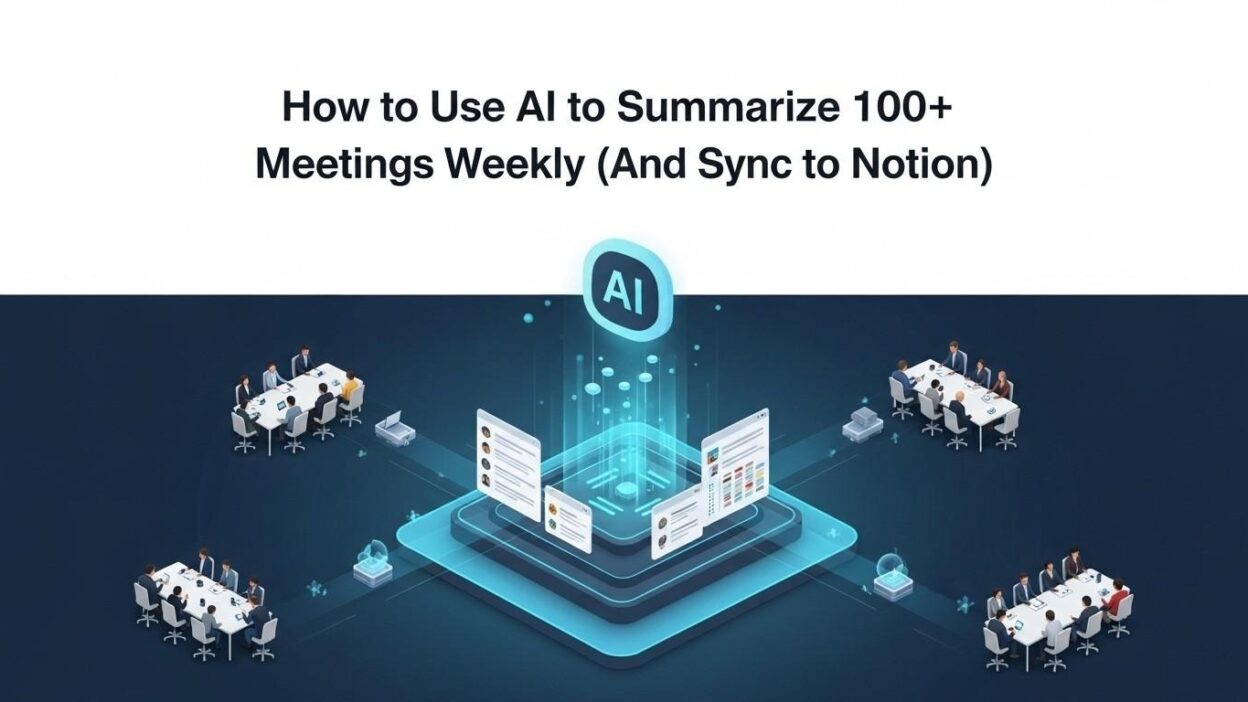
AI meeting summarization has emerged as the solution to this productivity crisis. Intelligent systems now transcribe, analyze, and summarize meetings automatically. The technology extracts action items, decisions, and key points without human effort. Your meeting intelligence becomes accessible and actionable immediately.
Integrating these summaries with Notion creates a powerful knowledge management system. Meeting insights flow directly into your team’s workspace. Information becomes searchable, shareable, and permanently accessible. Your organizational memory strengthens with every conversation.
This comprehensive guide shows you exactly how to implement AI meeting summarization at scale. We’ll cover tool selection, workflow automation, and Notion integration strategies. You’ll discover how to process 100+ meetings weekly without drowning in information. By the end, you’ll have a complete system that transforms meeting chaos into organized intelligence.
Table of Contents
Understanding AI Meeting Summarization Technology
Artificial intelligence has revolutionized how we capture meeting content. The technology uses automatic speech recognition to transcribe conversations in real-time. Natural language processing identifies important moments within discussions. Machine learning algorithms extract actionable insights automatically.
Modern AI meeting summarization goes far beyond simple transcription. The systems understand context, sentiment, and conversational flow. They identify speakers and attribute comments correctly. Topic detection groups related discussion points together naturally.
Key capabilities include action item extraction without manual tagging. The AI recognizes when someone commits to a task. Deadlines and responsibilities get captured automatically. Follow-up reminders generate based on conversation content.
Decision tracking helps teams remember what got agreed upon. The technology flags moments where conclusions were reached. Disagreements and open questions get highlighted for future discussion. Your meeting outcomes become crystal clear.
Question and answer pairing organizes information logically. Customer questions get linked with your team’s responses. This structure makes information retrieval simple later. Knowledge bases build themselves from meeting content.
Sentiment analysis reveals how conversations are progressing. The AI detects frustration, enthusiasm, or confusion in discussions. Sales teams use this to gauge customer interest. Support teams identify at-risk accounts early.
Speaker analytics show participation patterns across meetings. You discover who dominates conversations. Quiet participants get identified for engagement. Team dynamics become visible through data.
Choosing the Right AI Meeting Tools
Otter.ai leads the market for AI meeting summarization with robust features. The platform transcribes meetings with impressive accuracy. Speaker identification works reliably for most accents. Real-time transcription allows note-taking during live calls.
The AI generates summaries highlighting key points automatically. Action items get extracted and formatted clearly. Integration with Zoom, Google Meet, and Microsoft Teams works seamlessly. Free tiers allow testing before financial commitment.
Fireflies.ai offers powerful automation and integration capabilities. The bot joins meetings automatically based on calendar events. Transcription quality matches Otter for most use cases. The AI captures detailed meeting analytics comprehensively.
Custom vocabulary training improves accuracy for industry terms. Your company jargon and product names get recognized correctly. CRM integration pushes meeting data to Salesforce automatically. The platform scales effortlessly to hundreds of meetings.
Grain focuses on video snippet creation alongside transcription. Important moments get clipped for easy sharing. The AI identifies highlights worth revisiting later. Sales teams use this for coaching and deal reviews.
Fathom specializes in speed and simplicity. Summaries generate within seconds of meeting completion. The interface remains clean and uncluttered. Setup takes minutes rather than hours.
Tactiq provides browser-based transcription without bots. No meeting bot joins your calls visibly. Chrome extension captures everything silently. Privacy-conscious teams appreciate the discrete approach.
Avoma combines meeting intelligence with revenue operations. Deal insights emerge from sales conversations. Coaching recommendations help representatives improve. The platform serves go-to-market teams specifically.
Setting Up Your AI Meeting Workflow
Account creation starts your AI meeting summarization journey. Choose a platform matching your meeting volume and needs. Complete the registration process with business email. Verify your account through confirmation links.
Calendar integration ensures automatic meeting capture. Connect Google Calendar or Microsoft Outlook. The AI automatically detects scheduled meetings. Manual intervention becomes unnecessary for standard calls.
Bot configuration determines how the AI joins meetings. Customize the bot name to reflect your organization. Set privacy preferences for recording notifications. Configure which meeting types get auto-joined.
Meeting platform connections enable seamless operation. Link your Zoom account for automatic integration. Connect Microsoft Teams or Google Meet similarly. The AI accesses meetings without manual scheduling.
Default settings establish your baseline workflow. Choose summary detail levels appropriate for your needs. Set action item detection sensitivity. Configure speaker identification preferences.
Notification preferences keep you informed appropriately. Receive alerts when summaries complete. Get notified about extracted action items. Balance information flow without overwhelming yourself.
Team member invitations expand system utility. Add colleagues who attend meetings regularly. Set permission levels for viewing and editing. Collaborative knowledge building begins immediately.
Privacy and compliance settings protect sensitive information. Enable encryption for meeting recordings. Set retention policies matching legal requirements. GDPR and HIPAA compliance configurations activate as needed.
Optimizing AI Meeting Summarization Accuracy
Audio quality dramatically affects transcription accuracy. Use quality microphones for clearer speech capture. Minimize background noise during important calls. Close windows and silence notifications beforehand.
Speaking clearly improves recognition rates significantly. Articulate words without rushing excessively. Avoid mumbling or talking over others. The AI performs better with clean audio input.
Custom vocabulary training teaches AI your specific terminology. Add company names, product titles, and industry jargon. Technical terms need explicit teaching initially. Accuracy improves as the system learns.
Speaker labeling helps the AI attribute comments correctly. Introduce participants at meeting beginnings. Use names when addressing people directly. The technology learns voice patterns over time.
Meeting structure aids AI understanding considerably. Follow agendas that create clear discussion segments. Announce topic transitions explicitly. Organized conversations produce better summaries.
Action item language should use clear commitment phrases. Say “I will” rather than vague possibilities. Specify deadlines explicitly during discussions. The AI recognizes explicit commitments more accurately.
Post-meeting editing refines AI output quality. Review summaries for accuracy initially. Correct misattributions and missed points. The feedback loop improves future performance.
Template customization ensures summaries match your needs. Define which sections matter most. Emphasize action items or decisions based on meeting types. Standardization helps team adoption.
Automating Summary Generation at Scale
Automatic meeting detection eliminates manual triggering. Calendar integration identifies meetings requiring capture. The AI joins based on predefined rules. Your involvement drops to zero for standard calls.
Bulk processing handles multiple simultaneous meetings. The system processes several conversations concurrently. No queue delays occur during busy periods. Scale limitations disappear with proper tools.
Priority settings ensure critical meetings get processed first. Tag executive meetings or customer calls as high-priority. Important summaries generate before routine check-ins. Time-sensitive information reaches you faster.
Scheduled processing optimizes resource usage. Set summary generation for off-peak hours. Batch processing reduces real-time computational load. Morning summaries await you after overnight processing.
Filter rules prevent unnecessary summaries. Exclude quick standup meetings from full processing. Skip social calls that need no documentation. Focus AI resources on valuable conversations.
Recurring meeting templates streamline repetitive calls. Weekly team meetings use consistent summary formats. The AI knows what information to extract. Standardization improves efficiency dramatically.
Error handling automation manages processing failures. Retry logic addresses temporary technical issues. Notifications alert you to persistent problems. Manual intervention happens only when necessary.
Quality checks validate summary completeness. The system flags unusually short summaries. Missing speakers or action items trigger reviews. Automated quality control maintains standards.
Extracting Action Items and Key Decisions
Action item detection uses natural language understanding. The AI recognizes commitment language in conversations. Phrases like “I’ll handle that” trigger item creation. Responsibility assignment happens automatically.
Deadline extraction pulls dates from conversational context. References to “by Friday” or “next week” get captured. The system converts relative dates to absolute deadlines. Your task management stays current.
Assignee identification attributes tasks to specific people. The AI tracks who committed to each action. Name mentions get linked to action items. Accountability becomes clear immediately.
Priority classification ranks action items by urgency. Explicit priority mentions get recognized. Implicit urgency from conversation tone gets detected. Critical tasks surface above routine items.
Decision logging captures concluded discussions. The AI identifies when teams reach consensus. Rejected options get documented for context. Future reference prevents rehashing settled matters.
Follow-up question tracking maintains conversation continuity. Unanswered questions get flagged automatically. The system reminds you in future meetings. Nothing important slips through cracks.
Vote and poll results get recorded accurately. Formal decision processes receive proper documentation. Unanimous versus split decisions get noted. Governance requirements get satisfied automatically.
Risk and blocker identification highlights obstacles. The AI detects when challenges get mentioned. Impediments to progress get surfaced proactively. Problem-solving accelerates through visibility.
Integrating AI Summaries with Notion
Notion API enables powerful automation possibilities. Obtain API keys from your Notion workspace settings. Configure integration permissions appropriately. Security best practices prevent unauthorized access.
Database structure determines how summaries get organized. Create dedicated databases for meeting notes. Define properties for date, attendees, and meeting type. Structure enables powerful filtering later.
Zapier provides no-code integration between tools. Connect your AI meeting summarization platform to Notion. Map summary fields to Notion properties. Automation triggers when new summaries generate.
Make.com offers advanced integration flexibility. Build complex workflows with conditional logic. Transform data formats between systems. Handle edge cases that simple integrations miss.
Direct API integration provides maximum control. Developer resources enable custom implementations. Python or JavaScript scripts automate transfers. Technical teams build precisely tailored workflows.
Template selection ensures consistent formatting. Create Notion templates for different meeting types. Sales calls, team meetings, and customer conversations each get appropriate structures. Visual consistency aids team adoption.
Automatic categorization organizes meetings logically. Tag summaries by department, project, or client. Notion relations link meetings to relevant pages. Your knowledge graph builds automatically.
Bi-directional sync maintains data freshness. Edits in Notion can update source summaries. Changes flow both directions seamlessly. Your single source of truth stays current.
Building Your Notion Meeting Database
Database properties define available metadata fields. Include date and time as default properties. Add multi-select for attendee tracking. Text fields capture meeting titles clearly.
Relation properties connect meetings to other databases. Link to project databases for context. Connect customer records for sales calls. Relations create powerful cross-referencing capabilities.
Rollup properties aggregate related information. Count total meetings per project automatically. Sum time spent with specific customers. Analytics emerge from proper structure.
Formula properties calculate derived values. Compute days since last customer meeting. Calculate meeting frequency per relationship. Intelligent metrics guide decisions.
View creation enables different perspectives. Calendar views show meetings chronologically. Table views allow sorting and filtering. Gallery views work for video snippet collections.
Filter configuration surfaces relevant subsets. Show only customer meetings in sales databases. Display upcoming action items separately. Filtered views reduce information overload.
Sort options present information logically. Order by date for chronological review. Sort by priority for action planning. Flexible sorting adapts to current needs.
Grouping organizes meetings into categories. Group by project, customer, or meeting type. Collapsed groups reduce visual clutter. Expandable sections reveal details on demand.
Creating Automated Notion Workflows
Zapier triggers initiate automation sequences. New summary creation in your AI tool triggers Zaps. Multiple triggers handle different meeting types. Conditional logic routes appropriately.
Action steps define what happens automatically. Create Notion pages with summary content. Update existing customer records with meeting notes. Send Slack notifications to relevant team members.
Data mapping ensures information flows correctly. Match AI summary fields to Notion properties. Transform date formats as needed. Text formatting preserves structure and readability.
Conditional paths handle different scenarios. Customer meetings route to CRM databases. Internal meetings go to project pages. Logic creates intelligent organization automatically.
Multi-step workflows chain actions together. Create the Notion page first. Extract action items next. Assign tasks in project management tools finally.
Error handling prevents automation failures. Retry logic addresses temporary connectivity issues. Notification systems alert you to persistent problems. Fallback actions ensure nothing gets lost.
Testing automation validates proper operation. Process sample meetings through the workflow. Verify data appears correctly in Notion. Iterate until results match expectations perfectly.
Monitoring dashboards track automation health. View success rates and failure patterns. Identify bottlenecks slowing processing. Optimize based on performance data.
Organizing 100+ Weekly Meetings in Notion
Hierarchical structure manages large meeting volumes. Create top-level pages for departments or functions. Nest meeting databases within relevant sections. Organization reflects your team structure.
Archive strategies prevent database bloat. Move old meetings to archive databases quarterly. Retain searchability without cluttering active views. Performance stays optimal with proper archiving.
Tagging systems enable flexible categorization. Use tags for meeting types, outcomes, and topics. Multiple tags capture meeting multidimensionality. Filter combinations create powerful queries.
Search optimization makes finding information easy. Use descriptive meeting titles consistently. Include key topics in summary text. Notion’s search crawls all content comprehensively.
Dashboard creation provides at-a-glance insights. Build pages showing today’s meetings and pending actions. Display upcoming deadlines and recent decisions. Centralized visibility improves coordination.
Team workspaces separate concerns appropriately. Sales teams see customer meeting databases. Engineering views technical discussion summaries. Permissions control access to sensitive information.
Personal workspace views customize individual experiences. Each team member creates preferred filtered views. Personal dashboards show relevant meetings only. Customization increases adoption and utility.
Cross-linking creates knowledge networks. Link meeting notes to project documentation. Connect customer conversations to product roadmaps. Your Notion workspace becomes interconnected.
Advanced AI Meeting Summarization Techniques
Custom prompts improve summary relevance. Instruct the AI to focus on specific aspects. Sales teams emphasize customer pain points. Product teams highlight feature requests.
Multi-language support expands global applicability. AI meeting summarization handles numerous languages. International teams benefit from automatic translation. Language barriers diminish significantly.
Sentiment tracking reveals emotional undertones. The AI detects positive, negative, or neutral sentiment. Customer satisfaction becomes measurable from conversations. Early warning systems identify relationship risks.
Topic modeling groups related discussions. The AI identifies recurring themes across meetings. Pattern recognition reveals organizational priorities. Strategic insights emerge from aggregated data.
Competitive intelligence extraction captures market information. The AI flags mentions of competitors. Customer comparison comments get highlighted. Market positioning insights accumulate automatically.
Compliance monitoring ensures regulatory adherence. The AI detects potential compliance issues. Financial services benefit from automated oversight. Risk management improves through systematic monitoring.
Meeting analytics reveal productivity patterns. Track average meeting duration by type. Identify who speaks most in various contexts. Data-driven improvements optimize meeting culture.
Predictive insights forecast outcomes. Sales conversations get scored for likelihood of closing. Customer health indicators predict churn risk. AI meeting summarization becomes genuinely strategic.
Team Adoption and Change Management
Leadership buy-in accelerates implementation success. Demonstrate value to executives early. Show time savings and insight generation. Secure budget and mandate from the top.
Pilot programs prove value before wide rollout. Start with one team or department. Measure productivity improvements quantitatively. Success stories drive organization-wide adoption.
Training sessions teach proper system usage. Conduct workshops on AI meeting summarization features. Demonstrate Notion integration and search capabilities. Hands-on practice builds confidence.
Documentation provides ongoing reference materials. Create internal guides for common workflows. Record video tutorials for visual learners. Knowledge bases support self-service learning.
Champions network supports peer learning. Identify enthusiastic early adopters. Empower them to help colleagues. Grassroots advocacy drives cultural change.
Feedback loops incorporate user suggestions. Regular surveys capture pain points. Iterative improvements address real needs. User-driven evolution increases satisfaction.
Metrics tracking proves ROI quantitatively. Measure time saved on meeting documentation. Calculate productivity gains from better information access. Hard numbers justify continued investment.
Incentive alignment encourages proper usage. Recognition programs reward thorough documentation. Performance metrics include meeting note quality. Gamification can increase engagement.
Troubleshooting Common Issues
Transcription accuracy problems have several solutions. Verify audio quality settings first. Train custom vocabulary for specialized terms. Review speaker labeling for misattributions.
Integration failures require systematic diagnosis. Check API credentials and permissions. Verify automation triggers are configured correctly. Test each workflow step independently.
Notion sync delays need investigation. Examine automation execution logs. Increase trigger frequency if needed. Upgrade plans if hitting rate limits.
Missing action items indicate detection issues. Review original transcripts for actual commitments. Adjust sensitivity settings if needed. Provide feedback to improve AI learning.
Duplicate summaries clutter your database. Check for multiple automation rules. Verify calendar integration isn’t creating duplicates. Deduplication scripts clean existing messes.
Search problems stem from poor metadata. Improve meeting titles for clarity. Ensure tags apply consistently. Full-text indexing takes time after creation.
Performance degradation happens with database growth. Archive old meetings regularly. Optimize Notion database structure. Consider splitting very large databases.
User resistance requires change management. Address concerns through training. Demonstrate clear personal benefits. Involve skeptics in improvement processes.
Security and Privacy Considerations
Data encryption protects sensitive conversations. Verify your AI meeting summarization platform uses encryption. Ensure Notion connections use secure protocols. Compliance requirements mandate security.
Access controls limit information exposure. Configure Notion permissions appropriately. Restrict sensitive meeting summaries to authorized users. Principle of least privilege applies.
Compliance frameworks require specific configurations. GDPR demands data minimization and retention policies. HIPAA requires business associate agreements. SOC 2 compliance affects vendor selection.
Recording consent varies by jurisdiction. One-party consent states differ from two-party. International calls complicate legal requirements. Consult legal counsel for compliance.
Data retention policies balance utility and risk. Define how long meeting data persists. Automated deletion enforces retention schedules. Legal holds override normal deletion.
Vendor security assessment evaluates third-party risk. Review SOC 2 reports from AI providers. Understand data storage locations. Verify backup and disaster recovery procedures.
Information classification guides handling. Mark confidential meetings appropriately. Apply extra controls to sensitive summaries. Classification systems ensure proper treatment.
Incident response plans prepare for breaches. Define escalation procedures for security events. Test response plans regularly. Preparation minimizes damage when incidents occur.
Measuring Success and ROI
Time savings calculations demonstrate immediate value. Track hours spent on manual note-taking previously. Compare against current minimal time investment. Multiply savings across all team members.
Productivity metrics show efficiency improvements. Measure action item completion rates. Track how quickly information gets retrieved. Quantify decision-making speed increases.
Meeting effectiveness scores reveal quality improvements. Survey participants on meeting value. Compare before and after AI meeting summarization adoption. Qualitative feedback complements quantitative metrics.
Knowledge retention assessments test organizational memory. Quiz team members on past meeting decisions. Measure how quickly information gets located. Better retention proves system value.
Onboarding acceleration for new employees shows benefits. Track time for new hires to become productive. Meeting history provides valuable context. Ramp time decreases with accessible knowledge.
Customer satisfaction improvements validate external impact. Sales cycles may shorten with better follow-up. Support resolution times decrease with complete context. Customer metrics reflect internal improvements.
Revenue attribution connects meetings to outcomes. Track deals influenced by documented conversations. Measure expansion revenue from customer insights. Financial impact justifies significant investment.
Cost analysis includes all system expenses. Sum software subscriptions and implementation costs. Calculate opportunity cost of time spent. ROI becomes clear with comprehensive accounting.
Read More:-How to Audit Your Business for High-Impact AI Automation Opportunities
Conclusion

AI meeting summarization transforms how organizations capture and use conversational intelligence. Processing 100+ meetings weekly becomes manageable rather than impossible. The technology eliminates manual documentation burden entirely. Your team focuses on conversations rather than note-taking.
Integration with Notion creates a powerful knowledge management ecosystem. Meeting insights become searchable and permanently accessible. Information silos disappear as everything centralizes. Organizational memory strengthens with every captured conversation.
The implementation process requires thoughtful planning and execution. Choose AI tools matching your specific meeting patterns. Design Notion databases that reflect your team structure. Automation bridges the gap between systems seamlessly.
Scale becomes achievable through proper workflow automation. Manual intervention disappears for routine meeting processing. Quality controls ensure accuracy at volume. Your system handles growth effortlessly.
Team adoption determines ultimate success or failure. Leadership support and proper training drive change. Early wins build momentum for organization-wide rollout. Cultural transformation happens gradually through demonstrated value.
Security and privacy considerations cannot be afterthoughts. Compliance requirements shape tool selection and configuration. Proper controls protect sensitive business information. Legal and regulatory obligations get satisfied systematically.
Return on investment becomes clear through measurement. Time savings, productivity gains, and knowledge retention all contribute. The benefits compound as your meeting database grows. Strategic value extends far beyond operational efficiency.
Starting your AI meeting summarization journey begins today. Select a platform and create your first integration. Process initial meetings through to Notion. Learn and iterate based on real experience.
The future of work includes intelligent meeting capture. Organizations that adopt early gain competitive advantages. Information becomes strategic assets rather than lost conversations. Your meeting intelligence transforms into organizational wisdom.
Take action now to implement these powerful capabilities. Your team deserves tools that eliminate repetitive documentation work. Knowledge should be accessible rather than locked in memories. AI meeting summarization and Notion integration deliver these outcomes.
The system scales infinitely as your organization grows. 100 meetings weekly today becomes 1000 tomorrow. The technology handles volume that human processes never could. Your investment pays dividends permanently.
Begin with one team or use case. Prove value through measurable improvements. Expand systematically based on success. Your entire organization benefits from captured meeting intelligence eventually.