Introduction
TL;DR Software quality expectations keep rising. Users tolerate fewer bugs. Release cycles compress every quarter. Development teams ship more features with smaller QA budgets. That combination puts traditional manual QA under serious strain.
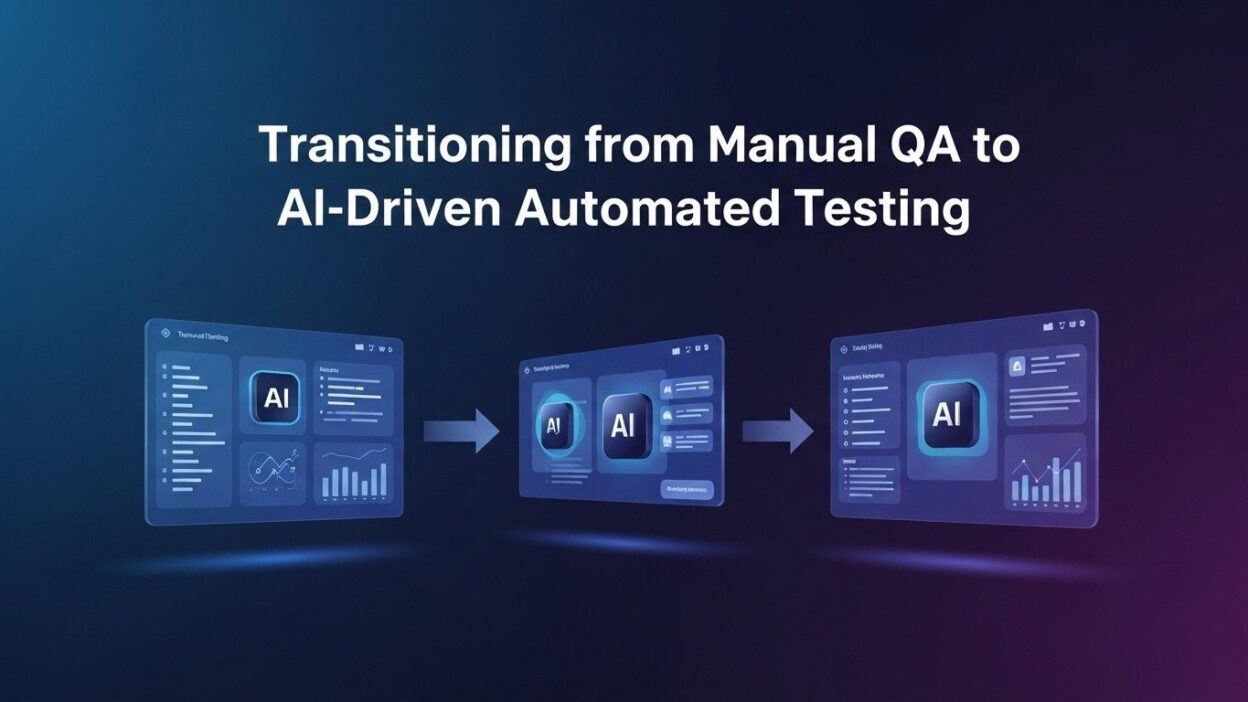
Manual testing worked when software was simpler and release schedules were measured in months. Today, teams deploy multiple times per day. A manual tester cannot keep pace with that velocity. They cannot check every feature, every browser, every device, every edge case on every release.AI-driven automated testing solves this mismatch directly. It replaces the repetitive, time-consuming manual work with intelligent automation that runs continuously, scales without hiring, and catches regressions before users ever see them.
This blog walks through the complete transition. You will understand what AI-driven automated testing actually delivers, which tools make it possible, how to plan the migration from manual QA, and how to measure real outcomes. QA leads, engineering managers, and development teams will find a clear, practical roadmap here.
Table of Contents
Why Manual QA Cannot Scale with Modern Software Development
The Volume Problem Is Unsolvable with Human Testers Alone
A typical web application has hundreds of user flows. A mobile app has thousands of interaction combinations. An enterprise software platform has tens of thousands of test scenarios across its full feature surface. No manual QA team can cover that volume on every release without becoming the bottleneck that slows the entire engineering organization.
Release frequency compounds the problem. A team deploying to production twenty times per week cannot run a full manual regression suite between each deployment. Something gets skipped. Something gets rushed. A bug that a thorough test would catch slips through because the schedule did not allow time to check it.
AI-driven automated testing removes this ceiling. The test suite runs on every commit. Every deployment gets full regression coverage. The machine does not get tired at the fourth consecutive regression run of the day. That consistency is something manual QA simply cannot replicate at modern development velocity.
Manual Testing Is Expensive and Hard to Scale Up
Hiring skilled QA engineers is costly. Salaries are competitive. Onboarding takes time. New team members need weeks to learn the product well enough to test it thoroughly. During that ramp-up period, coverage suffers.
When product scope expands, the manual QA team needs to grow proportionally. Double the features means double the test coverage needs. Hiring doubles the cost. The math does not improve with scale — it stays linear at best and gets worse as coordination overhead grows within larger teams.
AI-driven automated testing changes the economics fundamentally. Build the test suite once. Run it thousands of times at near-zero marginal cost. Add new test cases as features grow without adding headcount. The cost curve bends in a way that manual testing never can.
Repetitive Testing Wastes Skilled QA Talent
Manual testers spend enormous portions of their time running regression tests they have run dozens of times before. Click this button. Verify this text appears. Navigate to this page. Check this form submits correctly. That work requires human attention but not human judgment. It is mechanical. It drains talented testers who joined the profession to find real bugs and improve software quality.
Skilled QA engineers bring domain knowledge, edge case intuition, and user empathy that machines genuinely cannot replicate. Trapping that talent inside repetitive regression runs wastes it. Transitioning to AI-driven automated testing liberates QA professionals to focus on exploratory testing, edge case discovery, usability evaluation, and test strategy — work that actually requires their expertise.
What AI-Driven Automated Testing Actually Does
Intelligent Test Generation from Code and User Behavior
Traditional test automation required QA engineers to write every test manually. They read requirements, designed test cases, wrote scripts, maintained them as the application changed. The maintenance burden alone consumed significant QA bandwidth.
AI-driven automated testing generates test cases automatically. Some tools analyze your codebase and create unit tests from code structure. Others observe user sessions and generate end-to-end tests from real interaction patterns. Others analyze your API specifications and create comprehensive request-response test suites without manual scripting.
This generation capability accelerates test suite creation dramatically. A codebase that would take months to achieve adequate test coverage through manual scripting reaches comparable coverage in weeks when AI generates the test scaffolding. Engineers review and refine AI-generated tests rather than writing every test from scratch.
Self-Healing Tests That Adapt to UI Changes
The most painful aspect of maintaining traditional automated test suites is fragility. An element locator changes. A class name updates. A component moves on the page. Every test that referenced the old locator fails. The QA team spends days updating selectors rather than testing new functionality.
AI-driven automated testing solves this with self-healing capability. The AI identifies when a test element has moved or changed. It searches the updated DOM for the best matching element. It updates the locator automatically. The test continues running without manual intervention.
Self-healing tests reduce maintenance burden by sixty to eighty percent on actively developed applications. QA teams that previously spent half their time maintaining broken tests find themselves with dramatically more capacity for meaningful quality work after transitioning to AI-driven automated testing.
Visual Testing and Pixel-Level Accuracy
Functional tests verify that buttons work and data saves correctly. They do not catch visual regressions. A deployment that breaks the layout on a tablet screen, misaligns text on a dark-mode browser, or renders a button in the wrong color passes functional tests and ships a broken visual experience to users.
AI-driven automated testing includes visual AI that compares screenshots across releases at the pixel level. It identifies meaningful visual changes — broken layouts, missing elements, color changes — while ignoring inconsequential differences like rendering variations across browsers. Visual AI understands the difference between a genuine regression and an acceptable rendering difference.
Intelligent Test Prioritization and Risk Analysis
Not all tests carry equal importance. A regression in the checkout flow costs far more than a regression in a settings screen used by two percent of users. Running every test on every commit is comprehensive but inefficient. Some tests can wait. Others cannot.
AI-driven automated testing analyzes code changes and predicts which areas of the application carry the highest regression risk. It prioritizes high-risk tests to run first. It surfaces results from the most critical paths within minutes rather than waiting for a full suite run that takes hours. Development teams get fast feedback on the changes most likely to break user-facing functionality.
Leading AI-Driven Automated Testing Tools in 2025
Testim
Testim uses machine learning to build and maintain stable UI tests. Its AI identifies the most reliable element locators and continuously optimizes them as the application evolves. Testim’s authoring interface lets QA engineers record interactions and generate test scripts without extensive coding knowledge.
Testim’s stability engine is its strongest feature. Tests that would break repeatedly under traditional automation run reliably with Testim’s adaptive locators. For teams whose test maintenance burden consumes most of their QA bandwidth, Testim delivers immediate relief. AI-driven automated testing through Testim works particularly well for web applications with frequent UI changes.
Mabl
Mabl is a cloud-native testing platform that combines AI-driven automated testing with deep integration into modern CI/CD pipelines. It records user flows, converts them into stable tests, and runs them in parallel across browsers automatically. Its auto-healing automatically updates tests when the application UI changes.
Mabl’s analytics give engineering teams clear insight into test health, flakiness trends, and coverage gaps. Its intelligent test execution prioritizes the tests most relevant to each deployment based on code change analysis. Organizations using Mabl consistently report significant reductions in release-blocking defects and faster QA cycle completion times.
Applitools Eyes
Applitools Eyes focuses on visual AI testing. Its Visual AI engine processes screenshots with a level of understanding that pixel-by-pixel comparison cannot achieve. It identifies genuinely broken visual experiences while ignoring rendering differences that do not affect the user experience.
Applitools integrates with virtually every testing framework — Selenium, Cypress, Playwright, WebDriverIO, and others. Teams do not need to replace their existing test infrastructure. They add visual assertions using Applitools’ SDK and immediately gain AI-powered visual validation on top of their functional test suite.
For products where visual quality is a core brand attribute — e-commerce sites, design tools, financial dashboards — Applitools Eyes adds a critical coverage layer that functional AI-driven automated testing alone cannot provide.
Diffblue Cover
Diffblue Cover specializes in Java unit test generation. It analyzes Java codebases and automatically writes JUnit tests that cover existing behavior. It is not a record-and-playback tool. It understands the code and generates meaningful assertions based on actual code logic.
Development teams that adopt Diffblue Cover typically see unit test coverage jump from thirty to forty percent to eighty to ninety percent within weeks. That coverage improvement catches regressions earlier in the development cycle where fixes are cheap. AI-driven automated testing with Diffblue Cover integrates directly into Java development workflows without requiring QA team involvement in unit test creation.
Selenium AI and Playwright with AI Integration
Selenium and Playwright are the foundational open-source frameworks for browser automation. AI capabilities layer on top of these frameworks through commercial tools and open-source libraries that add intelligent locator strategies, self-healing, and test generation.
TestSprite, ZeroStep, and similar tools add natural language test creation to Playwright, letting engineers describe test steps in plain English that the tool converts to automation code. This approach makes AI-driven automated testing accessible to developers without deep Selenium or Playwright expertise while maintaining the flexibility of code-based test frameworks.
Katalon Studio
Katalon Studio provides a full platform for web, mobile, desktop, and API testing with integrated AI capabilities. Its StudioAssist feature uses AI to generate test scripts, suggest fixes for failing tests, and explain test failures in plain language. Its self-healing engine maintains stable element locators across application changes.
Katalon serves teams that need comprehensive testing coverage across multiple platforms without managing multiple separate tools. Its all-in-one approach to AI-driven automated testing reduces the tooling complexity that often slows QA modernization initiatives.
Planning the Transition from Manual QA to AI-Driven Automated Testing
Audit Your Current QA Process
Start with an honest assessment of your current state. Document every type of testing your team performs manually. Categorize tests by frequency, time required, and business risk of the area they cover.
Identify which manual tests are pure repetition — the same steps run against the same flows every release. Those are your highest-priority automation targets. They consume the most QA time and deliver the least unique human value. AI-driven automated testing should absorb these first.
Identify which manual tests require genuine human judgment — exploratory sessions, usability evaluation, accessibility assessment, and complex edge case investigation. Those tests stay with human QA professionals even after the transition is complete.
Choose Your Tooling Based on Your Stack and Team
Tool selection depends on your application type, technology stack, team size, and technical skill level. A mobile-first company needs different tooling than a web application company. A team with strong engineers can use code-based frameworks. A team with limited engineering resources needs a low-code or no-code platform.
Evaluate tools against five criteria. Integration with your existing CI/CD pipeline must be native and reliable. Language and framework support must match your application’s technology stack. Ease of adoption must match your team’s technical skill level. AI-driven automated testing quality on your specific application type must be validated through a hands-on trial. Pricing at your expected test volume must fit your budget.
Run a two-week proof of concept on one tool before committing. Use a representative subset of your highest-priority manual test cases as the pilot scope. Measure how long setup takes, how stable the generated tests are, and how quickly the team learns the platform.
Build Your Initial Test Suite Incrementally
Do not attempt to automate everything simultaneously. Pick the ten to twenty highest-value manual test cases and automate them first. These are your critical path flows — the scenarios where a failure would stop users from completing their primary goals.
Get those tests running reliably in your CI pipeline before expanding coverage. Reliability builds team confidence in AI-driven automated testing. Confident teams invest more in expanding coverage. Teams that experience early failure caused by trying to automate too much too fast lose momentum and revert to manual approaches.
Expand coverage sprint by sprint. Add a new batch of automated tests each cycle. Prioritize by risk and repetition frequency. Within three to six months, your automated suite covers the majority of regression scenarios that previously consumed manual QA bandwidth.
Integrate Testing into the CI/CD Pipeline
Tests that run only when someone remembers to trigger them provide a fraction of the value of tests that run automatically on every code change. CI/CD integration is what transforms a test suite from a useful tool into a continuous quality guarantee.
Configure your AI-driven automated testing suite to trigger on every pull request. Run the fast, high-priority tests as a blocking check before merge. Run the full suite on every merge to the main branch. Publish test results as a visible artifact of every build. Make quality status visible to every engineer every time they push code.
This integration makes quality feedback immediate. A developer pushes a change, sees test results within minutes, and fixes the issue while the context is still fresh. That fast feedback loop is the productivity multiplier that justifies the investment in building the test suite.
Redefine QA Team Roles After Automation
The transition to AI-driven automated testing does not eliminate the QA function. It transforms it. QA professionals shift from execution to strategy, design, and oversight.
QA engineers own the test automation strategy. They decide what to automate and what to keep manual. They write and review AI-generated tests. They analyze test results for patterns that indicate systemic quality issues. They own the metrics that tell the organization whether quality is improving or degrading over time.
Manual testing time shifts toward exploratory testing, accessibility audits, and complex scenario investigation. Those activities genuinely require human judgment, domain knowledge, and user empathy. They are also where skilled QA professionals derive the most professional satisfaction and deliver the highest unique value.
Measuring the Success of Your AI-Driven Automated Testing Program
Test Coverage Metrics
Track the percentage of user flows, code paths, and API endpoints covered by automated tests. Coverage percentage is the most fundamental measure of how comprehensively AI-driven automated testing protects your application against regressions.
Set coverage targets by risk category. Critical user flows should reach ninety to one hundred percent automated coverage. High-risk secondary flows should reach eighty percent. Lower-risk functionality can operate at lower coverage thresholds. Tracking coverage by risk category gives a more meaningful picture than a single aggregate number.
Defect Escape Rate
Count the bugs that reach production despite your test suite. A high defect escape rate reveals gaps in test coverage or test quality that need addressing. A declining defect escape rate over time demonstrates that AI-driven automated testing is genuinely protecting production quality.
Compare escape rates before and after the automation transition. Most teams see a sixty to eighty percent reduction in production defect rates within six months of implementing comprehensive AI-driven automated testing. That reduction is the most compelling ROI metric for leadership and stakeholders evaluating the investment.
QA Cycle Time
Measure how long the QA process takes from code complete to deployment approval. Manual QA cycles measured in days become automated checks measured in minutes. That compression directly enables faster feature delivery without sacrificing quality assurance.
Track QA cycle time by release type. Bug fix releases, feature releases, and major version releases each have different test scope requirements. Understanding how AI-driven automated testing affects each release type reveals where the largest time savings occur and where additional optimization is possible.
Test Suite Maintenance Cost
Track the engineering hours spent maintaining the test suite each sprint. A healthy AI-driven automated testing implementation requires minimal maintenance relative to the coverage it provides. Self-healing capabilities should keep that maintenance burden low even as the application evolves.
If maintenance costs remain high after the initial setup period, investigate the root cause. Fragile locator strategies, poorly structured test data, or excessive dependency on specific UI details all create maintenance overhead that self-healing alone cannot fix. High maintenance costs signal architectural issues in the test suite that need structural remediation.
Common Mistakes When Transitioning to AI-Driven Automated Testing
Automating Without a Strategy
Automating random tests without a clear coverage strategy produces a large test suite that covers low-risk areas thoroughly while leaving critical user flows untested. The team feels productive because the suite is growing. The application remains vulnerable because the right tests are not there.
Build a test strategy before writing a single automated test. Define which flows are critical. Set coverage targets. Prioritize automation work by risk and business impact. AI-driven automated testing is most valuable when guided by deliberate strategy rather than opportunistic automation.
Setting Unrealistic Automation Timelines
Leadership often expects complete manual-to-automated transition within weeks. That expectation sets teams up for failure. Building a reliable, comprehensive test suite takes months of consistent effort. The benefits build over time as coverage grows and the suite matures.
Set realistic timelines with stakeholders. Communicate that the first month focuses on tooling setup and critical path coverage. Months two and three expand coverage and stabilize the suite. Months four through six complete the primary regression suite. Full ROI from AI-driven automated testing materializes at the six-to-twelve month mark for most organizations.
Neglecting Test Data Management
Automated tests need reliable, controlled test data. A test that depends on specific data state in a shared test environment fails unpredictably when other tests or manual testers modify that data. Intermittent, data-related test failures erode team confidence in the entire test suite.
Build a test data management strategy alongside your test automation strategy. Use dedicated test databases. Create data setup and teardown routines in your test code. Generate synthetic test data programmatically rather than depending on shared static datasets. AI-driven automated testing reliability depends as much on test data discipline as it does on the quality of the test scripts themselves.
Treating AI Testing as a One-Time Setup
AI-driven automated testing is not a project that ends at launch. It is an ongoing operational capability that requires continuous investment. New features need new tests. Changed features need updated tests. New browser and device targets need coverage expansion. Test quality metrics need regular review and response.
Build test maintenance into sprint planning from day one. Allocate ten to fifteen percent of QA bandwidth to suite maintenance and expansion in every sprint. Organizations that treat AI-driven automated testing as a finished artifact watch their suite degrade in relevance as the application evolves beyond its original coverage.
Frequently Asked Questions
Does AI-driven automated testing completely replace manual QA?
No. AI-driven automated testing replaces repetitive regression testing efficiently. Manual testing remains essential for exploratory testing, usability evaluation, accessibility assessment, and complex edge case investigation that require human judgment and empathy. The best QA programs combine automated coverage with strategic manual testing.
How long does it take to see ROI from AI-driven automated testing?
Most teams see measurable ROI within three to six months. Initial investments in setup and learning pay back through reduced manual regression time, faster release cycles, and fewer production defects. Full ROI on the complete test infrastructure investment typically materializes within twelve months for mid-sized applications.
What skill level do QA engineers need to implement AI-driven automated testing?
Requirements vary by tool. No-code and low-code platforms like Mabl and Testim require minimal programming knowledge. Code-based frameworks with AI layers require familiarity with at least one programming language. Most QA professionals with basic technical skills can learn AI-driven automated testing tools within four to eight weeks of focused practice.
How do AI testing tools handle frequent UI changes?
Self-healing AI identifies when element locators break due to UI changes. It searches the updated DOM for the best matching element and updates the locator automatically. This capability reduces test maintenance burden by sixty to eighty percent on actively developed applications compared to traditional automation frameworks without self-healing.
Can AI-driven automated testing work for mobile applications?
Yes. Tools like Appium with AI extensions, Waldo, and Kobiton support mobile testing with AI-powered element identification and test generation. Visual AI tools like Applitools support iOS and Android platforms. Mobile AI-driven automated testing handles the additional complexity of device fragmentation and platform-specific behavior.
What is the biggest risk when transitioning to AI-driven automated testing?
The biggest risk is loss of test coverage during transition. Teams that retire manual tests before equivalent automated coverage exists create quality gaps that allow regressions to reach production. Maintain manual testing for all critical paths until automated equivalents run reliably in the CI pipeline. Retire manual tests only after automated replacements demonstrate stable performance across at least ten consecutive release cycles.
How do I justify the investment in AI-driven automated testing to leadership?
Calculate the current cost of manual regression testing in QA engineer hours per sprint. Multiply by your loaded hourly rate. Compare that cost to the tool subscription plus implementation time. Add the cost of production defects from your defect escape rate. The combined savings almost always justify the investment clearly within twelve months for teams running more than one release per week.
Read More:-Implementing AI-Driven Code Reviews in Your CI/CD Pipeline
Conclusion

The gap between what modern software development demands and what manual QA can deliver grows wider every year. Faster deployment cycles, larger feature surfaces, and higher user quality expectations combine into a pressure that human testing teams alone cannot absorb.
AI-driven automated testing closes that gap. It provides continuous regression coverage on every commit. It catches defects hours after they are introduced rather than days before a release. It frees skilled QA professionals from mechanical repetition and puts their expertise where it delivers genuine value.
The transition requires deliberate planning. Audit your current process honestly. Select tools that fit your stack and team. Build coverage incrementally with a risk-based strategy. Integrate tests into your CI/CD pipeline from day one. Redefine QA roles to match the new division of labor between human judgment and machine execution.
The organizations that complete this transition ship software faster, with fewer production defects, and with QA teams that are more engaged and more strategically effective than before. AI-driven automated testing is not a replacement for QA expertise. It is the capability multiplier that makes QA expertise scale with the demands of modern software development.
Start with your highest-risk manual regression suite. Automate those ten critical flows. Get them running in your pipeline. Show the results. Expand from there. Every test you automate is a test that runs forever at near-zero cost while your team focuses on the quality work that requires real human intelligence.