Introduction
TL;DR Managing your schedule feels overwhelming sometimes. You have meetings piling up. Appointments need coordination. Time zones create confusion. Manual calendar management takes too much energy.
AI calendar scheduling with Google Calendar changes everything. This technology handles the tedious work automatically. Your calendar becomes smarter. Scheduling becomes effortless. You get hours back in your week.
This guide shows you exactly how AI transforms Google Calendar. You’ll discover practical tools and techniques. Implementation becomes simple. Your productivity will skyrocket.
Table of Contents
What Is AI Calendar Scheduling?
AI calendar scheduling uses artificial intelligence to manage your appointments automatically. The technology learns your preferences over time. It suggests optimal meeting times. Conflicts get flagged instantly.
Traditional scheduling requires endless email chains. Someone proposes a time. Others respond with availability. Back-and-forth messages waste everyone’s day. AI eliminates this friction completely.
Smart algorithms analyze your calendar patterns. They understand when you work best. Your focus time gets protected. Meetings land in appropriate slots automatically.
Google Calendar serves as the foundation for this intelligent system. Third-party AI tools integrate seamlessly. Your existing workflow stays intact. Enhanced capabilities layer on top.
Why Use AI Calendar Scheduling With Google Calendar?
Google Calendar already lives in your daily routine. Millions of professionals rely on it. The interface feels familiar and comfortable. Adding AI capabilities makes perfect sense.
Your time becomes more valuable instantly. AI calendar scheduling with Google Calendar reduces administrative overhead. You spend less time organizing. More time goes toward meaningful work.
Double bookings become impossible. The AI catches scheduling conflicts before they happen. Your calendar stays clean and organized. Stress levels drop significantly.
Team coordination improves dramatically. AI finds meeting times that work for everyone. No more endless group chat discussions. Scheduling happens in seconds instead of hours.
Top Benefits of AI-Powered Google Calendar Management
Automatic Meeting Scheduling
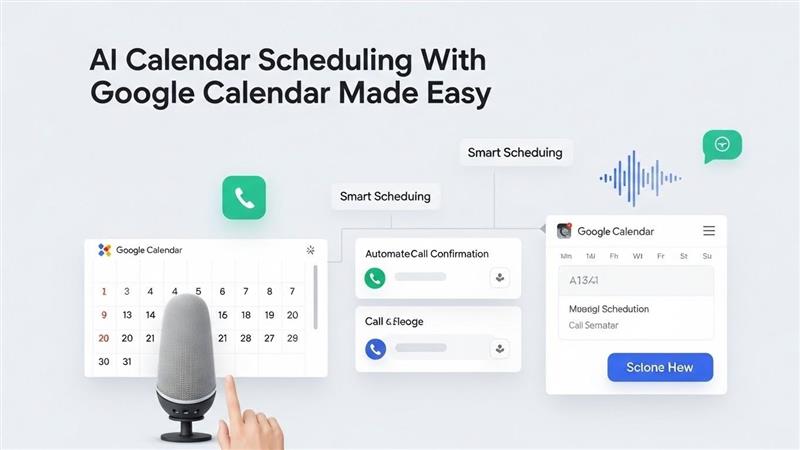
AI tools can handle meeting requests without your involvement. Someone wants to meet with you. They access your scheduling link. The system shows available slots automatically.
Booking happens instantly. Confirmation emails send to all participants. Google Calendar updates in real time. You never touch the process manually.
Your preferences stay enforced throughout. Buffer time between meetings gets protected. Lunch hours remain blocked. Early mornings stay clear if you prefer.
Smart Time Zone Conversion
Global teams face constant timezone challenges. Calculating time differences creates mental fatigue. Mistakes happen easily with manual conversion.
AI calendar scheduling with Google Calendar handles this automatically. Meeting invites show correct local times for everyone. Participants see appointments in their timezone. Confusion disappears completely.
The system adjusts for daylight saving changes too. You don’t track which regions observe it. Everything updates seamlessly in the background.
Intelligent Meeting Prioritization
Not all meetings deserve the same treatment. Some appointments matter more than others. AI learns your priority patterns over time.
Important client meetings get prime time slots. Internal check-ins land in less critical windows. Your energy peaks align with high-stakes conversations.
The system suggests rescheding options when conflicts arise. You see which meetings can move easily. Decision-making becomes data-driven and simple.
Reduced Scheduling Friction
Email tennis for finding meeting times frustrates everyone involved. Multiple people checking calendars separately wastes collective time. Proposing and counter-proposing drains energy.
AI eliminates this entirely. One person shares their AI scheduling link. Others select from genuinely available times. Booking happens with a single click.
This works for one-on-one meetings and group sessions. The technology checks all participant calendars simultaneously. Only truly free slots appear as options.
How AI Calendar Scheduling With Google Calendar Works
The technology connects to your Google Calendar through secure APIs. Permissions let the AI read your availability. It cannot access meeting details or private information unless specified.
Machine learning algorithms analyze your scheduling patterns. They identify your preferred meeting times. Peak productivity hours get recognized. Personal preferences become part of the logic.
Natural language processing enables conversational scheduling. You can tell the AI to “schedule a meeting with Sarah next week.” The system understands the request. It finds appropriate times and sends invitations.
Integration with email platforms streamlines communication. Meeting requests arrive in your inbox. AI detects scheduling intent automatically. Responses can trigger automatic calendar updates.
Best AI Tools for Google Calendar Scheduling
Motion
Motion combines task management with AI calendar scheduling. The platform optimizes your entire day automatically. Tasks and meetings get arranged intelligently.
The AI rebuilds your schedule as priorities shift. Urgent items get accommodated without manual rearranging. Your calendar adapts to reality dynamically.
Google Calendar sync happens bidirectionally. Changes in either platform reflect everywhere. Your schedule stays consistent across tools.
Clockwise
Clockwise focuses on protecting focus time. The AI identifies your longest uninterrupted work blocks. These periods get defended from meeting encroachment.
Smart meeting scheduling happens around your focus time. Colleagues see availability that won’t fragment your day. Productivity improves measurably.
Team features help entire organizations optimize collectively. Meeting culture improves across departments. Everyone benefits from intelligent scheduling.
Reclaim.ai
Reclaim.ai turns your calendar into a intelligent planning system. Habits and routines get scheduled automatically. Exercise time, lunch breaks, and focus work claim space.
The AI defends these blocks from meeting requests. Your personal priorities stay protected. Work-life balance improves naturally.
Google Calendar integration makes this seamless. Everything appears in your familiar interface. No separate app checking required.
Clara
Clara operates as your AI scheduling assistant. The tool handles email conversations about scheduling. It communicates with meeting participants directly.
Your contacts email Clara instead of you for scheduling. The AI negotiates times with human-like conversation. Appointments land on your calendar automatically.
This creates a premium experience for important relationships. Clients and partners get white-glove scheduling treatment. You avoid the coordination work entirely.
Calendly
Calendly pioneered the scheduling link approach. The platform now includes AI features for optimization. Your booking page shows intelligently selected time slots.
AI calendar scheduling with Google Calendar through Calendly reduces no-shows. Automatic reminders go to participants. Rescheduling happens through simple links.
The tool handles buffer times and meeting spacing. Your preferences get encoded into the booking logic. Every appointment respects your scheduling rules.
Setting Up AI Calendar Scheduling With Google Calendar
Step 1: Choose Your AI Scheduling Tool
Research options that match your specific needs. Some tools excel at personal scheduling. Others shine for team coordination.
Budget considerations matter for most users. Free tiers offer basic functionality. Paid plans unlock advanced AI features and integrations.
Read reviews from users in similar roles. Their experiences reveal practical strengths and weaknesses. Make an informed choice based on real feedback.
Step 2: Connect Google Calendar
Authorization happens through Google’s secure OAuth system. You grant specific permissions to the AI tool. Calendar access gets limited to necessary functions.
The connection process takes just minutes. You’ll log into your Google account. Permission screens explain exactly what access you’re granting.
Multiple calendar support works with most tools. Work and personal calendars can integrate separately. You control which calendars the AI can access.
Step 3: Configure Your Preferences
Tell the AI about your ideal schedule. Specify your working hours clearly. Block off personal time explicitly.
Set buffer times between consecutive meetings. Five or fifteen minutes helps you transition and prepare. The AI will enforce these gaps automatically.
Define meeting length defaults for different types. Quick syncs might be fifteen minutes. Strategy sessions could default to sixty minutes.
Step 4: Create Scheduling Rules
Geographic preferences matter for global workers. Specify whether you’ll take meetings outside normal hours. Set limits for international scheduling.
Meeting type categories help the AI prioritize. Label appointments as internal, client-facing, or personal. Different rules can apply to each category.
Blackout dates get marked for vacation and focus days. The AI won’t schedule anything during these periods. Your protected time stays sacred.
Step 5: Generate Your Scheduling Links
Most AI tools create shareable booking pages. These links show your real-time availability. Anyone with the link can book appropriate time slots.
Customize different links for different purposes. One for client meetings. Another for casual coffee chats. Each link enforces its own rules.
Embed scheduling links in your email signature. Add them to your website or LinkedIn profile. Make booking time with you frictionless.
Advanced Features of AI Calendar Scheduling With Google Calendar
Automatic Meeting Notes and Follow-ups
Some AI platforms generate meeting summaries automatically. Key discussion points get captured. Action items get extracted and assigned.
These notes sync with your Google Calendar events. Everything lives in one place for easy reference. You spend less time on administrative follow-up.
Automatic follow-up emails can be triggered post-meeting. Thank you messages send automatically. Promised materials get flagged for sending.
Smart Rescheduling Suggestions
Life changes and conflicts arise constantly. AI detects when meetings need rescheduling. The system suggests alternative times proactively.
Participants receive reschedule requests with new options. The AI checked everyone’s updated availability already. Rebooking happens smoothly without manual coordination.
Domino effect management prevents chaos. When one meeting moves, connected appointments get evaluated. Your whole schedule stays optimized continuously.
Meeting Analytics and Insights
Data reveals how you actually spend your time. Meeting frequency reports show patterns you might miss. The insights help you make better scheduling decisions.
You discover which meetings drain energy without adding value. Recurring appointments get evaluated for continued necessity. Calendar bloat gets identified and eliminated.
Team-wide analytics show organizational meeting culture. Leadership can spot inefficiencies across departments. Changes get implemented based on real data.
AI-Powered Scheduling Assistants
Conversational AI can handle complex scheduling scenarios. You describe what you need in natural language. The assistant interprets and executes appropriately.
“Find time for a two-hour workshop with the marketing team next week” gets understood. The AI checks all relevant calendars. It proposes optimal times based on everyone’s patterns.
These assistants learn from your feedback over time. Corrections teach the system your true preferences. Accuracy improves with continued use.
Common Challenges and Solutions
Privacy and Data Security Concerns
Granting calendar access feels uncomfortable for some users. You’re sharing schedule information with third parties. These concerns are completely valid.
Choose tools with strong security certifications. Look for SOC 2 compliance and encryption standards. Read privacy policies carefully before connecting.
Most AI scheduling tools cannot read meeting details. They see time blocks as busy or free only. Sensitive information stays protected automatically.
Integration Complexity
Multiple calendar systems create synchronization challenges. Work uses Google Calendar. Personal life runs on Apple Calendar. Keeping both updated manually seems impossible.
AI calendar scheduling with Google Calendar can serve as your central hub. Other calendars sync to Google in the background. The AI manages the unified view.
Native integrations handle the technical complexity. You don’t need to become an IT expert. Setup wizards guide you through connection steps.
Over-Automation Anxiety
Some people worry about losing control completely. They want involvement in their schedule. Full automation feels uncomfortable initially.
Start with semi-automated features first. Review AI suggestions before they finalize. Gradually increase automation as trust builds.
Override options always exist in quality tools. You maintain veto power over any scheduling decision. The AI assists rather than dictates.
Cost Considerations
Premium AI scheduling tools require subscriptions. Budgets might not accommodate another monthly expense. Free tiers have limitations that frustrate users.
Calculate the time savings in dollar terms. If AI saves five hours weekly, what’s that worth? The ROI often justifies the cost easily.
Many employers will cover productivity tools. Make a case to your manager with concrete benefits. Frame it as a business investment.
Best Practices for AI Calendar Scheduling With Google Calendar
Keep your Google Calendar meticulously updated. AI recommendations only work with accurate data. Garbage in means garbage out for any system.
Block focus time proactively on your calendar. Don’t wait for meetings to fill every gap. Protect your deep work sessions deliberately.
Review AI scheduling decisions periodically. Spot-check that appointments align with your priorities. Course-correct the AI’s learning when needed.
Communicate your scheduling preferences to colleagues. Let them know you use AI calendar scheduling with Google Calendar. Share your booking link proactively.
Set realistic availability windows. Don’t make yourself bookable 24/7 just because you can. Boundaries matter for sustainable productivity.
Use calendar colors strategically. Different types of meetings get different colors. Visual scanning becomes faster and easier.
Schedule recurring review sessions for your calendar health. Weekly or monthly, evaluate what’s working. Adjust your AI settings based on observations.
How Teams Benefit From AI Calendar Scheduling With Google Calendar
Streamlined Internal Meetings
Department meetings find times that work for everyone automatically. The AI cross-references multiple calendars simultaneously. No more painful email threads to find alignment.
Meeting rooms get booked as part of the process. Video conferencing links generate automatically. Everything participants need arrives in one invitation.
Recurring meetings adapt to changing team availability. When someone joins or leaves, the AI suggests new optimal times. The schedule evolves with your team.
Improved Client Experience
Professional service providers impress clients with smooth scheduling. Booking links replace phone tag and email delays. Clients choose times that suit their schedule.
Automatic reminders reduce no-shows significantly. Clients receive confirmations and pre-meeting prep materials. The experience feels polished and premium.
Last-minute rescheduling happens gracefully. Clients use self-service links to pick new times. Your team avoids awkward cancellation conversations.
Better Work-Life Balance
AI enforces boundaries that humans struggle to maintain. Personal time gets blocked automatically. After-hours meeting requests get deflected to appropriate windows.
Commute time gets factored into scheduling logic. Back-to-back meetings in different locations won’t happen. Travel buffer appears automatically.
Lunch breaks stay protected from meeting encroachment. Your AI assistant knows you need to eat. This basic self-care gets preserved.
Measuring the Impact of AI Calendar Scheduling
Track time saved on scheduling tasks before and after implementation. Most users reclaim three to five hours weekly. This time redirects toward high-value activities.
Monitor meeting quality improvements through informal feedback. Participants arrive more prepared when scheduling runs smoothly. Engagement levels tend to increase.
Analyze your calendar composition monthly. Look at the ratio of focus time to meeting time. Healthy balances emerge with AI calendar scheduling with Google Calendar.
Count the reduction in scheduling errors and conflicts. Missed meetings cost money and damage relationships. Prevention delivers measurable value.
Survey team satisfaction with the meeting scheduling process. Frustration levels typically drop significantly. Morale improvements show up in these metrics.
Future Trends in AI Calendar Scheduling
Predictive scheduling will become more sophisticated. AI will suggest proactive calendar optimizations before you ask. Your schedule will self-improve continuously.
Voice-activated scheduling assistants will handle complex requests. You’ll verbally describe your scheduling needs while commuting. Everything gets arranged by the time you arrive.
Virtual reality meeting spaces will integrate with calendar systems. The AI will understand which meetings benefit from immersive environments. Appropriate technology gets matched to meeting types.
Emotional intelligence features will evaluate meeting necessity. AI will detect when you’re overextended or burned out. It will suggest declining or rescheduling non-essential meetings.
Cross-platform AI assistants will manage your entire digital life. Calendar scheduling connects with task management and email. Your productivity ecosystem operates as one intelligent system.
Frequently Asked Questions
How secure is AI calendar scheduling with Google Calendar?
Security depends on the specific tool you choose. Reputable providers use bank-level encryption for data transmission. Your calendar information stays protected during storage and access. Most AI tools only see your availability, not meeting details. Grant permissions carefully and review them periodically. Two-factor authentication adds another security layer.
Can AI calendar scheduling work for teams using multiple calendar platforms?
Yes, modern AI scheduling tools integrate with various calendar systems. Google Calendar can serve as your primary hub. Other platforms sync with it in the background. The AI reads from this unified view when making decisions. Team members keep using their preferred tools. Everything stays synchronized automatically across platforms.
How much does AI calendar scheduling cost?
Pricing varies significantly across different tools. Basic features often come free with limitations. Premium plans range from ten to thirty dollars monthly. Enterprise solutions for large teams cost more. Many tools offer free trials to test functionality. The time savings usually justify the investment quickly.
Will AI calendar scheduling replace human schedulers?
AI complements human schedulers rather than replacing them. Complex VIP scheduling still benefits from human judgment. AI handles routine scheduling automatically. This frees human schedulers for relationship management and special situations. The technology augments rather than eliminates the role.
How long does it take to set up AI calendar scheduling with Google Calendar?
Initial setup takes fifteen to thirty minutes typically. Connecting your Google Calendar happens in seconds. Configuring preferences requires more thoughtful input. Learning the tool’s features continues over weeks. Full optimization develops as the AI learns your patterns. Most users see immediate benefits despite the learning curve.
Can I use AI calendar scheduling for personal appointments?
Absolutely, AI calendar scheduling with Google Calendar works great for personal use. Doctor appointments, social gatherings, and family events all benefit. Your personal calendar gets the same intelligent management. Many people maintain separate professional and personal scheduling links. The technology adapts to any scheduling context.
Read more:-Real-Time Insights: Best Practices for BI Teams
Conclusion

AI calendar scheduling with Google Calendar transforms how you manage time. Manual scheduling wastes hours every week. Automation reclaims that time for meaningful work.
Your calendar becomes an intelligent assistant. It learns your preferences and protects your priorities. Conflicts disappear and coordination becomes effortless.
Implementation requires minimal technical expertise. Most tools connect to Google Calendar in minutes. Benefits appear immediately and compound over time.
The investment pays for itself quickly through time savings. Reduced stress and improved productivity follow naturally. Your work-life balance improves as boundaries get enforced.
Teams experience even greater benefits collectively. Meeting culture improves across organizations. Everyone’s time gets respected more carefully.
Start with one AI scheduling tool today. Connect it to your Google Calendar and configure basic preferences. Experience the difference in your first week.
AI calendar scheduling with Google Calendar isn’t just a productivity hack. It’s a fundamental upgrade to how modern professionals manage time. Your future self will thank you for making the switch.