Introduction
TL;DR Building applications used to require years of coding expertise. You needed to understand multiple programming languages. You spent months learning frameworks and libraries. The barrier to entry kept most people from creating their own software.
That world has changed completely. AI app builders without developers are transforming how software gets created. Entrepreneurs launch startups without technical co-founders. Small business owners build custom tools themselves. Marketers create automation without IT departments.
This revolution raises important questions. Which platform should you choose? Can these tools really replace traditional development? What are the real limitations?
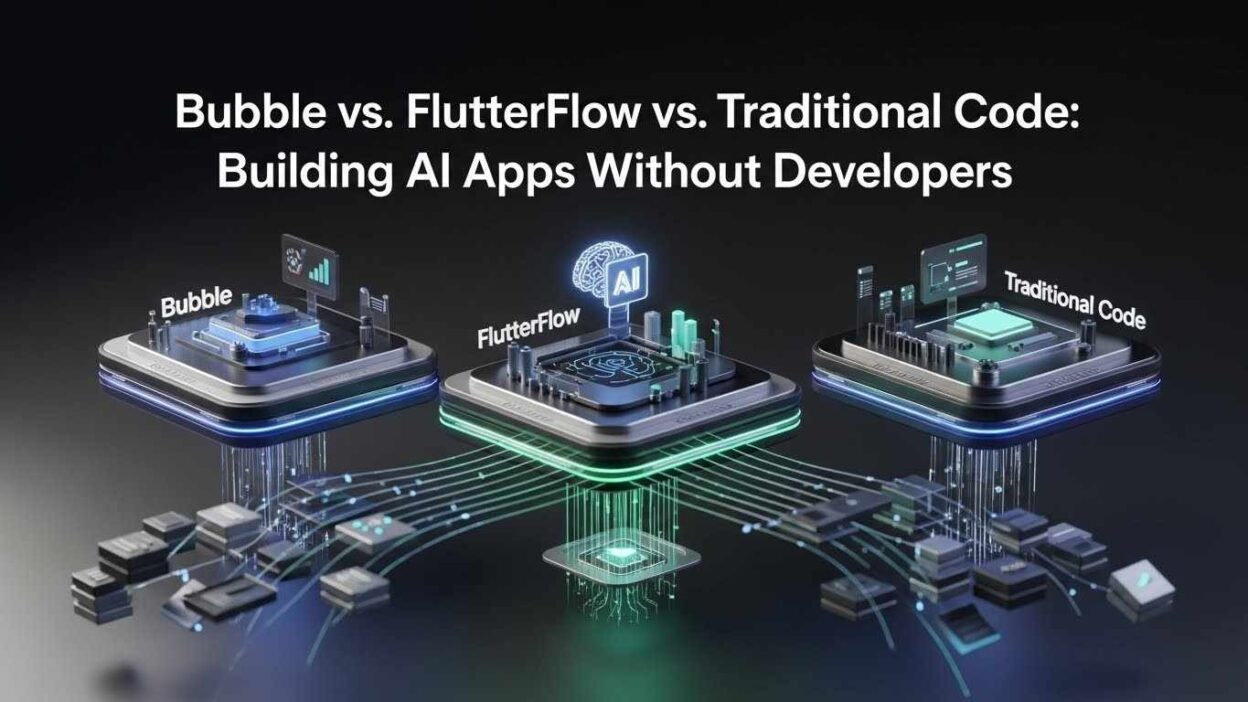
This guide compares three major approaches to building AI-powered applications. You’ll discover what each platform does best. You’ll learn the true costs involved. You’ll understand which option fits your specific needs.
Table of Contents
The No-Code Revolution Explained
Software development was exclusive for decades. Only people who learned to code could build applications. This created a massive bottleneck in innovation.
AI app builders without developers remove this barrier completely. These platforms use visual interfaces instead of text-based programming. You drag components onto a canvas. You connect elements through logical flows. You configure behaviors through dropdown menus and forms.
The technology behind these platforms is sophisticated. They compile your visual designs into actual code automatically. They handle server infrastructure and database management. They optimize performance without your intervention. The complexity exists but stays hidden from users.
Modern platforms can build surprisingly complex applications. Customer relationship management systems work perfectly. E-commerce stores with full payment processing launch easily. Social networks with user profiles and messaging function well. Internal business tools automate workflows effectively.
The key advantage is speed. Traditional development takes months for even simple applications. No-code platforms reduce this timeline to weeks or days. You can test ideas quickly. You can iterate based on user feedback rapidly. You can launch before competitors even start coding.
Understanding Bubble: The Web Application Powerhouse
Bubble launched in 2012 as one of the first serious no-code platforms. The tool focuses specifically on web applications that run in browsers.
The interface looks intimidating initially. Multiple tabs control different aspects of your application. The design tab handles visual layout. The workflow tab manages logic and interactions. The data tab structures your database. Everything connects through a visual programming language.
Bubble excels at creating database-driven applications. You define custom data types with specific fields. You create relationships between different data types. You build searches with multiple conditions. You aggregate information across your entire database.
The workflow system handles complex business logic. You create conditional statements without writing if/then code. You trigger actions based on user interactions. You schedule recurring tasks. You integrate with external services through APIs.
Building AI Features in Bubble
Adding artificial intelligence to Bubble applications requires the API Connector plugin. This tool lets you connect to any AI service offering an API.
OpenAI integration is the most common choice. You send user messages to ChatGPT through API calls. You receive AI-generated responses. You display these responses in your interface. The entire conversation flow happens through visual workflows.
Claude from Anthropic integrates similarly. Google’s Gemini works through API connections. Stable Diffusion enables image generation. Speech-to-text services add voice capabilities. Any AI service with an API becomes accessible.
The challenge is understanding API structure. You need to format requests correctly. You must handle authentication headers properly. You need to parse JSON responses. This creates a learning curve that surprises beginners.
Vector databases for semantic search require additional setup. Services like Pinecone store embedded content. You embed your documents first. You search by semantic similarity. You feed relevant results to your language model. Each step needs careful implementation in Bubble’s workflow system.
Bubble’s Pricing Reality
Bubble offers a free tier for learning and prototyping. The Starter plan costs $29 monthly for hobby projects. The Growth plan runs $119 monthly for serious applications. The Team plan reaches $349 monthly for production needs.
These base prices mislead many beginners. Plugins add significant costs. Popular AI plugins charge $10-50 monthly each. Authentication tools cost extra. Advanced features require paid additions.
API costs compound quickly. OpenAI charges per token processed. A conversational AI feature might cost $100-500 monthly depending on usage. Image generation APIs add even more. These costs scale directly with your user count.
Production applications typically spend $500-1000 monthly total. High-traffic apps can exceed $2000 monthly. Budget accordingly from the beginning.
Bubble’s Strengths and Limitations
Bubble dominates for complex web applications. Internal business tools leverage its database capabilities perfectly. Marketplace platforms with buyers and sellers fit naturally. Content management systems work beautifully.
The platform struggles with mobile applications. You can build responsive websites that work on phones. They never feel truly native. Animations lack smoothness. Gestures don’t respond naturally. Users notice the difference immediately.
Real-time features present challenges. Chat applications work but feel slightly laggy. Live collaboration like Google Docs is difficult to implement. WebSocket connections require workarounds.
Performance becomes an issue at scale. Applications with 50,000+ users need extensive optimization. Database queries slow down with large datasets. You need expertise to maintain speed.
Exploring FlutterFlow: The Mobile-First Solution
FlutterFlow takes a fundamentally different approach. The platform builds native mobile applications instead of web apps.
Flutter powers FlutterFlow under the hood. Google created Flutter as a mobile development framework. FlutterFlow adds a visual layer on top. You get Flutter’s performance with no-code simplicity.
The interface feels more intuitive than Bubble. You design screens that look exactly like phone interfaces. You see your changes in real-time. You test directly on your actual phone. The feedback loop is immediate.
Navigation between screens works visually. You draw connections showing how users move through your app. You configure transitions and animations. Everything updates instantly in the preview.
AI Integration in FlutterFlow
FlutterFlow embraces AI more natively than Bubble. The platform includes built-in actions for common AI tasks.
OpenAI integration requires minimal setup. You add your API key once. You select which model to use. You create prompts through a visual interface. Responses appear in your app automatically.
The AI Code Assistant represents FlutterFlow’s most innovative feature. You describe what you want in plain English. The AI generates components and workflows. You iterate by providing feedback. This makes AI app builders without developers truly accessible to non-technical users.
Image generation through Stable Diffusion works similarly. Text-to-speech converts written content to audio. Speech recognition turns voice into text. These capabilities integrate through simple action blocks.
Custom AI implementations still need API work. You might want Claude instead of ChatGPT. You might need specialized AI for your industry. You might want to fine-tune models. These scenarios require understanding APIs like in Bubble.
Mobile App Deployment Process
FlutterFlow shines when publishing applications. The platform builds your app for iOS and Android simultaneously.
You download compiled apps ready for app stores. You don’t need Xcode for iOS. You don’t need Android Studio. The platform handles all compilation automatically.
Apple requires a developer account costing $99 annually. Google charges $25 once for their developer account. These fees are unavoidable for any mobile app.
App store submission follows each platform’s guidelines. Apple reviews apps manually before approval. This process takes 1-7 days typically. Google reviews faster, often within 24 hours. Rejections happen and require fixes.
The major advantage is code export. FlutterFlow lets you download real Flutter code. Developers can continue building if you outgrow the platform. This exit strategy provides valuable flexibility.
FlutterFlow Pricing Structure
The free tier allows unlimited building and testing. You can’t publish to app stores without upgrading.
The Standard plan costs $30 monthly. This enables publishing and removes FlutterFlow branding. Most solo entrepreneurs choose this tier.
The Pro plan runs $70 monthly. You get priority support and advanced features. Team collaboration becomes available.
The Team plan charges $70 per user monthly. Larger organizations need this for multiple team members.
Backend services add separate costs. Firebase or Supabase host your data. Firebase starts free but production apps need $25-500 monthly. Supabase Pro costs $25 monthly minimum.
Total costs for production mobile apps typically run $300-1000 monthly. This includes FlutterFlow, backend services, and AI APIs.
FlutterFlow’s Ideal Use Cases
Social media applications thrive on FlutterFlow. Photo sharing with stories and feeds works perfectly. Direct messaging feels native and responsive. User profiles and following systems implement easily.
Fitness and wellness apps leverage mobile features naturally. GPS tracking monitors running routes. Accelerometers count steps. Camera captures progress photos. Push notifications provide workout reminders.
Service booking applications work excellently. Customers browse providers and check availability. They book appointments through intuitive interfaces. Providers manage schedules from the same app.
Content consumption apps like recipe guides or news readers excel. Rich media displays beautifully. Offline functionality keeps content accessible. Smooth scrolling creates premium experiences.
Web applications present more challenges. Browser-based interfaces need different approaches. Responsive design for various screen sizes requires extra work. Desktop experiences never feel quite right.
Traditional Coding: The Custom Development Path
Writing code from scratch remains the most powerful approach. You control every aspect of your application. You optimize exactly how you want. You implement any feature imaginable.
Modern development uses multiple specialized languages. React or Vue handles frontend interfaces. Node.js, Python, or Ruby powers backend logic. PostgreSQL or MongoDB manages data. Each piece requires specific expertise.
AI integration with custom code provides maximum flexibility. You fine-tune language models for specific use cases. You implement custom machine learning algorithms. You optimize processing for speed and cost. You control AI behavior completely.
The obvious drawback is complexity. You manage web servers and hosting yourself. You handle database backups and security. You debug across multiple interconnected systems. Small mistakes create major problems.
The True Cost of Traditional Development
Hiring developers is expensive everywhere. Entry-level developers start at $60,000-80,000 annually in the US. Experienced developers command $100,000-150,000 salaries. AI specialists often exceed $200,000 yearly.
Building a simple AI MVP traditionally costs $50,000-100,000. More complex applications reach $250,000-500,000 easily. These numbers assume contractors or agencies. In-house teams cost even more with benefits and equipment.
Time investment is substantial. Planning takes 4-6 weeks. Development spans 12-20 weeks. Testing and refinement add 4-8 weeks. You’re looking at 6-9 months minimum before launching.
These realities explain why AI app builders without developers have exploded in popularity. Entrepreneurs test ideas without massive investment. Businesses build internal tools without expanding tech teams. Creators launch products while keeping day jobs.
When Traditional Coding Makes Sense
Highly unique applications require custom code. You’re building something completely novel. You’re creating proprietary technology. You need features no platform supports.
Performance-critical applications demand custom optimization. Video editing needs every millisecond. Real-time multiplayer games can’t tolerate lag. High-frequency trading requires microsecond precision.
Complex enterprise integrations favor traditional development. Legacy systems use obscure protocols. Custom authentication integrates with enterprise identity providers. Specific compliance requirements need custom implementation.
Large companies often choose custom code despite higher costs. They have existing technical teams. They need integration with complex internal systems. They want complete control over data and security.
Venture-backed startups sometimes require traditional coding. Investors expect it for perceived seriousness. This perception isn’t always accurate but influences funding decisions.
Speed Comparison: From Idea to Launch
Time-to-market often determines startup success. Faster launches mean faster learning from real users. Rapid iteration improves products more effectively.
FlutterFlow typically wins pure speed contests. You can build functional mobile prototypes in 1-2 weeks. The visual interface accelerates layout creation. Pre-built components eliminate repetitive work. AI-assisted features reduce tedious tasks.
Complete apps launch in under a month frequently. Creators build and publish functional applications in 3-4 weeks. This includes design, development, testing, and app store submission.
Bubble comes second for development speed. Web applications have simpler interfaces generally. The workflow system manages complex logic efficiently. You create working web apps in 2-4 weeks.
Adding AI features extends timelines. API integration and testing add 1-2 weeks typically. Complex AI implementations might need longer.
Traditional coding is slowest by far. Experienced developers need 8-12 weeks minimum for basic AI apps. Setting up environments consumes time. Writing boilerplate code feels repetitive. Testing across platforms takes significant effort.
These timelines assume platform familiarity. Complete beginners need learning time first. Bubble basics take 2-4 weeks to grasp. FlutterFlow requires 1-2 weeks. Traditional coding takes months or years to become proficient.
Iteration Speed Matters More Long-Term
Launch speed is just the beginning. You need continuous updates based on user feedback.
AI app builders without developers excel at iteration. Changes take minutes or hours instead of days. You update workflows visually. You adjust layouts instantly. You modify data structures quickly.
Traditional coding requires careful iteration. Changing one part might break other parts. You write tests to catch problems. You review code with teammates. Small changes take several days.
This iteration advantage compounds over time. No-code apps evolve rapidly with user feedback. Traditional apps change more slowly. Adaptation speed often matters more than initial perfection.
Feature Capabilities: What Can You Actually Build?
Understanding platform limitations prevents wasted effort. Each approach has boundaries that affect project feasibility.
Bubble’s Feature Strengths
Business applications work beautifully in Bubble. Customer relationship management leverages database capabilities effectively. Project management tools handle complex workflows naturally. Marketplace platforms connect buyers and sellers perfectly.
User authentication implements easily. Different user types get different permissions. Admin panels manage application content. Payment processing integrates through Stripe or PayPal.
Complex data relationships shine in Bubble. You create interconnected data types. You search across multiple conditions. You aggregate information efficiently. These capabilities support sophisticated business logic.
Real-time features present more difficulty. Chat applications work but might lag slightly. Live collaboration like simultaneous document editing is challenging. WebSocket connections need workarounds.
FlutterFlow’s Feature Strengths
Mobile-specific features dominate FlutterFlow’s strengths. Camera access captures photos and videos. GPS provides location-based functionality. Biometric authentication uses fingerprints or face recognition. Local storage enables offline functionality.
Rich media displays excellently. Images and videos render beautifully. Animations run smoothly at 60 frames per second. Gestures respond naturally to touch input. The experience matches professionally developed apps.
Social features implement well. Infinite-scrolling feeds work perfectly. Stories that disappear after 24 hours are straightforward. Photo sharing with filters uses native camera capabilities.
Complex data manipulation presents challenges. Database options are more limited than Bubble. Firebase or Supabase backends work for straightforward data. Complex queries and relationships become difficult.
Traditional Coding’s Feature Strengths
Custom code builds literally anything. Real-time multiplayer gaming? Achievable. Complex data analysis with custom algorithms? Possible. Integration with obscure third-party services? Doable.
Performance optimization reaches levels platforms can’t match. Video processing requires hand-tuned code. Machine learning model training needs custom implementations. Microsecond-level optimization demands complete control.
Unique user experiences become easier. You create completely novel interaction patterns. You implement animations no platform supports. You break conventional interface rules when beneficial.
The question isn’t capability. It’s whether you need that power for your specific application. Most projects don’t require custom code’s full flexibility.
Cost Analysis: Real Monthly Expenses
Understanding total costs prevents budget disasters. Platform fees are just the starting point.
Bubble Total Costs
Platform subscriptions run $29-349 monthly depending on your tier. Production apps typically need the $119 or $349 tier. Capacity units cost $10-20 each monthly. Most apps need 5-10 additional units.
Plugins add substantial expenses. AI plugins cost $10-50 monthly each. Authentication tools charge separately. Specialized integrations have individual pricing. Total plugin costs often reach $100-200 monthly.
AI API expenses scale with usage. OpenAI charges per token processed. Conversational features might cost $50-500 monthly. Image generation adds more. These costs grow directly with user count.
External services accumulate quickly. Email services like SendGrid cost $20-100 monthly. Search tools like Algolia run $50-500 monthly. Cloud storage adds $20-200 monthly. Supporting services often exceed platform costs.
Realistic production budgets run $500-1500 monthly. High-traffic or AI-heavy applications reach $2000-3000 monthly. Plan for these numbers, not the advertised base price.
FlutterFlow Real Costs
Platform subscriptions cost $30-70 monthly for most users. Solo entrepreneurs pay $30. Small teams might spend $200-500 total across multiple users.
App store fees add minimally. Apple charges $99 yearly. Google charges $25 once. These are unavoidable but minor.
Backend services represent larger expenses. Firebase free tier covers development. Production needs Blaze plan at $25-500 monthly. Supabase Pro starts at $25 monthly.
AI API costs match Bubble’s situation. Budget $50-500 monthly for AI features. Usage determines actual spending.
Supporting services add more. Push notifications through OneSignal cost $0-100 monthly. Analytics tools run $0-200 monthly. These accumulate steadily.
Total production costs typically run $300-1000 monthly. Heavy usage applications might reach $1500-2000 monthly. This compares favorably to Bubble while delivering native mobile experiences.
Traditional Development Costs
Developer salaries dwarf platform fees completely. One full-time developer costs $60,000-150,000 annually. You likely need multiple developers. A three-person team runs $180,000-450,000 yearly in salaries alone.
Infrastructure matters with custom code. Cloud hosting starts at $50-200 monthly. Production apps need $500-2000 monthly for reliability. High-traffic applications reach $5000-10,000 monthly.
Development tools add expenses. GitHub costs $4-21 per user monthly. CI/CD tools run $50-500 monthly. Monitoring services cost $50-300 monthly. These accumulate to $200-1000 monthly.
Annual costs run $200,000-500,000 minimum. Large projects exceed $1,000,000 yearly. The question becomes whether AI app builders without developers meet your needs at 10-20% of this cost.
Learning Investment: Time to Competency
Time commitment matters as much as money. Understanding learning curves helps set realistic expectations.
Bubble Learning Path
Complete beginners need 20-40 hours for basics. Official tutorials cover interface layout, workflows, and database design. You build simple apps like to-do lists and directories. You learn how data types and relationships function.
Intermediate competency requires 60-100 total hours. You master responsive design principles. You understand performance optimization. You implement user authentication properly. You connect APIs for external services.
Advanced proficiency needs 200+ hours total. You handle complex workflows with conditional logic. You optimize database queries for speed. You implement sophisticated security rules. You understand platform limitations and workarounds.
Most people underestimate this investment. Bubble looks simple but has significant depth. The gap between demos and production apps is substantial. Budget 3-6 months of regular practice.
FlutterFlow Learning Timeline
FlutterFlow’s learning curve is gentler initially. Basic competency takes 10-20 hours. The interface feels intuitive. Mobile design patterns are familiar from daily phone use. You create presentable screens quickly.
Intermediate skills require 40-80 total hours. You learn navigation patterns and state management. You understand data structuring properly. You implement Firebase backend integration. You add AI features through built-in actions.
Advanced capabilities need 150+ hours. You learn custom Flutter code integration. You optimize for smooth animations. You implement complex data synchronization. You master app store submissions.
The advantage is faster initial productivity. You create impressive prototypes your first weekend. This motivation sustains continued learning better than steeper curves.
Traditional Coding Investment
Learning to code professionally takes years. Basic programming concepts need 100-200 hours. You learn variables, functions, loops, and conditionals. You understand algorithmic thinking. You solve simple programming challenges.
Web development fundamentals add 200-400 hours. You learn HTML, CSS, and JavaScript. You understand browser functionality. You create basic interactive websites. You’re still far from production applications.
Backend development adds 300-500 hours. You learn about servers and databases. You understand authentication and security. You create APIs. You start building full applications.
Mobile development requires separate frameworks. React Native or Flutter need 200-300 hours each. Native iOS or Android take even longer. Cross-platform expertise demands substantial time.
AI and machine learning require advanced knowledge. Basic machine learning concepts need 100-200 hours. Deep learning and language models require much more. Most developers never specialize in AI.
Total time to professional competency runs 1000-2000+ hours minimum. That’s 6-12 months of full-time learning. Most people learn part-time, extending timelines to 2-3 years.
Security and Compliance Considerations
Security mistakes destroy applications and businesses. Understanding how each approach handles security informs better decisions.
Security in No-Code Platforms
Bubble and FlutterFlow handle infrastructure security automatically. They patch servers regularly. They manage SSL certificates. They prevent SQL injection vulnerabilities. This removes significant security burden.
Application-level security remains your responsibility. You define privacy rules in Bubble. You structure data access properly. You validate user inputs. You protect sensitive actions with permissions.
GDPR compliance requires proper configuration. You implement consent mechanisms. You create data export features. You enable data deletion. You understand where data is stored geographically.
FlutterFlow inherits Firebase or Supabase security models. These services provide security rule engines. You define who accesses what data. Misconfigured rules expose user data publicly. Many beginners accidentally create security holes.
Using AI app builders without developers doesn’t eliminate security responsibility. You must understand authentication, authorization, and data protection. Platforms make implementation easier but don’t remove the need for security awareness.
Security with Traditional Code
Custom code gives complete security control. You implement every security measure yourself. You’re responsible for everything that goes wrong.
Common vulnerabilities plague custom applications. SQL injection compromises databases. Cross-site scripting steals user data. CSRF attacks perform unauthorized actions. Authentication flaws expose accounts. Each requires specific prevention.
Dependency security matters tremendously. Modern apps use dozens of third-party libraries. Any library can have vulnerabilities. You monitor and update dependencies constantly. Automated tools help but require setup.
The advantage is transparency. You audit every line of code. You implement exactly needed security measures. You achieve specific industry compliance more easily.
Large enterprises often require traditional development for security reasons. They control where data is stored. They audit code before deployment. They integrate with complex security infrastructure.
Making Your Choice: Decision Framework
Choosing the right approach depends on your specific situation. Honest assessment of needs, skills, and resources guides decisions.
Choose Bubble When
You’re building web applications primarily. Your users access through browsers. Mobile responsiveness matters but native apps are unnecessary. This describes most B2B SaaS products.
You need complex data relationships. Your application manages intricate workflows. You need different user types with varying permissions. You need sophisticated search and filtering.
You have time to invest in learning. You’re willing to spend 40-100 hours mastering the platform. You enjoy problem-solving and understanding systems. The learning investment pays dividends.
You’re building to sell or scale a business. Bubble applications become real companies. The platform handles meaningful scale. Lower cost compared to custom development preserves equity.
Choose FlutterFlow When
Mobile experience defines your product. Your application needs native phone feel. You need device features like camera, GPS, or offline storage. Your users expect smooth animations and intuitive gestures.
Speed to market is critical. You need real user testing quickly. You want to launch in weeks rather than months. Mobile apps command attention faster than websites.
You’re a solo entrepreneur or small team. You lack funding for developers. You need to validate ideas before raising money. AI app builders without developers let you create impressive mobile applications alone.
You value having an exit strategy. FlutterFlow exports real Flutter code. Developers can continue building if you outgrow the platform. This flexibility beats platform lock-in.
Choose Traditional Coding When
Your application requires completely unique functionality. No existing platform supports what you’re building. You’re creating novel technology or interaction models. Custom code is the only option.
You have funding and time. You’ve raised venture capital or have significant resources. You can hire experienced developers. You’re building for 2-3 year timelines.
Performance is critical to your product. Your application processes video, audio, or large datasets. Milliseconds matter to user experience. You need optimization platforms can’t provide.
You need specific compliance or security requirements. Your industry has regulations platforms don’t address. You need complete control over data storage and processing. Enterprise clients require custom code.
The Hybrid Strategy
Many successful applications start with AI app builders without developers and migrate later. You validate ideas quickly with FlutterFlow or Bubble. You gain users and generate revenue. You rebuild on custom code when necessary.
This approach minimizes risk and maximizes learning. You discover what users actually want before investing heavily. You generate evidence that attracts investors or justifies hiring developers.
The key is not getting stuck. Some entrepreneurs refuse to migrate when they should. They force platforms beyond their limits. Knowing when to graduate from no-code to custom code separates successful founders from struggling ones.
Common Mistakes to Avoid
Learning from others’ mistakes saves time and money. These errors appear repeatedly across no-code projects.
Underestimating Learning Time
New users expect to build complex apps immediately. They watch impressive demos and assume it’s that easy. Reality requires deep platform understanding.
Build several simple projects first. Create a to-do list. Build a simple blog. Make a contact form with database storage. These foundational projects teach essential concepts.
Rushing into your main project guarantees frustration. You’ll hit constant roadblocks. You won’t know proper data structure. You’ll build inefficiently and need to rebuild.
Allocate proper learning time. Spend your first month just learning. Follow tutorials completely. Build example projects even if they seem boring. This foundation prevents months of struggle.
Choosing the Wrong Platform
Many entrepreneurs choose based on hype rather than fit. They read articles praising FlutterFlow and assume it’s perfect for everything. They ignore whether their application needs mobile-first design.
Analyze actual requirements carefully. List features your application needs. Research whether each platform supports those features well. Check forums for people building similar applications.
Web applications work better on Bubble. Mobile applications work better on FlutterFlow. This seems obvious but many choose incorrectly. They build mobile apps on Bubble and wonder why they feel clunky.
Ignoring Database Design
Database structure determines application success. Poor database design creates worsening problems. You need to plan your data model before building interfaces.
List all data types your application manages. Define how they relate to each other. A marketplace has Users, Products, Orders, and Reviews. Each connects to others in specific ways.
Draw these relationships on paper first. This reveals complexity before committing to structure. Changing database design after building workflows wastes enormous time.
Many beginners start building without planning. They add fields randomly as needed. They create redundant data. They struggle with queries and performance.
Overlooking API Costs
AI features cost money per usage. This catches people unprepared. You build an AI chatbot calling GPT-4 on every message. Each conversation costs $0.50-2.00. Your 1000 users generate $500-2000 monthly in API costs alone.
Calculate expected API usage carefully. Estimate how many AI calls each user triggers. Multiply by expected user count. Add 50% buffer for unexpected usage.
Consider ways to reduce API calls. Cache common responses. Implement rate limits per user. Use smaller, cheaper models where appropriate. Switch to self-hosted models if costs become prohibitive.
Monitor API usage constantly after launch. Set up alerts when spending exceeds thresholds. Many entrepreneurs discover runaway costs after receiving thousand-dollar bills.
Frequently Asked Questions
Can I really build professional applications without coding?
Yes, with important caveats. Professional-looking applications are achievable on Bubble and FlutterFlow. You create user interfaces matching custom-coded apps. You implement complex business logic through visual workflows.
The limitation is sophistication. Highly unique features remain difficult. Extreme performance optimization requires understanding code. Complex algorithms need programming knowledge.
Most business applications don’t need this sophistication. Customer management, project tracking, content management, and marketplace applications all work excellently on AI app builders without developers.
How long does building an AI-powered app take?
Simple applications take 1-4 weeks. You’re building basic chat interfaces or simple automation. You’re using pre-built components and straightforward AI integrations.
Medium complexity applications need 1-3 months. You’re creating applications with multiple features and user types. You’re implementing custom AI behaviors and complex workflows.
Complex applications require 3-6 months. You’re building sophisticated platforms with many interconnected features. You’re optimizing performance and implementing advanced functionality.
These timelines assume part-time work. Full-time dedication cuts them by 50-70%. Prior platform experience reduces time significantly.
What if the platform shuts down?
Platform risk is real but manageable. Choose platforms with strong backing. Bubble has operated since 2012 with steady growth. FlutterFlow is backed by Google through Flutter.
FlutterFlow offers code export as insurance. You download Flutter code and hire developers to continue building. This provides an exit strategy.
Bubble doesn’t allow code export. You’re committed to the platform long-term. Mitigate this by ensuring Bubble’s pricing and features justify continued use.
Can these handle real business scale?
Yes, with proper architecture. Applications with 10,000-50,000 active users run well on both platforms. You need appropriate subscription tiers and optimization.
Bubble applications above 50,000 users become challenging. Performance optimization becomes critical. You might need to migrate parts to custom code.
FlutterFlow scales better due to mobile architecture. The limiting factor becomes your backend choice. Firebase and Supabase both handle large scale when configured properly.
How much does it really cost monthly?
Budget $300-1000 monthly for production applications with moderate traffic. This includes platform fees, plugins, API costs, and supporting services.
High-traffic applications need $1000-2500 monthly. AI-heavy applications might reach $3000-5000 monthly due to API costs.
Starting applications cost much less. You build and test on free tiers. Launch on basic paid plans for $30-100 monthly. Scale spending as your user base grows.
Do I need to learn multiple platforms?
Learning one platform thoroughly serves you better than surface knowledge of multiple platforms. Pick the platform matching your primary application type.
Learn Bubble if you’re building web applications. Learn FlutterFlow if you’re building mobile apps. Master that platform completely before exploring alternatives.
Understanding both provides valuable perspective. You’ll know which tool fits specific projects. Consider learning a second platform after building 2-3 complete projects on your first choice.
Read More:-Setting Up a Local LLM for Privacy-Focused Business Automation
Conclusion
The decision between Bubble, FlutterFlow, and traditional code depends entirely on your specific situation. Each approach offers distinct advantages for different project types.
AI app builders without developers have matured dramatically in recent years. You can build sophisticated applications that generate real revenue. You can serve thousands of users reliably. You can implement AI features that felt impossible just years ago.
The economics favor no-code for most entrepreneurs. Building an MVP traditionally costs $50,000-100,000. Building on Bubble or FlutterFlow costs $2,000-10,000 in time and platform fees. You preserve equity and extend runway dramatically.
Speed matters more than perfection when starting. Getting something in front of users teaches you what to build next. AI app builders without developers excel at rapid iteration. You can change your application daily based on feedback.
Traditional development still wins for specific scenarios. Unique functionality, extreme performance requirements, and complex enterprise needs favor custom code. Understanding when to graduate from no-code to traditional development is crucial.
Start with the lowest-risk option meeting your needs. Build your first version on Bubble or FlutterFlow. Test with real users. Generate revenue. Prove your concept works. Migrate to custom code only when platform limitations actually constrain your growth.
The future promises even better tools. AI-assisted development will accelerate further. Platforms will handle more complexity automatically. The distinction between no-code and traditional development will continue blurring.
Take action now. Choose your platform based on your project needs. Commit 20-40 hours to learning it properly. Build something real and launch it. Learn from users. Iterate rapidly.
Success comes from execution, not from having perfect tools. The democratization of application development creates opportunities for everyone. You don’t need computer science degrees anymore. You don’t need massive funding. You need good ideas, commitment to learning, and willingness to iterate.
AI app builders without developers have removed technical barriers completely. The remaining barriers are understanding user needs and building solutions they’ll actually use. Focus your energy there rather than on technical implementation details.
Start building today. Your first application won’t be perfect. You’ll make mistakes and need to rebuild parts. This learning process is valuable and necessary. Every mistake teaches you something that makes your next project better.
The tools exist right now. The costs are manageable. The learning curves are surmountable. The only question is whether you’ll take advantage of this democratization or wait while others do.