Introduction
TL;DR Slack sits at the center of how modern teams communicate. Notifications flow in. Decisions get made. Projects move forward. Most of that movement still relies on humans manually triaging messages, updating tools, and chasing status updates. AI agents Slack integration changes that dynamic entirely. AI agents connect directly into the workspace where your team already operates. They watch channels, respond to triggers, take action across connected tools, and deliver results back into conversations without anyone opening a separate dashboard. This guide covers the full picture of building effective AI agent automations inside Slack, from the technical architecture to the real-world workflow patterns that generate the most team value.
Table of Contents
What AI Agents Actually Do Inside Slack
Most teams start with simple Slack bots that reply to commands or post scheduled messages. AI agents operate at a fundamentally different level. An AI agent in Slack receives a message or event, reasons about what action to take, executes that action across connected systems, and reports the outcome back into the relevant channel or thread. The distinction matters. A bot responds to explicit commands with fixed responses. An agent reads natural language, interprets intent, makes decisions, calls external APIs, and handles multi-step workflows autonomously. AI agents Slack integration makes the workspace itself intelligent rather than simply adding another notification source.
The Architecture Behind an AI Agent in Slack
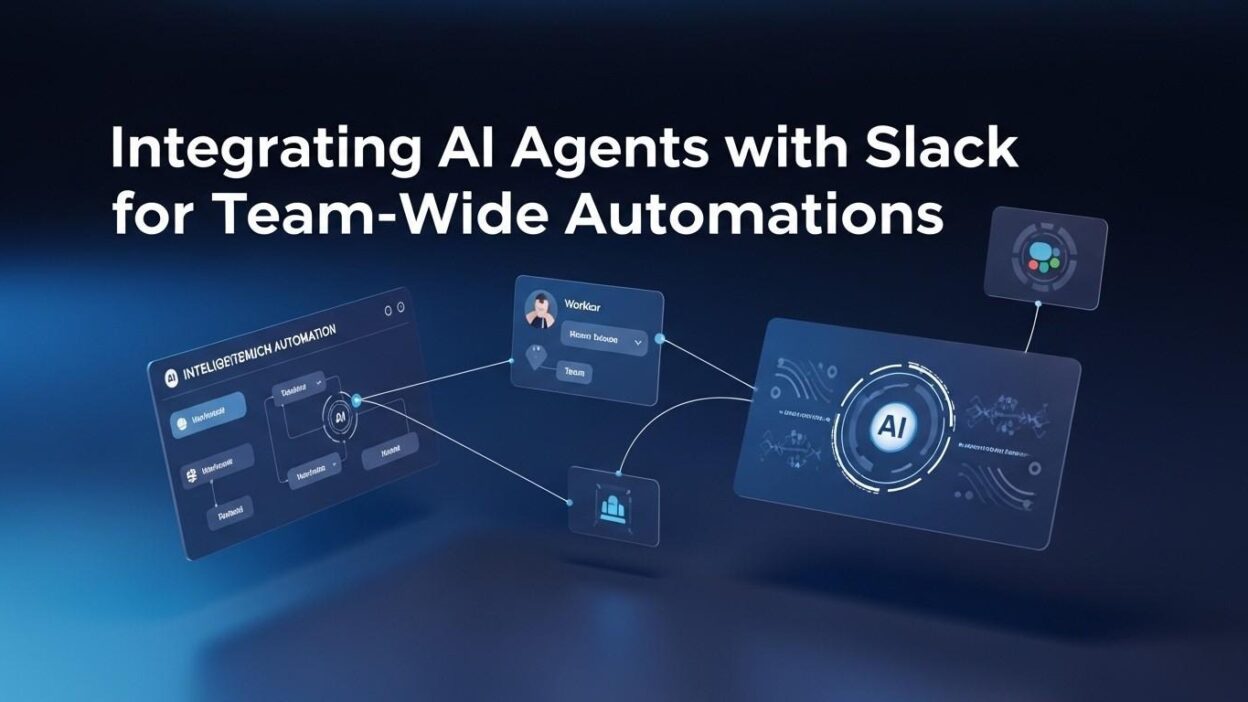
Every AI agents Slack integration relies on three core components working in sequence. The Slack event subscription layer captures messages, reactions, channel events, and slash command inputs and delivers them to the agent runtime. The agent runtime processes the incoming event through a large language model that interprets context and determines the appropriate action chain. The tool execution layer carries out the determined actions by calling external APIs, querying databases, updating project management tools, or sending messages back into Slack. The agent persists conversation context across turns so it handles multi-step interactions coherently rather than treating every message as isolated input. This architecture powers everything from simple Q and A agents to complex multi-tool workflow orchestrators.
Reactive Agents vs. Proactive Agents
Teams implement AI agents in two primary behavioral modes inside Slack. Reactive agents wait for a trigger before taking action. A teammate mentions the agent, posts a specific message format, or uses a slash command. The agent receives the trigger and executes the defined workflow. Proactive agents monitor conditions continuously and initiate actions on their own based on defined rules or AI-driven pattern detection. A proactive AI agents Slack integration might watch for incoming customer support messages that match high-priority patterns and immediately alert the on-call engineer without anyone manually scanning the queue. Both modes serve different workflow needs and many production implementations combine both patterns within a single agent deployment.
Why Teams Choose Slack as the Primary AI Agent Integration Layer
Slack’s position as the default team communication hub creates a unique integration advantage. The tools your team uses daily already connect to Slack. Jira, GitHub, PagerDuty, Salesforce, HubSpot, Google Drive, and hundreds of other platforms send notifications into Slack channels. An AI agents Slack integration taps into that existing signal stream rather than requiring teams to adopt another monitoring dashboard. Engineers already live in Slack. Support teams run their queues through Slack. Product managers track project status through Slack threads. Building AI automation inside Slack meets the team where it already works rather than asking them to change their behavior to benefit from AI.
The Slack Platform Features That Enable Agent Integration
Slack provides several platform capabilities that make robust AI agent integration practical. The Events API delivers real-time payloads to external endpoints for every event type including messages posted, reactions added, files shared, and channel membership changes. The Web API offers methods for reading channel history, posting messages, managing channel membership, uploading files, and interacting with workflows. Slash commands create custom interaction entry points that trigger agent workflows from any channel. Bolt, Slack’s official developer framework for Node.js, Python, and Java, handles the authentication, event dispatch, and middleware complexity that agent integrations require. Socket Mode enables local development and secure enterprise deployments where public endpoints are impractical. Teams building AI agents Slack integration use these native platform tools to create responsive, secure, and maintainable agent deployments.
Slack’s Workflow Builder and AI Step Integration
Slack’s native Workflow Builder provides a no-code entry point for teams that want AI-assisted automation without custom development. The Workflow Builder creates trigger-based sequences that run when specific Slack events occur. AI steps within Workflow Builder access large language model capabilities to summarize messages, classify content, draft responses, and extract structured data from unstructured channel messages. These AI-powered steps chain with webhook steps, form steps, and message posting steps to build end-to-end automations without writing code. The AI steps complement rather than replace custom AI agents Slack integration for teams with complex workflow requirements that exceed the Workflow Builder’s visual configuration limits.
High-Value Automation Patterns for AI Agents Slack Integration
The business value of AI agents Slack integration comes from applying agents to the right workflow categories. Some patterns deliver immediate, measurable time savings. Others create quality improvements that compound over time. Understanding which patterns fit your team’s context helps prioritize implementation correctly.
Customer Support Triage and Routing
Customer support teams that receive inbound requests through Slack channels benefit enormously from AI triage agents. The agent reads each incoming support message, classifies the request by category and priority, identifies the appropriate team or individual to handle it, and routes the message with a structured summary and priority tag. High-priority requests get immediate alerts to the on-call engineer or support lead. Routine requests route to the appropriate specialist queue. The AI agents Slack integration eliminates the manual triage step that previously required a dedicated team member to read every incoming message before any response work could begin. Support response times improve and critical issues surface faster because routing decisions happen in seconds rather than minutes.
Incident Response and On-Call Coordination
Engineering teams manage production incidents through Slack incident channels. An AI agents Slack integration transforms these channels from information dumps into structured response coordination hubs. The agent monitors the incident channel, tracks the timeline of events posted by engineers, surfaces relevant runbook links based on the described symptoms, summarizes the current status for late-joining responders, and drafts stakeholder communication updates when the incident lead requests them. The agent also monitors connected observability tools and posts relevant log excerpts or metric graphs directly into the incident channel when anomaly signals appear. Engineering teams running incidents with AI agent support report faster mean time to resolution because information stays organized and responders spend less time on coordination overhead.
Sales and CRM Workflow Automation
Sales teams manage deal updates, CRM data entry, and follow-up task creation through a combination of meetings and scattered Slack messages. AI agents Slack integration streamlines the workflow between Slack conversations and CRM systems like Salesforce or HubSpot. When a sales representative posts a deal update in the team channel, the agent extracts structured information including deal stage, next steps, blockers, and timeline. It updates the CRM record automatically and creates follow-up tasks assigned to the relevant team members. The agent also monitors deal room channels and alerts the sales manager when discussions indicate risk signals like budget concerns, competitor mentions, or delayed decisions. Sales velocity improves because CRM data stays current without manual data entry interrupting selling activity.
Engineering Standups and Status Aggregation
Daily standups consume engineering team time with repetitive status reporting. An AI agents Slack integration automates the aggregation of standup information without eliminating the communication value. The agent prompts each engineer at the configured standup time with a structured message requesting their update. Engineers respond in the thread with their progress, blockers, and plans. The agent aggregates all responses into a structured summary, posts it to the team channel, and flags any mentioned blockers for manager attention. Engineers who miss the standup window receive a follow-up prompt. The engineering manager gets a consolidated view without attending a synchronous meeting. Teams running async standup workflows with AI agent support report 20 to 30 minute daily time savings per engineer compared to synchronous standup formats.
Knowledge Base Search and Document Retrieval
Teams accumulate institutional knowledge in Notion, Confluence, Google Drive, and internal wikis. Retrieving that knowledge interrupts workflows when team members need to context-switch to search interfaces. AI agents Slack integration brings knowledge retrieval directly into conversations. A team member asks the agent a question about a process, policy, or technical specification directly in Slack. The agent searches connected knowledge bases using semantic search, retrieves the relevant documents or sections, and delivers a concise answer with source links back into the conversation. The AI agents Slack integration reduces the interruption cost of information retrieval and prevents teams from reinventing answers to questions already documented in the knowledge base.
Content Approval and Review Workflow Management
Marketing and content teams manage approval workflows through a combination of project management tools and Slack conversations. An AI agents Slack integration consolidates the approval workflow into a single channel experience. When content moves to review status in the connected project management tool, the agent posts a formatted approval request to the designated reviewer in Slack. The reviewer approves or requests changes directly in Slack. The agent updates the project management record, notifies the content creator of the decision with the reviewer comments, and logs the approval chain for compliance purposes. Creative teams report that Slack-native approval workflows reduce their average approval cycle time by 40 to 60 percent compared to email-based review processes.
Building Your First AI Agent for Slack: Technical Implementation Guide
Implementing AI agents Slack integration requires decisions at four distinct layers. Platform choice, authentication setup, agent runtime design, and deployment configuration all affect the agent’s reliability, security, and maintenance burden. Getting these decisions right at the start prevents expensive rework as agent complexity grows.
Choosing Between Slack Bolt and Direct API Integration
Slack Bolt represents the most practical starting point for most AI agents Slack integration projects. The Bolt framework handles OAuth token management, event signature verification, middleware processing, and error handling automatically. Developers focus on agent logic rather than Slack platform boilerplate. Bolt supports Node.js, Python, and Java, covering most engineering team toolchains. Direct API integration using raw HTTP requests suits specialized scenarios where Bolt’s framework structure conflicts with existing application architecture or where teams need very fine-grained control over the request handling lifecycle. Most new AI agent projects benefit from Bolt’s productivity advantages rather than the flexibility of direct API integration.
Setting Up the Slack App and Required Permissions
Every AI agents Slack integration requires a dedicated Slack app with correctly scoped OAuth permissions. Create the app at api.slack.com with the appropriate features enabled for your use case. Event subscriptions require the Events API feature with a verified endpoint URL. Message handling requires the channels:history and channels:read scopes alongside im:history for direct message access. Posting messages requires chat:write permission. Reading user information for personalized agent responses requires users:read scope. Requesting only the minimum required permissions follows the principle of least privilege and simplifies the app installation review process for enterprise Slack workspaces with strict app governance policies. Store OAuth tokens in environment variables rather than application code across all deployment environments.
Designing the Agent Reasoning Layer
The reasoning layer determines agent intelligence. Most production AI agents Slack integration deployments use one of three LLM integration patterns. Direct API calls send each incoming event to a model like GPT-4o or Claude 3.5 Sonnet with a carefully engineered system prompt that defines the agent’s role, available tools, and response format. Framework-based agents use LangChain, LlamaIndex, or CrewAI to manage tool calling, memory, and multi-step reasoning through structured agent loops. Custom implementations build specialized reasoning logic for agents with highly defined behavior requirements that general frameworks handle less efficiently. The system prompt quality determines agent behavior quality more than any other design decision. Invest significant effort in prompt engineering before optimizing anything else in the agent pipeline.
Tool Integration: Connecting Agents to Your Stack
Agent value scales with the number of tools the agent can act on. Each tool integration requires defining a function that the LLM can call with structured parameters. A Jira tool integration provides functions for creating issues, updating status, assigning tickets, and querying sprint data. A GitHub tool integration provides functions for listing pull requests, posting review comments, and checking CI status. Each function definition includes a description that the LLM uses to decide when to call it and a parameter schema that validates inputs before execution. Tool integration for AI agents Slack integration follows the same pattern regardless of the specific external system. Define the function, describe it clearly in the schema, validate inputs before API calls, and handle errors gracefully with informative messages back to the Slack conversation.
Deployment and Monitoring Considerations
Production AI agents Slack integration deployments need reliable infrastructure with observability built in from the start. Containerized deployments on AWS ECS, Google Cloud Run, or Railway provide the scaling and availability that production agent workloads require. Structured logging captures every event received, action taken, tool called, and response sent with timestamps and correlation IDs that enable debugging. Metric dashboards track agent response latency, tool call success rates, and error rates across all handled event types. Alert rules notify the team when error rates spike or response latency degrades beyond acceptable thresholds. Agents that run invisibly in production without observability create debugging nightmares when behavior issues emerge weeks after deployment.
Popular Frameworks and No-Code Platforms for AI Agents Slack Integration
Teams at different technical maturity levels approach AI agents Slack integration differently. Experienced engineering teams build custom agent implementations. Teams without dedicated engineering resources use no-code and low-code platforms that provide pre-built Slack connectivity alongside AI automation capabilities.
Zapier and Make for No-Code AI Agent Workflows
Zapier and Make both provide AI-powered automation steps that connect to Slack without custom development. Zapier’s AI actions use natural language to configure automation logic and chain multiple tool steps together. The Slack trigger in Zapier detects new messages matching keyword criteria and passes them through OpenAI or Claude steps for classification, summarization, or response generation. Make provides more complex conditional logic and data transformation capabilities within its visual workflow builder. Both platforms suit teams that need AI agents Slack integration for defined, repeatable workflow patterns rather than dynamic conversational agent experiences. The no-code platforms excel at structured data flow between Slack and connected business tools without requiring engineering resources for implementation or maintenance.
LangChain and LlamaIndex for Custom Agent Development
LangChain provides the most widely used framework for building custom AI agents with Slack integration. The agent executor, tool definitions, memory management, and chain composition components cover the full agent architecture from a single library. LlamaIndex specializes in retrieval-augmented generation workflows where agent responses draw heavily from connected document stores and knowledge bases. Teams building knowledge base retrieval agents inside Slack find LlamaIndex’s indexing and query capabilities complement Slack’s messaging infrastructure effectively. Both frameworks generate active development communities with extensive documentation, pre-built tool integrations, and community-contributed agent patterns that accelerate AI agents Slack integration projects compared to building from first principles.
n8n for Self-Hosted AI Agent Orchestration
n8n provides an open-source workflow automation platform with strong AI agent capabilities and self-hosted deployment options. Teams with data privacy requirements that prevent using cloud-based automation platforms find n8n’s self-hosted deployment model practical for AI agents Slack integration. The visual workflow builder handles Slack event triggers, AI processing steps through connected LLM providers, and tool execution across connected business systems. n8n’s code nodes allow custom logic insertion at any workflow step for complex data transformation requirements. The self-hosted deployment gives engineering teams full control over data residency, access logging, and infrastructure configuration without depending on a SaaS provider’s availability or pricing model.
Security and Governance for AI Agents Slack Integration
AI agents with access to business communications and connected enterprise tools create security and governance responsibilities that require deliberate attention. Organizations that deploy AI agents Slack integration without addressing these requirements create risks that undermine the productivity gains the automation delivers.
Permission Scoping and Least Privilege Access
Each AI agent should access only the Slack channels and external tools its function requires. Avoid deploying single agents with broad access to all channels and all connected tools. A customer support triage agent needs read access to the support channel and write access to the CRM system. It does not need access to engineering incident channels or HR systems. Scoping permissions at the agent level rather than the platform level limits the blast radius if an agent behaves unexpectedly or a security incident exposes its credentials. Review and audit agent permissions quarterly as team structures and tool access requirements evolve. Slack Enterprise Grid provides admin controls for managing AI agent app permissions at the organization level.
Message Data Privacy and Retention
Slack messages processed by AI agents pass through the agent runtime and potentially through external LLM provider APIs. Understand the data retention policies of every provider in the processing chain before deploying AI agents Slack integration in channels that handle personal data, financial information, or legally protected communications. Configure LLM API calls with the zero data retention options that providers like Anthropic and OpenAI offer for enterprise accounts. Inform team members which channels have AI agent monitoring active so they can make informed decisions about what they communicate in those channels. Maintain audit logs of what data the agent processed and what actions it took to support compliance review requirements.
Human Oversight and Override Mechanisms
Autonomous AI agents that take actions across connected business systems need human oversight mechanisms that prevent runaway automation. Implement confirmation steps for high-consequence actions where the agent posts the proposed action to Slack and waits for explicit human approval before executing. Provide clear mechanisms for team members to pause or stop agent actions mid-execution when they observe unexpected behavior. Log every action the agent takes with the triggering event and reasoning context so humans can audit agent decisions retroactively. AI agents Slack integration that operates transparently with clear override capabilities earns team trust faster than agents that act silently without any visibility into their decision-making process.
Frequently Asked Questions: AI Agents Slack Integration
How is an AI agent different from a Slack bot?
A Slack bot responds to predefined commands with hardcoded responses or scripted logic. The developer specifies every possible input and output when building the bot. An AI agent uses a large language model to interpret natural language, reason about context, make decisions across multiple steps, and call external tools based on that reasoning. AI agents Slack integration creates systems that handle novel inputs the developer never explicitly anticipated because the LLM generalizes from its training rather than matching against a fixed command list. Bots suit simple, highly defined tasks. Agents suit complex, variable workflows that require judgment rather than rule matching.
What are the best use cases for AI agents Slack integration for small teams?
Small teams get the most immediate value from AI agents Slack integration in three areas. Customer support triage eliminates the need for a dedicated person to read and route every incoming support message. Knowledge base retrieval agents reduce time spent searching documentation by delivering answers directly in Slack. Automated standup aggregation saves meeting time while maintaining the communication value of status updates. Small teams should start with one well-defined automation that solves a concrete pain point rather than attempting complex multi-tool agent deployments. A single successful agent that saves two hours per week per team member builds the internal confidence and technical capability needed to expand the automation program over time.
Can AI agents Slack integration work with private channels?
AI agents can access private Slack channels with the correct permission configuration. The Slack app requires the groups:history and groups:read OAuth scopes to read private channel messages. Users must explicitly invite the AI agent app to the private channel before it receives events from that channel. Private channel access creates additional data governance responsibilities. Messages in private channels often contain more sensitive information than public channels. Review the data handling requirements for private channel content carefully before configuring AI agent access. Enterprise Slack workspaces with strict data governance requirements may need additional approval from workspace administrators before deploying agents with private channel access.
How do you handle rate limits in AI agents Slack integration?
Slack’s Web API enforces rate limits on every API method. Message posting limits to one request per second in most contexts. Channel history retrieval allows twenty requests per minute. Exceeding rate limits returns HTTP 429 responses that the agent must handle gracefully. Implement exponential backoff retry logic that waits before retrying rate-limited requests rather than hammering the API with repeated immediate requests. Queue outbound messages when burst sending volume exceeds rate limits rather than dropping messages or failing workflows. Monitor the Retry-After header in rate limit responses to determine the minimum wait time before retrying. Well-designed AI agents Slack integration treats rate limit handling as a first-class concern rather than an afterthought.
How do you measure the ROI of AI agents Slack integration?
ROI measurement for AI agents Slack integration requires tracking time savings, error reduction, and outcome quality metrics before and after deployment. Time tracking tools or manager estimates capture the hours previously spent on tasks the agent now handles. Ticket routing accuracy rates, incident response times, and CRM data completeness all provide measurable quality outcome metrics depending on the use case. Calculate the engineering hours spent building and maintaining the agent integration against the time savings delivered weekly multiplied by loaded hourly rates for the relevant team. Most well-scoped agent implementations reach ROI positive within four to eight weeks of deployment when they target genuinely high-frequency, time-intensive manual workflows.
What happens when an AI agent makes an error in Slack?
Agent errors in production AI agents Slack integration fall into two categories. Reasoning errors occur when the agent misinterprets a request and takes the wrong action or gives an incorrect answer. Tool execution errors occur when an external API call fails or returns unexpected data. Design agents to post explicit error messages to the relevant channel or thread when they encounter a problem rather than failing silently. Provide a fallback escalation path where the agent notifies a human team member when it cannot confidently handle a request. Log all errors with full context for post-incident review. Implement confidence thresholds that route low-confidence responses to human review rather than posting potentially wrong information directly to team channels.
Measuring and Scaling Your AI Agent Automation Program
The first AI agent deployment creates the foundation for an automation program that delivers compounding value over time. Scaling from one agent to many requires measurement discipline, clear ownership, and systematic expansion planning.
Tracking Agent Performance Metrics
Production AI agents Slack integration programs need dashboard-level visibility into agent performance across several dimensions. Message handling volume tracks how many events the agent processes daily and weekly with trend lines that reveal growing adoption. Response latency measures the time between event receipt and agent response delivery. This metric matters because slow responses erode team trust in the agent’s value. Tool call success rates reveal which external integrations create reliability bottlenecks. User satisfaction signals collected through reaction emojis or brief feedback prompts provide subjective quality data alongside objective performance metrics. Teams that measure agent performance consistently identify improvement opportunities faster than teams that deploy and forget.
Expanding the Agent Program Across Teams
Successful AI agents Slack integration programs expand organically when team members see colleagues benefiting from agent automations. Create a lightweight intake process for other teams to request new agent capabilities or workflow automations. Document the agent architecture and tool integration patterns in an internal knowledge base that enables other engineers to build additional agents without starting from scratch. Establish governance standards that all new agent deployments must meet including permission scoping, logging requirements, and human override mechanisms. The automation program grows most sustainably when it follows consistent standards rather than allowing each team to build independent, inconsistently governed agent deployments.
Read More:-How to Evaluate AI Output Quality: Building an “Eval” Pipeline
Conclusion
AI agents Slack integration represents one of the highest-leverage automation investments available to modern teams. The impact compounds because AI agents operate inside the communication tool teams already use constantly. Every hour saved on manual triage, status aggregation, CRM updates, and approval routing frees team members for the judgment-intensive work that creates real business value.
The implementation path is clear. Start with the highest-frequency manual workflow your team runs through Slack today. Build a focused agent that handles that workflow reliably before adding complexity. Measure the time savings. Use that success story to expand the program to additional workflow categories and additional teams.
AI agents Slack integration does not require a large engineering investment to deliver meaningful results. A single well-designed agent addressing a concrete pain point outperforms an ambitious multi-agent deployment that lacks focus and measurement discipline. Build deliberately. Measure consistently. Expand based on evidence rather than enthusiasm.
The teams that build strong AI agent foundations inside Slack in 2026 operate with structural advantages that manual workflow teams cannot match at speed or scale. Start building your AI agents Slack integration this sprint. The compounding returns begin the day the first agent goes live in your team’s workspace.